
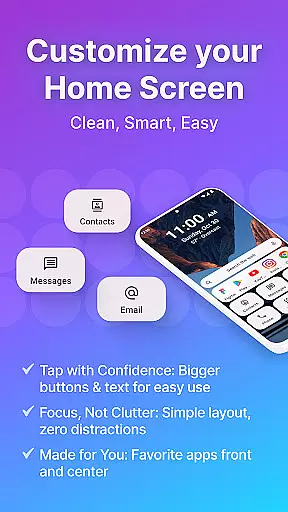
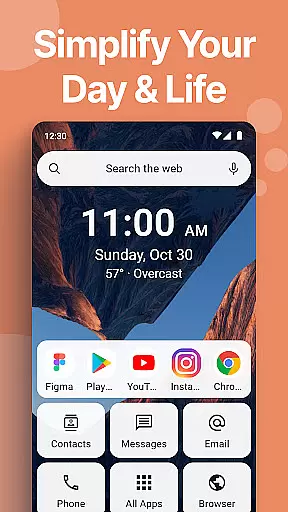
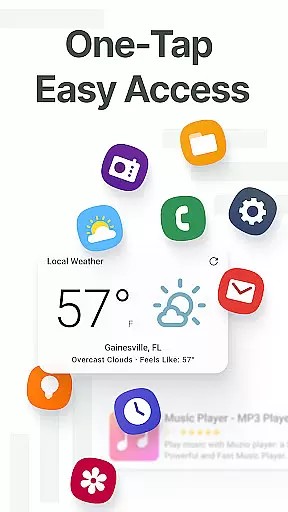
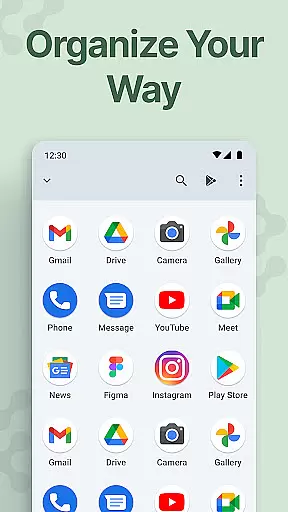
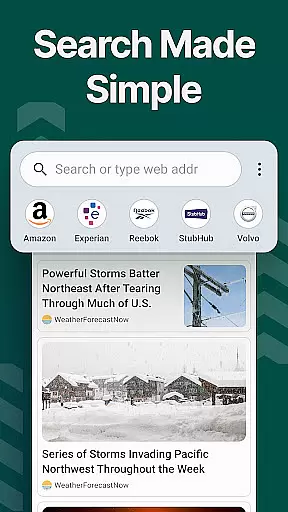
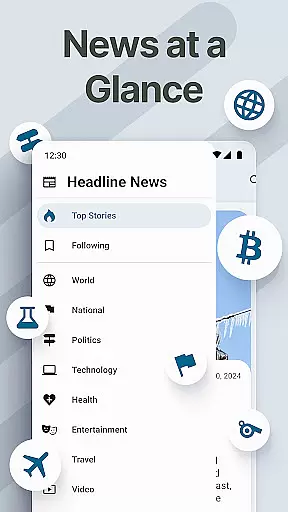
Easy Homescreen is a personalized home screen launcher designed to simplify and declutter your Android device. With its user-friendly interface, the app transforms chaotic screens into organized, easy-to-navigate spaces. It emphasizes accessibility with large buttons, clear fonts, and an intuitive layout that feels natural and calming.
The app offers advanced customization options including themes, widgets, and app hiding features, allowing users to tailor their phone experience exactly to their needs. Whether you're looking for productivity or personalization, Easy Homescreen adapts to various user preferences while maintaining a minimalist design. This makes it suitable for all age groups and technical skill levels.
By focusing on essential tools and hiding unnecessary clutter, Easy Homescreen creates a stress-free digital environment. Its adaptive design ensures only the most frequently used apps and tools are displayed prominently, making daily tasks more efficient and enjoyable.
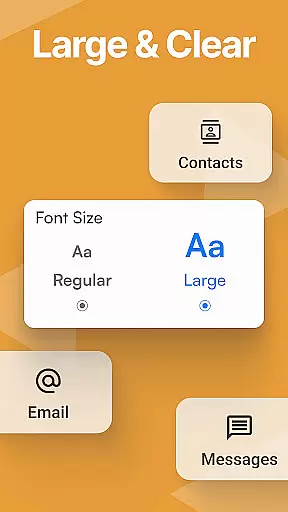
Easy Homescreen stands out with its comprehensive feature set tailored for both simplicity and customization. The app provides oversized buttons and clear text options, ensuring ease of use for individuals who prioritize accessibility. These features are complemented by advanced personalization tools such as custom fonts, themes, and icon packs, enabling users to express their unique style.
One of the key highlights is the widget support system, which includes lockscreen widgets and always-visible tools that keep users informed without being intrusive. Additionally, the built-in home screen organizer helps maintain a tidy layout, grouping apps and shortcuts logically for quick access.
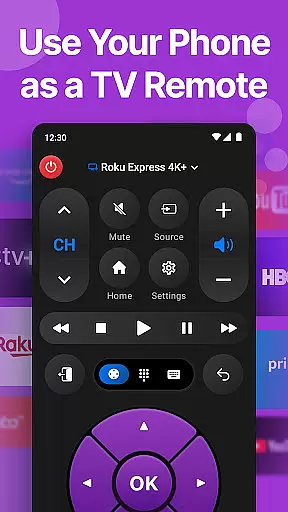
Another notable feature is the optional Easy Keyboard, which enhances typing accessibility with larger keys. The app also integrates essential functions like weather updates and universal remote capabilities, consolidating daily utilities into one streamlined interface. These innovations collectively deliver a home screen experience that is both functional and aesthetically pleasing.
Customization is at the heart of Easy Homescreen, offering users a wide array of options to tailor their smartphone experience. This app allows for an unprecedented level of personalization, from custom fonts and themes to personalized app icons, ensuring that your phone truly reflects your style and preferences.
The app's customization extends beyond mere aesthetics. Users can organize their most-used apps with ease, thanks to the smart personalization features that adapt to individual usage patterns. By displaying only the frequently accessed tools and hiding the rest, Easy Homescreen ensures that your home screen remains uncluttered and efficient.
Moreover, the inclusion of widgets and lockscreen widgets adds another layer of utility, allowing users to stay informed and in control without being overwhelmed by unnecessary information. These widgets are designed to be helpful yet non-intrusive, maintaining the minimalist ethos of the launcher.
Ultimately, the variety of customization options available in Easy Homescreen empowers users to create a digital environment that feels less like a device and more like an extension of their personal space, enhancing both usability and emotional connection to their phone.
Theme compatibility is a standout feature of Easy Homescreen, enabling users to seamlessly integrate their preferred visual styles across their device. Whether you're aiming for a bold, playful look or a professional aesthetic, this app provides the tools necessary to achieve a cohesive appearance that resonates with your personal brand.
With support for various themes, Easy Homescreen ensures that every element, from app icons to system fonts, aligns perfectly with the chosen design language. This attention to detail not only enhances the visual appeal but also contributes to a more intuitive user experience, as familiar themes reduce cognitive load and make navigation second nature.
In addition to its expansive theme library, Easy Homescreen offers innovative features such as large buttons and accessible text options, which cater to users seeking enhanced readability and ease of use. These accessibility-first designs ensure that everyone, regardless of age or technical proficiency, can enjoy a personalized yet functional interface.
By prioritizing theme compatibility alongside customization, Easy Homescreen delivers a harmonious blend of form and function, transforming the Android experience into something joyful, intuitive, and uniquely yours.
User-friendly interface
Highly customizable
Accessible design
Efficient organization
Innovative features
Limited iOS support
Advanced features may require learning
Some features are optional
Requires permissions for full functionality
Customization can be overwhelming

Customizable Glass widgets. Over 360+ stunning widgets and more!
 4.70
4.70
Add cute Shimeji pets to screen, interact with them and relax with cute motions
4.60
App Icon Changer & Shortcut Creator. Customize your icons without any watermarks
4.30
Customize glowing edges, wallpapers, and caller screen with EdgeAura.
3.50 4.50
4.50
Modern Glass Icon Pack with glossy icons, clean minimal theme & aesthetic style
4.4
Enjoy a variety of amazing live wallpapers and colorful EDGE lighting borders!
4.80
Magic fluids wallpaper 4D: Relax with stunning fluid simulation wallpaper app
4.20
Customize phone with anime themes, 3D icons, aesthetic widgets & wallpapers
4.80
A Colorful and Minimal icon pack in an Outline Style - Over 13,600 icons!
4.70
350+ widgets with a premium glass-style finish, perfect for home & lock screens.
4.70
Ultra realistic gold analog watch face with lots of customization options.
4.50
The definitive Icon pack maker and editor
4.30
Your home screen, just the way you like it.
4.30
Unique Fonts, typefaces and stylish text. Fonts for Instagram, Whatsapp & others
4.20
More than 3000+ themes and 9000+ wallpapers for everybody!
4.10
Run multiple accounts of the same app on a single device
4.10
Customizable flower power digital watch face for Wear OS watches.
4.00
Turn your lock screen into fun with smile live wallpapers & animated wallpapers!
2.50


User Reviews