
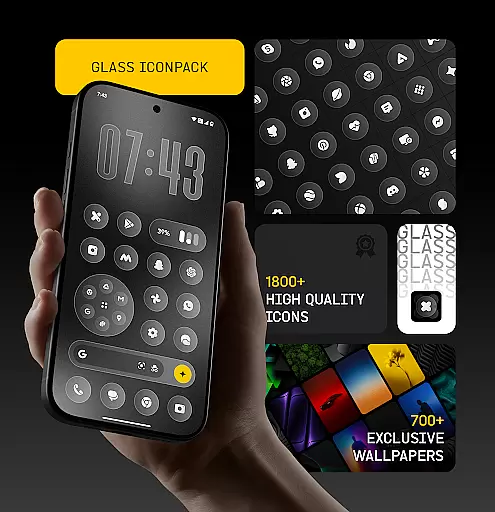
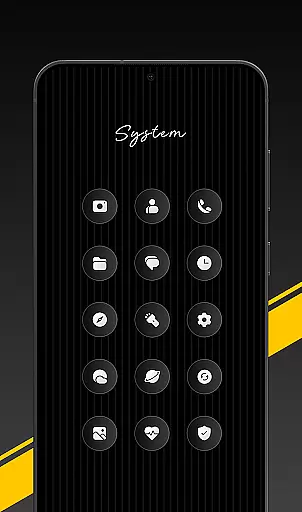
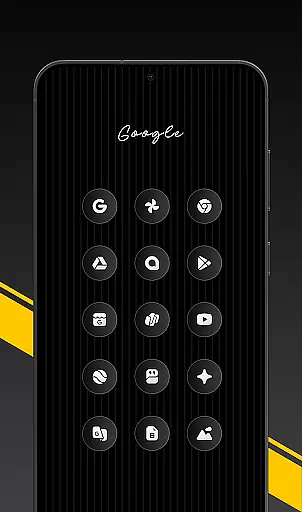
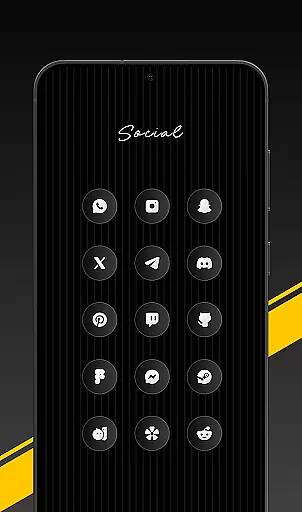
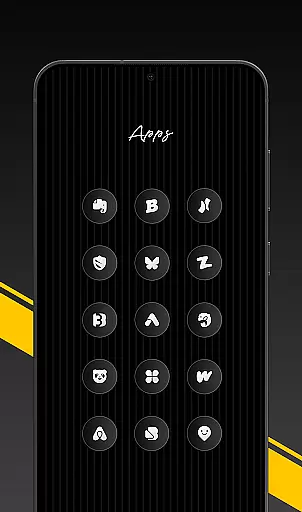
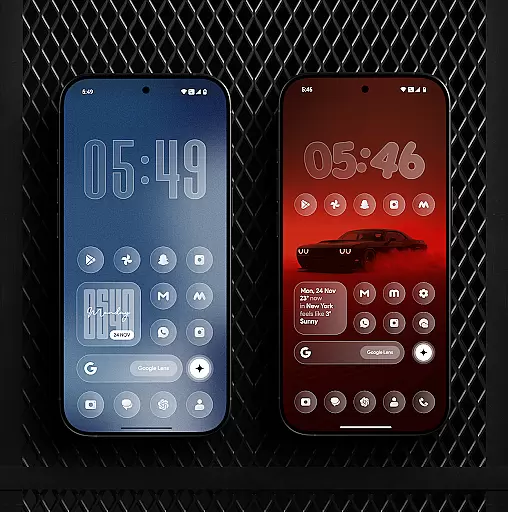
Glass Icon Pack is a premium collection of glossy, modern icons designed to enhance the aesthetic appeal of Android home screens. With over 1850 high-quality icons featuring a smooth glass effect and subtle depth, it offers users a sleek and timeless look.
The pack includes HD resolution icons, 700+ matching wallpapers, dynamic calendar icons, and smart icon masking for unthemed apps. Regular updates ensure continuous improvements and additions, making it suitable for minimal or fully customized setups.
This icon pack stands out with its clean, modern design and attention to detail. Each icon is crafted with a premium shine that complements any wallpaper or theme setup. The inclusion of HD resolution ensures sharp visuals on all devices.
Users benefit from features like dynamic calendar icons, smart icon masking, and an easy-to-use dashboard with icon search and preview. The pack also offers free icon requests, ensuring missing icons are added in future updates. These elements provide both functionality and customization options.
Glass Icon Pack offers a wide array of customization options that cater to users seeking a personalized home screen experience. With over 1850 high-quality glass icons, the pack ensures that most apps on your Android device can be customized to match a modern and aesthetic theme.
The inclusion of smart icon masking for unthemed apps extends this customization to lesser-known applications, providing a consistent look across the board. This feature is particularly beneficial as it automatically applies a mask to any app not covered by the existing icon set, ensuring visual uniformity.
Additionally, the pack includes dynamic calendar icons and 700+ matching wallpapers inspired by glass and gradient themes. These elements work together to offer a comprehensive customization experience that goes beyond mere app icons, allowing users to create a cohesive and visually pleasing interface.
Regular updates with new icons and improvements ensure that the customization options remain fresh and relevant, adapting to new app releases and user preferences. This commitment to ongoing enhancement adds significant value for users who wish to maintain a cutting-edge home screen setup.
Theme compatibility is a crucial aspect of any icon pack, and Glass Icon Pack excels in this area by offering icons that blend seamlessly with various wallpaper styles and launcher setups. The subtle depth and premium shine of each icon are designed to complement any background, making them versatile for different user preferences.
This pack supports a wide range of launchers, which means that regardless of the launcher you prefer, you can apply these glossy icons without worrying about inconsistencies or visual disruptions. For devices like Nothing, OnePlus, and Poco, which support third-party icon packs natively, the experience is even more streamlined.
The easy-to-use dashboard further enhances theme compatibility by providing features such as icon search and preview. Users can effortlessly find and apply the perfect icons to match their chosen themes, ensuring a harmonious and well-coordinated home screen.
Moreover, the availability of free icon requests allows users to address any missing or unthemed icons, reinforcing the pack's adaptability to individual needs and preferences. This flexibility ensures that every user can achieve a personalized and visually consistent Android experience.
Premium glossy design
HD resolution icons
Regular updates
Smart icon masking
Free icon requests
Limited launcher support
Missing some app icons
No iOS compatibility
Paid app
Requires manual application

A retro cartoon style watch face and a punch right in the face of the copyright
 4.60
4.60
Dark icon pack based on One 8
4.80
Adorable pets roam and play right on your phone screen!
3.30
300+ Stunning and well-designed widgets inspired by NOTHING.
4.70
400+ Beautifully crafted widgets inspired by NOTHING.
4.70
Magic fluids wallpaper 4D: Relax with stunning fluid simulation wallpaper app
4.20
Emoji Maker app - Design custom emojis and effortlessly blend them with Mixer
3.80
Fast SMS & group chat - use GIFs and emojis from your home screen launcher.
4.50
Custom ringtones songs, music ringtones for Android phones
4.60
A launcher for Samsung Good Lock and Good Guardians modules without ads
4.70
Glass style colourful icons with a One UI look and feel
4.60
Color phone with cool effects for call screen, flash alert & ringtones music
4.50
Vibrant Adaptive Icons with Material You and Enhanced Monet Colors.
4.50
More than 3000+ themes and 9000+ wallpapers for everybody!
4.10
Ultimate widget creator. Design custom widgets for a truly unique home screen!
3.90
HappyLighting is a Bluetooth lamp control software.
3.40
Interactive Miniature Painting Catalogue
3.30
Struggling to find apps? Use this app to locate and open any app on your phone!
2.20
Capture moments that pass like a storm, second by second.
4.4


User Reviews