
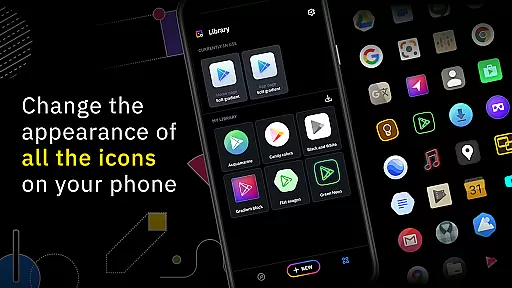
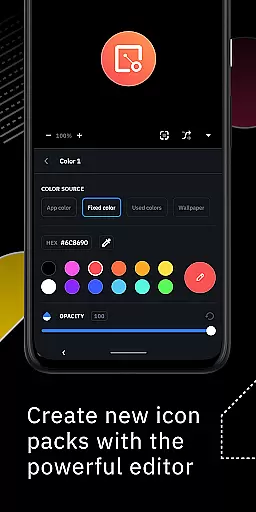
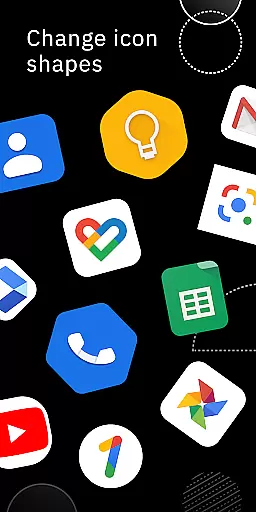
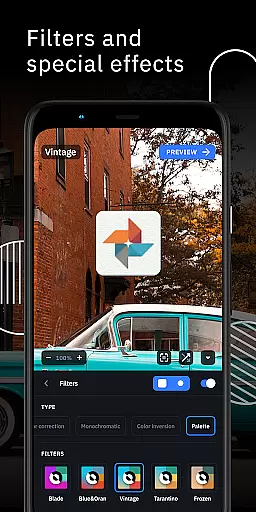
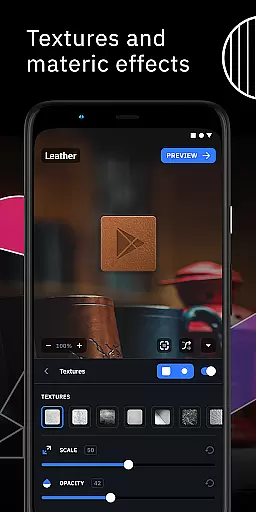
Icon Pack Studio is a unique personalization app that allows users to create, customize, and apply their own icon packs. The app provides an advanced editor where users can resize, move elements, and apply filters like lights, shadows, textures, and bezels to craft the perfect icons for their home screen.
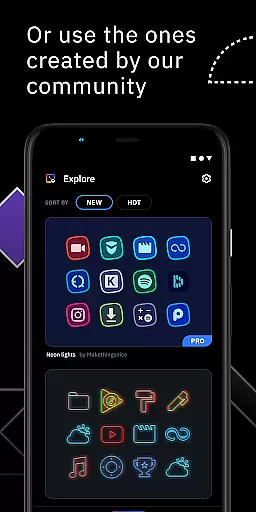
Beyond just creating from scratch, users can also download community-uploaded icon packs or tweak existing ones installed on their device. This flexibility ensures that no matter what launcher you use, Icon Pack Studio offers unparalleled customization options tailored specifically to your preferences.
This app is particularly useful for those who want complete control over their smartphone's aesthetics, ensuring every icon fits perfectly with their chosen theme or wallpaper. With compatibility across most popular launchers, it stands out as a versatile tool in the realm of mobile personalization.
One of the standout features of Icon Pack Studio is its powerful editing capabilities. Users have access to an advanced editor which lets them manipulate every aspect of their icons including size, position, and various artistic filters such as lighting effects and textures. This level of detail ensures each icon looks exactly how you envision it.
In addition to creating new designs, the app supports importing and tweaking existing icon packs, giving users even more creative freedom. Whether you're starting from zero or refining something already great, Icon Pack Studio has tools designed to make your vision a reality.
Another key feature is its broad compatibility with numerous launchers, making it accessible to a wide audience. From Nova Launcher to Smart Launcher, this app bridges gaps between different systems so everyone can enjoy personalized visuals regardless of their choice in software.
Icon Pack Studio offers an extensive range of customization options that allow users to create personalized icon packs from scratch. The app provides advanced editing tools, enabling the resizing and repositioning of any element within your custom icons.
With special filters such as lights, shadows, textures, and bezels, users can enhance their icons to achieve a professional look. Once satisfied with the design, applying the new icon pack to your custom launcher is a seamless process, completed in just a few taps.
This level of customization ensures that no two icon packs need to be alike, offering a unique home screen experience tailored to individual preferences. The ability to import and tweak any installed icon pack further expands the creative possibilities.
Compatibility is a core feature of Icon Pack Studio, designed to work seamlessly with Smart Launcher and a wide array of other launchers. This ensures that the icon packs you create will maintain visual consistency across different devices and launcher applications.
Tested with popular launchers like Nova Launcher, Action Launcher, and many others, IPS supports a broad spectrum of user environments. While there are some unsupported launchers, the vast majority of popular options on the market are compatible with IPS.
This widespread compatibility means that users can enjoy their custom icon designs regardless of their choice of launcher, providing both flexibility and peace of mind. The assurance of theme compatibility enhances the overall user experience by preserving the intended aesthetic across platforms.
Highly customizable
User-friendly interface
Wide launcher support
Active community contributions
Regular updates
Some launchers unsupported
Advanced features may overwhelm beginners
Requires time investment for best results
Limited default templates
Premium version needed for full functionality

Only for Wear OS devices!
 4.90
4.90
Over 28,000 high quality icons to bring color & homogeneity to your phone.
4.60
Want to make your phone more special than ever?
4.60 4.50
4.50
One 8 icons glass color version
4.80
Struggling to find apps? Use this app to locate and open any app on your phone!
2.20
Customize phone with anime themes, 3D icons, aesthetic widgets & wallpapers
4.80
Amazing letter fonts in your messages and social statuses
4.70
Custom ringtones songs, music ringtones for Android phones
4.60
Sparkle your screen with Glitter Wallpapers For Girls and Cute Backgrounds!
4.80
Customizable Glass widgets. Over 360+ stunning widgets and more!
4.70
A Colorful and Minimal icon pack in an Outline Style - Over 13,600 icons!
4.70
Glass style colourful icons with a One UI look and feel
4.60
Yandex Browser — stylish and secure, with voice search and data compression
4.40
Transform your device in a game console
4.40
Unique Fonts, typefaces and stylish text. Fonts for Instagram, Whatsapp & others
4.20
Run multiple accounts of the same app on a single device
4.10
Ultimate widget creator. Design custom widgets for a truly unique home screen!
3.90
Design your screen with unique, vibrant clocks
3.80


User Reviews