
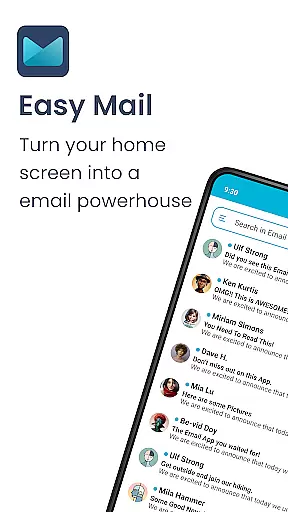
Easy Mail is a productivity-focused email launcher that simplifies your daily communication by bringing emails directly to your homescreen. Designed for users who want to streamline their digital life, this app offers an intuitive interface with features like AI-powered email assistance and unified inbox management. Whether you're handling multiple email accounts or looking to reduce screen time, Easy Mail provides a clutter-free experience that keeps your focus on what matters most.
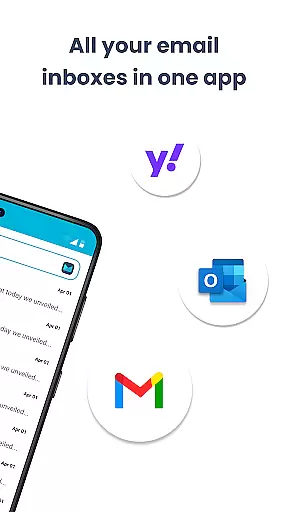
The app supports all major email providers including Gmail, Outlook, and Yahoo, allowing you to manage unlimited accounts from a single interface. With its privacy-first approach, Easy Mail ensures your data remains secure while offering helpful tools like easy web search integration and customizable homescreen widgets. This makes it an ideal solution for professionals and casual users alike who value both functionality and security in their personalization tools.
Easy Mail stands out with its comprehensive feature set tailored for efficient email management. The app's homescreen is designed specifically for productivity, offering a clean layout that prioritizes your inbox and essential apps. You can add unlimited email accounts and switch between them effortlessly, making multitasking easier than ever.
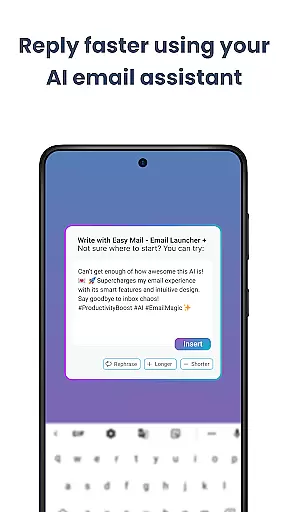
One of the standout features is the AI Email Assistance, which helps you craft better emails by rephrasing, shortening, or polishing your text while maintaining your natural tone. The app also includes an integrated web search powered by Yahoo Search, enabling you to find information quickly without leaving your email environment. Additionally, Easy Mail respects your privacy by ensuring all email processing happens locally on your device.
Other notable features include Launcher Essentials such as organized app drawers, widget support, and a content feed for news and entertainment. These elements combine to create a personalized yet efficient workspace that adapts to your needs. Whether you're managing work emails or staying updated with trending topics, Easy Mail delivers a seamless experience that enhances your mobile productivity.
Customization is at the heart of Easy Mail, allowing users to tailor their email experience to fit their unique preferences and workflow. With a clean homescreen built around productivity, you can organize your email environment exactly how you want it.
The app supports unlimited email accounts from various providers like Gmail, Outlook, and Yahoo, which can be viewed in a unified inbox or separated with a simple tap. This flexibility ensures that managing multiple accounts is not only easy but also efficient.
Easy Mail also offers AI Email Assistance, which helps refine your writing by rephrasing, shortening, or polishing emails while maintaining your natural tone. This feature adds another layer of customization, catering to those who wish to enhance their communication style.
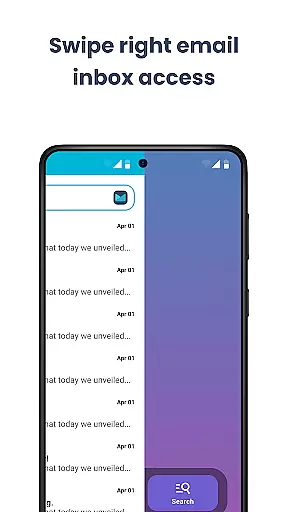
Moreover, the launcher includes essentials such as an organized homescreen, quick access to the inbox, app drawer, widget support, and trending content. These elements collectively provide a comprehensive suite of tools for personalizing your digital workspace.
Theme compatibility in Easy Mail ensures that users can enjoy a visually consistent experience across their devices. The application allows for the integration of themes that align with user preferences, enhancing both aesthetics and usability.
With its privacy-first approach, Easy Mail guarantees that all custom themes are applied locally, ensuring that your data remains secure and private. This means you can personalize your interface without compromising on security.
The app's design supports a clutter-free homescreen, focusing on what's importantu2014your emails. By reducing screen time and removing unnecessary distractions, Easy Mail promotes a more focused and productive emailing experience.
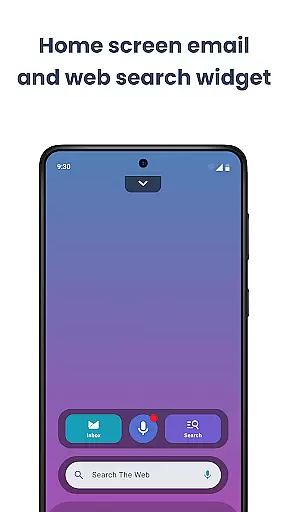
In addition to visual theming, Easy Mail provides practical features such as web search powered by Yahoo Search, making it convenient to find information without leaving your email environment. This seamless blend of form and function highlights the app's commitment to delivering a personalized yet cohesive user experience.
User-friendly interface
Unified inbox
AI-powered assistance
Privacy-focused design
Customizable homescreen
Limited advanced features
No offline mode
Occasional sync issues
Basic widget options
Premium subscription required

Customizable Glass widgets. Over 360+ stunning widgets and more!
 4.70
4.70
Only for Wear OS devices!
4.90
Beautiful realistic hybrid watch face with numerous customization options.
4.50
Ultra realistic high quality analog watch face for Wear OS.
4.60
Add cute Shimeji pets to screen, interact with them and relax with cute motions
4.60
Dark icon pack based on One 8
4.80
Color phone with cool effects for call screen, flash alert & ringtones music
4.50
Choose your keyboard with RGB colors effect, themes, fonts, emojis.
4.60
300+ widgets inspired by Material You and Material 3 expressive design.
4.60
Enjoy a variety of amazing live wallpapers and colorful EDGE lighting borders!
4.80
A launcher for Samsung Good Lock and Good Guardians modules without ads
4.70
A minimalist productivity launcher. One-hand-friendly. Zero ads.
4.70
Over 28,000 high quality icons to bring color & homogeneity to your phone.
4.60
3D, live, and moving wallpapers & themes in 4K and HD for your device.
4.50
Yandex Browser — stylish and secure, with voice search and data compression
4.40
Adult video chat, dating, making friends, random matching
4.20
Transform your phone with stunning video wallpapers and a unique, personal touch
3.80 3.50
3.50
Custom edge gestures for volume control, brightness, apps, and shortcuts.
4.0


User Reviews