


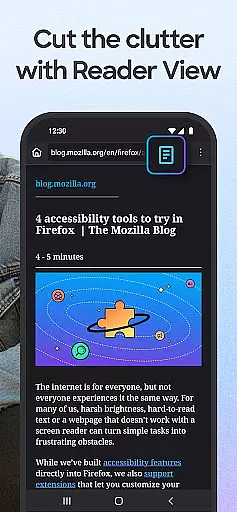
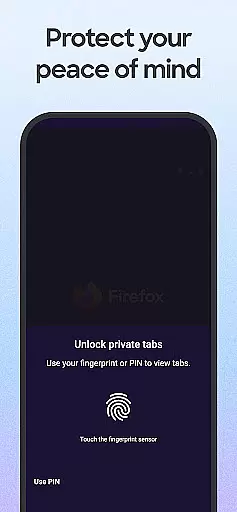
Firefox Fast & Private Browser is a top-tier communication tool designed to provide users with a secure and customizable internet browsing experience. As a privacy-focused browser, Firefox blocks trackers by default, including social media trackers and cross-site cookies, ensuring your online activity remains confidential. Its enhanced tracking protection offers an additional layer of security, making it an ideal choice for private browsing.
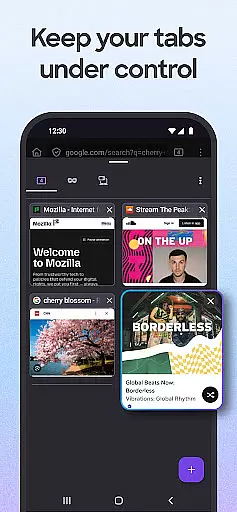
The application's user-friendly interface allows for easy tab management, enabling users to create multiple tabs without losing track of their content. With features like password management, Firefox remembers login details across devices when synced with a Mozilla account, simplifying the browsing process. The browser also supports tailored search engine options, allowing users to customize their search preferences and enjoy faster browsing speeds.
Designed for both mobile and desktop platforms, Firefox provides a seamless browsing experience that prioritizes speed, security, and simplicity. Whether you're managing passwords, blocking ads, or customizing your browsing experience with add-ons, Firefox delivers essential tools that enhance productivity while maintaining robust privacy standards.
Firefox Fast & Private Browser stands out with its comprehensive feature set tailored for optimal communication and browsing efficiency. One of its core strengths is the automatic tracker blocking system, which prevents various types of trackers such as social media trackers, cross-site cookie trackers, and fingerprinters from monitoring your activity. This ensures a safer browsing experience, particularly when using private browsing modes where history is automatically deleted upon closing.
Another notable feature is the ability to sync tabs across devices. By logging into your Mozilla account, you can view open tabs from your phone on your desktop browser and vice versa, creating a cohesive browsing experience. Additionally, Firefox's password management capabilities allow for effortless login to sites, with the browser securely storing and suggesting strong passwords for new accounts.
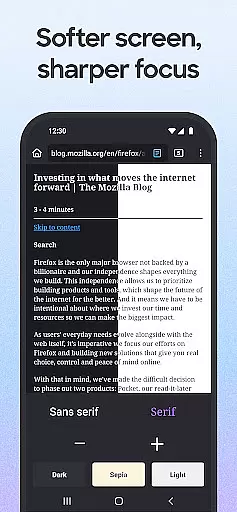
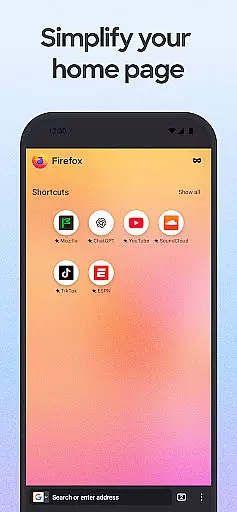
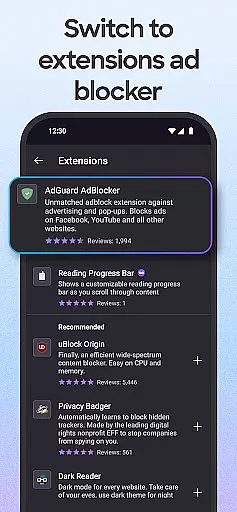
Customization is at the heart of Firefox's design. Users can tailor their browsing experience by choosing preferred search engines, moving the search bar location, and adding helpful extensions like ad blockers. The inclusion of a dark mode not only reduces eye strain but also conserves battery life, making it practical for extended use. These features collectively ensure that Firefox remains a versatile and powerful tool for modern internet users.
Real-time messaging speed and reliability are crucial for any communication platform, including web browsers like Firefox. This feature ensures that messages, data, and interactions are delivered instantly and without fail, providing users with a seamless browsing experience.
Firefox achieves this through its advanced network management protocols and optimized data transmission processes. By prioritizing critical data packets and employing efficient routing mechanisms, Firefox ensures that every interaction you have on the web is as fast and reliable as possible.
For users, this means quicker load times for websites, instant updates to their synced data across devices, and real-time notifications for important events such as security alerts or new messages. This reliability fosters trust and confidence in using Firefox as your primary browser for all online activities.
The benefits of real-time messaging extend beyond simple browsing. Whether you're collaborating on documents, participating in online forums, or streaming videos, the speed and reliability provided by Firefox ensure that these interactions are smooth and uninterrupted, enhancing productivity and user satisfaction.
Media sharing support is an essential feature for modern web browsers, allowing users to easily share images, videos, and other media files across different platforms and devices. With Firefox, this capability is integrated seamlessly into the browser's interface, making it easy for users to distribute content without hassle.
Firefox supports a wide range of file formats and integrates with various operating systems to ensure compatibility and ease of use. Whether you're sharing a video from your desktop or sending photos from your mobile device, Firefox provides intuitive options to upload and distribute media quickly and efficiently.
This functionality is particularly beneficial for users who frequently engage in content creation or collaboration. By simplifying the process of media sharing, Firefox enables users to focus more on their creative tasks rather than worrying about technical limitations or cumbersome upload processes.
Moreover, Firefox's commitment to privacy and security extends to its media sharing capabilities. Users can be confident that their shared content is protected against unauthorized access and potential threats, ensuring that personal and sensitive information remains secure throughout the sharing process.
Fast browsing speed
Strong privacy protections
Easy tab management
Secure password storage
Customizable interface
Limited mobile features
Occasional sync issues
Heavy on memory
No built-in VPN
Complex settings

Phone Dialer with Caller ID, Address Book & Contacts Manager.
 4.30
4.30
Messenger app for faster and simpler SMS text messaging, and personalized themes
4.10
Fast Dialer & Contact Manager with Caller ID and Spam Protection
4.00
Fast, Simple And Secure Application That Provides SMBv3 Server On Your Device
3.30
Comprehensive and powerful scan tool app with enhanced functions
3.00
Weargram is an unofficial Telegram Client for Wear OS.
3.50
BE PRIVATE
Anonymous. No Trace. Fast.
4.20
Fast internet with AI, Adblock & VPN. Browse on a safe, incognito web browser.
4.70
Say “hello” to privacy.
4.60
Messenger for SMS - texting message app, faster, simpler & safer, for you.
4.70
Get through your inbox faster with the mail app designed to simplify your life.
4.40
A web browser that respects your privacy.
4.30
SMS Messenger is a lightning-fast messaging app.
4.20
Send SMS and chat messages easily with a fast text messaging app for Android.
4.10
Federated instant messaging for your mobile device (Jabber, XMPP, Snikket)
4.10
Measure BHP, Torque & 0-60 Clear car OBD faults View engine data in Google Earth
4.00
Auto Reply SMS, Text Messaging, Away SMS Response, Busy SMS messages, Block Text
3.10
Radio communication simulator for gaming communities
4.1
Bringing the functionality of Winlink to your Android device
4.0


User Reviews