
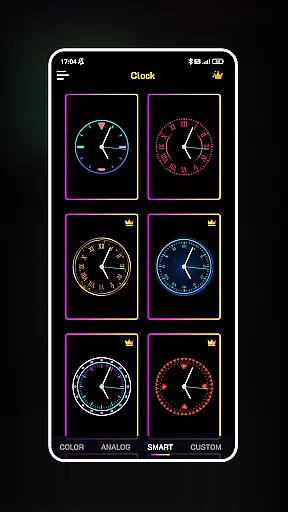
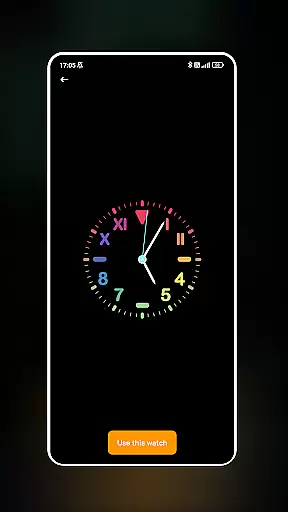
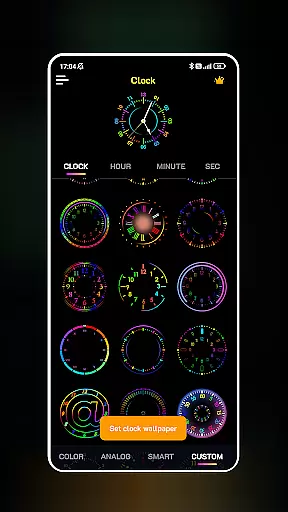
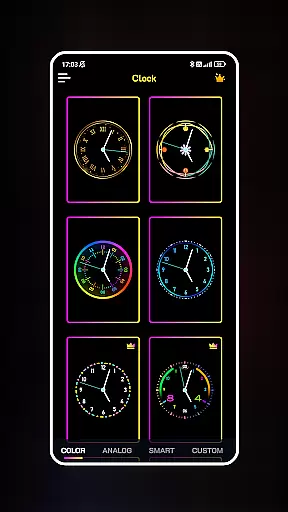
Neon Clock Wallpaper is a dynamic personalization app that allows users to design and set unique, artful clocks as their device's wallpaper and lock screen. This app stands out by offering diverse clock templates with customizable features, enabling users to express their individual style through vibrant neon effects. Whether you want a modern digital look or a retro analog vibe, Neon Clock Wallpaper provides the tools to create a personalized timepiece that enhances your device's aesthetics.
The app supports complete customization of clock elements including colors, sizes, and styles, ensuring each user can craft something truly one-of-a-kind. With its intuitive interface, users can seamlessly integrate these custom clocks into both their home screen and lock screen, making it not only a functional utility but also an artistic statement. Perfect for those who value creativity and personal expression in their tech experience.
Neon Clock Wallpaper offers a rich array of features designed to maximize customization and creativity. The app includes diverse clock templates ranging from sleek digital designs to intricate analog styles, all featuring stunning neon effects that make your screen pop. Each template can be fully customized, allowing users to adjust colors, sizes, and other stylistic elements to match their personal preferences.
Beyond static designs, the app enables users to incorporate interactive elements into their clocks, such as animated neon glows and real-time updates. These features ensure that your clock isn't just visually appealing but also practical, providing accurate timekeeping with a modern twist. Additionally, the ability to use these custom creations on both the home screen and lock screen adds versatility, making this app a comprehensive solution for device personalization.
Customization is at the heart of Neon Clock Wallpaper, allowing users to express their unique style through diverse clock designs. The app offers a wide array of customization options that cater to personal preferences, ensuring that your device stands out.
With an extensive selection of pre-made clock templates available, users can choose from various designs and colors. These templates serve as a starting point for those who wish to have a beautiful clock without the need for extensive customization. For users seeking more creative freedom, the app provides the tools to modify every aspect of the clock's appearance.
The ability to adjust colors, sizes, and styles means that each clock can be tailored to match individual tastes or even seasonal themes. This level of personalization ensures that your home screen remains fresh and reflective of your current mood or style.
Ultimately, Neon Clock Wallpaper transforms your device into a canvas for self-expression. By offering such a rich variety of customization options, it empowers users to maintain a personalized and dynamic digital environment that truly represents who they are.
Theme compatibility is a crucial feature of Neon Clock Wallpaper, ensuring that the clocks you create will look great on any device and with any design theme. This compatibility enhances the visual consistency across your smartphone experience.
Whether you prefer a minimalist aesthetic or vibrant neon colors, the app supports a seamless integration with your chosen device theme. This means that no matter what type of wallpaper or lock screen design you have, the clock will complement it perfectly.
Neon Clock Wallpaper achieves this by providing flexible design elements that adapt to different themes. From sleek modern designs to retro-inspired looks, the app ensures that every clock face maintains its integrity and appeal regardless of the surrounding visual elements.
This attention to theme compatibility not only improves the overall user experience but also guarantees that your personalized clock remains a harmonious part of your deviceu2019s interface. Enjoy peace of mind knowing that your creations will always display beautifully, maintaining both functionality and style.
Highly customizable
Vibrant neon effects
User-friendly interface
Diverse templates
Interactive features
May drain battery
Limited free options
Not all devices supported
Occasional bugs
Ads in free version

Winter's Journey: digital watch face for Galaxy Watch & Wear OS
 4.80
4.80
Interactive Miniature Painting Catalogue
3.30
The definitive Icon pack maker and editor
4.30
100+ Stylish Fonts, Emojis, Symbols keyboard for Instagram & TikTok!
4.80
App Icon Changer & Shortcut Creator. Customize your icons without any watermarks
4.30
Customize glowing edges, wallpapers, and caller screen with EdgeAura.
3.50
Adorable pets roam and play right on your phone screen!
3.30
200+ Material Inspired Widgets
4.50
Customize phone with anime themes, 3D icons, aesthetic widgets & wallpapers
4.80
A Colorful and Minimal icon pack in an Outline Style - Over 13,600 icons!
4.70
Nothing Icon pack with more than 3750+ highly crafted icons.
4.70
350+ widgets with a premium glass-style finish, perfect for home & lock screens.
4.70
Stunningly Different look with Line Icons and Neon Colors
4.60
Glass style colourful icons with a One UI look and feel
4.60 4.50
4.50
Fingerprint Lock Screen & Live Animations with 4K Wallpapers as Live Wallpaper
4.40
Transform your phone with stunning video wallpapers and a unique, personal touch
3.80 3.50
3.50
Capture moments that pass like a storm, second by second.
4.5


User Reviews