
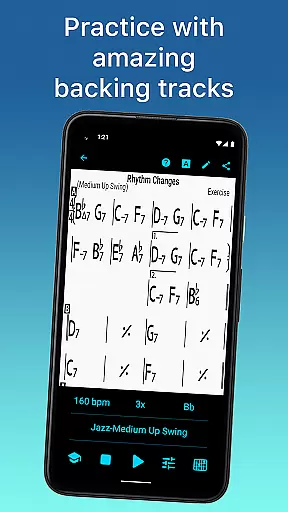
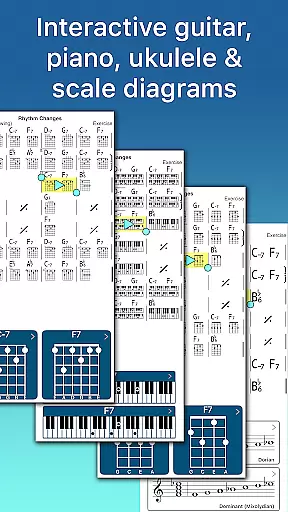
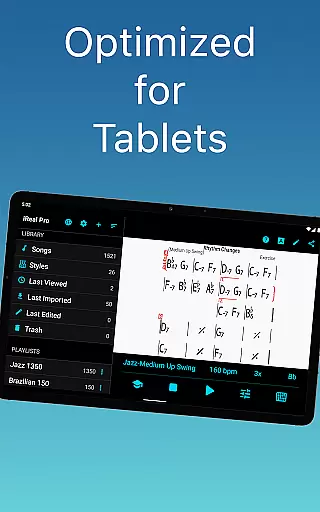
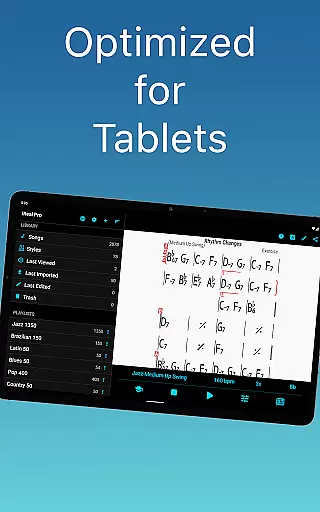
iReal Pro is a comprehensive music practice tool designed to help musicians of all levels improve their skills. The app functions as both a virtual band and a chord chart repository, providing users with realistic accompaniments for practice sessions and performance preparation. With its extensive library of downloadable songs and customizable accompaniment styles, iReal Pro caters to a wide range of musical genres.
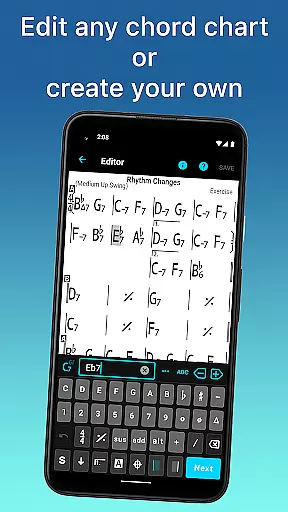
One of the standout features of iReal Pro is its ability to simulate a real-sounding band that can accompany users while they practice. This includes options for piano, guitar, bass, and drum accompaniments. Additionally, the app allows users to create, edit, print, and share chord charts, making it an invaluable resource for both students and professional musicians alike.
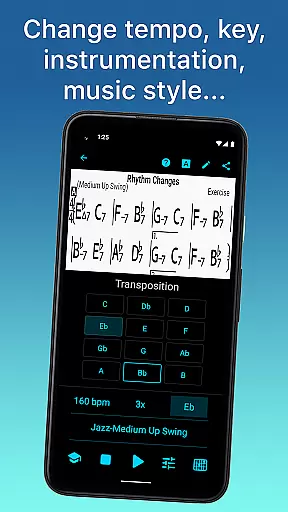
The app's versatility extends to its practice tools, which include chord diagrams, scale recommendations, and transposition capabilities. These features make it suitable for various instruments and proficiency levels. Whether you're a beginner looking to master basic progressions or an advanced musician seeking to refine improvisational skills, iReal Pro offers the necessary tools to support your musical journey.
iReal Pro stands out with its diverse set of features tailored to enhance music practice routines. The app provides 51 different accompaniment styles ranging from Swing and Ballad to Latin and Reggae, each customizable with various instrument sounds such as piano, Fender Rhodes, acoustic and electric guitars, and more. This flexibility allows users to personalize their practice environment according to their preferences.
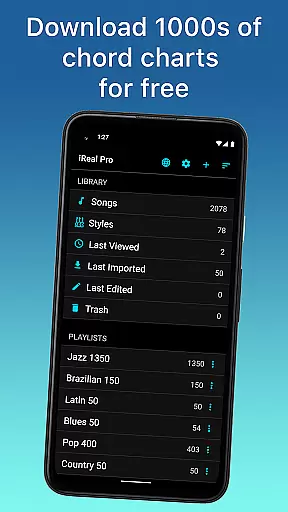
Another key feature is the ability to download thousands of songs directly from the app's forums and edit them using the built-in editor. Users can also create their own chord charts and organize them into multiple playlists. The inclusion of chord diagrams and scale recommendations further supports practice by offering visual aids for guitar, ukulele, and piano players.
Advanced practice settings like automatic tempo increase and key transposition provide structured ways to improve over time. Additionally, the app facilitates sharing and exporting of charts and audio files in various formats including PDF, MusicXML, WAV, AAC, and MIDI. These functionalities ensure that users can seamlessly integrate iReal Pro into their existing workflows and maintain backups of their work.
Having a comprehensive music library is essential for any musician looking to practice and improve their skills. iReal Pro offers access to thousands of songs that can be downloaded directly from the forums, providing users with an extensive repertoire to choose from. This vast selection ensures that musicians of all genres and styles can find relevant material to work with.
In addition to quantity, the app places a strong emphasis on copyright authenticity. All content available through iReal Pro is either user-generated or properly licensed, ensuring that musicians are practicing with legitimate materials. This not only supports original artists but also provides peace of mind for educators and students using the platform professionally.
The app's integration with top music schools like Berklee College of Music further validates its commitment to offering high-quality, authentic content. Users can trust that they're engaging with accurate transcriptions and arrangements that reflect true musical compositions. This dedication to legitimacy sets iReal Pro apart as a reliable tool for serious musicians.
For musicians, audio quality can significantly impact practice sessions and performances. iReal Pro addresses this by offering multiple sound customization options within its virtual band accompaniment feature. Users can personalize each style with various instrument sounds including piano, Fender Rhodes, acoustic and electric guitars, basses, drums, vibraphone, and organ.
The app maintains high audio standards across all its accompaniment styles, which range from Swing and Ballad to Reggae and Latin. Each style preserves the nuances of its respective genre, providing realistic practice scenarios. The ability to record oneself while playing or singing along with these high-quality accompaniments enables musicians to critically assess their performance.
Furthermore, iReal Pro supports multiple audio export formats including WAV, AAC, and MIDI. This flexibility allows users to create professional-grade recordings suitable for sharing or archiving. Whether practicing scales or preparing for a performance, musicians can rely on consistent, studio-quality sound throughout their musical journey with iReal Pro.
User-friendly interface
Extensive song library
Versatile accompaniment styles
Customizable practice settings
Comprehensive sharing options
Some styles require in-app purchases
Occasional bugs reported
Learning curve for beginners
Limited free content
Subscription model may deter some users

Turn your phone into a musical instrument from the future!
 3.90
3.90
Offline and always ad-free - stream in the highest quality available.
4.10
Performance-Synthesizer & Multi-Track-Sequencer, polyphonic + multi timbral!
4.70
Record, Mix & Master with all n-Track effects, 64-bit audio and Stem Separation.
4.70
Unleash your creativity! Turn simple prompts into full fledged songs.
4.70
Smart piano keyboard, Classical to Pop, Real-time multiplayer connection!
4.20
Play KORG’s revolutionary touch-based instrument on a variety of devices.
4.40
Get alarms that fit your lifestyle and wake up to the sounds you love.
4.80
Play your music offline without limits
4.80
Full-featured, High-Quality Groovebox Workstation, perfect for Live Performance!
4.80
Ultimate Sonos Controller
4.70
Offline Music Player&MP3 Player with themes, equalizer, lyrics, music play mode
4.60
Learn and play 2M+ music tabs & chords on guitar, ukulele, bass, and more
4.30
The alternative folder based music player.
4.20
Next generation modular control surface
4.10
Simple mp3 and mp4 player with advanced features.
3.40
The Skullcandy App Experience
3.20
Make music anywhere. Turn your device into an instrument.
4.3
Music Streaming suite for Ampache, Nextcloud Music and compatible backends.
4.5


User Reviews