
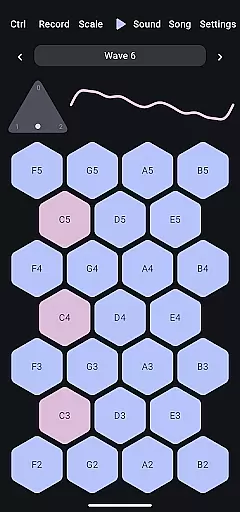
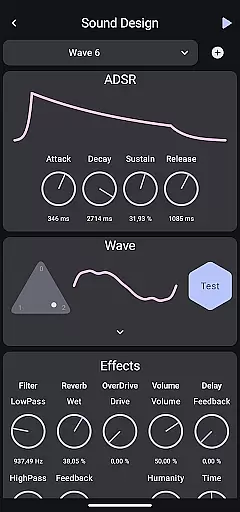
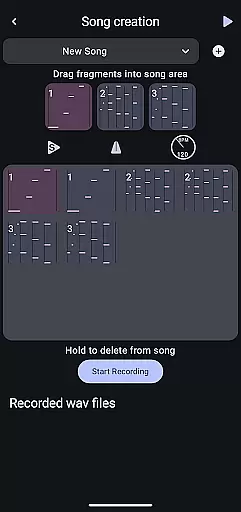
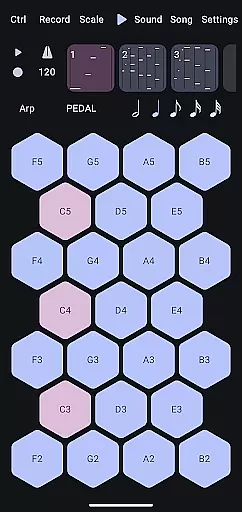
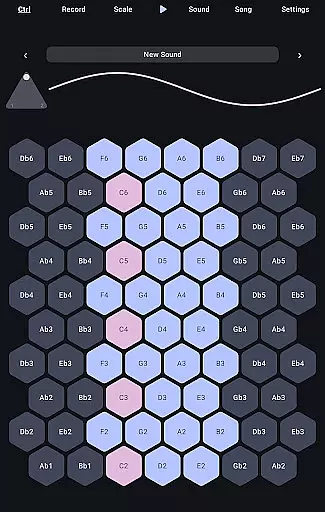
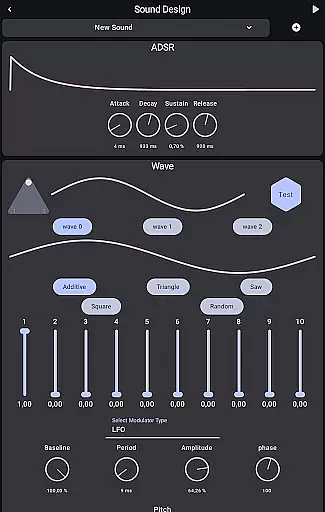
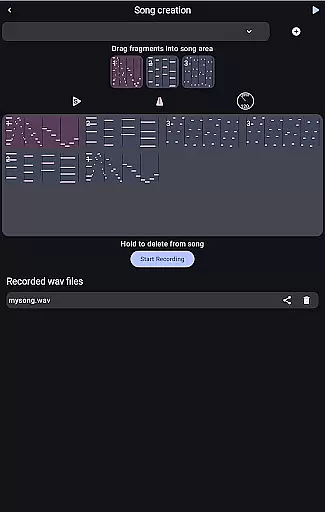
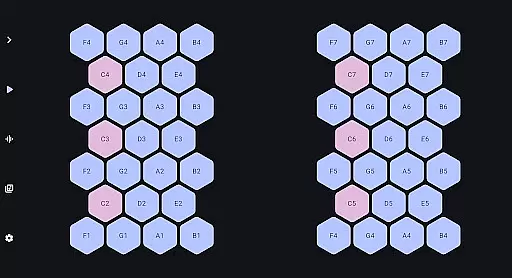
Wave 6 is a cutting-edge wavetable and additive synthesizer that transforms your mobile device into a versatile musical instrument. Designed for both amateur enthusiasts and professional musicians, this app allows users to create rich, dynamic sounds through an intuitive interface.
The core functionality lies in its ability to mix and morph between three customizable waveforms, enabling the crafting of everything from smooth ambient tones to aggressive electronic leads. Whether you're composing intricate songs or experimenting with unique sound textures, Wave 6 provides all the tools necessary to unleash your creativity.
Ideal for on-the-go music production, Wave 6 supports real-time performance capabilities, making it perfect for live shows, impromptu jam sessions, or studio work. By offering such flexibility and power directly on your phone or tablet, Wave 6 ensures you can make music anytime, anywhere.
Wave 6 stands out with its robust feature set tailored specifically for music creators. The app includes advanced wavetable synthesis combined with additive synthesis techniques, allowing users to design complex audio landscapes effortlessly.
One notable feature is the ability to customize and blend up to three distinct waveforms simultaneously. This capability lets musicians craft highly nuanced sounds that evolve over time, adding depth and character to their compositions. Additionally, Wave 6 offers comprehensive recording functions, enabling users to capture their performances instantly without needing external equipment.
Beyond just creation, Wave 6 facilitates collaboration by supporting seamless integration with other digital audio workstations (DAWs). Users can export their projects easily, ensuring compatibility across various platforms. With these innovative features, Wave 6 empowers artists to push creative boundaries while maintaining ease of use.
Wave 6 offers a versatile music creation platform that allows users to craft their own unique sounds. The app provides an extensive range of customizable waves, which serve as the building blocks for your musical creations. With this flexibility, users can design and store an unlimited variety of audio textures, from ambient tones to electronic leads.
The app ensures that all sounds generated are original and owned by the user, thus maintaining copyright authenticity. This is particularly important for creators who wish to use their compositions for professional purposes. Users can rest assured that their musical works are free from copyright infringement issues.
By enabling musicians to create and save their custom waveforms, Wave 6 effectively functions as a personal music library. Artists can revisit and refine their sound collections over time, ensuring that their music library grows alongside their creative ambitions. This feature empowers musicians to build a unique portfolio of sounds that truly reflects their artistic identity.
Moreover, the app's ability to record and save sessions adds another layer to its music library functionality. Users can archive their performances and compositions, creating a comprehensive repository of their musical journey. This makes Wave 6 not just a synthesizer but also a valuable tool for cataloging one's musical evolution.
Wave 6 stands out in the realm of mobile music production due to its exceptional audio quality options. The app employs advanced wavetable and additive synthesis techniques, allowing users to produce pristine sound quality that rivals desktop-grade synthesizers. This high standard of audio reproduction ensures that every note and texture maintains its intended character and richness.
Users have access to multiple parameters that directly influence audio quality, such as waveform customization and morphing controls. These features enable precise manipulation of sound characteristics, resulting in professional-grade audio output. The app's sophisticated engine preserves the integrity of each sound element, regardless of how complex the final composition becomes.
The application supports high-quality audio export options, making it suitable for both casual creators and professional musicians. Whether you're producing music for personal enjoyment or preparing tracks for commercial release, Wave 6 maintains consistent quality throughout the entire production process. This reliability in audio fidelity gives artists confidence in their creative output.
Furthermore, the app's robust processing capabilities ensure that real-time performance matches the quality of pre-recorded sessions. This consistency between live and recorded audio is crucial for performers who rely on Wave 6 during live shows or collaborative sessions. The app's dedication to maintaining top-tier audio quality across all usage scenarios makes it an indispensable tool for modern musicians.
Intuitive Interface
Powerful Synthesis Tools
Real-Time Performance
Customizable Waveforms
Seamless DAW Integration
Steep Learning Curve
Limited Free Features
High CPU Usage
No MIDI Support
Frequent Updates Needed

 4.70
4.70
The Skullcandy App Experience
3.20
The Cubase remote control app
3.60
Performance-Synthesizer & Multi-Track-Sequencer, polyphonic + multi timbral!
4.70
DJ Music Mixer - DJ Remix: remix songs, make beat music & record mix of DJ.
4.40
The alternative folder based music player.
4.20
Sheet music reader, piano & music note player. Play music score & learn to read.
3.90
Ringtone Maker is free app create ringtone from music files or your recording.
4.40
Be a true music maker: create beats, mix and make music like a real DJ!
4.30
Record, Mix & Master with all n-Track effects, 64-bit audio and Stem Separation.
4.70
Listen radio AM / FM Stations. Live AM / FM Radio App Station. Radio Com.
4.70
Over 100 million tracks available for high quality streaming and download
4.60
The best music and audio player, with beautiful UI, music search and equalizer.
4.60
Enhance the sound quality of your devices, listen to what you want
4.50
Save hundreds of dollars for a physical strobe tuner and instead use this app.
4.50
Visualize the guitar fretboard, master scales & play through changes like a pro!
4.50
Advanced 10-Band Audio Graphic Equalizer Sound Booster Pro
4.30
Permanently backup Now Playing. Maps, filters & listening stats.
4.00
Background pads for your band
3.80


User Reviews