
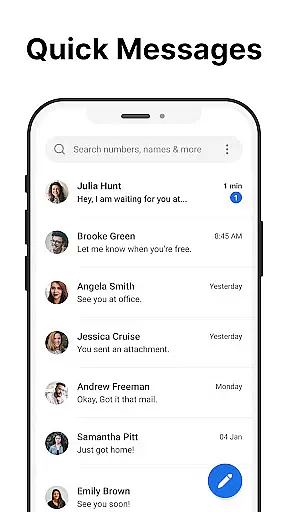
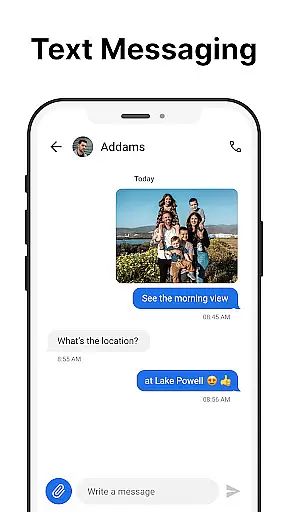
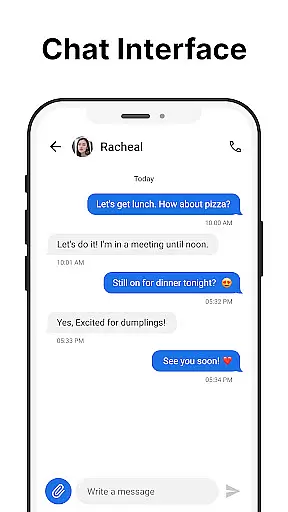
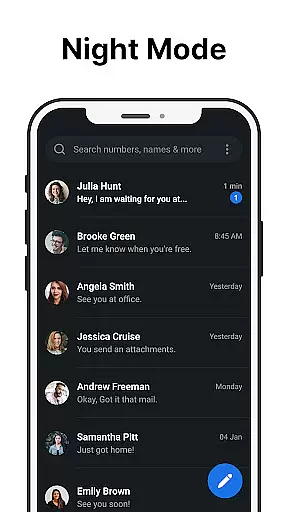
Messages is a robust SMS messaging app designed specifically for Android users who value simplicity and reliability in their communication tools. The app allows you to send and receive text messages without requiring an internet connection, making it ideal for users who need consistent access to messaging regardless of their network conditions.
With its clean and intuitive design, Messages streamlines the process of managing your communications. It includes features such as scheduled messaging, group chats, message backup and restore, spam blocking, and custom notifications. These functionalities ensure that users can maintain organized and personalized communication channels. Whether you're looking to schedule important texts or block unwanted messages, this app provides the necessary tools to enhance your messaging experience.
The After Call screen is another standout feature, offering quick access to your SMS inbox right after each phone call. This makes follow-up communication seamless and efficient. Overall, Messages combines essential SMS capabilities with user-friendly features, providing significant value for anyone seeking reliable text-based communication on their Android device.
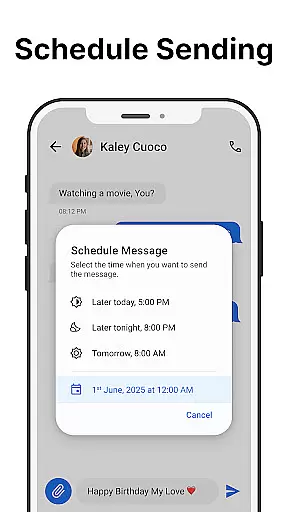
Messages offers a comprehensive suite of features that cater to various messaging needs. One of its primary functions is the ability to send and receive SMS messages quickly and reliably, ensuring that users stay connected at all times. Additionally, the app supports scheduled messaging, allowing users to compose texts in advance and have them sent automatically at a specified time, which is particularly useful for managing busy schedules or remembering important dates.
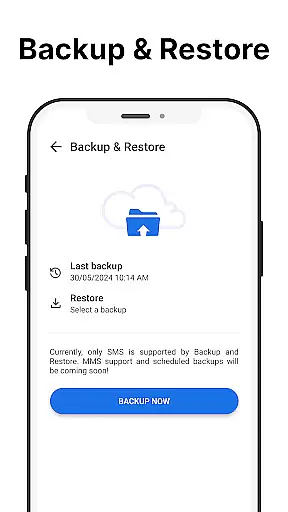
Group messaging is another key feature, enabling users to create and manage group conversations effortlessly. This function is perfect for coordinating with multiple contacts simultaneously, whether for personal or professional purposes. The app also includes message backup and restore options, safeguarding important conversations against accidental deletion or device loss. Furthermore, Messages incorporates spam blocking capabilities, helping users keep their inboxes organized by filtering out unwanted messages from unknown senders.
For enhanced usability, the app provides a search function to easily locate specific messages within your conversation history. Custom notifications allow users to personalize alert tones and notification settings according to their preferences, while dark mode reduces eye strain and conserves battery life. Lastly, the After-Call Menu facilitates immediate post-call texting, streamlining the process of sending follow-up messages. Together, these features make Messages a versatile and indispensable tool for effective communication on Android devices.
Real-time messaging speed and reliability are crucial for effective communication. Messages ensures that every text you send is delivered instantly and reliably, without delays or interruptions. This app leverages advanced technology to maintain a stable connection with the cellular network, ensuring your messages are always sent and received promptly.
The app's infrastructure is designed to handle high volumes of messages efficiently. Whether you're sending a single text or managing multiple group conversations, Messages processes each message with minimal latency. This efficiency is achieved through optimized data handling and transmission protocols, which prioritize speed without compromising on reliability.
For users, this means seamless communication. You can trust that your important texts will reach their destination without fail, whether you're coordinating with colleagues or staying in touch with loved ones. The dependable performance of Messages enhances your ability to communicate effectively in both personal and professional contexts.
Ultimately, the real-time messaging capabilities of this app provide peace of mind. Knowing that your messages are delivered quickly and reliably allows you to focus on the content of your communication rather than worrying about technical issues. With Messages, you experience effortless and dependable texting on your Android device.
Media sharing support is an essential feature for modern messaging apps, allowing users to exchange photos, videos, and other files seamlessly. Messages offers robust media sharing capabilities, enabling you to send various types of media without hassle. This functionality enriches your communication by letting you share experiences and information visually and interactively.
The app supports a wide range of file formats, ensuring compatibility with different types of media. Whether you're sending high-resolution images, lengthy videos, or audio clips, Messages handles these files efficiently. The app compresses large files appropriately to facilitate quick transfers while maintaining acceptable quality levels, so you don't have to wait long for your media to upload or download.
Moreover, Messages provides intuitive options for managing shared media. You can easily access and organize your received files within the app, making it simple to find specific items later. This organization enhances user convenience, as you won't struggle to locate important documents or cherished memories amidst numerous messages.
Incorporating comprehensive media sharing support, Messages elevates your texting experience beyond plain text. By facilitating rich and engaging exchanges, this app helps you connect more meaningfully with others. Enjoy enhanced communication possibilities with reliable media sharing on Messages.
User-friendly interface
Reliable SMS delivery
Comprehensive feature set
Customizable options
Local data storage
Limited multimedia support
No end-to-end encryption
Occasional ads
Basic UI design
Dependent on carrier service

Phone Dialer with Caller ID, Address Book & Contacts Manager.
 4.30
4.30
Chat on the Jabber network (XMPP protocol); support for SMS and other gateways
2.10
Simplify texting with Messages SMS, offline messaging, themes & smart tools!
4.30
Fun, free app that lets kids video call and message family and close friends.
3.80
RemoteHams.com Android RCForb Client Pre-Release
4.30
A softphone with crystal clear SIP Calling & Reliable VoIP dialer
4.00
BE PRIVATE
Anonymous. No Trace. Fast.
4.20
Caller ID, Spam Call & SMS Blocker
3.80
Group Chat That’s Fun & Games
4.30
Use this Dialer app alone or as a TREK: Total Interface companion.
4.70
Read OBD2 data and DTCs Create custom dashboards Enhanced diagnostics available
4.70
Save 10% automatically on your first international mobile top up.
4.60
Create a secure hotspot on-the-go with Portable WiFi - Mobile hotspot.
4.40
Our Black Friday sale is here. Unlock special discounts on Proton Mail now.
4.30
Messenger app for faster and simpler SMS text messaging, and personalized themes
4.10
At select facilities, you now have an easy way to video visit your loved ones!
3.30
Official NDI app: turn your phone into a professional live-streaming IP camera.
3.20
A Browser with powerful ad blocker to help focus on what really matters.
3.00
Watchgram for Telegram: Experience seamless Telegram messaging on your watch
1.80


User Reviews