
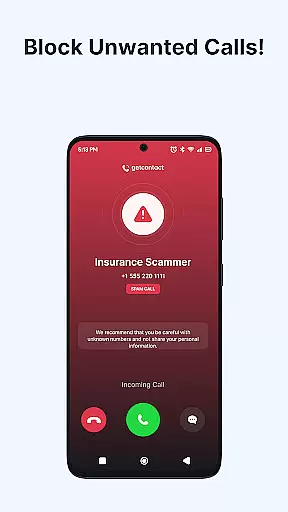
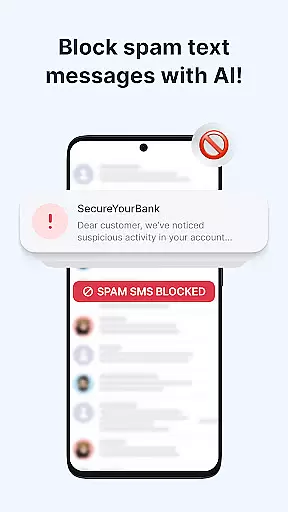
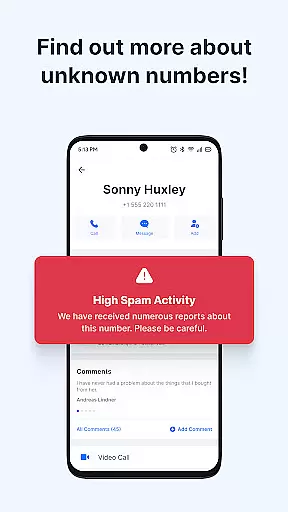
Getcontact is a comprehensive communication protection app designed to safeguard users from unwanted calls and messages. With advanced AI-driven spam detection, it identifies unknown callers and blocks fraudulent attempts in real-time. The app also offers SMS protection by filtering out spam and phishing texts, ensuring a secure messaging experience.
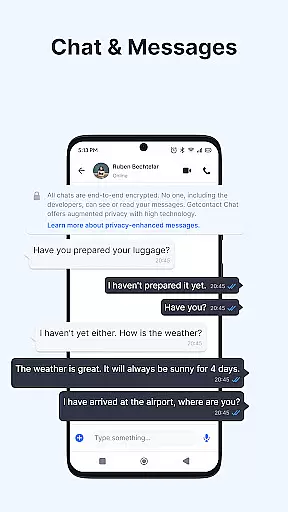
Beyond call and message protection, Getcontact provides enhanced privacy features such as end-to-end encrypted chats and calls. Users can also obtain a second phone number for added privacy when managing work or online transactions. Available in selected countries, the app's Call Assistant feature screens unknown numbers and delivers insights into incoming calls.
This app is ideal for individuals seeking to protect their personal information while maintaining control over their communications. By leveraging community feedback, Getcontact continuously improves its services, providing better protection for millions of users worldwide.
Getcontact stands out with its robust set of features tailored for modern communication needs. Its Caller ID and Spam Call Blocker instantly identify unknown callers and block telemarketers before they connect. This real-time protection is powered by AI-driven spam detection, offering users peace of mind against scams and robocalls.
In addition to call protection, Getcontact ensures secure messaging through its SMS protection feature. By setting it as the default SMS app, users benefit from automatic filtering of promotional texts and phishing attempts. For enhanced privacy, the app offers end-to-end encrypted chats and calls, supporting both individual and group conversations.
One of Getcontact's innovative features is the Call Assistant, available in select regions. This AI-powered assistant interacts with unknown callers, providing valuable insights into incoming calls. Furthermore, users can acquire a second phone number for additional privacy, making it an excellent tool for separating personal and professional communications.
Getcontact ensures real-time messaging speed and reliability by leveraging advanced AI-driven spam detection. This technology allows users to instantly identify unknown callers and block unwanted communications before they reach the user.
The app's robust infrastructure is designed to handle high volumes of messages and calls without delay. By filtering out spam, phishing attempts, and promotional texts in real-time, Getcontact provides a seamless communication experience that keeps users protected at all times.
With features like Call Assistant, which screens unknown numbers and interacts with callers on behalf of the user, Getcontact further enhances its real-time messaging capabilities. Users can trust that their communications are not only fast but also secure from fraudulent attempts.
Getcontact offers comprehensive media sharing support by allowing users to safely exchange various types of content within their chats. The app supports end-to-end encrypted chats and calls, ensuring privacy for both personal and group conversations.
In addition to text-based messages, Getcontact enables the sharing of images, videos, voice notes, and other file formats securely. This flexibility empowers users to communicate effectively while maintaining control over their shared media.
By setting Getcontact as the default SMS app, users benefit from an integrated messaging platform where all forms of communicationu2014including multimediau2014are protected against spam and phishing threats. This holistic approach ensures a cleaner, more secure messaging environment.
Advanced spam detection
End-to-end encryption
AI-powered call assistant
Second phone number option
Community-driven protection
Limited regional features
Paid subscription required
Dependent on user feedback
Auto-renewal policy
Google Play account needed

 3.90
3.90
The ultimate productivity solution for all your email communication needs.
4.40
A Browser with powerful ad blocker to help focus on what really matters.
3.00
Chat on the Jabber network (XMPP protocol); support for SMS and other gateways
2.10
Messenger, an MMS & SMS messages app with Blockers, Driving mode & Private box
4.60
Simplify texting with Messages SMS, offline messaging, themes & smart tools!
4.30
A softphone app with seamless SIP calling and an intuitive VoIP dialer
3.50
Read OBD2 data and DTCs Create custom dashboards Enhanced diagnostics available
4.70
Threema is the messenger with the most consistent focus on security and privacy.
4.00
Say “hello” to privacy.
4.60
Caller ID App! Add names & photos to unknown calls & Call Recording
4.40
Phone Dialer with Caller ID, Address Book & Contacts Manager.
4.30
RemoteHams.com Android RCForb Client Pre-Release
4.30
BE PRIVATE
Anonymous. No Trace. Fast.
4.20
Share the moment!
4.10
Messages is Private SMS Messenger 2023 with text message, instant messaging.
4.00
Official NDI app: turn your phone into a professional live-streaming IP camera.
3.20
TeamSpeak - Secure Chat for Gaming & Business
3.10
An app dedicated solely to marriage, not dating, and supported by a rigorous verification mechanism to ensure seriousness.
4.3


User Reviews