
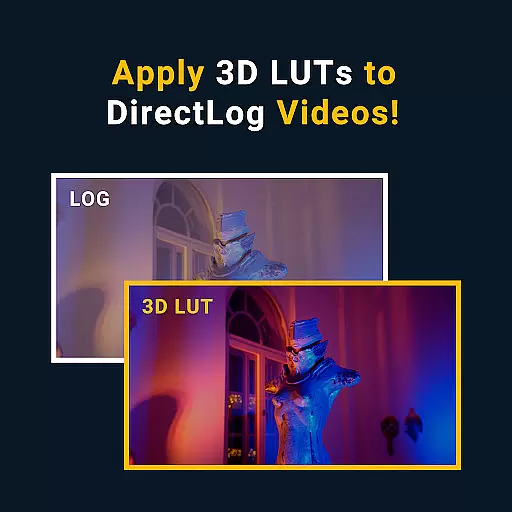
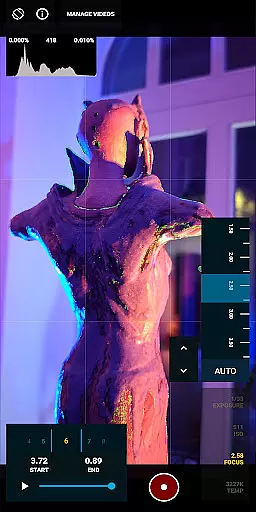


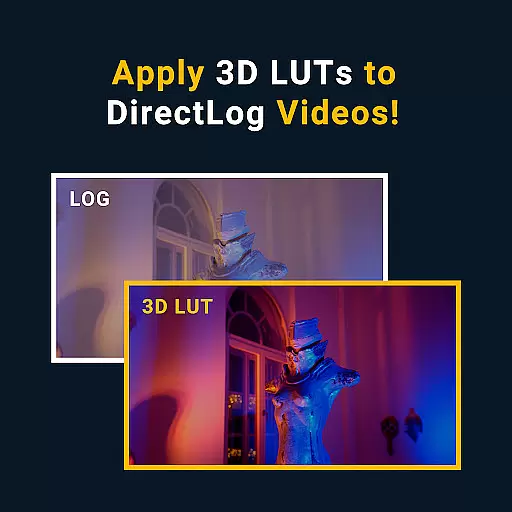
MotionCam Pro is a revolutionary photography app that brings professional-grade tools to smartphone users. The app's standout feature is its ability to capture RAW video, a first for mobile devices. This allows videographers and photographers to retain maximum image quality and flexibility during post-processing.
In addition to its groundbreaking video capabilities, MotionCam Pro also enhances still photography through advanced computational algorithms. These replace standard camera software to produce stunning images with improved dynamic range, color accuracy, and low-light performance. Whether you're a professional photographer or an enthusiast looking to elevate your mobile photography game, MotionCam Pro offers the tools you need.
The app is particularly useful for content creators who require high-quality visuals for their work. From capturing detailed landscapes to producing professional-grade video content, MotionCam Pro enables users to achieve results that were previously only possible with dedicated camera equipment.
MotionCam Pro stands out in the crowded field of mobile photography apps through its innovative features and professional-grade tools. The app's most notable feature is its ability to capture RAW video, giving users unprecedented control over their footage during editing. This functionality opens up new possibilities for mobile videography and makes professional-quality video accessible to everyone.
Beyond video, MotionCam Pro employs sophisticated computational photography techniques to enhance still images. These algorithms work behind the scenes to optimize exposure, reduce noise, and improve overall image quality. Users can expect better dynamic range, more accurate colors, and superior low-light performance compared to standard smartphone cameras.
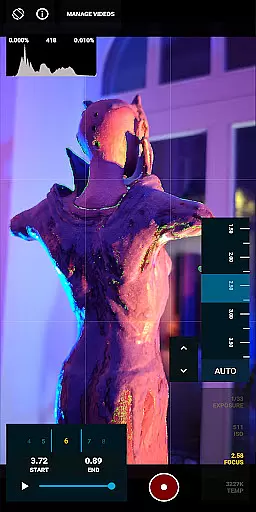
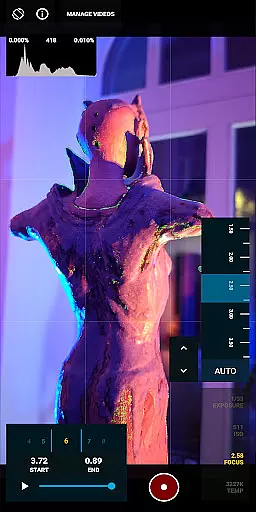
The app also provides manual controls for advanced users, allowing precise adjustments to settings like ISO, shutter speed, and white balance. This level of control, combined with the app's professional features, makes MotionCam Pro an indispensable tool for serious mobile photographers and videographers looking to push the boundaries of what's possible with smartphone cameras.
Real-time capture and preview functionality is essential for photographers who need to see the exact image or video they are capturing. MotionCam Pro excels in this area by providing users with a live view of their shot before they take it, ensuring that every detail is captured as intended.
The app utilizes advanced computational photography algorithms to enhance the preview experience. This means that users can see adjustments and enhancements in real time, allowing them to make necessary changes before capturing the perfect shot. The ability to preview these adjustments ensures that the final output meets professional standards.
With MotionCam Pro, users benefit from the convenience of having professional-level tools at their fingertips. The real-time preview feature not only saves time but also enhances the overall quality of the photographs and videos captured. This makes it an invaluable tool for both amateur and professional photographers looking to elevate their work.
MotionCam Pro incorporates AI beauty and enhancement features that bring a new level of naturalness to smartphone photography. These features intelligently enhance images without making them look overly processed or artificial, preserving the authenticity of the original shot.
The AI algorithms analyze each frame and apply enhancements that complement the subject's natural features. This includes skin smoothing, blemish removal, and color correction, all done with a focus on maintaining a realistic appearance. Users can trust that their photos will look polished yet genuine, enhancing their subjects in a tasteful manner.
This approach to AI enhancement sets MotionCam Pro apart from other photography apps. By prioritizing naturalness, it ensures that every photo taken is both beautiful and true to life. Photographers can rely on MotionCam Pro to deliver high-quality results that meet the demands of modern photography standards.
RAW video capture
Advanced computational algorithms
Professional-grade tools
Manual camera controls
Improved image quality
Premium price point
Steep learning curve
High processing requirements
Limited device compatibility
Occasional stability issues

Perfect photos with body shaping, BG changer and object remover.
 3.70
3.70
Easily stitch panoramas from multiple photos or video.
4.40
Natural Beauty, Selfie Retouch
4.30
USB Storage Access for Photos, Videos, Music and Documents
3.80
GCamera allows all GCam features on all phone models! Better photos with GCamera
3.30
Fit multiple photos on one post. Create carousels & scroll layouts for Instagram
4.50
Turn photos into cartoons & avatars! - Photo Editor, Cartoon Face!
3.90
Pro version: AR sun/moon tracker for any date. Tool for photographers & planners
4.90
Catch sunlight, sunrise sunset times and sun phases with the AR sun tracker.
4.10
Create funny photos and videos with the popular Time Warp Scan filter.
4.90
Your personal guide to the sun and moon. Plan ahead, visualize and predict!
4.70
Unblur, enhance & restore photos with powerful AI photo enhancer tools.
4.60
Search, tag and rate your way to an organized image gallery
4.40
Trendy TikTok time warp scan funny filter app brings you unique photos & videos.
4.40
Shooting photos and records video easily and efficient with professional Camera
4.30
All-in-One Editor & AI Photo Enhancer, Collage, Cartoonify, Funny Stickers & BGS
4.10
How old age camera Gender Swap App Face Shape Hairstyle App Hair Styler App fun!
4.00
Hair color changer, AI haircut app, fun hair editor and buzz cut filter for all!
3.80
Application for remote controlling DSLR
3.00


User Reviews