
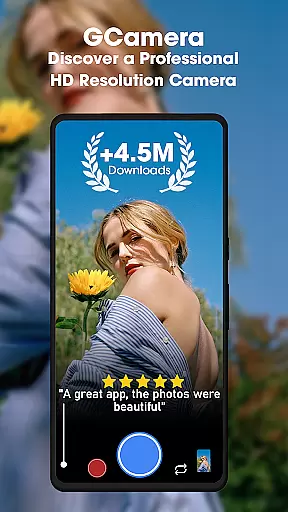
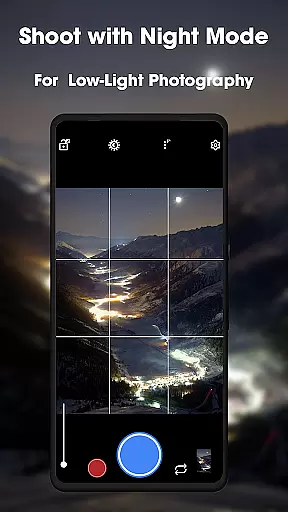
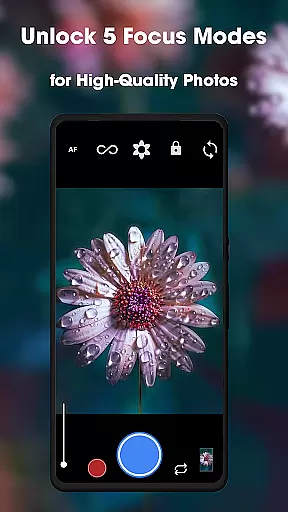
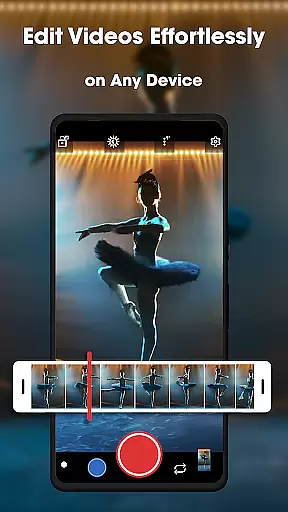
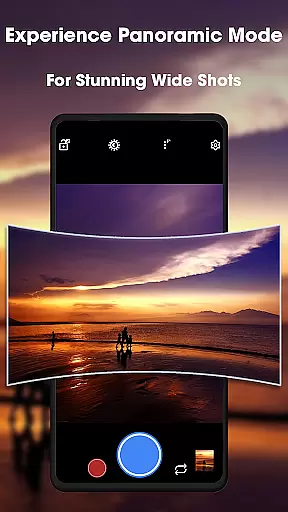
GCamera is a feature-rich photography app that transforms your smartphone into a professional-grade digital camera. With advanced modes like HDR+, Night Sight, and Astrophotography, it ensures stunning image quality in any lighting condition. Whether you're capturing landscapes, portraits, or low-light scenes, GCamera delivers vibrant colors, sharp details, and impeccable dynamic range.
This app is perfect for both amateur enthusiasts and seasoned photographers who want to elevate their mobile photography game. Its intuitive interface and versatile shooting options make it easy to use while offering powerful tools for creative expression. From family moments to stargazing adventures, GCamera helps you preserve memories with crystal-clear precision.
GCameras stands out with its cutting-edge features tailored for photography enthusiasts. The HDR+ mode combines multiple shots using advanced algorithms, producing images with enhanced colors and sharpness. Night Sight allows users to capture detailed photos even in low-light environments, eliminating graininess and preserving clarity.
For those fascinated by the night sky, the Astrophotography mode enables breathtaking shots of stars and galaxies. Additionally, the Portrait Mode creates professional-looking images by keeping subjects in focus while blurring the background into a beautiful bokeh effect. These features collectively ensure that every photo taken with GCamera rivals the quality of professional cameras.
The app also emphasizes user experience with an intuitive design. Navigating through its diverse shooting modes is seamless, making it accessible for beginners while still offering depth for advanced users. With GCamera, achieving pro-level photography has never been easier or more enjoyable.
Real-time capture and preview functionality is essential for ensuring that every photo taken meets professional standards. GCamera excels in this area by providing users with an instantaneous view of their shot before it's captured.
The app employs advanced processing algorithms to deliver a live preview that accurately reflects the final image, including HDR+ enhancements and low-light adjustments. This allows photographers to make real-time decisions about composition, lighting, and focus.
Users benefit from the ability to fine-tune settings like exposure and white balance while seeing the results immediately on their screen. This interactive approach not only saves time during post-processing but also enhances the overall photography experience.
By offering such precise control over the capture process, GCamera empowers both amateur and professional photographers to consistently produce high-quality images that match their creative vision.
AI-powered beauty and enhancement features are becoming increasingly popular in photography apps, and GCamera stands out with its commitment to natural-looking results. The app uses sophisticated AI algorithms to enhance facial features without creating an artificial appearance.
When using Portrait Mode, GCamera intelligently applies bokeh effects and skin smoothing while preserving authentic textures and details. This ensures that subjects look their best without losing their unique characteristics or appearing overly edited.
The AI enhancements extend beyond portraits, improving landscape shots and low-light scenes with equal finesse. By analyzing each frame in real-time, the app can optimize colors, contrast, and sharpness while maintaining a natural aesthetic.
This dedication to authenticity sets GCamera apart from other camera applications, allowing users to create stunning images that retain their genuine quality while benefiting from professional-grade enhancements.
Advanced HDR+ technology
Excellent low-light performance
User-friendly interface
Versatile shooting modes
Professional-quality results
May drain battery faster
Requires modern hardware
Limited manual controls
Occasional processing delays
Not all features work on older devices

Add Watermark - Sign your pictures with a text or logo. Effective, quick, easy!
 4.50
4.50
Virtual makeup, hair filters & body tuner—edit from face to full body!
4.20
Create collages easily! Nice pic collage maker & background eraser for Instagram
4.50
A must-have app for landscape photographers
4.60
Enhance, retouch & create your story - Share the moment with Photoshop Express.
4.60
Easily view, share, delete photos with Gallery.
4.70
Unblur, enhance & restore photos with powerful AI photo enhancer tools.
4.60
Turn photos into cartoons & avatars! - Photo Editor, Cartoon Face!
3.90
Effortlessly make high-quality GIFs from images & videos without any watermarks.
4.70
A collection of tools and reference tables for DPs, ACs, DITs and Operators.
4.70
Enhance, upscale, and transform your images — on your device, without limits
4.70
Viewfinder, Light meter, Reciprocity failure time, DOF & Bellows Extension
4.60
PhotoSync Bundle Add-On License. Enables all features and services in PhotoSync.
4.60
Movie camera, supports pro recording settings for filming. Try it and be amazed!
4.50
AI photo enhancer with Sora 2! Enhance, descratch, and colorize your old photos.
4.50
Trendy TikTok time warp scan funny filter app brings you unique photos & videos.
4.40
Smart, light, and fast photo and video gallery
4.30
Photo editor: face & body editor, beauty cam, filters and quality enhancer.
4.00
Astrophotography with your smartphone, photo live stacking and much more!
3.90


User Reviews