





PicsLeap is an advanced AI-powered photo editing application that offers a comprehensive suite of tools for enhancing, transforming, and personalizing your images. With features like One-Tap Enhance, Magic Eraser, AI Face Swap, and AI Cartoon Filters, PicsLeap caters to both amateur photographers and professionals seeking efficient editing solutions.
The app stands out with its user-friendly interface and powerful capabilities such as background removal, double exposure effects, and an extensive library of filters and stickers. Whether you're looking to restore old photos, create stunning collages, or experiment with artistic styles, PicsLeap provides the tools to bring your creative visions to life while maintaining high-quality results.
Perfect for social media enthusiasts, PicsLeap allows users to share their edited masterpieces directly on platforms like Instagram and Facebook without watermarks. Its versatility makes it suitable for anyone wanting to enhance their digital storytelling through professional-grade photo editing.
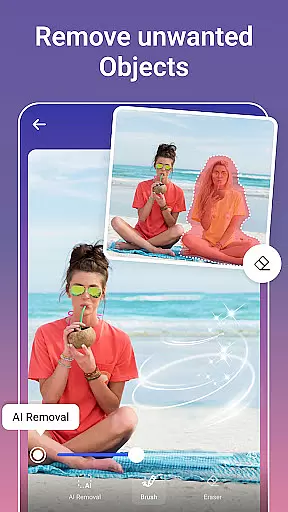
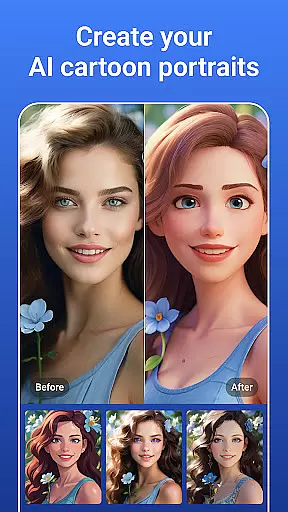
PicsLeap distinguishes itself through a robust set of AI-driven photo editing features designed to cater to various creative needs. The app's One-Tap Enhance and Magic Eraser functionalities allow users to quickly improve image quality and remove unwanted objects with precision. Advanced tools like AI Face Swap and AI Cartoon Filters provide unique ways to transform photos into personalized artworks, appealing to those who enjoy experimenting with different visual styles.
In addition to its core editing tools, PicsLeap offers creative options such as Double Exposure effects, Blur Background, and a vast selection of light effects and filters. These features enable users to craft visually striking images with minimal effort. The app also includes professional-grade adjustments like HSL, Curve, and Split Tone, empowering users to fine-tune colors and achieve their desired aesthetic.
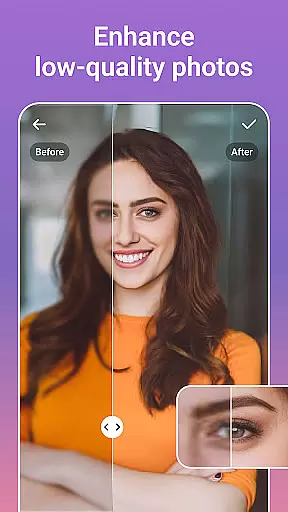
With dedicated tools for resolution enhancement, photo restoration, and collage creation, PicsLeap ensures that every aspect of photo editing is covered. Users can seamlessly integrate these features into their workflow, whether they're reviving cherished memories or designing eye-catching social media content.
Real-time capture and preview functionality is essential for ensuring that every photo taken meets the user's expectations without delay. PicsLeap offers a seamless experience by providing instant feedback on images captured through its AI-powered interface.
The app leverages advanced algorithms to process images immediately, allowing users to see enhancements and edits in real time. This feature is particularly beneficial when utilizing the app's one-tap enhance or magic eraser tools, as it allows for immediate adjustments and refinements.
Users can benefit from this instantaneous processing by making quick decisions about their photos, such as retaking a shot with adjusted settings or moving forward with editing. The ability to preview changes on the fly not only saves time but also enhances the overall user experience by simplifying the editing workflow.
Ultimately, PicsLeap's real-time capture and preview capabilities empower users to produce high-quality, watermark-free art that can be shared across platforms like Instagram and Facebook with confidence and ease.
The AI Beauty and Enhancement features within PicsLeap focus on delivering natural-looking results while enhancing the inherent qualities of a photograph. By prioritizing authenticity, the app ensures that edited images retain their original charm without appearing overly processed.
PicsLeap employs sophisticated AI techniques to intelligently smooth skin textures, brighten eyes, and whiten teeth, among other enhancements. These modifications are applied subtly so that the final image looks polished yet genuine, preserving the subject's true character.
This approach benefits users by offering them the tools to enhance portraits and selfies in a way that feels organic and unforced. Whether applying filters or experimenting with double exposure effects, PicsLeap maintains an emphasis on creating visually appealing but realistic outcomes.
By balancing enhancement with natural aesthetics, PicsLeap enables users to create stunning visuals that resonate with viewers, making it an ideal choice for those seeking professional-grade edits without sacrificing authenticity.
User-friendly interface
Extensive filter library
Powerful AI tools
High-quality results
Versatile editing options
Limited advanced controls
Occasional processing delays
Subscription required for premium features
Ads in free version
Learning curve for beginners

Photo editor: face & body editor, beauty cam, filters and quality enhancer.
 4.00
4.00
Add Watermark - Sign your pictures with a text or logo. Effective, quick, easy!
4.50
1M influencer's special filter
4.60
Create AI Photos, Improve and restore quality of blurry, old or damaged pics.
4.20
Over 800 film simulation recipes for Fujifilm. Black Friday Offer!
4.2
The #1 app for B&W film developing featuring an advanced darkroom timer.
4.10
Future baby face generator: AI kids generator, kid face! What my baby look like?
4.40
AI photo enhancer with Sora 2! Enhance, descratch, and colorize your old photos.
4.50
Your personal guide to the sun and moon. Plan ahead, visualize and predict!
4.70
Collage your moments in one tap: 1000+ layouts, filters, stickers, and texts.
4.90
Gallery show photo, video, slideshow, is perfect 3D effect private photo albums.
4.80
Take videos and pictures with the popular TikTok TIME WARP SCAN filter.
4.60
Photo Exif Editor allows to view, add and modify EXIF data of multiple photos
4.50
Create AI photos & videos with Enhancer; restore, fix, beautify, enhance photos
4.50
Trendy TikTok time warp scan funny filter app brings you unique photos & videos.
4.40
Natural Beauty, Selfie Retouch
4.30
A light meter for true photographers.
4.20
How old age camera Gender Swap App Face Shape Hairstyle App Hair Styler App fun!
4.00
HD Photo gallery and photo manager to edit, hide private photos, videos & albums
4.0


User Reviews