
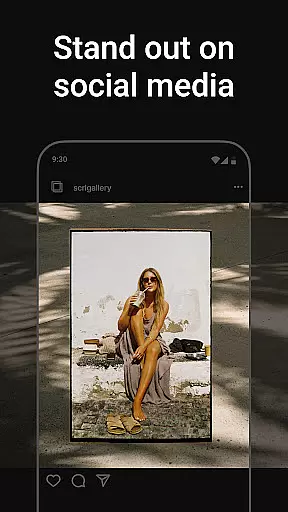
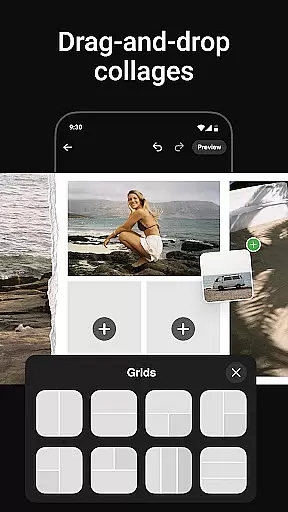
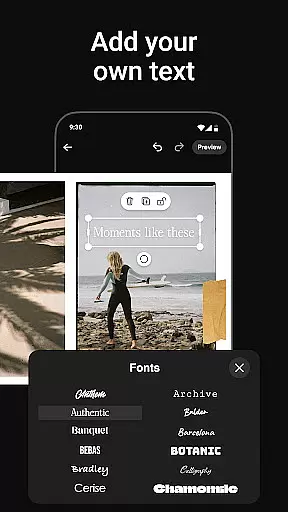
Photo Collage Maker by SCRL is the ultimate app for creating stunning photo collages and Instagram carousel posts. Designed for influencers, artists, and photography enthusiasts, this app offers a vast selection of hand-picked templates to suit every style and occasion. Whether you're crafting travel memories or wedding albums, the intuitive design tools make it easy to merge photos into seamless layouts.
The app provides advanced features like freeform canvas editing, allowing users to zoom in and out while adding personal touches such as stickers, overlays, and text. With support for over 10 photos in a single post, SCRL breaks traditional Instagram limitations, enabling more creative freedom. Trusted by Grammy-winning artists and industry leaders, this app ensures professional-quality results with minimal effort.
SCRL also offers instant posting to Instagram, streamlining the sharing process. Its premium subscription unlocks additional tools like gradient backgrounds and video integration, making it a comprehensive solution for social media creators who want to captivate their audience with visually appealing content.
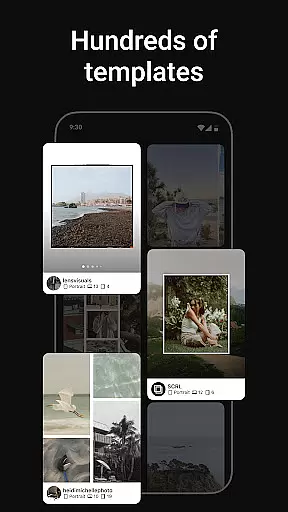
Photo Collage Maker stands out with its extensive library of hundreds of professionally designed collage templates. Each template is carefully curated by design experts, ensuring high quality and versatility for various projects. Regular updates introduce fresh options, keeping your designs modern and engaging.
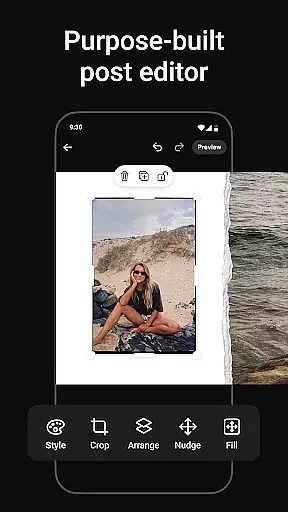
A key highlight is the freeform canvas feature, which allows complete creative control. Users can zoom in for detailed edits or zoom out for an overview of their project. The app supports combining multiple elements like images, stickers, overlays, and text, offering unlimited customization possibilities. This flexibility ensures that every collage reflects the creator's unique style.
Additionally, SCRL simplifies Instagram posting with its direct sharing functionality. Once your masterpiece is ready, you can instantly publish it without the hassle of exporting or re-uploading files. For power users, SCRL Premium unlocks advanced features like gradient backgrounds and video grids, elevating your creations to the next level.
Real-time capture and preview functionality is essential for any photography app as it allows users to see exactly what their final output will look like before they commit to taking a photo. This feature ensures that users can make necessary adjustments on the fly, thus improving the overall quality of their images.
Photo Collage Maker offers an intuitive real-time preview system that lets users experiment with different collage templates and instantly see how their photos will appear within those layouts. The app's design experts have hand-picked each template to ensure high quality and versatility, catering to every occasion and style.
Users benefit from this feature by being able to fine-tune their creations without wasting time on trial and error. Whether working on a travel memory, wedding, or creative project, the real-time preview gives users confidence in their design choices, ensuring that their final collages are polished and professional-looking.
The value of real-time capture and preview lies in its ability to enhance user creativity while reducing frustration. By providing immediate feedback, Photo Collage Maker empowers users to produce visually stunning content that stands out on platforms like Instagram.
AI beauty and enhancement features have become increasingly popular in photography apps, allowing users to refine and perfect their images with minimal effort. The naturalness of these enhancements is crucial, as overly processed images can appear artificial and unappealing.
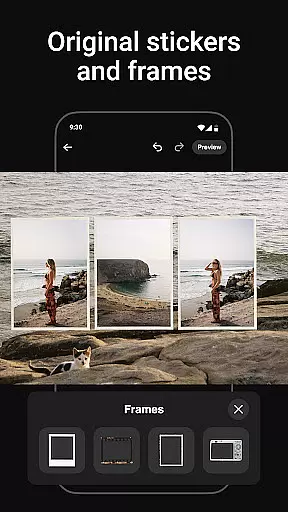
With Photo Collage Maker, users can take advantage of advanced AI-powered tools that add a touch of enhancement to their photos while maintaining a natural look. The app includes hundreds of stickers and overlays that complement collages and carousels perfectly, transforming them into polished, professional-looking posts.
This feature benefits users by offering them the ability to elevate their photo collages with just a few taps. Whether adding fun details or subtle refinements, the AI enhancements ensure that each creation reflects the user's personal style without compromising authenticity.
Ultimately, the AI beauty and enhancement tools in Photo Collage Maker provide a balance between aesthetic improvement and genuine representation. Users can trust that their final outputs will captivate their audience while remaining true to their original vision.
User-friendly interface
Extensive template library
Freeform canvas editing
Instant Instagram posting
Premium upgrade options
Limited free features
Premium subscription cost
Occasional bugs reported
Learning curve for new users
Heavy app size

Easily stitch panoramas from multiple photos or video.
 4.40
4.40
HD Photo gallery and photo manager to edit, hide private photos, videos & albums
4.3
Pet Camera
3.70
Photo editor: AI filters, photo enhancer, pic collage maker, AI art generator.
4.80
Raw Image Viewer. Gallery with support of raw images (.cr3, .cr2, .nef, .raf).
2.00
Enhance, retouch & create your story - Share the moment with Photoshop Express.
4.60
live datamoshing
4.00
Catch sunlight, sunrise sunset times and sun phases with the AR sun tracker.
4.10
Unlock the full potential of your DJI drone with Litchi
4.50
Unblur, enhance & restore photos with powerful AI photo enhancer tools.
4.60
Transform photos into videos! Create realistic or anime-style images easily!
4.50
Photo Exif Editor allows to view, add and modify EXIF data of multiple photos
4.50
Movie camera, supports pro recording settings for filming. Try it and be amazed!
4.50
Effortlessly organize, view and share your photos & videos with Gallery app!
4.40
A reflected light meter with spot metering and incident light metering.
4.40
Transform Photos: Edit, Beautify and Craft Memories & Make Collages!
4.10
Turn photos into cartoons & avatars! - Photo Editor, Cartoon Face!
3.90
Superimpose one photo on top of another using the original Superimpose app!
3.20
Application for remote controlling DSLR
3.00


User Reviews