
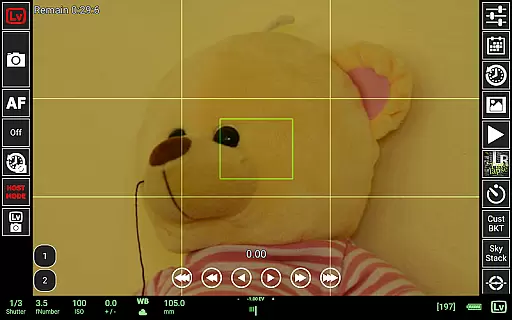
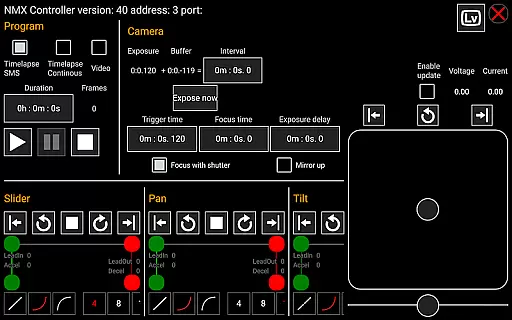
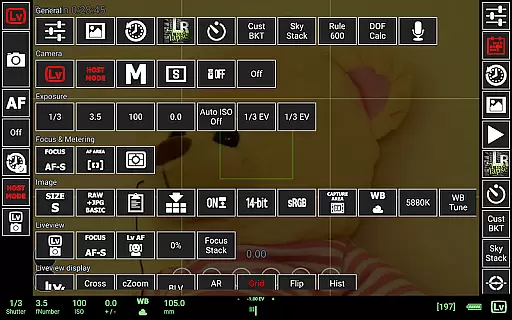
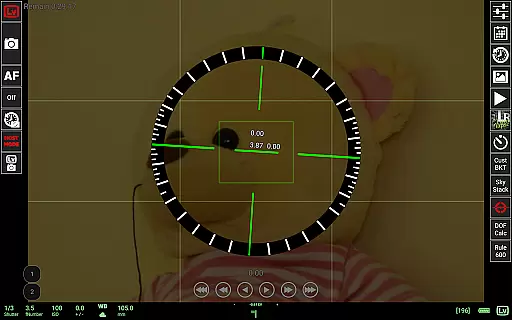
qDslrDashboard is a powerful photography application designed for DSLR camera enthusiasts who want to control their Nikon, Canon, or Sony cameras remotely. The app offers comprehensive features including remote capture, synchronized shooting, and live view functionality. It supports multiple camera connections through USB OTG adapters or wireless routers, making it versatile for various photography setups.
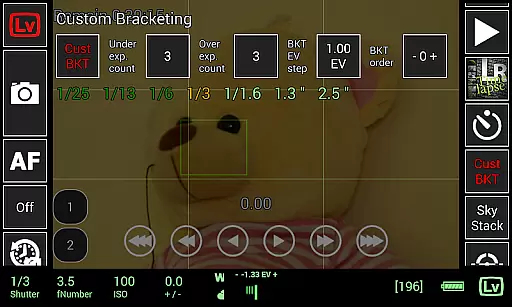
With qDslrDashboard, photographers can adjust camera settings, browse and transfer images directly to their Android devices, and even preview RAW files. Advanced functionalities like time-lapse creation, focus stacking, and custom bracketing provide professional-grade tools that enhance creative possibilities. Whether you're shooting in the studio or outdoors, this app ensures precise control over your camera equipment.
The application's ability to integrate with motion controllers and support wireless networks makes it an essential tool for both amateur and professional photographers seeking to elevate their craft through technology.
qDslrDashboard stands out with its extensive feature set tailored for DSLR camera control. One of its key strengths is the multiple camera support, allowing users to connect and synchronize up to several cameras simultaneously. This is particularly useful for creating 3D images or capturing events from different angles without manual intervention.
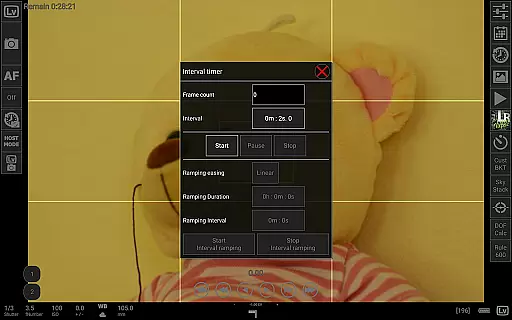
The app provides advanced shooting modes such as time-lapse photography with customizable control files, focus stacking for macro photography, and sound-initiated capture with spectral display. These features are complemented by practical tools like depth of field calculator and Rule600 calculator for astrophotography. Additionally, qDslrDashboard supports wireless connectivity through portable routers or WU-1a/1b adapters, enabling remote operation without physical constraints.
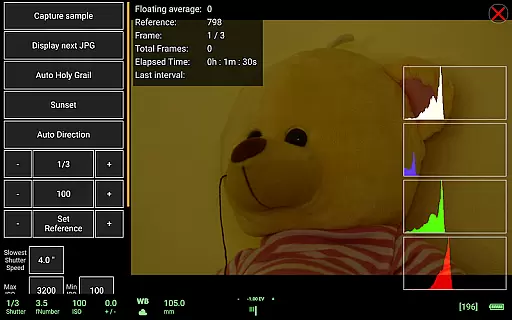
For professional workflows, the app integrates with motion control systems like Dynamic Perception NMX via Bluetooth LE and offers LRTimelapse support for holy grail timelapse sequences. These capabilities make qDslrDashboard an indispensable tool for photographers looking to push creative boundaries while maintaining technical precision.
Real-time capture and preview functionality is essential for photographers who need precise control over their shots. qDslrDashboard offers a comprehensive solution that allows users to connect their Nikon, Canon DSLR, or Sony mirrorless camera via USB OTG adapter or wireless network.
The application provides live view capabilities with histogram display, enabling users to monitor exposure levels in real time. This feature ensures that photographers can make informed decisions about adjustments before capturing an image, thus saving time during post-processing.
In addition to live view, qDslrDashboard supports synchronized capture across multiple cameras. This means you can trigger several cameras simultaneously, which is particularly useful for creating 3D images or capturing fast-moving subjects from different angles without missing a moment.
While qDslrDashboard does not focus on AI beauty enhancements typically found in mobile photography apps, it excels in delivering natural and authentic image previews. The application's strength lies in its ability to provide high-quality live view and image transfer functionalities.
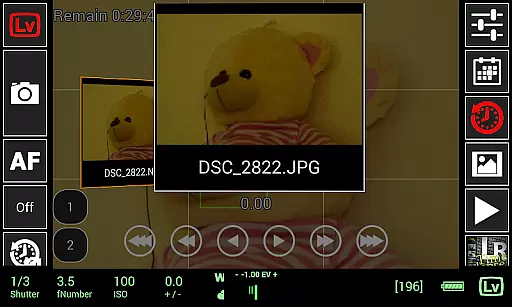
Users can browse images directly on the camera and transfer them to an Android device seamlessly. This process maintains the original quality of the photos, ensuring that no artificial enhancements alter the true essence of the captured scene.
Furthermore, qDslrDashboard includes advanced features such as manual focus movement during live view and movie recording initiation for compatible models. These tools empower photographers to achieve professional-grade results while maintaining complete creative control over their work.
User-friendly interface
Wide camera compatibility
Advanced time-lapse options
Wireless control capability
Professional-grade tools
Requires additional hardware
Complex setup process
Limited free features
High learning curve
Occasional connection issues

All-in-One Editor & AI Photo Enhancer, Collage, Cartoonify, Funny Stickers & BGS
 4.10
4.10
Transform photos into videos! Create realistic or anime-style images easily!
4.50
Automatically backup your photos and videos to computer, NAS and Cloud services
4.60
Add a dreamy vibe to your selfies and videos with soft style filters
4.5
See your baby AI baby face generator AI baby maker Face generator babymaker fun!
4.70
Luminar: Photo Editor - easy picture editing with AI
4.20
Solocator stamps photos you take with GPS location, Compass Direction, Date/Time
3.80
Discover How to Plan any Sun, Moon and Milky Way Photo You Imagine in Seconds
4.70
Edit photos with the picture generator: PS2 & AI Clay filters, cartoon effects.
4.50
Your personal guide to the sun and moon. Plan ahead, visualize and predict!
4.70
The original Rarevision VHS look seen everywhere!
4.70
PhotoSync Bundle Add-On License. Enables all features and services in PhotoSync.
4.60
Cut and paste photo editor & eraser to customize photos easy and swap faces fun
4.50
Photo editor & gallery. Crop pictures & edit photos offline, no wifi!
4.50
Search, tag and rate your way to an organized image gallery
4.40
live datamoshing
4.00
Superimpose one photo on top of another using the original Superimpose app!
3.20
Photo Album Watch Face shows your favorite pictures as a Watchface.
1.90
HD Photo gallery and photo manager to edit, hide private photos, videos & albums
4.4


User Reviews