
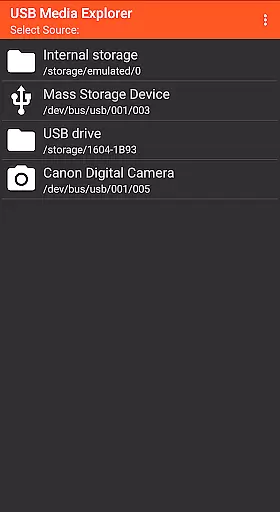
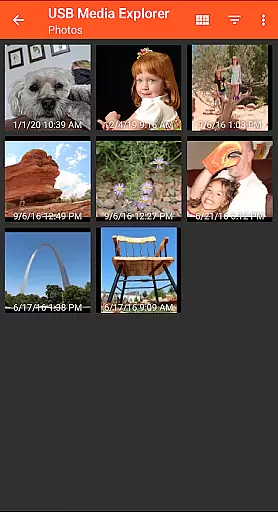
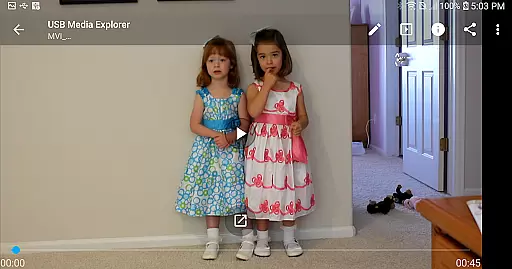
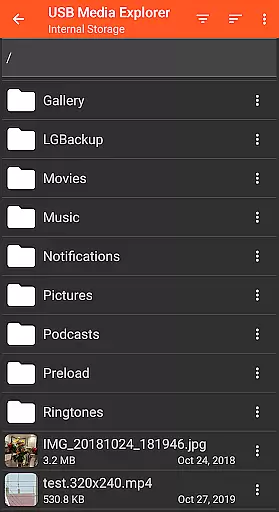
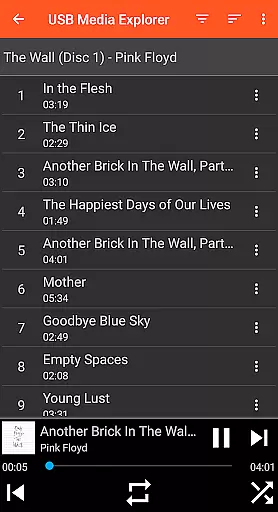
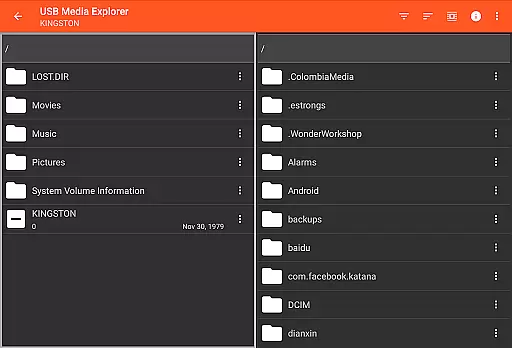
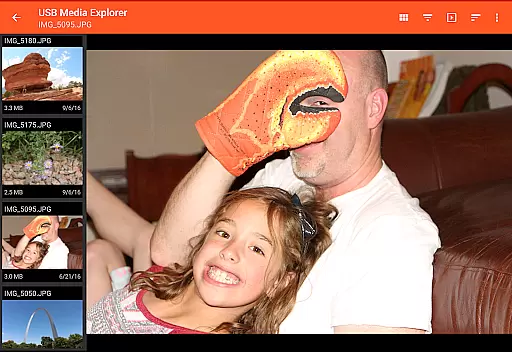
USB Media Explorer (UME) is a versatile photography app that allows users to view photos, stream videos, listen to music, and manage documents from various USB storage devices. With specialized viewing modes for different media types, it provides an all-in-one solution for accessing multimedia content on the go.
The app supports a wide range of devices including flash drives, card readers, hard drives, cameras, and even other Android devices. Its standout feature is the ability to view full-size photos and videos directly without importing, making it ideal for photographers and content creators who need instant access to their files.
Whether you're reviewing RAW images from a photo shoot or streaming video footage, USB Media Explorer ensures seamless compatibility with most Android-supported formats while offering additional support through third-party players like VLC for other formats.
USB Media Explorer stands out with its comprehensive device compatibility and specialized screens tailored for photos, videos, music, documents, and file management. The app enables bi-directional file transfers, allowing users to copy files to and from USB devices effortlessly.
One of the key highlights is its ability to handle both JPEG and RAW image formats, making it indispensable for professional photographers. Additionally, the app supports streaming video playback and includes advanced features such as managing files on external hard drives—though these may require extra power sources like powered USB hubs.
For those working across multiple devices, UME facilitates connections between Android smartphones and other peripherals via OTG cables or USB-C adapters. This makes it not only functional but highly adaptable to various workflows in photography, videography, and general media management.
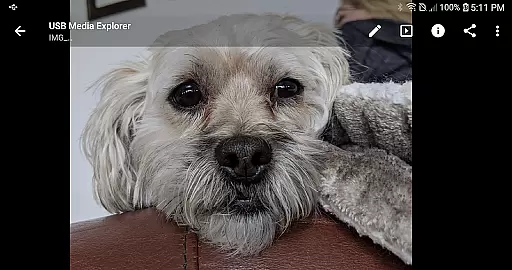
USB Media Explorer offers a unique real-time capture and preview feature that allows users to view photos and stream videos directly from USB storage devices without the need for importing. This functionality is crucial for photographers and videographers who require immediate access to their files on the go.
The application supports both Jpeg and Raw photo formats, ensuring that professionals can work with high-quality images directly from their cameras or storage devices. The ability to view full-size photos and videos without importing saves valuable time and enhances workflow efficiency.
Users benefit from specialized screens designed for different media types, including photos, videos, music, documents, and file management. This ensures an optimal viewing experience tailored to each content type, making it easier to manage and interact with multimedia files in real-time.
Overall, the real-time capture and preview feature of USB Media Explorer provides a seamless and efficient way to access and manage multimedia content, empowering users to focus on their creative work without technical hindrances.
While USB Media Explorer does not explicitly market itself as an AI beauty and enhancement tool, its robust media handling capabilities allow for natural and effective enhancements to photos and videos. This is particularly beneficial for users looking to maintain the authenticity of their original content while applying subtle improvements.
The app's support for various media formats, including Raw photos, enables users to make detailed adjustments that preserve the natural essence of their images. Whether it's adjusting lighting, color balance, or applying filters, the changes appear organic and true to the source material.
Additionally, the ability to copy files to and from the USB device means users can backup their enhanced media without losing the original versions. This flexibility ensures that any AI-driven enhancements can be reversed or modified as needed, providing peace of mind and creative freedom.
In summary, USB Media Explorer's comprehensive media management features offer users the tools necessary to naturally enhance their photos and videos, ensuring that all modifications retain the integrity and authenticity of the original content.
User-friendly interface
Wide device compatibility
Direct file preview
Bi-directional file transfer
Specialized media viewers
No native AVI support
External power often needed
Limited camera support
Proprietary protocol issues
Commercial DVD restrictions

All-in-One Editor & AI Photo Enhancer, Beautify & Retouch, Collage, Cartoonify
 4.20
4.20
Trendy TikTok time warp scan funny filter app brings you unique photos & videos.
4.40
Edit like a pro with Hypic. Apply filters, AI effects, & magic touch.
4.40
Photo editor: AI filters, photo enhancer, pic collage maker, AI art generator.
4.80
Gallery Slideshow is slideshow maker app for slideshow from your gallery photos.
3.90
Easily create custom gifts, cards, photo books & more on the Shutterfly app!
4.60
RAW video capture with advanced controls
4.40
Unlock the full potential of your DJI drone with Litchi
4.50
Your Family Calendar + Photos. Manage your Skylight Calendar and Skylight Frame.
4.40
The original Rarevision VHS look seen everywhere!
4.70
Enhance, retouch & create your story - Share the moment with Photoshop Express.
4.60
Create collages easily! Nice pic collage maker & background eraser for Instagram
4.50
Future baby face generator: AI kids generator, kid face! What my baby look like?
4.40
Virtual makeup, hair filters & body tuner—edit from face to full body!
4.20
Luminar: Photo Editor - easy picture editing with AI
4.20
Transform Photos: Edit, Beautify and Craft Memories & Make Collages!
4.10
How old age camera Gender Swap App Face Shape Hairstyle App Hair Styler App fun!
4.00
Astrophotography with your smartphone, photo live stacking and much more!
3.90
Perfect photos with body shaping, BG changer and object remover.
3.70


User Reviews