
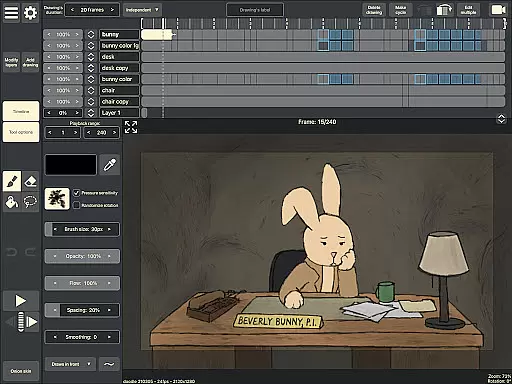
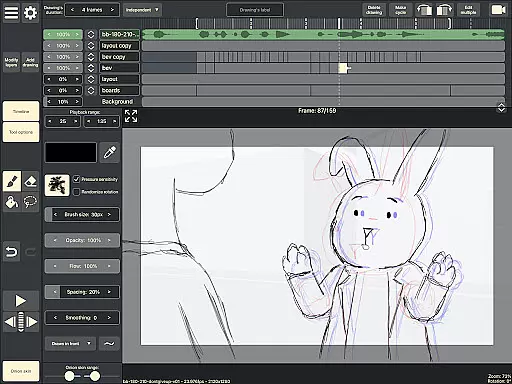
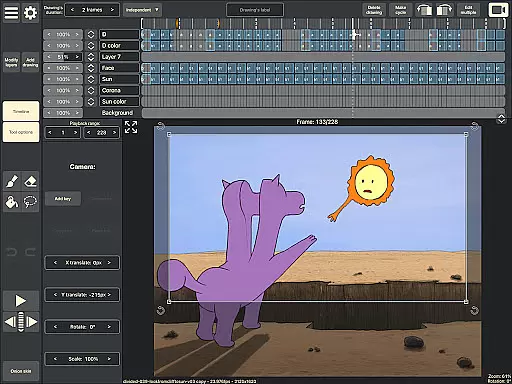
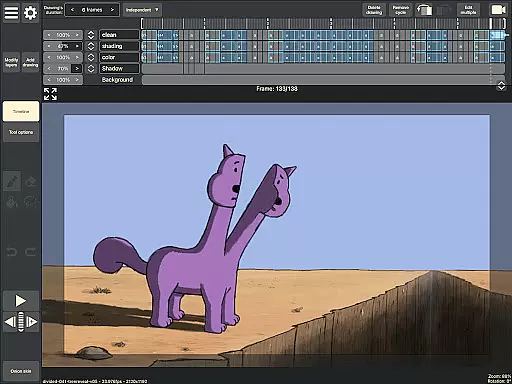
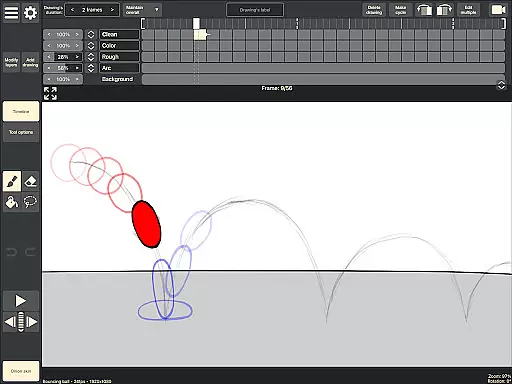
RoughAnimator is a professional-grade hand-drawn animation app designed for both Android and desktop platforms. It offers animators a complete suite of tools to create traditional frame-by-frame animations with remarkable flexibility. The app supports advanced features like onion skinning, custom brushes, and audio/video import, making it suitable for professional animators while remaining accessible to beginners.
With RoughAnimator, users can work on unlimited layers, preview animations in real-time, and export their projects in various formats such as Quicktime video, GIFs, or image sequences. Its compatibility with industry-standard software like Adobe Animate and After Effects ensures seamless integration into professional workflows. Whether you're sketching on the go or working on detailed animations, RoughAnimator provides all the tools necessary for creative freedom.
RoughAnimator stands out with its robust feature set tailored specifically for animators. The app includes an intuitive timeline that allows users to manage unlimited layers and adjust exposure lengths for individual drawings, enabling both pose-to-pose and straight-ahead animation techniques. Onion skinning enhances precision by showing previous and next frames as overlays, while the ability to scrub along the timeline helps fine-tune animations effortlessly.
Additional features include support for pressure-sensitive devices like the Samsung S-Pen, customizable brushes, and options to control frame rates and resolutions. Animators can also import audio for lip-syncing or video for rotoscoping, adding versatility to their projects. Export options are equally impressive, allowing users to save animations as Quicktime videos, GIFs, or image sequences. Furthermore, RoughAnimator projects can be imported into industry-leading software like Adobe Animate and After Effects, ensuring smooth transitions between different stages of production.
Creative tools are essential for artists and animators to bring their visions to life. RoughAnimator offers a comprehensive suite of features that cater to both professional animators and beginners alike. This application provides a robust timeline with unlimited layers, enabling users to create complex animations with ease.
Onion skinning allows animators to see multiple frames at once, which is crucial for maintaining consistency between frames. The app also supports custom brushes, giving artists the flexibility to achieve the desired look and feel in their animations. With support for pressure-sensitive devices like the Samsung S-Pen, creatives can enjoy a natural drawing experience that mimics traditional media.
RoughAnimator goes beyond basic animation by allowing users to import audio for lip-syncing and video for rotoscoping, adding another layer of depth to animations. Animators can control the framerate and resolution, ensuring their work meets industry standards. By exporting animations to various formats such as Quicktime video, GIF, or image sequences, creators have the freedom to share their work across different platforms.
Flexibility in canvas and format options is vital for animators who need to adapt their work for different mediums and platforms. RoughAnimator excels in providing users with the ability to adjust these settings to fit their specific needs. Whether it's for mobile, web, or even high-definition broadcasts, this app ensures that your animations will look great on any screen.
The app allows animators to set custom resolutions, which means they can optimize their projects for everything from social media posts to full-length animated films. Additionally, the capability to export projects in formats compatible with industry-standard software like Adobe Flash/Animate, After Effects, and Toon Boom Harmony makes transitioning between different stages of production seamless.
Moreover, RoughAnimator's availability on desktop extends its functionality, offering a consistent experience whether you're working on-the-go with a tablet or settling into a full workstation setup. This cross-platform compatibility ensures that no matter where inspiration strikes, animators have the tools they need to capture their ideas without being constrained by format limitations.
Powerful animation tools
User-friendly interface
Supports multiple formats
Compatible with industry software
Ideal for professionals and beginners
Steep learning curve
Limited free features
Requires high device specs
No cloud sync option
Premium export settings locked

Vidu is an AI video generator made for creators and aspiring makers.
 3.30
3.30
Art of Combination Wear OS Watch faces (for Wear OS 5+ devices)
3.00
Create trending AI photos & videos with powerful effects and 3D styles.
3.20
Meet the magic aı 3d photo generator and smart AI video generator app.
3.20
Logo Generator powered by AI: Create stunning logos effortlessly!
4.70
Art of Combination Wear OS Watch faces
4.2
Art of Combination Wear OS Watch Faces
4.0
Digital, Abstract, Classic - all types of color wheels in one app!
4.60
Draw anime easily with AR guidance, sketch templates & trace tools!
3.10
The ultimate tool for creating animations
4.60
Castle is social media for creating and playing games!
4.60
Image resizer to resize, crop, rotate, flip, change dpi photo or picture in bulk
4.60
Get an overview over all your embroidery threads, projects and more.
4.60
Create neon drawing with magic doodle and fun doodle art effects!
4.50
Video AI: Revolutionize Your Content Creation with Advanced Video Generation
4.50
Just trace a projected picture on paper and color! Draw & Paint with AR drawing
4.40
Your homescreen as an elegant glass with customized blur, lighting, and visuals.
3.70
Create cute cat emojis & PFPs! Fun, custom avatars for cat lovers.
3.70
Art of Combination Wear OS Watch faces
4.5


User Reviews