
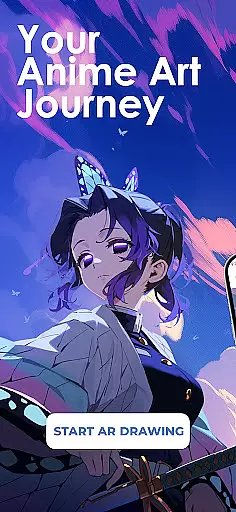
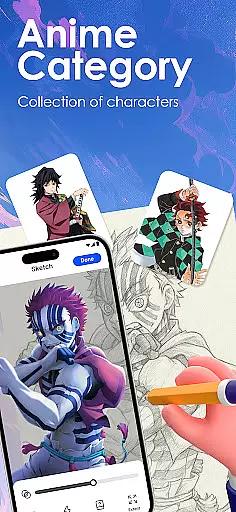
Draw Anime: AR Sketch & Trace is a revolutionary drawing application designed specifically for anime enthusiasts and artists. This app combines the power of augmented reality (AR) with traditional sketching techniques, allowing users to trace and draw anime characters with precision. Whether you're a beginner or a professional artist, this tool offers an intuitive platform to enhance your drawing skills.
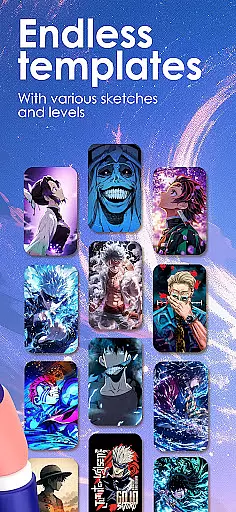
The app's core functionality revolves around its AR guidance system, which projects clear outlines onto paper through your device's camera. This feature enables users to confidently sketch complex designs, from anime figures to real-life objects. Additionally, Draw Anime provides a vast library of templates covering various styles such as manga, chibi, and fanart, catering to different artistic preferences and skill levels.
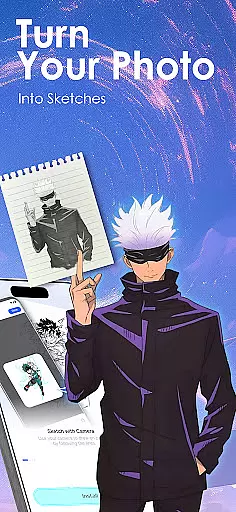
One of the standout use cases for Draw Anime is its ability to convert any photo into traceable outlines. This makes it an invaluable tool for artists looking to incorporate real-world elements into their anime artwork. The app also includes detailed video tutorials and personalized learning paths, making it easier than ever to master the art of anime drawing.
Draw Anime: AR Sketch & Trace stands out with its innovative features tailored for anime artists. The app's most prominent feature is its AR-based tracing system, which allows users to follow projected outlines on paper through their device's camera. This technology bridges the gap between digital convenience and traditional drawing methods, providing a seamless experience for artists.
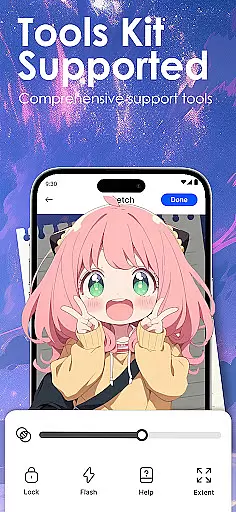
Beyond basic tracing, the app offers a comprehensive learning system. Users can access a wide range of tutorials that cater to different skill levels, from beginners to experts. These tutorials cover essential aspects of anime art, including anatomy, proportions, and stylistic techniques. The app also includes adjustable drawing parameters such as opacity and zoom, giving artists complete control over their creative process.
Another key feature is the app's robust content creation tools. Artists can import their own images, instantly converting them into traceable outlines. The app maintains a growing library of anime-specific templates while allowing users to record and share their drawing progress. This combination of guided learning and creative freedom makes Draw Anime an indispensable tool for anyone serious about mastering anime art.
In the realm of digital artistry, having a comprehensive set of creative tools is paramount. Draw Anime: AR Sketch & Trace offers an extensive suite designed to cater to anime enthusiasts and artists alike. This app provides functionalities ranging from AR-guided drawing to an expansive library filled with anime, manga, and chibi templates.
Users can trace through their camera, convert images into simple outlines for practice, and adjust various parameters like opacity and zoom. These features ensure that whether you're a novice or a professional artist, you have all you need to bring your visions to life.
The true value lies in the app's ability to make learning and creating anime art accessible. With personalized learning paths, video tutorials, and the option to import personal photos for tracing, users can explore unlimited creativity. Such robust features not only enhance artistic skills but also streamline the creative process, making it an indispensable tool for anyone serious about anime art.
Flexibility in canvas and format options is crucial for artists seeking to express their creativity without constraints. Draw Anime: AR Sketch & Trace excels in providing versatile solutions that adapt to various artistic needs. Users can modify their canvas settings, allowing them to experiment with different styles and dimensions effortlessly.
This app supports importing personal photos, which can be transformed into traceable outlines, offering a seamless blend of reality and imagination. The adjustable opacity and zoom features further enhance this flexibility, enabling intricate detailing and precision in every piece of art.
Moreover, the ability to record drawing processes adds another layer of versatility, allowing artists to review their work, share progress with peers, or even create tutorial content. By prioritizing canvas and format adaptability, Draw Anime: AR Sketch & Trace empowers artists to push boundaries and redefine what's possible in the world of anime art.
User-friendly interface
Extensive template library
Advanced AR guidance
Customizable drawing tools
Comprehensive tutorials
Requires compatible device
Learning curve for AR
Premium content locked
Occasional bugs reported
Internet connection needed

Premium version of Shimeji-ee app with no ads & no limit active shimeji
 4.4
4.4
Learn how to draw with step-by-step tutorials, fun lessons & multiplayer drawing
4.70
Create trending AI photos & videos with powerful effects and 3D styles.
3.20
Sketch, plan, take notes and illustrate on an infinite canvas.
4.20
Resize photos and print photos in exact size with our powerful photo printer!
3.80
Create Logos, Tattoos, AI Art & more with our AI Photo Generator & Design Editor
4.20
Draw, make movies & animate cartoons easily with our 2D animation maker app
4.40
Multiplayer Drawing game, Coloring, Painting・Sketch, Handwriting・Paint, draw
4.30
All-in-One art, logo & collage maker. Design photos and edit video backgrounds
4.80
Draw on screen: FP sDraw is a simple and lightweight drawing app
4.70
Novices can also easily complete diamond painting masters
4.70
Create and Design Custom Logos in Seconds with AI-Powered Tools!
4.40
800+ Drawing, Painting Lessons App to Practice, Sketch & Paint Art.
4.30
Create stylish invitation cards using templates for weddings, birthdays & RSVP.
4.20
OneUI 8.5 icons ✨ Smooth, modern & based on the latest Play Store design ??
4.10
Easy 3D drawing design maker & creator. Model designing, Sculpting. Create&paint
4.00
Download now for a stylish and functional timepiece
4.4
Your Essential Color Theory Guide: Red, Yellow, Blue (RYB)
4.5
Art of Combination Wear OS Watch faces
4.3


User Reviews