
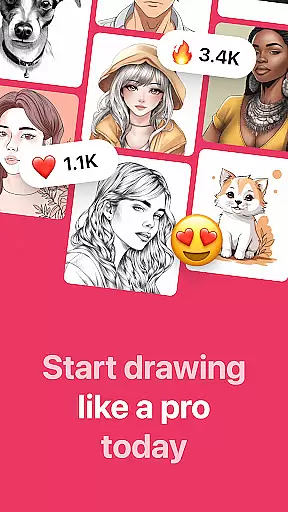
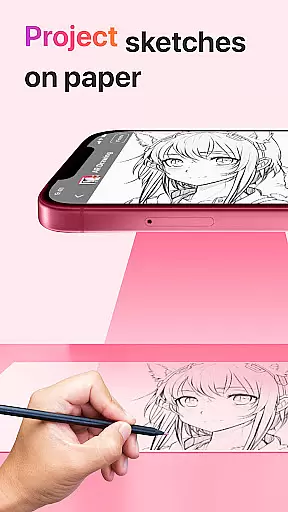
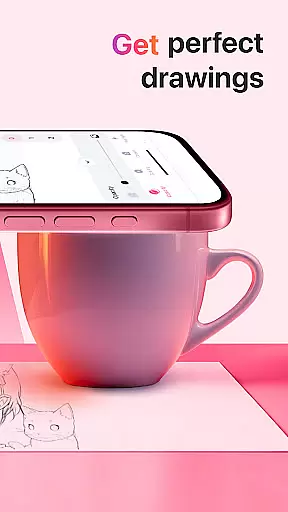
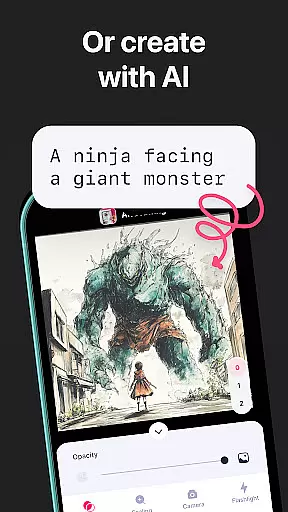
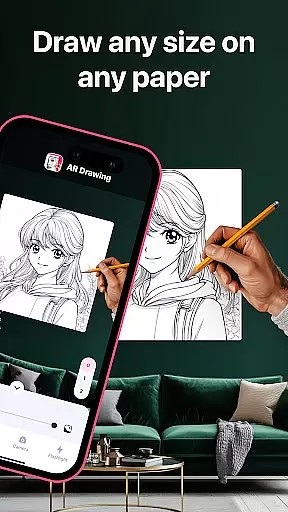
AR Drawing: Sketch & Paint is an innovative mobile application designed to help users learn drawing and create impressive artworks using augmented reality technology. The app allows you to project any image onto paper via your phone's camera, enabling you to trace and color it with ease. Whether you're a beginner or an experienced artist, this app provides the perfect platform to unleash your creativity.
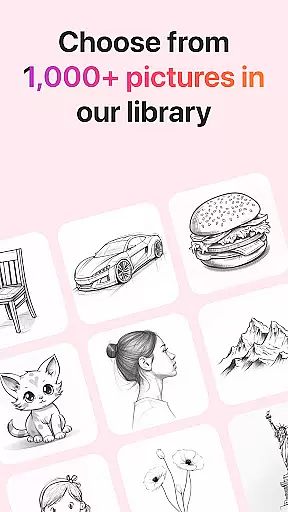
The app offers a wide range of tracing templates covering various categories such as Animals, Cars, Nature, Food, and Anime. Additionally, it includes practical features like a built-in flashlight for better visibility, video recording of your creative process, and a gallery to save and showcase your finished drawings. AR Drawing makes art accessible to everyone, allowing users to draw anything on any surface.
This app is particularly useful for those who want to learn drawing quickly and effectively. With its intuitive interface and helpful features, users can master basic drawing techniques within just three days. The ability to share your creations with friends further enhances the overall experience, making AR Drawing an essential tool for both learning and artistic expression.
AR Drawing stands out with its comprehensive feature set tailored for artists of all levels. One of its key features is the augmented reality projection system, which uses your phone's camera to project images onto paper, making tracing simple and accurate. This functionality is complemented by a diverse library of tracing templates that cater to different interests, including Animals, Cars, Nature, Food, and Anime.
In addition to its core drawing capabilities, the app includes several practical tools to enhance the user experience. A built-in flashlight ensures optimal lighting conditions, while the video recording feature allows users to capture their entire drawing and painting process. The app also provides a dedicated gallery where users can save and organize their artwork, making it easy to track progress over time.
Another notable feature is the ability to share your finished drawings directly with friends or on social media platforms. This not only promotes community engagement but also serves as a source of motivation and inspiration. Overall, AR Drawing combines innovative technology with user-friendly features to create a versatile platform for artistic exploration and skill development.
AR Drawing: Sketch & Paint offers a comprehensive suite of creative tools that cater to both novice and experienced artists. The app provides various tracing templates, including Animals, Cars, Nature, Food, and Anime, which serve as a starting point for users who need guidance or inspiration.
In addition to the extensive template library, the app includes a built-in flashlight feature, allowing users to draw in low-light conditions without any hassle. This ensures that the creative process is not interrupted by environmental constraints, thus enhancing user experience.
The ability to save drawings in a gallery within the app not only helps users to keep track of their artistic journey but also encourages them to refine their skills by reviewing past works. This feature fosters a sense of accomplishment and progression, which is vital for sustained engagement with the app.
Furthermore, AR Drawing stands out by letting users record videos of their drawing and painting sessions. This functionality is crucial for those who wish to share tutorials, seek feedback, or showcase their creative process on social platforms, thereby enriching the overall value provided by the app's creative toolkit.
One of the key strengths of AR Drawing: Sketch & Paint is its canvas and format flexibility, which empowers users to draw anything they want on virtually any surface. This flexibility breaks the boundaries of traditional drawing apps and opens up new possibilities for creativity.
Whether you're sketching on paper or using augmented reality to project your artwork onto different surfaces, the app adapts seamlessly to your chosen medium. This adaptability ensures that users are not confined to specific formats or materials, offering an unrestricted artistic experience.
Moreover, the app supports multiple content creation methods, from simple sketches to fully colored paintings. Users can experiment with different styles and techniques without worrying about format limitations, making it an ideal choice for artists looking to explore diverse artistic expressions.
Sharing your creations is made easy with AR Drawing, as the app allows users to share their finished works with friends directly. This seamless integration of flexible canvas options with social sharing features makes the app a versatile tool for modern creators seeking to connect and inspire others through their art.
User-friendly interface
Wide range of templates
Built-in flashlight
Video recording feature
Easy sharing options
Limited free templates
Requires good lighting
Premium features locked
Occasional bugs
Learning curve for beginners

Vidu is an AI video generator made for creators and aspiring makers.
 3.30
3.30
AI generated images & photos, turn your words into drawing, painting & pictures.
4.30
Learn how to draw with step-by-step tutorials, fun lessons & multiplayer drawing
4.70
Sketch, trace and master AR drawing with awesome anime art!
3.30
Resize photos and print photos in exact size with our powerful photo printer!
3.80
Share the joy of painting with ibis Paint! Drawing anime and manga art.
4.50
Beauty Camera - Selfie Camera is the ultimate beauty camera and selfie app
4.30
Create and Design Custom Logos in Seconds with AI-Powered Tools!
4.40
An intuitive, high-performance painting app that lets you focus on creating
4.40
Novices can also easily complete diamond painting masters
4.70
Digital, Abstract, Classic - all types of color wheels in one app!
4.60
Turn your drawings into flipbook-style animations with simple creative tools
4.60
Digital illustration drawing & painting pad app to paint Anime and Manga art
4.50
Image/ Text to Video Generator
4.40
Remove Background, Magic Eraser, Photo Enhancer, Story Templates, Collage Maker
4.30
Customizable Outlined Fonts. Watch Face Format. Battery friendly Digital Clock.
4.20
Your homescreen as an elegant glass with customized blur, lighting, and visuals.
3.70
Pose and morph realistic male and female models! 3D poser app
3.00
Android 14 style widgets and wallpapers app.
4.5


User Reviews