
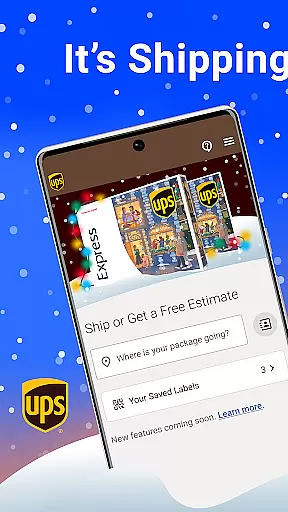

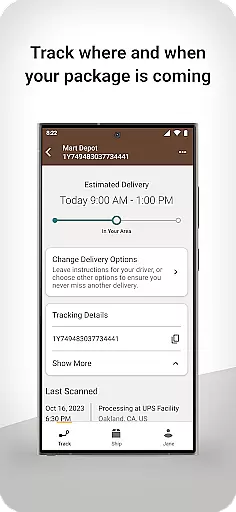
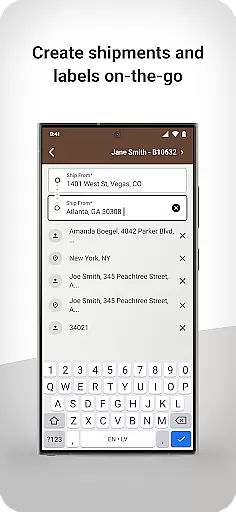
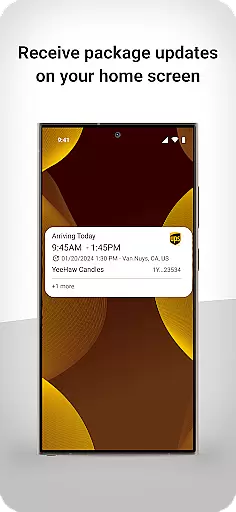
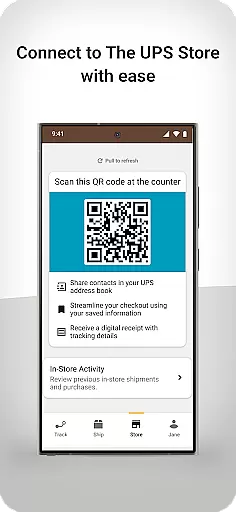
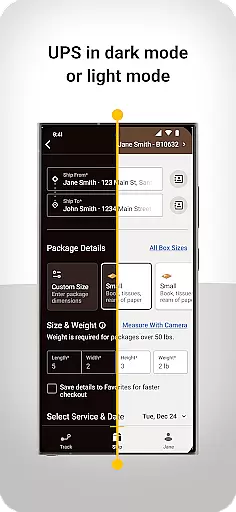
UPS is a comprehensive business shipping solution designed to streamline package management for businesses and individuals alike. The app provides users with a personalized QR code system that simplifies the process of shipping to saved contacts in your UPS address book, while also offering digital receipts and real-time package tracking.
In addition to its core functionality, UPS offers advanced features tailored for international shipping. The app eliminates unnecessary complications by providing clear guidance on customs procedures and documentation requirements, ensuring smooth cross-border transactions. With proactive notifications and responsive design, UPS delivers an unparalleled user experience that brings peace of mind to both senders and recipients.
This application is particularly valuable for small business owners who need reliable shipping solutions. By enabling quick label creation, home screen updates, and seamless tracking capabilities, UPS empowers entrepreneurs to manage their shipping operations efficiently while maintaining professional standards.
The UPS app distinguishes itself through its robust feature set designed to enhance the shipping experience. A key innovation is the personalized QR code system, which revolutionizes how users interact with physical store locations. This feature allows for seamless package drop-offs and automatic address book integration, significantly reducing manual entry errors.
For international shipping, the app provides game-changing functionality including step-by-step customs guidance and document preparation assistance. Users benefit from multiple types of proactive notifications that keep them informed about potential delays or required actions. The modern interface ensures all critical information is readily accessible, while the responsive design maintains optimal performance across various devices.
Additional notable features include real-time package tracking with detailed status updates, digital receipt storage for easy record-keeping, and home screen widgets that provide at-a-glance shipment information. These capabilities work together to create a comprehensive shipping management solution that saves time and reduces operational complexity.
In today's fast-paced business environment, the ability to collaborate effectively is crucial. The UPS app facilitates seamless collaboration by integrating advanced features that connect teams and streamline workflows. With personalized QR codes, users can quickly access their UPS address book contacts, making package shipping more efficient for group projects.
The app also supports digital receipt management, ensuring all team members have access to necessary documentation for financial audits or record-keeping. This feature enhances transparency within teams, allowing for better tracking of expenses and shipments. Moreover, real-time package tracking provides teams with up-to-date information on the status of their outbound packages, fostering a more coordinated effort in managing logistics.
Furthermore, the responsive design of the UPS app ensures that all collaborative features are easily accessible on various devices. Whether you're working from a desktop or mobile device, the app offers a consistent user experience that adapts to your needs. This flexibility allows teams to stay connected and informed, regardless of their location, ultimately leading to improved productivity and peace of mind.
Effective task management is at the core of successful business operations, and the UPS app excels in this area by providing robust tools for organizing and overseeing tasks. Users can create shipping labels swiftly, which is essential for managing the logistics aspect of any project. This rapid label creation not only saves time but also helps maintain an organized workflow, allowing businesses to focus on their core activities.
Tracking deliveries is another vital component of task management offered by the UPS app. With the ability to monitor both inbound and outbound shipments, users gain valuable insights into their supply chain. This visibility enables proactive decision-making, helping businesses anticipate potential delays and adjust plans accordingly. Additionally, receiving updates directly on the home screen keeps users informed without needing to navigate through multiple menus.
Lastly, the app's modern interface contributes to efficient task management by presenting information clearly and concisely. Its clean design minimizes clutter, allowing users to concentrate on what matters most u2013 ensuring timely delivery of packages. By offering such comprehensive task management capabilities, the UPS app empowers businesses to operate more smoothly and efficiently.
User-friendly interface
Comprehensive tracking system
International shipping support
Digital receipt management
Personalized QR code access
Limited third-party integration
Occasional syncing issues
Premium feature costs
Device compatibility limits
Learning curve for new users

GoTo Mobile is a simple & secure calling, messaging & meetings solution
 4.80
4.80
All Your Gig Work. One App.
4.30
VSD Viewer - Visio Drawings Viewer for Android Preview VSD, VDX, VSDX drawings
4.10
TurboScan turns your phone into a full-featured PDF document scanner.
4.80
Finance, Investing, Stocks, Trading and Stock news
4.60
Recover what matters — quickly and easily.
4.70
Job search app that finds jobs for you! Takes the work out of looking for a job!
4.90
Make invoices, bills, receipts & estimates on the go with Invoice Generator.
4.70
Smarter career moves start here. AI job alerts, insights & the right tools.
4.20
The MyWalmart App is available for all associates in stores.
4.70
Find jobs and make money fast with JobStack.
4.60
Amazon A to Z is the place to manage your work-life at Amazon.
4.50
The revolutionary flexible staffing platform
4.40
Earn crypto with secure cloud mining. Monitor, track & withdraw easily
4.40
Scan Business Cards & Conference Badges - Capture Leads at Events & Tradeshows
4.20
Work happy with AI Companion
4.10
Simple, Fast & Lightweight
3.90
viewing and sharing of PDFs
3.60
Convert Your Lovable.dev Website into a Mobile App Instantly!
4.5


User Reviews