
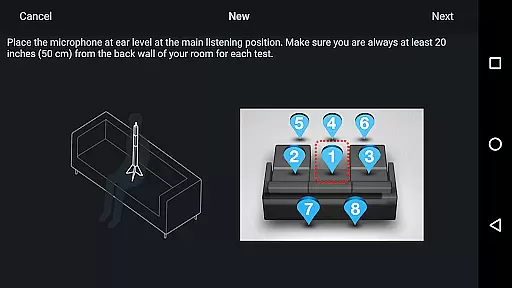
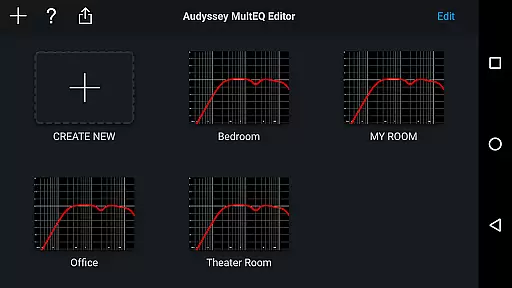
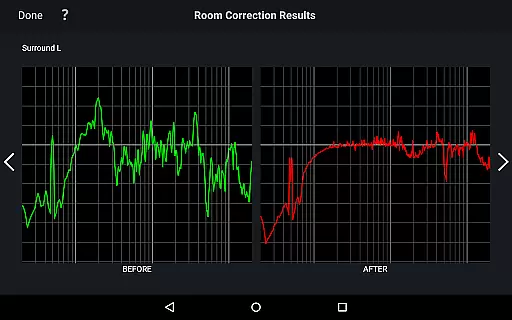
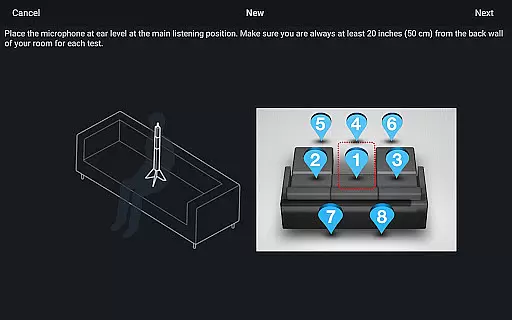
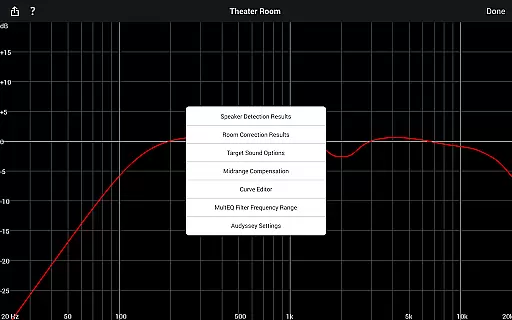
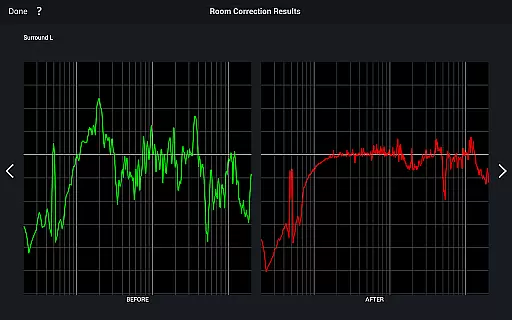
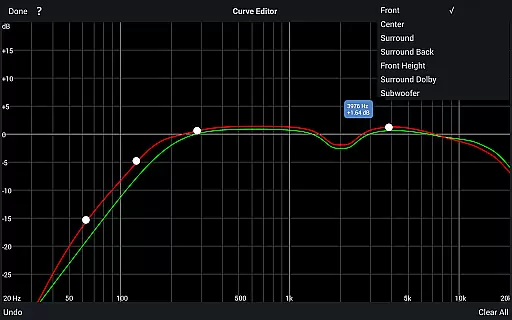
Audyssey MultEQ Editor app offers advanced control over your Denon or Marantz AV receiver's calibration, allowing detailed tuning beyond the standard setup. It provides users with the ability to adjust and customize audio settings to match room acoustics and personal preferences.
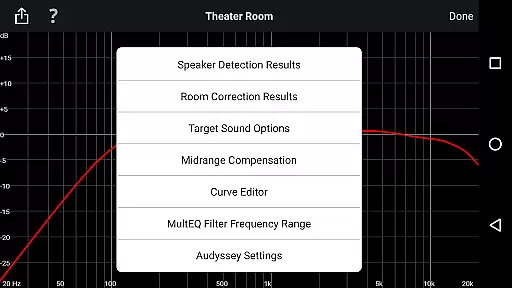
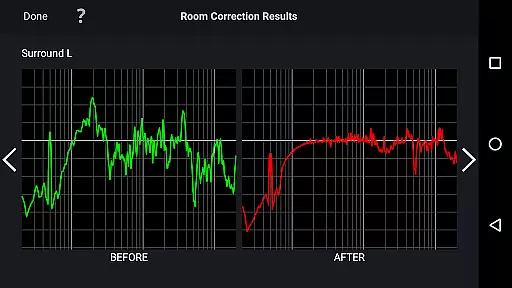
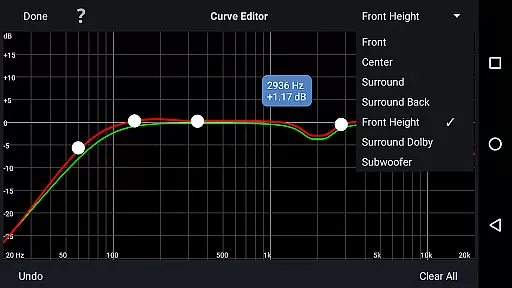
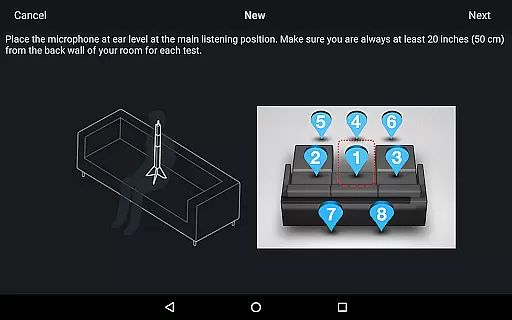
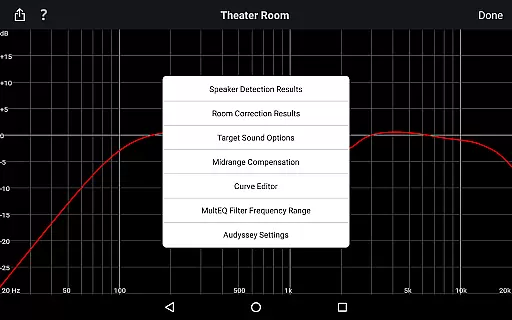
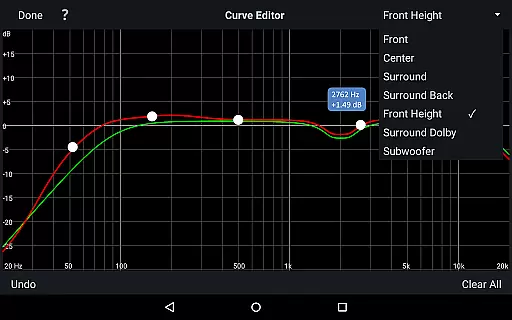
With this app, you can view speaker detection results, compare Audyssey calibration outcomes, edit target curves, adjust EQ frequency rolloff, switch high-frequency rolloff targets, enable or disable midrange compensation, and save or load calibration data. This level of customization ensures optimal sound quality tailored to your specific environment.
The app features an array of powerful tools including viewing and editing Audyssey calibration settings, which lets you refine the audio experience for each channel pair. You can modify the target curve, adjust frequency rolloffs, and toggle midrange compensation for a brighter or smoother sound.
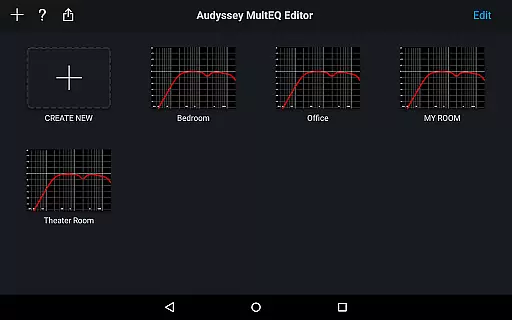
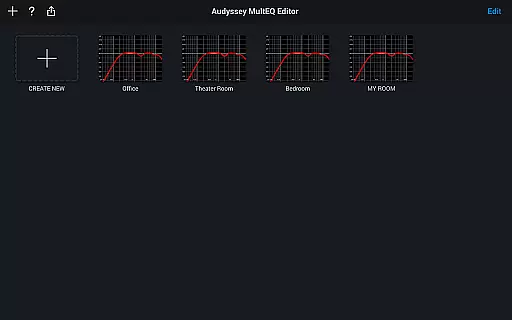
Additional functionalities include multi-language support, automatic OS language detection, and compatibility with a wide range of Android devices. The app also allows saving and loading calibration results, making it easy to apply settings across different systems or revert changes as needed.
The Audyssey MultEQ Editor app provides a comprehensive toolset for advanced audio calibration but does not directly offer a music library. Instead, its value lies in enhancing the audio experience of your existing music collections. The app allows detailed tuning of sound settings to optimize how music is played back through your Denon or Marantz AV receiver.
While it doesn't manage digital rights or verify copyright, the app ensures that any music you play benefits from precise calibration and personalized EQ adjustments. This means each track can be experienced as closely as possible to the artist's intention, respecting the integrity of the original recording while adapting to room acoustics.
Users can adjust frequency curves and tailor sound profiles to their personal preferences, ensuring that whether streaming, playing vinyl, or enjoying high-resolution files, the audio quality is maximized. This customization ability indirectly supports diverse music libraries by making sure all audio sources sound their best.
Audyssey MultEQ Editor app excels in providing extensive audio quality options that allow users to fine-tune their listening experience. With features like viewing speaker detection results and editing Audyssey target curves, users gain unprecedented control over how sound is reproduced in their home environment.
The app offers multiple advanced settings such as adjusting EQ frequency rolloffs for each channel pair and switching between different high-frequency rolloff target curves. These capabilities ensure that audio output is precisely tailored to both the room's acoustic properties and the user's personal taste.
Additionally, functions like enabling or disabling midrange compensation provide further refinement of sound characteristics, allowing for brighter or smoother audio textures. By saving and loading calibration results, users can experiment with different settings while maintaining the option to revert to previous configurations, guaranteeing optimal audio quality at all times.
User-friendly interface
Comprehensive audio adjustments
Multi-language support
Save and load calibrations
Compatibility with many devices
Limited to specific AV receivers
Not compatible with all Android devices
Requires specific hardware
Potential complexity for novices
Additional cost for full functionality

Make music anywhere. Turn your device into an instrument.
 4.2
4.2
Over 100 million tracks available for high quality streaming and download
4.60
Walkout Song DJ is the most intuitive app to manage your sports music.
4.70
Permanently backup Now Playing. Maps, filters & listening stats.
4.00
Network/Cloud Streaming, Visualization, Graphic Equalizer and Sound Effects.
4.20
Bass Booster Pro takes auto-equalizing to the next level!
4.30
Powerful 10-Band equalizer pro with sound booster improves Android audio quality
4.30
Manage your Sonos system directly from your home-screen!
4.40
Uninterrupted Tunes, Unmatched Vibes
3.90
Play your hearts out on TouchTunes jukeboxes & connect with fellow music lovers.
4.80
Simple & Intuitive Metronome
4.70
Guzheng Master supports many playing techniques as an acoustic Guzheng
4.50
Help you quickly get started with Shokz headphones
4.40
Advanced 10-Band Audio Graphic Equalizer Sound Booster Pro
4.30
Enjoy singing any song, no matter how high or low it is
4.30
Background pads for your band
3.80
Control your MIDI USB or Bluetooth devices in app and avoid some trampling
3.30
MilkDrop for Android TV
3.00
Remove ads permanently from Music Visualizer
4.0


User Reviews