



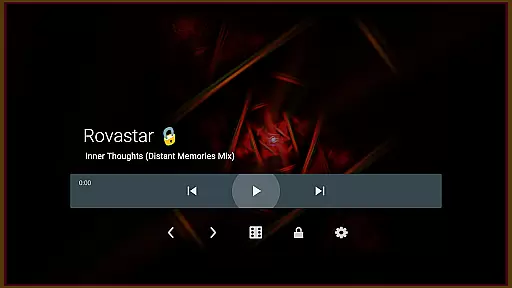

projectM Music Visualizer TV is a cutting-edge music visualization app designed specifically for Android TV. It transforms your audio experience by generating stunning, dynamic visuals that respond seamlessly to the rhythm and beat of your favorite tracks. With over 200 visual effects and support for 60 FPS Pixel Shaded Rendering, projectM delivers smooth, high-quality graphics that enhance any music playback.
The app supports integration with popular music players like Spotify, Pandora, and Google Music, allowing users to control playback directly from the app interface. Whether you're hosting a party or simply enjoying music at home, projectM creates an immersive audio-visual environment that elevates the entertainment value of your Android TV.
projectM stands out with its advanced feature set tailored for audiophiles and visual enthusiasts alike. The app boasts over 200 customizable visual presets, including compatibility with MilkDrop (.milk) files, ensuring endless creative possibilities. Its 60 FPS Pixel Shaded Rendering provides buttery-smooth animations that sync perfectly with the music, creating a captivating sensory experience.
Users can fine-tune their experience through adjustable settings such as texture size and mesh size, which help balance graphical quality and performance. Additionally, projectM offers integrated music player controls for popular apps, enabling seamless track management without leaving the visualizer. These features make projectM not just a visualizer but a comprehensive entertainment enhancement tool for Android TV users.
projectM Music Visualizer TV offers an extensive library of over 200 visual effects, ensuring a rich and diverse audio-visual experience. This vast collection provides users with a wide array of visually stunning presets that cater to every musical genre and personal preference.
The application is not just about quantity but also quality and legality. Each preset within projectM is crafted with attention to detail, offering high-quality visuals that are smooth and responsive. Moreover, as an official product from the original projectM developers, users can be assured of the authenticity and proper licensing of all visual content.
This assurance of copyright compliance means users can enjoy their music visualization experience without concerns about unauthorized content. The app's compatibility with MilkDrop (.milk) presets further extends its library, allowing for even more creative expression.
One of the standout features of projectM Music Visualizer TV is its ability to render visuals at 60 FPS using pixel-shaded technology. This ensures that the graphics are not only breathtaking but also exceptionally fluid, providing an immersive experience that perfectly syncs with your music.
Users have the flexibility to adjust settings such as texture size and mesh size to optimize the balance between visual quality and performance. These configurable options allow individuals to tailor their experience based on their device capabilities or personal preferences for graphics quality.
Whether you're looking for high-definition visuals or need to tweak performance for smoother playback, projectM provides the tools necessary to enhance your audio-visual journey. This adaptability makes it suitable for various Android TV setups, ensuring optimal enjoyment across different devices.
Stunning visual effects
Smooth 60 FPS rendering
Wide music player support
Customizable graphics settings
MilkDrop preset compatibility
Requires powerful hardware
Limited mobile device support
No standalone music player
Preset loading can be slow
Interface may feel complex

Turn your phone into a musical instrument from the future!
 3.90
3.90
The Cubase remote control app
3.60
A synth that really lets you shape your sounds!
4.50
DJ Music Mixer Pro is a real DJ controllers and DJ Music Studio to remix DJ.
4.40
Save hundreds of dollars for a physical strobe tuner and instead use this app.
4.50
The only true audiophile music player with Hi-Fi audio rendering and DSP engine
3.90
AI Music Maker: Generate And Compose AI Tunes & AI Songs & AI Music & AI Melody!
4.60
Make songs with AI! Any genre, custom lyric, song generator for music creation!
4.80
Sing, record, and create music together — enhanced by smart voice tools.
4.00
Brian Eno and Peter Chilvers’ acclaimed music app Bloom, radically reinvented.
4.80
Taal player that lets you sing any Indian & Western song with Tabla & Tanpura
4.60
Learn the notes on the guitar fretboard fast with this easy and fun app
4.60
Formerly known as Spotistats! View your top tracks, artists, albums and more!
4.40
No wifi music app. Mp3 offline. Tuner radio, young radio music. Music downloader
4.20
PowerAudio is a powerful offline music player.
4.20
VB-AUDIO Software / VBAN-Receptor allows listening to any VBAN Streams
4.10
Turn your Android phone into a professional audio analyser with up to 120 bands.
4.00
Sheet music reader, piano & music note player. Play music score & learn to read.
3.90
Background pads for your band
3.80


User Reviews