
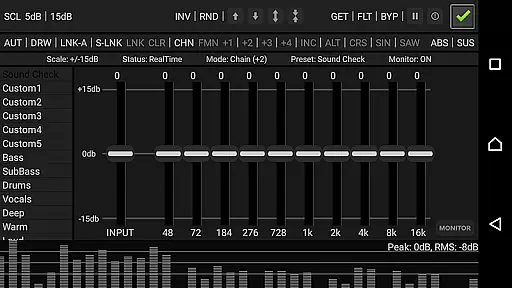
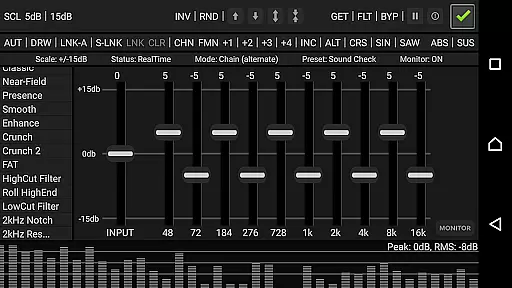
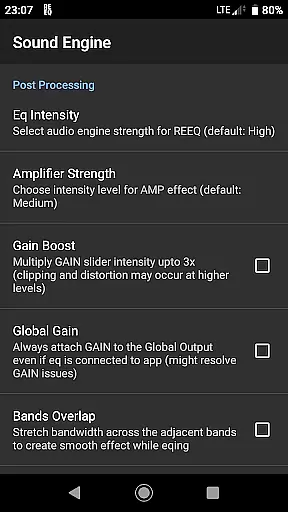
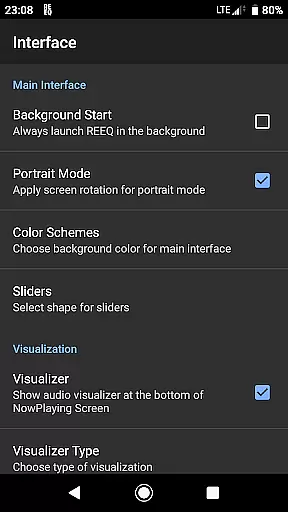
RE Equalizer FX is a sophisticated audio equalizer application designed for both casual listeners and professional audio engineers. Developed by WiseSchematics, this app brings studio-grade equalization to your mobile device, allowing users to fine-tune their audio experience with precision.
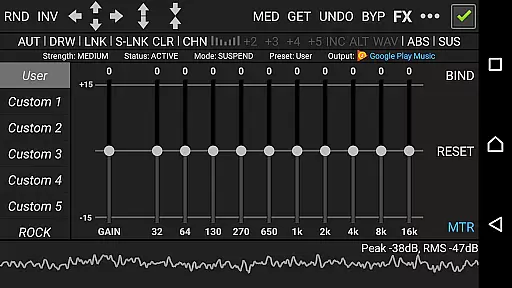
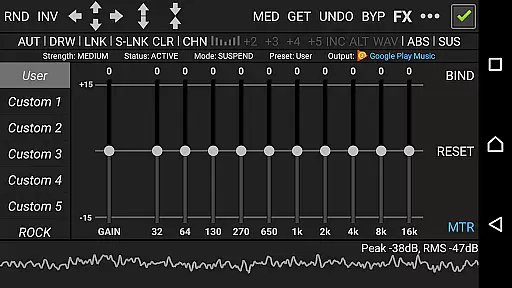
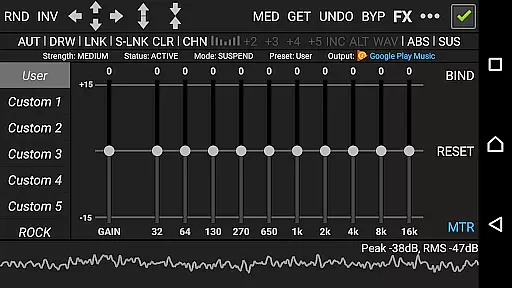
The app features an array of advanced functionalities including the proprietary Shunt Audio Engine and Smart Interface technologies. These ensure artifact-free audio processing while providing intuitive controls. With capabilities such as real-time audio analysis, 10 ISO faders, proportional Q filters, and multiple sound effects like amplifier and compressor, RE Equalizer FX offers full control over sound shaping.
Ideal for musicians, podcasters, and audiophiles, RE Equalizer FX facilitates broad brush tone-shaping with minimal setup time. Whether you're adjusting audio dynamics or balancing left/right channels, this app provides the tools needed to achieve the perfect mix on the go.
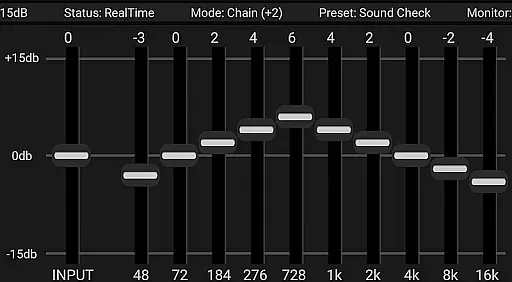
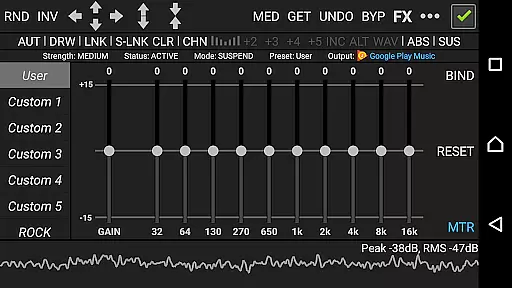
RE Equalizer FX stands out with its comprehensive suite of features tailored for precise audio manipulation. The app includes 10 ISO faders, each corresponding to one band per octave, enabling detailed frequency adjustments. Its proportional Q filters and 20 built-in pre-engineered presets offer extensive customization options.
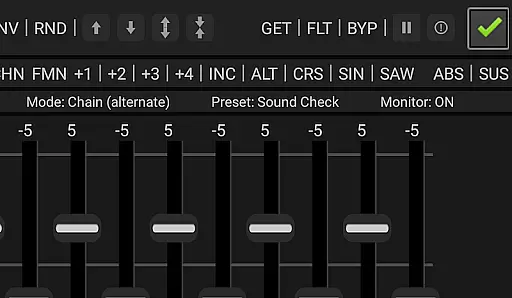
Users can take advantage of additional effects such as amplifier, compressor, and balance controls to further refine their audio output. The app supports multi-directional automation control for bands stepping, mixing, morphing, and shifting, along with seven modes for drawing various shapes and curves.
For real-time monitoring, RE Equalizer FX incorporates a global bypass/real-time switch and an integrated audio analyzer. Available in both standalone and plugged versions, it ensures compatibility across different devices and setups. A detailed tutorial is also provided, making it accessible even for beginners looking to learn advanced audio engineering techniques.
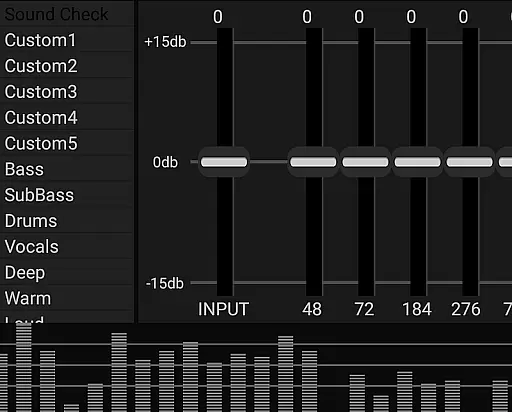
RE Equalizer FX offers a comprehensive suite of audio tools that cater to both casual listeners and professional audio engineers. With its extensive library of 20 built-in pre-engineered presets and the option for 10 custom presets, users can explore a wide range of sound profiles tailored to different genres and listening preferences.
The application's design reflects a commitment to copyright authenticity by providing unique, expertly crafted presets that ensure users are not infringing on any intellectual property rights. This is crucial for creators who wish to share or monetize their content without legal concerns.
Furthermore, RE-EQ's standalone and plugged versions expand its utility, allowing it to integrate seamlessly with various audio setups. Whether used as a plugin within an offline audio player or as a standalone equalizer, the app provides flexibility and reliability in achieving desired audio effects.
By offering detailed tutorials and support resources, RE Equalizer FX ensures that users can fully leverage its capabilities while respecting copyright laws, making it a valuable tool for enhancing audio experiences across different platforms.
One of the standout features of RE Equalizer FX is its advanced audio quality options, which allow users to fine-tune their listening experience with precision. The app includes proportional 'Q' filters, amplifier effects, and compressor effects, all of which contribute to adjusting the audio dynamic range and achieving crystal-clear sound quality.
With 10 ISO faders, each corresponding to one band per octave, users have granular control over specific frequency ranges. This level of detail enables audiophiles to shape their sound exactly how they want, whether they're looking to boost bass, enhance treble, or create a balanced mix that highlights the nuances of their favorite tracks.
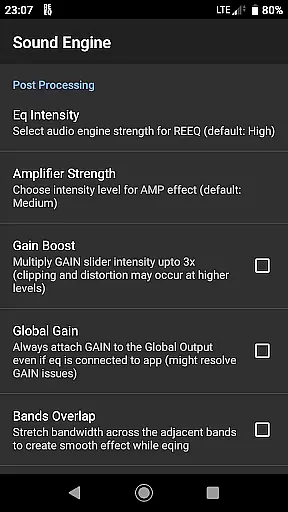
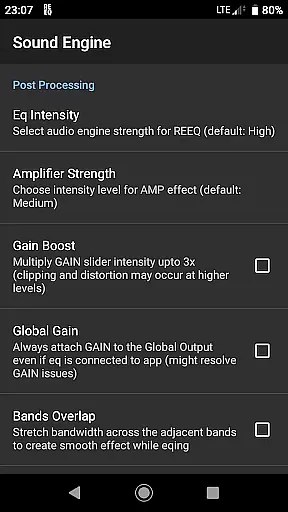
Additionally, RE-EQ offers gain scaling options and multi-directional automation controls for bands stepping, mixing, morphing, and shifting. These features provide unparalleled flexibility in crafting custom audio landscapes, ensuring that every track sounds as good as possible on any device.
The inclusion of a built-in threshold gate to override clipping signals further enhances audio fidelity by preventing distortion at high volumes. Coupled with real-time monitoring through the integrated audio analyzer, users can maintain optimal sound quality during playback, making RE Equalizer FX an indispensable tool for anyone serious about their audio experience.
Studio-grade design
Advanced audio engine
Real-time analyzer
Wide range of controls
Comprehensive preset library
Complex for beginners
Background interference
Limited free version
Device compatibility issues
High resource usage

Pay Once, no monthly payment
 4.60
4.60
10-Band Audio Equalizer, Sound / Bass Booster for Spotify Users & Music Players
4.40
The best music and audio player, with beautiful UI, music search and equalizer.
4.60
The alternative folder based music player.
4.20
Voice recorder - Audio recorder. Best recorder for recording
4.90
Learn and play 2M+ music tabs & chords on guitar, ukulele, bass, and more
4.30
The Minimalistic Premium Music Player. Handmade with passion for music
2.20
Sheet music reader, piano & music note player. Play music score & learn to read.
3.90
Customize Your Favorite Songs and Videos with booster.
4.70
Brian Eno and Peter Chilvers’ acclaimed music app Bloom, radically reinvented.
4.80
Play your hearts out on TouchTunes jukeboxes & connect with fellow music lovers.
4.80
Listen to live FM radio stations, sports, music and news on global radios online
4.70
Super Sound Editor, Song Maker & Mixer, Vocal Remover, Voice Recorder & Changer!
4.60
Manage your Sonos system directly from your home-screen!
4.40
Powerful 10-Band equalizer pro with sound booster improves Android audio quality
4.30
Time Trainer: accurate metronome w tools to help you develop your internal time!
4.20
The official Sonos app
4.10
The iconic iOS metronome app is now on Android.
3.70
Remove ads permanently from Music Visualizer
4.5


User Reviews