
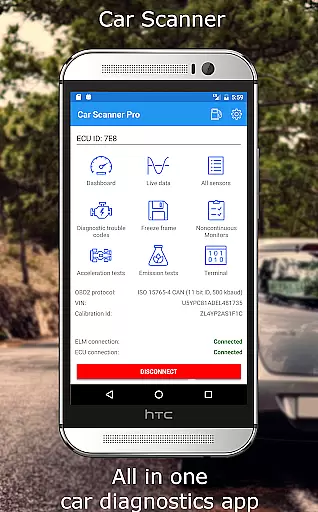
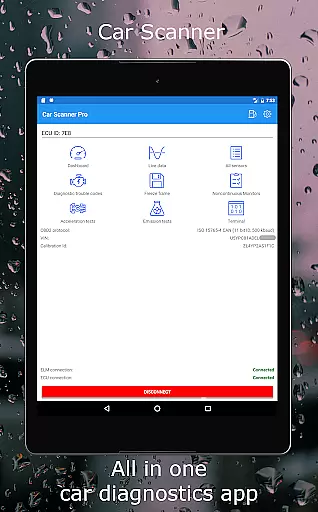
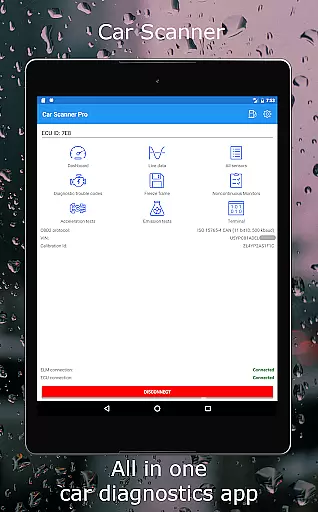
Car Scanner ELM OBD2 is a comprehensive vehicle diagnostics and performance monitoring tool designed for car enthusiasts and professionals. This application connects to your vehicle's OBD2 system through a Wi-Fi or Bluetooth adapter, providing real-time data on engine performance, fault codes, and sensor readings.
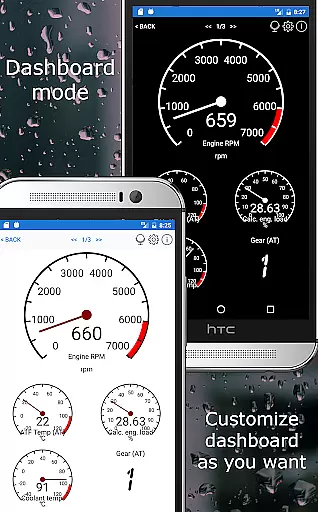
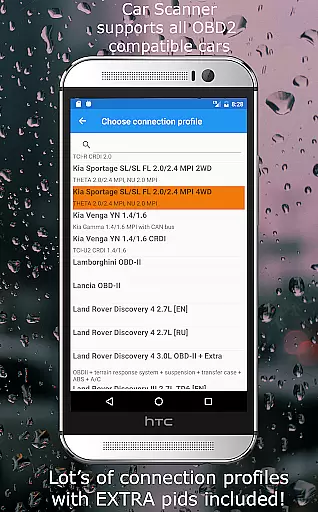
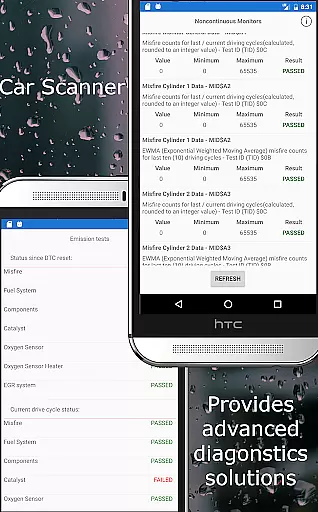
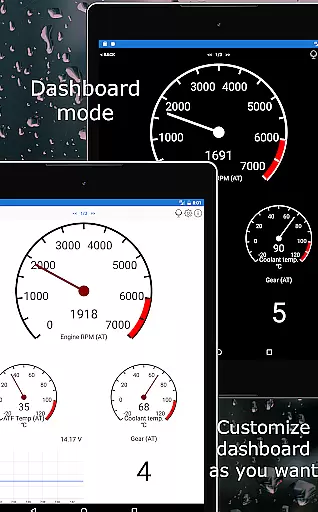
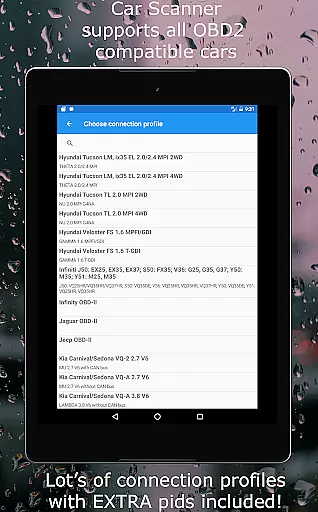
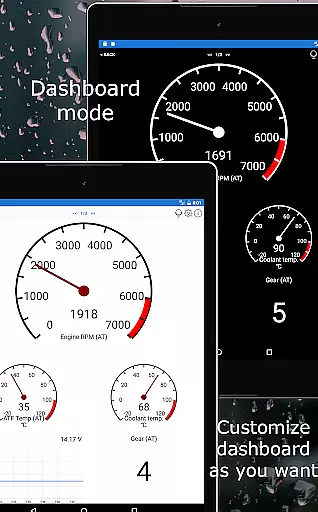
The app stands out with its customizable dashboard, allowing users to create personalized layouts with desired gauges and charts. It also offers advanced features such as Mode 06 testing, emission readiness checks, and even HUD projection for windshield display. With support for a wide range of car brands and models, Car Scanner provides specialized connection profiles and coding capabilities for various vehicles.
Whether you're looking to monitor your car's performance during trips or need detailed diagnostics for repairs, this app serves as an all-in-one solution that helps maintain vehicle health while potentially reducing repair costs.
Car Scanner ELM OBD2 boasts an impressive array of features that cater to both casual users and automotive professionals. One of its key strengths is the highly customizable dashboard, where users can add custom PIDs to access hidden manufacturer data and arrange gauges according to their preferences.
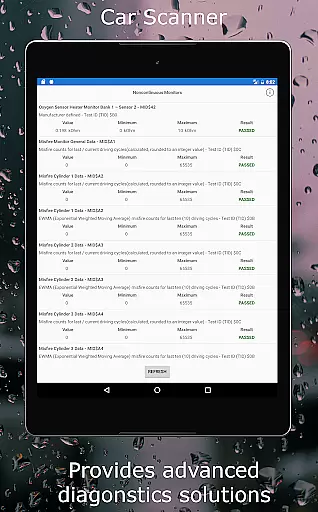
The application excels in diagnostic capabilities, offering not only standard DTC code reading and clearing but also advanced functions like free-frame analysis and Mode 06 testing. These features provide deeper insights into your vehicle's health and help identify potential issues before they become major problems. The inclusion of specialized coding tools for various car brands, including VAG group vehicles and Toyota/Lexus models, adds significant value for advanced users.
Additional notable features include accurate acceleration measurements, trip computer functionality with fuel consumption statistics, and compatibility with multiple connection protocols. The app's ability to work with both modern and older vehicles (back to 1996 models) makes it an exceptionally versatile diagnostic tool in the automotive category.
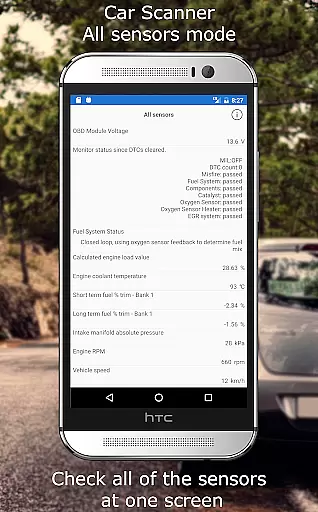
Accessing detailed vehicle information is crucial for both car enthusiasts and everyday drivers. Car Scanner ELM OBD2 provides a comprehensive solution by connecting to your vehicle's OBD II system through a compatible adapter. This allows users to retrieve real-time data on car performance, sensor statuses, and even fault codes that can indicate underlying issues.
The app stands out with its customizable dashboard, enabling users to layout gauges and charts according to their preferences. It also supports extended PIDs, unlocking hidden information from the car manufacturer. With these features, users gain insights into their vehicle's health and performance like never before.
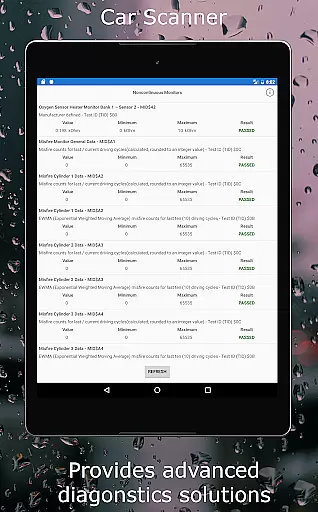
Car Scanner further enhances user experience by offering unique functionalities such as Mode 06 tests and free-frame readings. These tools help in understanding the self-monitoring results of the ECU and provide snapshots of sensor states when fault codes are triggered. Such detailed diagnostics empower users to address potential problems proactively.
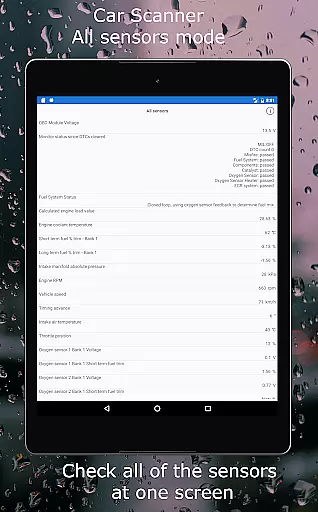
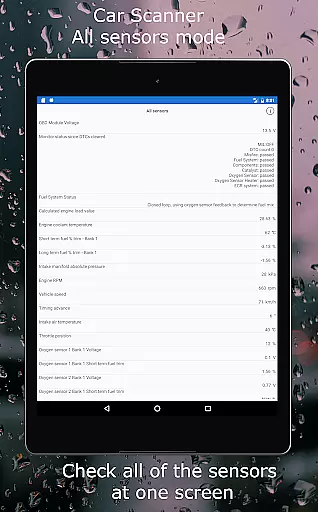
Ultimately, this level of detail in vehicle information helps users maintain their cars more effectively, potentially saving on repair costs. Whether checking readiness for emission tests or monitoring all sensors on a single screen, Car Scanner equips drivers with the knowledge needed for optimal vehicle maintenance.
Price transparency in automotive tools is essential for users seeking value without hidden costs. Car Scanner ELM OBD2 addresses this by offering a wide array of features for free, making it an attractive option compared to other diagnostic tools on the market. Users can access critical vehicle data without worrying about additional charges or subscriptions.
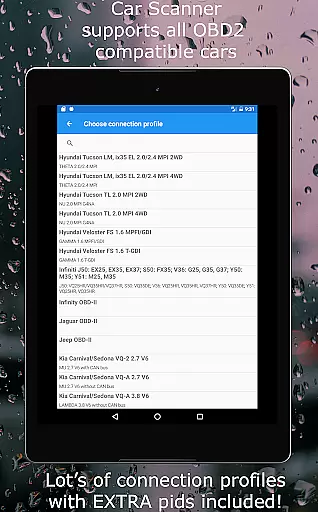
The app includes a vast database of DTC code descriptions and supports various connection profiles for different car brands. This ensures that users receive detailed diagnostics and compatibility across numerous vehicle models without extra fees. The availability of these extensive features at no cost highlights the app's commitment to price transparency.
Moreover, Car Scanner provides advanced functionalities such as coding options for specific car models, which are typically premium features in similar applications. By including these capabilities for free, the app sets a benchmark for openness in pricing within the automotive diagnostics sector.
In summary, Car Scanner not only delivers robust diagnostic tools but does so with clear and fair pricing. This approach builds trust with users who seek reliable and affordable solutions for monitoring and maintaining their vehicles' health and performance.
User-friendly interface
Customizable dashboard
Wide vehicle compatibility
Advanced diagnostic tools
Free essential features
Requires separate adapter
Some features are paid
Complex for beginners
Depends on car capabilities
Connection issues with cheap adapters

Attention! This is the theme for the Car Launcher app
 4.4
4.4
Realtime Charts is a plugin for the Torque Pro App (OBD 2 & Car)
4.20
Theme for Car Launcher
4.1
* This app needs an adapter cable and a certain OBD2 adapter to work *
4.20
Discover new and used cars in Syria easily! Browse ads and connect with sellers.
3.70
myAudi offers users services and Audi connect services for Audi drivers
4.10
BlueDriver® is a Premium Diagnostic OBD2 Scan Tool. www.BlueDriver.com
3.90
Car Sounds Engine Sounds app welcomes Auto Lovers to feel Car Simulator Sound
4.20
Autotrader is your online solution for buying and selling new and used cars.
4.40
Play what you want through Android Auto
4.90
Quick and easy car diagnostics to get you the right fix.
4.70
Find Fast EV Chargers | Charge Your Vehicle at 1,100+ Fast Car Charging Stations
4.60
Find, search, and browse 40,000+ used cars, SUVs, and trucks.
4.50
Get price alerts, vehicle history details and more for cars near you!
4.50
A full featured, real-time transit locator system
4.30
Control maps, media and messaging, with the Google Assistant while you drive
4.10
App Mirroring for Tesla Car's Browser
2.80
Theme for Car Launcher
4.0
Ferrari inspired analog & digital watch face with quick access and premium style
4.1


User Reviews