
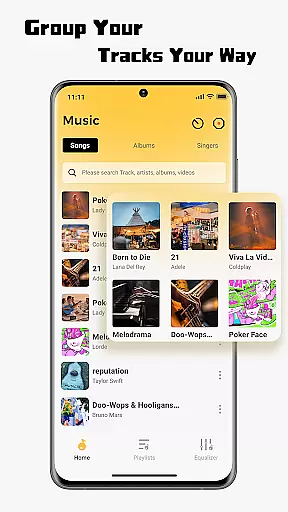
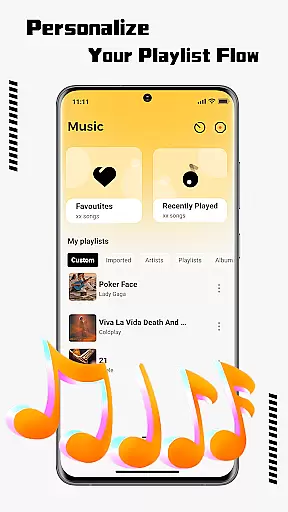
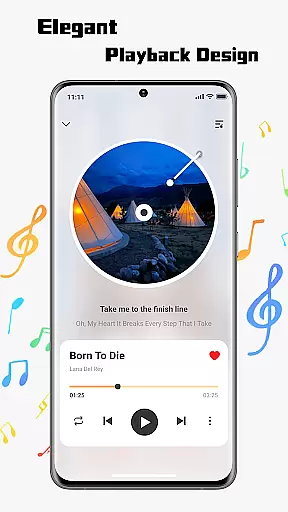
SonicNest is a premium music player app designed to enhance your listening experience through advanced features and intuitive design. The app allows seamless import of local music files, making it easy to consolidate your entire music library in one place. With its smart management tools, users can organize tracks by albums, artists, or custom playlists, ensuring quick access to their favorite songs.
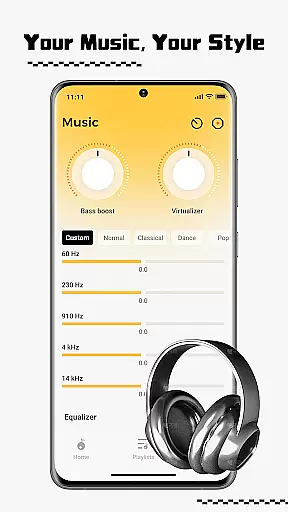
One standout feature is the built-in equalizer, which offers precision sound customization. Whether you're looking to boost bass for workouts or enhance vocals for focused listening, SonicNest provides expertly crafted presets and manual controls to suit every preference. This makes the app an ideal choice for audiophiles and casual listeners alike who want rich, immersive sound quality.
SonicNest stands out with its comprehensive suite of features tailored for music enthusiasts. The app's local music import functionality eliminates the need to switch between multiple apps, allowing users to browse and add tracks directly from their device storage. This ensures all your music is centralized within SonicNest, simplifying playback and management.
The app also excels in music organization, offering powerful tools to edit track details and sort libraries by various criteria such as album or artist. Users can create custom folders for different activities or moods, keeping their collection neatly categorized. Additionally, the built-in equalizer provides extensive audio customization options, including bass enhancement, vocal clarity, and multiple presets, giving users complete control over their listening experience.
One of the standout features of SonicNest is its ability to seamlessly integrate a vast personal music library while ensuring copyright authenticity. This app allows users to import their locally stored tracks with ease, making it simple to consolidate an entire music collection into one accessible location.
SonicNest ensures that all imported music files are legitimate copies owned by the user, promoting responsible and legal music listening. By focusing on local music management, the app avoids potential copyright infringement issues associated with streaming platforms, giving users peace of mind while enjoying their favorite tunes.
The app's dedication to copyright authenticity extends to its support for proper metadata management. Users can edit track details such as artist names, album information, and genres, ensuring accurate representation of their music library. This attention to detail helps maintain the integrity of the music collection while providing a more organized listening experience.
SonicNest takes audio quality seriously, offering users advanced sound customization options that elevate the listening experience. At the heart of this feature lies the app's built-in equalizer, which provides precise control over how each track sounds, allowing users to tailor their music to specific preferences or environments.
The equalizer includes multiple expertly crafted presets for different genres and activities, from bass-heavy workout sessions to vocal-focused acoustic performances. For more discerning listeners, manual adjustment capabilities enable fine-tuning of individual frequency bands, creating a personalized audio profile that perfectly matches their sonic preferences.
This focus on audio quality extends beyond just equalization. SonicNest supports high-fidelity audio playback, preserving the original quality of imported tracks. The app's efficient processing ensures minimal quality loss during playback, delivering rich, immersive sound that satisfies even the most demanding audiophiles.
User-friendly interface
Advanced equalizer
Smart library management
Seamless music import
Customizable sound profiles
Limited streaming options
No lyrics display
High system requirements
Premium feature lock
Occasional bugs

Fun & Easy Voice Changer – Record, Edit & Add Hilarious Effects!
 4.50
4.50
Background pads for your band
3.80
Network/Cloud Streaming, Visualization, Graphic Equalizer and Sound Effects.
4.20
The ultimate media player for Android devices
3.90
Bass Booster Pro takes auto-equalizing to the next level!
4.30
A sleek, no-frills player designed for true music lovers.
4.20
Simple mp3 and mp4 player with advanced features.
3.40
Sing, record, and create music together — enhanced by smart voice tools.
4.00
Listen to offline music and sounds from all categories
4.70
Music, News & Sports Radio Tuner App. Tune in Live FM & AM Radio Stations.
4.80
Most Advanced AI Song Generator and Music Creator. Rap, Pop, Rock, Gospel & more
4.70
Walkout Song DJ is the most intuitive app to manage your sports music.
4.70
Super Sound Editor, Song Maker & Mixer, Vocal Remover, Voice Recorder & Changer!
4.60
Enhance the sound quality of your devices, listen to what you want
4.50
DJ Music Mixer - DJ Remix: remix songs, make beat music & record mix of DJ.
4.40
The Music Journey in Your Hands
4.30
Master Salsa Rhythm quickly and with a lot of fun!
4.30
Next generation modular control surface
4.10
The Minimalistic Premium Music Player. Handmade with passion for music
2.20


User Reviews