
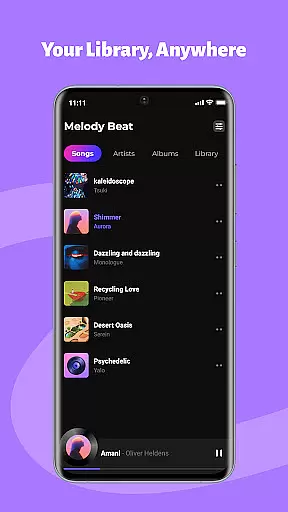
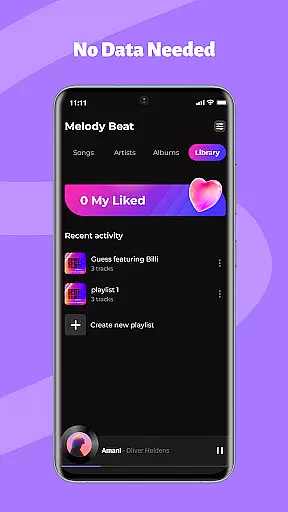
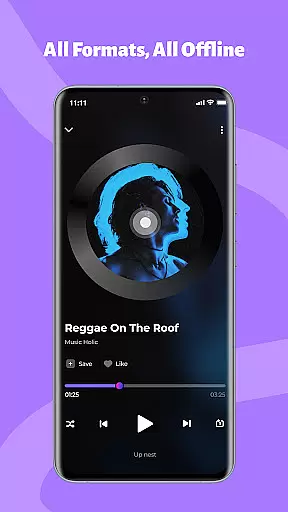
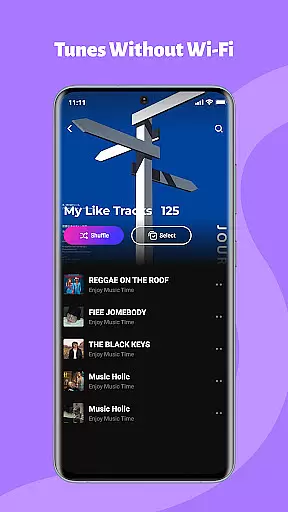
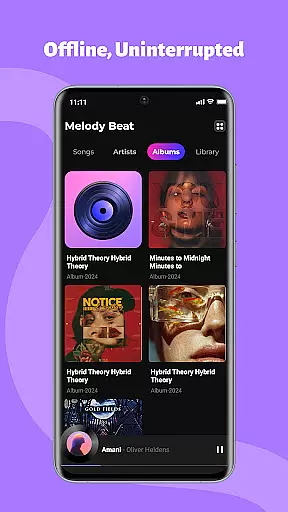
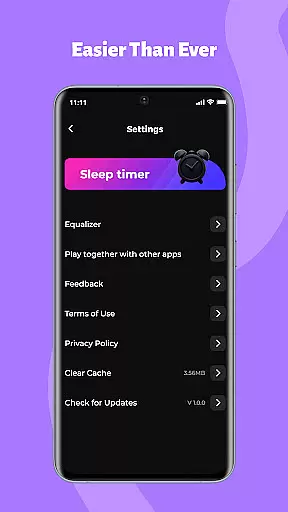
Melody Beat is a premier offline music player tailored for audiophiles who value quality and privacy. It supports over 30 audio formats including MP3, FLAC, and WAV without the need for conversion, ensuring lossless playback. The app's smart library management automatically organizes your collection by artist, album, or genre, with lyrics support for an enriched experience.
Customization is at the heart of Melody Beat, offering users a professional equalizer, bass boost, and virtualizer with presets for various music genres. Designed for seamless integration into daily life, it allows background and lockscreen playback, making it ideal for workouts, commutes, and travel. With its privacy-first approach, all music files are stored locally, giving users complete control over their data.
Melody Beat stands out with its universal format support, accommodating more than 30 audio file types without compromising on quality. This ensures that users can enjoy their music in its original fidelity without the hassle of format conversion. Its smart library management system not only organizes music efficiently but also enhances discoverability through quick filters and genre-based searches.
The app provides an immersive listening experience with advanced sound customization options. Users can fine-tune their audio with a professional-grade equalizer featuring presets for Pop, Rock, Jazz, and Classical music. Additionally, Melody Beat's intuitive interface and clutter-free design make navigation effortless, while its offline capabilities ensure uninterrupted playback even in areas with poor connectivity.
When it comes to music applications, the size and authenticity of the music library are crucial factors. Melody Beat offers an extensive offline music experience by supporting over 30 audio formats including MP3, FLAC, WAV, and AAC without the need for conversion. This ensures that users have access to a vast array of music options while maintaining lossless quality.
The application's smart library management automatically organizes music by artist, album, genre, or folder, making it easy for users to find exactly what they're looking for. With quick filters and lyrics support, even without an internet connection, Melody Beat provides a seamless listening experience that respects copyright laws and promotes legitimate music consumption.
For travelers, gym enthusiasts, daily commuters, and privacy-conscious users alike, having a large and authentic music library means uninterrupted enjoyment tailored to individual preferences and needs. Melody Beatu2019s commitment to a privacy-first design ensures that all files remain locally stored, giving users peace of mind knowing their data is secure and private.
Audio quality is paramount for any music lover, and Melody Beat excels in providing superior sound customization options. The app features a professional equalizer with bass boost, virtualizer, and pre-set modes for various music genres such as Pop, Rock, Jazz, and Classical. These tools allow users to personalize their sound experience according to their specific tastes and audio equipment capabilities.
Melody Beat also supports high-quality audio formats like FLAC and WAV, ensuring that listeners can enjoy their music in the best possible fidelity. Whether you're using high-end headphones or standard earbuds, the ability to tweak audio settings guarantees an optimized auditory experience every time you listen.
Moreover, background and lockscreen playback controls enhance user convenience without compromising on audio quality. Users can manage their music directly from the notification bar or lockscreen, perfect for workouts, commutes, or simply conserving battery life while enjoying top-notch sound performance.
User-friendly interface
Extensive format support
Advanced equalizer settings
Offline playback functionality
Privacy-focused design
Limited social features
No cloud syncing option
Basic playlist management
Occasional bugs reported
Ads in free version

Formerly known as Spotistats! View your top tracks, artists, albums and more!
 4.40
4.40
The Cubase remote control app
3.60
Enhance the sound quality of your devices, listen to what you want
4.50
A sleek, no-frills player designed for true music lovers.
4.20
Music, News & Sports Radio Tuner App. Tune in Live FM & AM Radio Stations.
4.80
The original SP-1200 experience on your iPad
4.20
Slow music down without changing pitch.
3.70
Versatile MP3 recorder with auto-backup to Dropbox and Google Drive
4.10
The iconic iOS metronome app is now on Android.
3.70
Play your hearts out on TouchTunes jukeboxes & connect with fellow music lovers.
4.80
Offline Music Player & MP3 Player.Powerful equalizer, Lyrics, Themes, Tag Editor
4.80
Most Advanced AI Song Generator and Music Creator. Rap, Pop, Rock, Gospel & more
4.70
Over 100 million tracks available for high quality streaming and download
4.60
Visualize the guitar fretboard, master scales & play through changes like a pro!
4.50
Help you quickly get started with Shokz headphones
4.40
Equalizer, Bass Booster and Volume Booster (Eq & Bass) improve sound quality
4.30
The Music Journey in Your Hands
4.30
Advanced 10-Band Audio Graphic Equalizer Sound Booster Pro
4.30
The ultimate media player for Android devices
3.90


User Reviews