
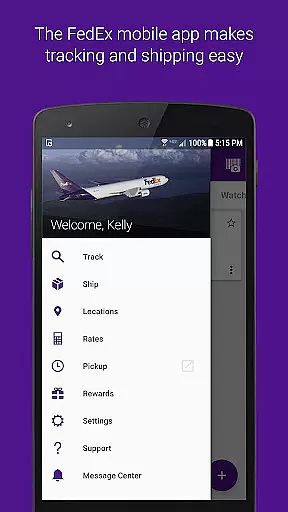
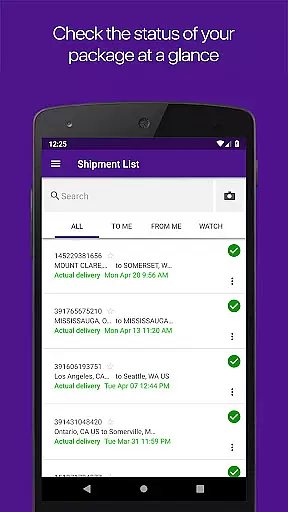
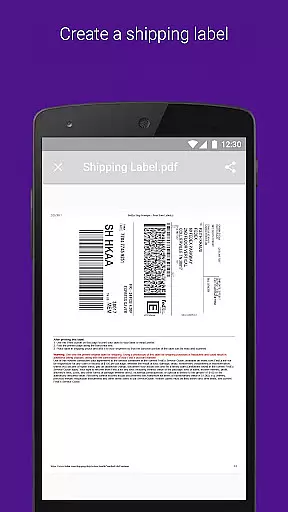
FedEx Mobile is a comprehensive business application designed to streamline shipping and package management for users on the go. With this app, you can create domestic and international shipping labels, track the status of all your incoming or outgoing packages, and manage shipments from any location. The app also provides quick rate estimates, helps you find pickup or drop-off locations, and allows you to scan barcodes for easy tracking.
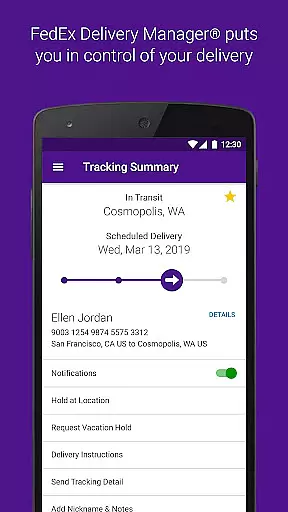
One standout feature is the ability to enroll in FedEx Delivery Manager, which allows customization of delivery preferences. This includes holding packages at a preferred location, leaving instructions for couriers, or rerouting packages to a convenient FedEx facility. Available in all regions, with some features exclusive to certain areas, FedEx Mobile is an indispensable tool for businesses and individuals who require efficient shipping solutions.
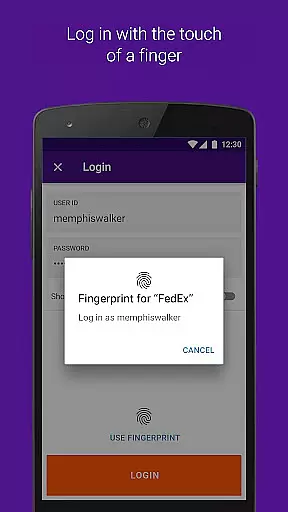
The FedEx Mobile app offers a wide array of features that cater to various shipping needs. You can request pickups, enable push notifications for shipment updates, and even use sound notifications for delivered shipments. Barcode scanning simplifies tracking, while the address book function stores your shipper information for quick access. Additionally, secure login options include fingerprint or facial recognition, ensuring your data remains protected.
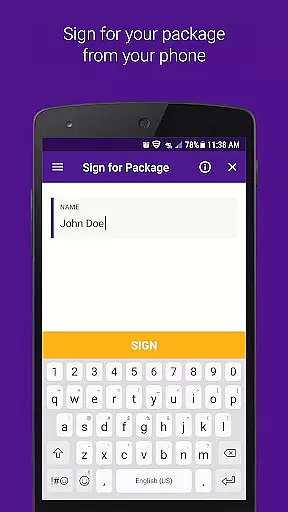
For users within the U.S., advanced features like FedEx Delivery Manager provide further convenience by allowing you to leave delivery instructions, sign for packages remotely, or place vacation holds on deliveries. The app also supports searching your shipment history by tracking numbers or references. These robust capabilities make FedEx Mobile a versatile solution for managing complex logistics operations efficiently.
In the realm of logistics and package management, collaborative work features are essential for streamlining operations. The FedEx Mobile app excels in this area by providing users with the ability to access their shipper address book directly from their mobile device. This feature allows businesses and individuals alike to quickly select from saved addresses, reducing input errors and saving time during the shipping label creation process.
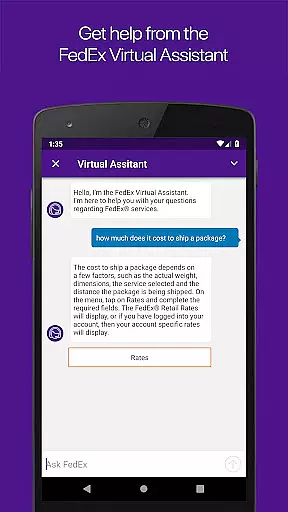
Furthermore, the app supports efficient communication through its chat assistant functionality, available in some regions. This tool enables users to get instant answers to questions about the FedEx Mobile app and services, facilitating smoother interactions and quicker problem resolution. Such capabilities ensure that teams can maintain operational fluidity even when they are not physically together.
The FedEx Mobile app also enhances collaboration by enabling users to search their list of shipments using various filters such as tracking number, references, and vendors. This comprehensive search function allows team members to easily locate specific shipments, keeping everyone informed and aligned on the status of deliveries.
By integrating these collaborative work features, the FedEx Mobile app not only simplifies individual tasks but also contributes to a cohesive work environment where information is readily accessible and shared among team members, thus improving overall productivity.
Effective task management is crucial for anyone involved in shipping and receiving packages. With the FedEx Mobile app, users gain powerful tools to manage their tasks efficiently. One standout feature is the ability to create a mobile shipment label and request a pickup, which streamlines the shipping process and ensures timely dispatch of packages.
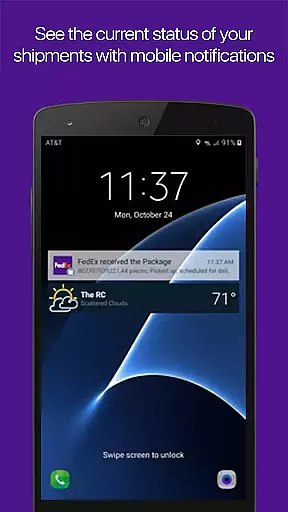
Additionally, the app offers robust task tracking capabilities. Users can track the status of all incoming or outgoing packages, ensuring they are always aware of their shipment's progress. Push notifications further enhance this feature by providing real-time updates on shipments and sound notifications for delivered items, keeping users informed without needing to manually check statuses.
For those looking to customize their delivery experience, enrolling in FedEx Delivery Manager adds another layer of task management sophistication. This service allows users to specify delivery preferences, reroute packages, and even place vacation holds on deliveries, giving them unparalleled control over how and when they receive their packages.
Overall, the FedEx Mobile app transforms task management into a seamless and intuitive process, empowering users to handle their logistics needs with confidence and precision.
User-friendly interface
Comprehensive tracking system
Secure authentication methods
Customizable delivery options
Efficient shipment management
Limited regional availability
Some features require registration
Occasional notification delays
Dependent on network connectivity
Premium services may incur fees

Find jobs and make money fast with JobStack.
 4.60
4.60
Completed Course Lectures on how to use IBM Maximo in Maintenance issues
4.3
ANDROID'S TOP MOBILE OFFICE - Word, Excel, PowerPoint and PDF at your fingertips
4.50
Your employer must have UKG Ready software configured for Mobile.
4.60
Manage work life on the go
4.50
Drive and earn extra money
4.50
A secure, all-in-one team collaboration app
4.30
All-in-one Mobile solutions for employees & managers to succeed at work
4.30
Shop, deliver, and earn with the Spark Driver™ App
4.10
Job search app that finds jobs for you! Takes the work out of looking for a job!
4.90
TurboScan turns your phone into a full-featured PDF document scanner.
4.80 4.70
4.70
Grow your business and connect with more people with Meta Business Suite.
4.60
Earn money with the driver & delivery partner app for Uber, UberEats & Postmates
4.60
Measure distances, surfaces and draw plans in seconds with CamToPlan!
4.40
The Penny Puss app with DG penny finder
4.10
Work happy with AI Companion
4.10
All document reader, pdf viewer app, read docs & excel files
3.80
view, manage, and share every PDF file you have
3.60


User Reviews