
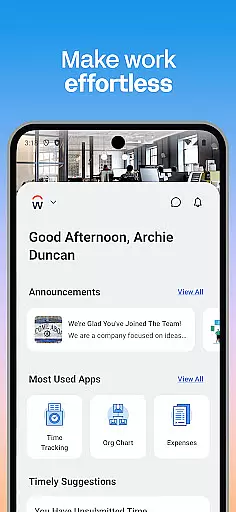
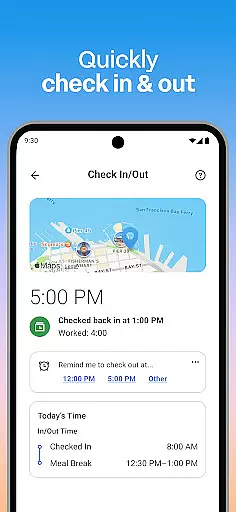
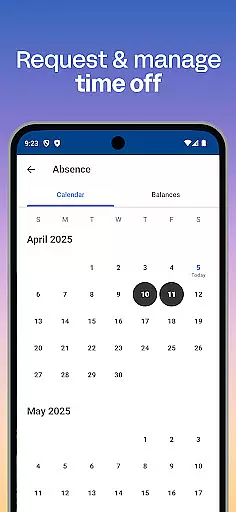
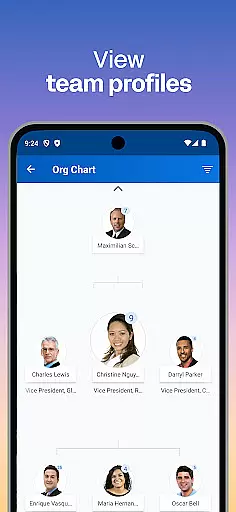
Workday is a comprehensive business application designed to enhance workplace productivity by providing users with essential tools and insights directly on their mobile devices. The app consolidates numerous Workday tasks into one convenient platform, allowing employees to perform functions such as checking in to work, submitting timesheets, requesting time off, and connecting with teammates.
In addition to basic employee functions, Workday offers specialized features for managers, including the ability to approve requests, manage payroll, and conduct performance reviews. Its intuitive design ensures that all necessary tools are easily accessible, while its robust security measures protect sensitive data through biometric authentication and cloud storage.
This makes Workday an invaluable tool for businesses looking to streamline operations and maintain high levels of productivity among their workforce, regardless of location.
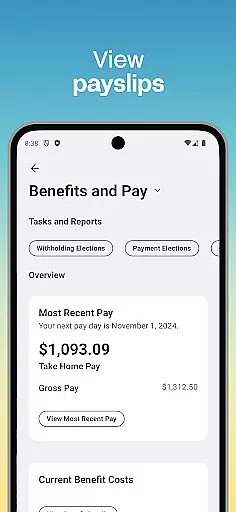
Workday stands out due to its extensive range of features tailored to both employees and managers. For employees, the app provides functionalities like push notifications for important tasks, viewing payslips, learning new skills via training videos, and discovering internal opportunities within the organization.
Managers benefit from advanced HR capabilities such as approving employee requests with a single tap, managing team profiles, adjusting roles, handling payroll adjustments, conducting performance reviews, and accessing interactive reports and dashboards. These features collectively ensure that users can efficiently manage their professional responsibilities without compromising on security or ease of use.
The app's flexibility allows users to personalize their experience based on their specific needs, ensuring quick access to the most relevant tools and information. This adaptability enhances user engagement and satisfaction, making Workday a preferred choice for modern businesses aiming to optimize their operational efficiency.
Collaboration is at the heart of workplace productivity, and Workday excels in providing tools that foster seamless teamwork. The app allows users to connect with teammates effortlessly, making collaboration both intuitive and efficient.
One standout feature is the ability for employees to learn about their teammates directly through the app. This functionality promotes a more connected and informed workforce, as users can view team and employee profiles, helping them understand roles and responsibilities better.
For managers, Workday offers advanced collaborative tools such as the ability to approve employee requests with a simple tap, give performance reviews, and even adjust employee roles. These features ensure that collaboration extends beyond just communication and into actionable insights and decisions.
The app also supports interactive reports and dashboards, allowing teams to stay aligned on key metrics and objectives. With everything organized in one place, Workday ensures that collaborative work is not only possible but optimized for maximum efficiency.
Effective task management is crucial for maintaining productivity, and Workday provides a comprehensive suite of tools designed to keep users on top of their responsibilities. From daily check-ins to complex project tracking, the app covers all bases.
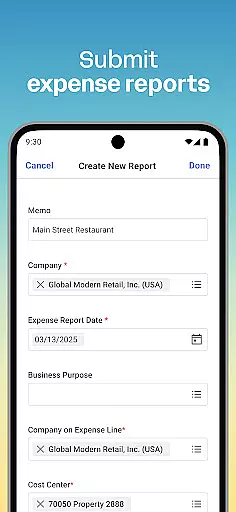
Users can submit timesheets and expenses, request time off, and receive push notification reminders for important tasks. These functionalities ensure that no critical duty is overlooked, promoting a disciplined approach to task management.
For those in managerial roles, additional features like the hours tracker and the ability to view employee timesheets add another layer of oversight. Managers can also manage payroll and request compensation changes, ensuring that administrative tasks are handled efficiently.
Workday's task management capabilities are further enhanced by its flexible and personalized nature. Users get quick access to the tools and actions they need most, enabling them to manage their work life from anywhere, at any time. This flexibility ensures that task management is not just about control but also about adapting to individual workflows.
User-friendly interface
Comprehensive task management
Robust security features
Real-time updates and notifications
Customizable user experience
Limited offline functionality
Occasional syncing issues
Requires stable internet connection
Premium features may require subscription
Steep learning curve for new users

 4.70
4.70
ANDROID'S TOP MOBILE OFFICE - Word, Excel, PowerPoint and PDF at your fingertips
4.50
BuildCalc - the easiest AND the most advanced construction calculator app.
4.80
TurboScan turns your phone into a full-featured PDF document scanner.
4.80
Find the right fit, faster.
4.70
Take the stress out of storage with the all-in-one app to manage your space.
3.70
Delivery Track App - Tracking with Fedex, USPS, UPS, DHL. Monitor your Orders.
3.20
Access to Paylocity, empowering employees with information they need 24/7.
4.70
Permission Guard is a security app that helps you manage app permissions.
4.80
FaxCover - Create fax cover pages. Works with any app or fax machine.
4.90
Manage Your Shop
4.70
Use Generative Summary to understand your rental or insurance docs in seconds.
4.70
Make invoices, bills, receipts & estimates on the go with Invoice Generator.
4.70
AI-powered document scanner with auto enhance for perfect PDFs.
4.60
Manage work life on the go
4.50
FX Plus adds media, networking, and cloud capabilities to FX File Explorer.
4.10
Find part-time earning opportunities near you that pay within days.
3.20
Completed Course Lectures on how to use IBM Maximo in Maintenance issues
4.2
viewing and sharing PDFs and other files—anytime, anywhere!
4.5


User Reviews