
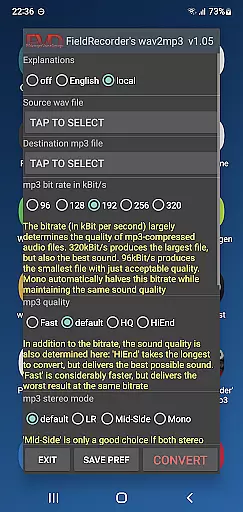
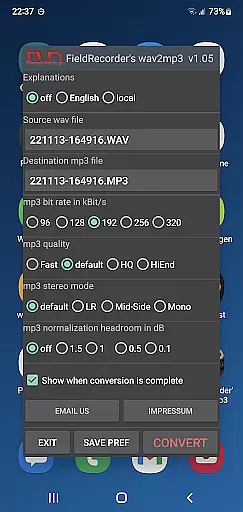
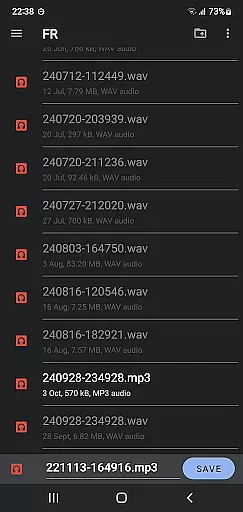
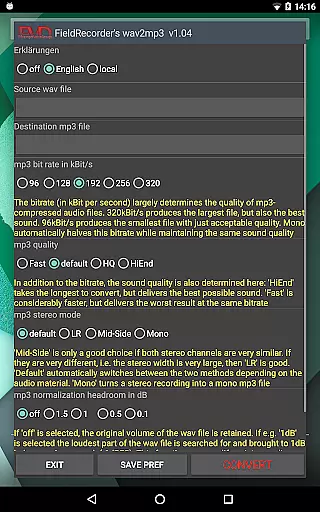
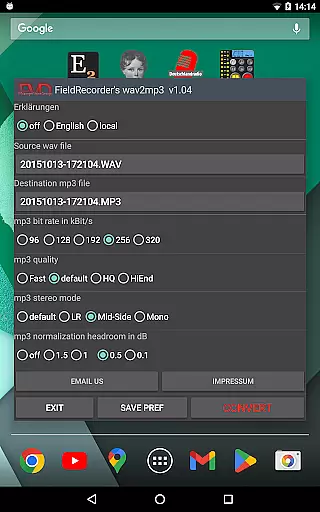
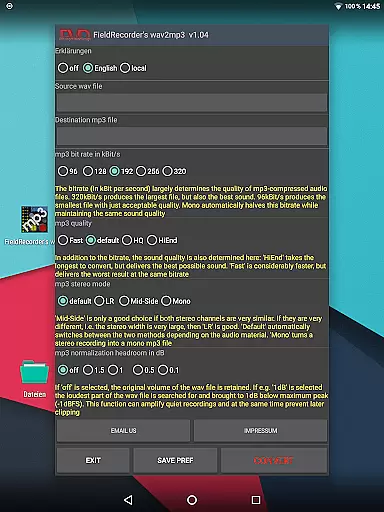
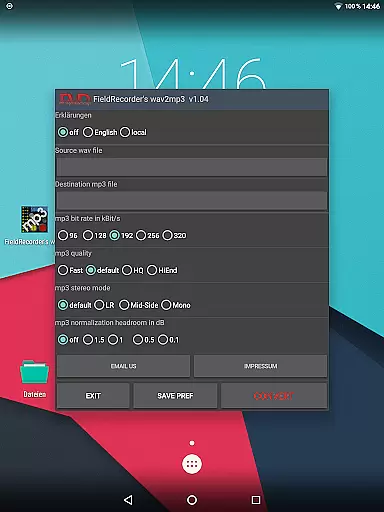
FieldRecorder's wav2mp3 is a streamlined audio conversion tool designed specifically for users who need to convert WAV files to MP3 format without any distractions. The app eliminates common annoyances such as ads, rating prompts, and confusing options, offering a seamless experience with just one simple interface screen. Users can select the source WAV file and destination for the MP3 output, then initiate the conversion process with a single tap.
This application stands out due to its minimalistic approach and efficient performance. With a download size under 1.3MB, it is significantly lighter than comparable apps, which average around 20MB. It provides clear error messages when issues arise and ensures user privacy by not collecting data or embedding spyware. Additionally, the app can be remotely controlled by Field Recorder, an associated professional audio recording application, allowing for invisible background operations.
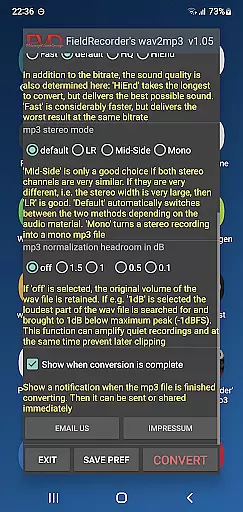
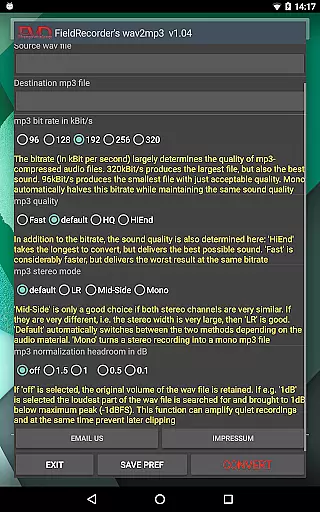
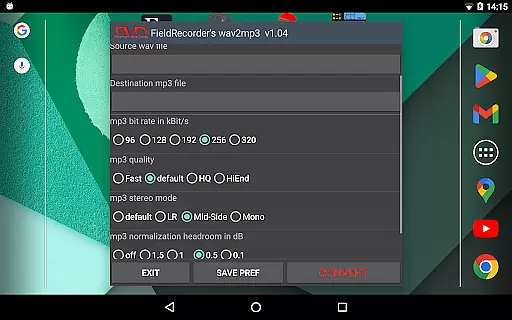
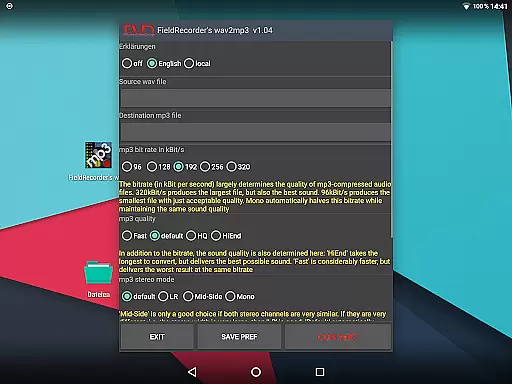
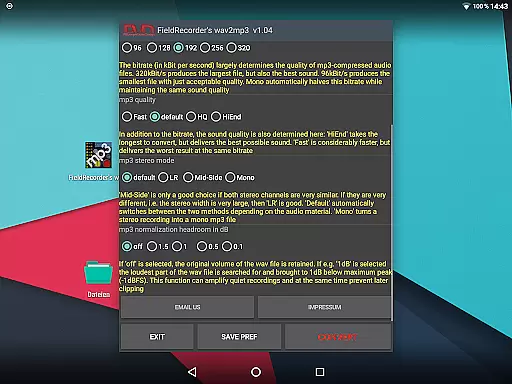
FieldRecorder's wav2mp3 offers several notable features that enhance the user experience. Firstly, it includes sensible default settings for common conversion tasks but allows users to customize these preferences if needed. Options include selecting from five preset bit rates, choosing stereo encoding modes (LR, Mid-Side, Default), and specifying complexity levels for MP3 creation.
Users have control over various aspects of the conversion process, such as language selection for explanatory texts, volume normalization, and final notification settings upon completion. These customizable features ensure that both novice and advanced users can tailor the app to their specific needs while maintaining ease of use. Furthermore, the app supports integration with 'Field Recorder,' providing additional functionality for power users who require remote operation capabilities.
The combination of simplicity, customization options, and seamless integration makes FieldRecorder's wav2mp3 a versatile tool suitable for a wide range of audio conversion tasks.
FieldRecorder's wav2mp3 may not boast an extensive music library, but it excels in providing a straightforward and efficient conversion process from WAV to MP3 formats. This app ensures that your converted files maintain the highest quality standards while preserving the integrity of the original audio.
The application respects copyright by not collecting or misusing user data, which is crucial when handling audio files that might be subject to copyright laws. It offers a seamless experience without ads or hidden fees, ensuring that users can convert their files with peace of mind regarding legal compliance.
With its small download size and commitment to native code, FieldRecorder's wav2mp3 demonstrates a dedication to performance and security. Users can trust that their conversions are handled responsibly, without unauthorized data collection or exposure to intrusive advertisements.
Moreover, the app's integration with 'Field Recorder' allows for remote control capabilities, enhancing the user experience by keeping the conversion process out of sight yet easily accessible. This feature underscores the app's focus on delivering a secure and efficient tool for managing audio files within copyright guidelines.
FieldRecorder's wav2mp3 places a strong emphasis on audio quality options, allowing users to customize their conversion settings to achieve optimal results. The app provides presets for common bit rates, enabling quick selection while also offering advanced customization for those who demand precision.
Users can adjust the complexity of the MP3 encoding process, choosing between faster conversions or higher-quality outputs. This flexibility caters to both casual users looking for convenience and professionals requiring meticulous control over their audio files.
Stereo mode settings further enhance audio quality by giving users the option to encode channels separately or together based on similarity. Additionally, volume normalization features ensure consistent audio levels across converted files, preventing distortion and maintaining clarity.
Upon completion of the conversion, users receive notifications that facilitate immediate sharing or further processing of the resulting MP3 files. These comprehensive audio quality options make FieldRecorder's wav2mp3 a versatile tool for anyone seeking reliable and high-fidelity audio conversion.
User-friendly interface
No ads or data collection
Lightweight app size
Customizable conversion settings
Remote control compatibility
Limited advanced features
No batch processing option
Basic UI design
Requires separate app for full functionality
Minimal customer support

The Cubase remote control app
 3.60
3.60
Full-featured, High-Quality Groovebox Workstation, perfect for Live Performance!
4.80
VB-AUDIO Software / VBAN-Receptor allows listening to any VBAN Streams
4.10
Enhance the sound quality of your devices, listen to what you want
4.50
Save hundreds of dollars for a physical strobe tuner and instead use this app.
4.50
The best music and audio player, with beautiful UI, music search and equalizer.
4.60
Learn to play the piano using falling notes!
3.80
Manage your Sonos system directly from your home-screen!
4.40
Uninterrupted Tunes, Unmatched Vibes
3.90
Brian Eno and Peter Chilvers’ acclaimed music app Bloom, radically reinvented.
4.80
Responsive piano with great sounds, graphics, and songs
4.80
Taal player that lets you sing any Indian & Western song with Tabla & Tanpura
4.60
AI Music Maker: Generate And Compose AI Tunes & AI Songs & AI Music & AI Melody!
4.60
A complete sound package for the sound engineer or enthusiast
4.60
Play KORG’s revolutionary touch-based instrument on a variety of devices.
4.40
Advanced 10-Band Audio Graphic Equalizer Sound Booster Pro
4.30
Slow music down without changing pitch.
3.70
Simple mp3 and mp4 player with advanced features.
3.40
Make music anywhere. Turn your device into an instrument.
4.4


User Reviews