
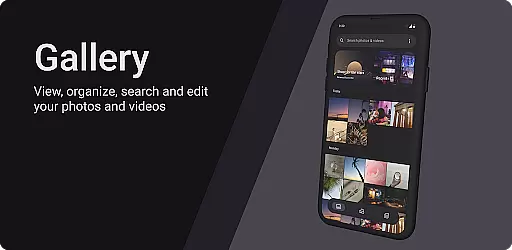
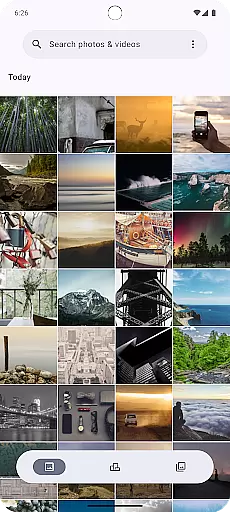
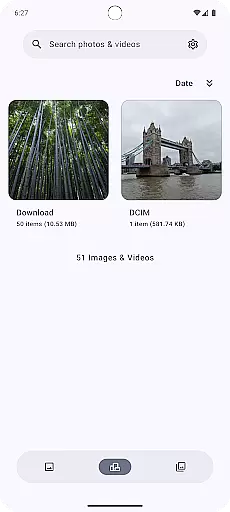
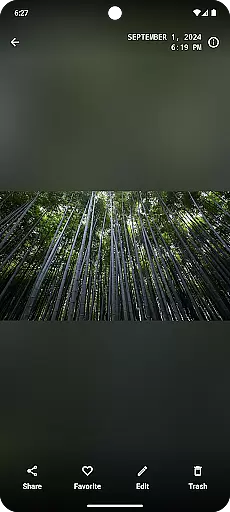
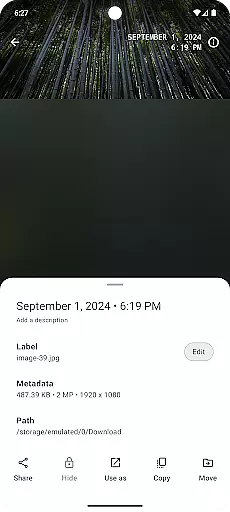
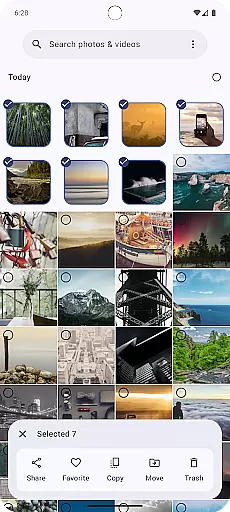
Gallery is a modern photography app designed for Android users who appreciate an intuitive and visually appealing way to manage their photos. Built with Jetpack Compose, this app offers a sleek interface that makes photo management effortless.
The core functionality of Gallery revolves around organizing, viewing, and editing images with ease. Users can browse through their photo library, sort images by date or category, and apply various filters and effects to enhance their pictures. The app also supports quick sharing options, allowing users to instantly post their favorite shots on social media platforms.
Whether you're a casual photographer looking to tidy up your photo collection or someone who enjoys creative edits, Gallery provides the tools needed to make your experience smooth and enjoyable. Its seamless integration with Android ensures optimal performance across devices.
Gallery stands out with its innovative use of Jetpack Compose, which delivers a fluid and responsive user interface. This technology allows for dynamic theming, enabling users to switch between light and dark modes effortlessly based on their preferences or ambient lighting conditions.
One of the key features is its advanced organizational capabilities. Users can create custom albums, tag photos, and even search for specific images using keywords or tags. Additionally, Gallery incorporates basic editing tools like cropping, rotating, and adjusting brightness/contrast levels, making it a versatile choice for managing digital memories.
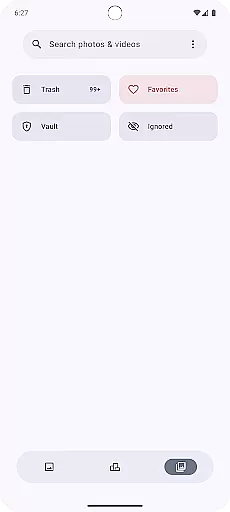
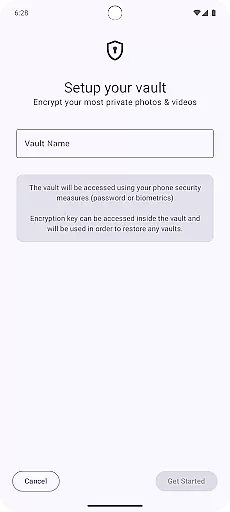
Another notable feature is its privacy-focused design. Gallery includes secure vault options where users can store sensitive images behind biometric authentication or PIN protection. This ensures that personal moments remain private while still being easily accessible to the owner when needed.
Real-time capture and preview functionality is essential for any photography app as it allows users to see exactly what the camera is capturing. This feature ensures that users can make instant adjustments to their settings, framing, and composition before taking a shot.
Gallery, built with Jetpack Compose, offers an intuitive real-time capture experience by leveraging the latest Android technologies. The app provides a seamless interface where users can instantly switch between photo modes, apply filters, and adjust camera settings without missing a moment.
Users benefit from this feature by being able to take high-quality photos with confidence. The immediate feedback provided by the real-time preview helps photographers at all levels refine their skills and capture the perfect shot every time.
AI beauty and enhancement features have become increasingly popular in photography apps, allowing users to improve their photos with natural-looking effects. These enhancements range from skin smoothing to blemish removal, ensuring that edits are subtle and authentic.
In Gallery, AI algorithms work behind the scenes to analyze each photo and suggest enhancements that maintain the original's integrity. By using advanced machine learning models, the app intelligently applies enhancements that look realistic and preserve the subject's unique characteristics.
This results in photos that not only look professionally edited but also retain a natural appearance. Users appreciate the balance between enhanced aesthetics and genuine representation, making their images stand out on social media or personal collections.
User-friendly interface
Advanced photo organization
Secure storage options
Customizable themes
Seamless social sharing
Limited advanced editing
No cloud backup
Occasional bugs
Fewer filters
Ads in free version

All-in-One Editor & AI Photo Enhancer, Beautify & Retouch, Collage, Cartoonify
 4.20
4.20
Find time and duration of different sunlight phases at any location
4.90
Virtual makeup, hair filters & body tuner—edit from face to full body!
4.20
Photo prints, cards, & gifts at Walgreens. Easy ordering & fast local pickup !
4.80
The #1 app for B&W film developing featuring an advanced darkroom timer.
4.10
Pro version: AR sun/moon tracker for any date. Tool for photographers & planners
4.90
Your personal guide to the sun and moon. Plan ahead, visualize and predict!
4.70
Unlock the full potential of your DJI drone with Litchi
4.50
Edit photos with the picture generator: PS2 & AI Clay filters, cartoon effects.
4.50
Create funny photos and videos with the popular Time Warp Scan filter.
4.90
Photo editor: AI filters, photo enhancer, pic collage maker, AI art generator.
4.80
Amazing Photo Effects - The most fun you can have with your photos!
4.70
Create Business Headshots, Polaroid Filter, Retake Photos,Profile Pics,AI Photos
4.50
HD Camera Pro with HD Video shooting, Panorama, Photo editor , Beauty Camera.
4.50
Edit like a pro with Hypic. Apply filters, AI effects, & magic touch.
4.40
Shooting photos and records video easily and efficient with professional Camera
4.30
What celebrity do you look like? Celebs will find your celebrity match!
4.10
Professional quality photo edits with the new Snapseed.
4.00
GCamera allows all GCam features on all phone models! Better photos with GCamera
3.30


User Reviews