
PhotoArt is an advanced AI-powered photo editing application that caters to both amateur and professional users. It offers a comprehensive suite of tools including One-Tap Enhance, Magic Eraser, AI Face Swap, and creative effects like Double Exposure. The app also provides 100+ filters, easy-to-use color adjustment tools, resolution enhancement, and intelligent object removal.
With its user-friendly interface, PhotoArt allows anyone to create high-quality, watermark-free artwork. Whether you're looking to enhance portraits, create collages, or transform photos into cartoon art, this app delivers professional-grade results with minimal effort. Its versatility makes it perfect for social media enthusiasts and content creators who need quick yet impressive edits.
The true value of PhotoArt lies in its ability to simplify complex editing tasks while maintaining creative control. From restoring old photos to crafting stunning collages, the app empowers users to express their unique style effortlessly.
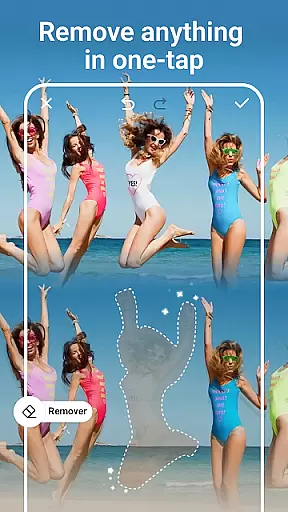
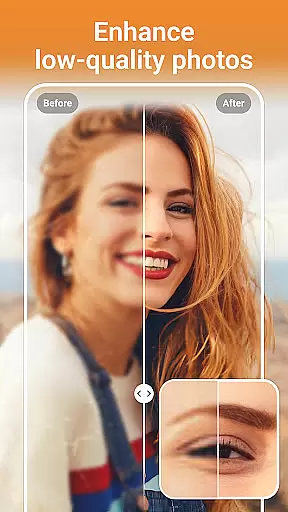
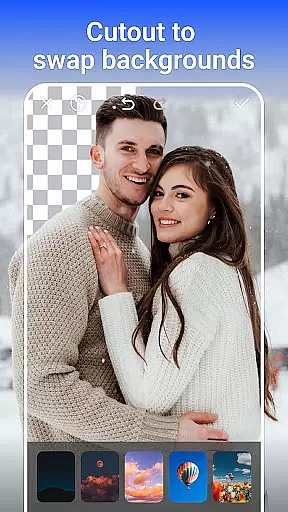
PhotoArt stands out with its diverse range of AI-driven features designed to meet various photo editing needs. The One-Tap Enhance tool instantly improves image quality, while the Magic Eraser intelligently removes unwanted objects without leaving traces. Advanced options like AI Face Swap and Background Removal provide precise control over compositions.
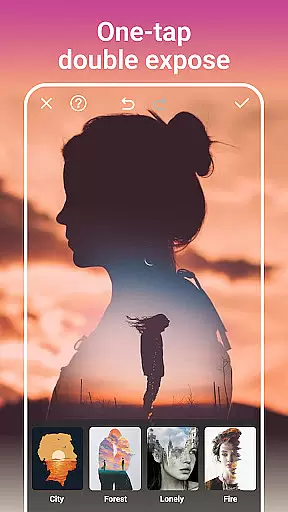
Creative expression is limitless with 100+ filters and effects, including retro styles, light effects, and Double Exposure. The app's color tools, such as HSL, Curves, and Highlight adjustments, allow for detailed color correction. Additionally, features like Age Changer, Sky Replacement, and Open Eyes showcase innovative uses of AI technology.
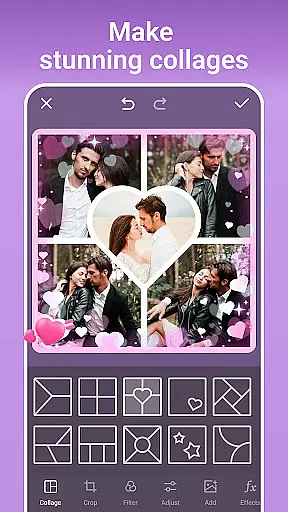
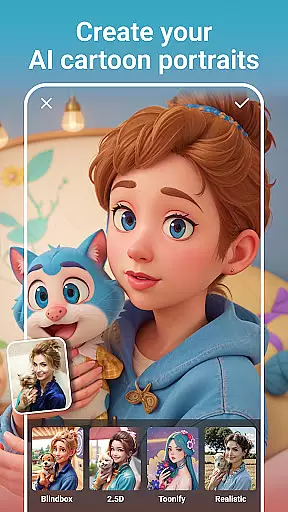
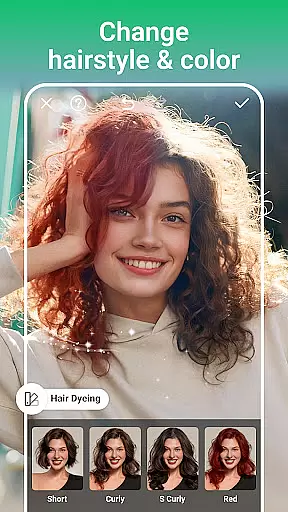
For storytelling through visuals, PhotoArt offers Collage creation with customizable layouts, borders, and backgrounds. Users can also experiment with body reshaping, makeup simulation, and cartoon transformations. These robust features ensure that every photo tells a compelling story while saving time on manual edits.
Real-time capture and preview functionality is essential for any photography app as it allows users to see exactly what the camera sees before taking a shot. This ensures that the framing, lighting, and composition are all perfect before capturing the moment.
AI Photo Editor - PhotoArt offers an advanced real-time capture system that leverages AI technology to optimize the camera feed. The app provides live filters and effects that can be previewed instantly through the camera interface, allowing users to visualize their creative ideas immediately.
Users benefit from this feature by being able to make instant adjustments to their shots. Whether it's applying one of the 100+ filters or experimenting with light effects, the ability to preview these changes in real time enhances the overall photo-taking experience.
The value of real-time capture and preview lies in its ability to save time and improve photo quality. By seeing the potential outcome beforehand, users can focus on creativity rather than post-processing, resulting in more professional-looking photos straight from the camera.
AI beauty and enhancement features have become a staple in modern photo editing, offering tools that improve the appearance of subjects while maintaining a natural look. This balance between enhancement and realism is crucial for user satisfaction.
PhotoArt incorporates sophisticated AI algorithms that intelligently retouch faces and bodies without over-processing. From smoothing skin tones to reshaping figures, the app ensures that each edit looks authentic and retains the subject's original characteristics.
This approach benefits users by providing them with professional-grade editing tools that anyone can use. Whether enhancing natural beauty or experimenting with stylistic makeup, the results appear genuine and not overly edited.
The true innovation of PhotoArt's AI beauty features lies in its subtlety and precision. Users can achieve stunning yet believable enhancements, making their photos stand out on platforms like Instagram and Facebook without sacrificing authenticity.
User-friendly interface
Extensive filter library
Powerful AI tools
High-quality results
Versatile editing options
Occasional lag on older devices
Advanced tools may overwhelm beginners
In-app purchases required for premium features
Learning curve for professional tools
Limited offline functionality

AI portrait generator and polaroid AI selfie, fun AI generated AI photo creator!
 4.30
4.30
Viewfinder, Light meter, Reciprocity failure time, DOF & Bellows Extension
4.60
All-in-One Editor & AI Photo Enhancer, Collage, Cartoonify, Funny Stickers & BGS
4.10
Create & Edit with AI: AI Remove, Enhance, Retouch, Filter
4.10
The #1 app for B&W film developing featuring an advanced darkroom timer.
4.10
Gallery Slideshow is slideshow maker app for slideshow from your gallery photos.
3.90
Smart, light, and fast photo and video gallery
4.30
PhotoSync Bundle Add-On License. Enables all features and services in PhotoSync.
4.60
Unlock the full potential of your DJI drone with Litchi
4.50
A collection of tools and reference tables for DPs, ACs, DITs and Operators.
4.70
Automatically backup your photos and videos to computer, NAS and Cloud services
4.60
Safe & smart flight with Go Fly drone controller for 40+ drone camera, zone map
4.50
Trendy TikTok time warp scan funny filter app brings you unique photos & videos.
4.40
Virtual makeup, hair filters & body tuner—edit from face to full body!
4.20
Create AI Photos, Improve and restore quality of blurry, old or damaged pics.
4.20
How would you look like with a differently shaped nose, chin or lips?
3.90
Hair color changer, AI haircut app, fun hair editor and buzz cut filter for all!
3.80
Superimpose one photo on top of another using the original Superimpose app!
3.20
Professional video recording application with manual controls for filmmakers!
2.80


User Reviews