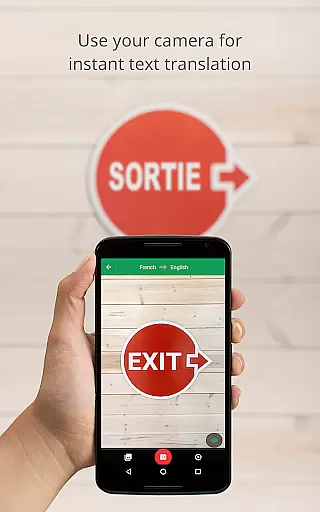
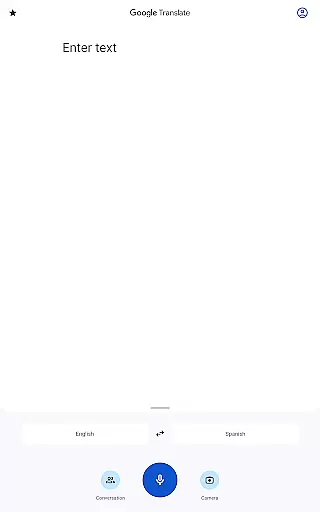
Google Translate is a versatile translation tool that supports text translation between 108 languages. The app offers multiple ways to translate, including typing, voice input, and camera-based translation. With features like offline translation for 59 languages and instant camera translation for 94 languages, it ensures usability even without an internet connection. Its cross-device syncing allows users to save translated phrases and access them on both mobile and desktop platforms.
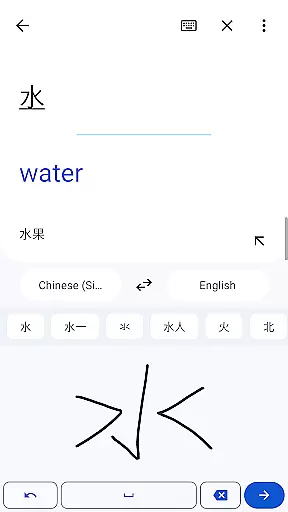
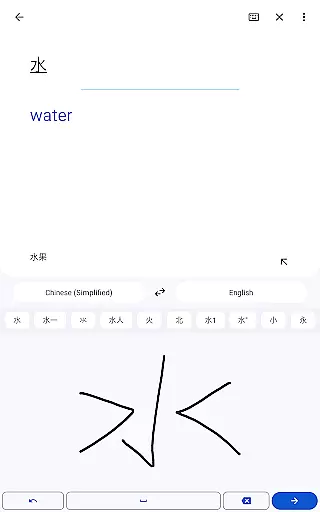
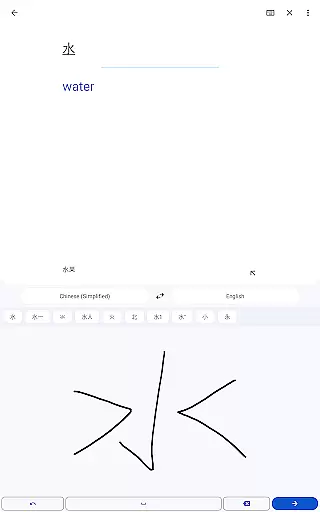
The app also includes specialized features such as Transcribe, which translates spoken language in near real-time, and Handwriting recognition for drawing characters. Whether you're traveling, studying, or communicating with international colleagues, Google Translate provides an efficient solution for overcoming language barriers.
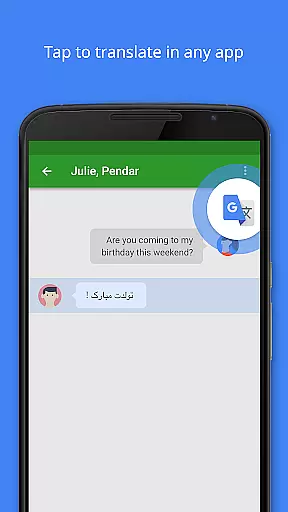
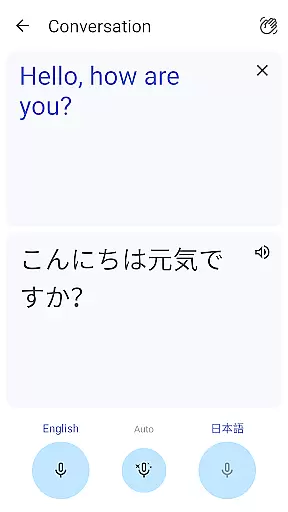
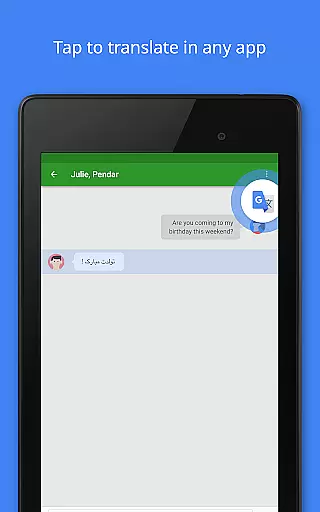
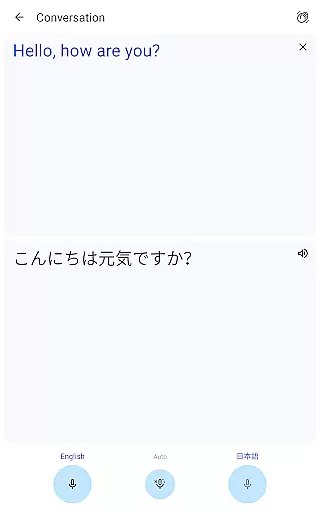
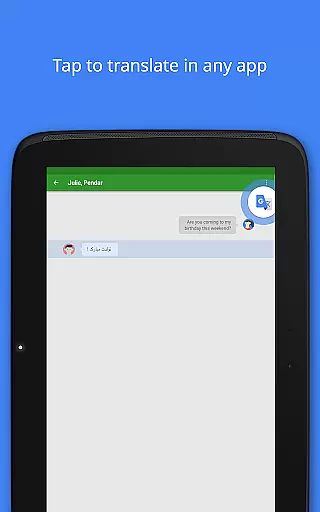
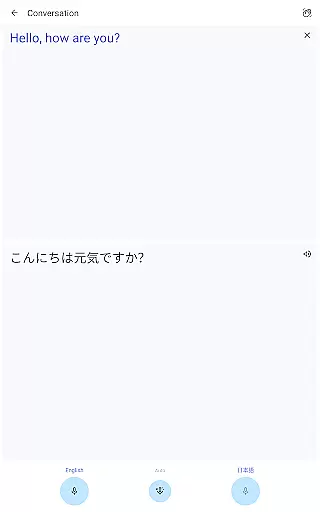
Google Translate stands out with its diverse translation methods. The Tap to Translate feature lets users copy text in any app and instantly get translations, while the bilingual conversation mode facilitates real-time communication in 70 languages. The app's Phrasebook function allows users to star and save frequently used translations for future reference, ensuring quick access to important phrases.
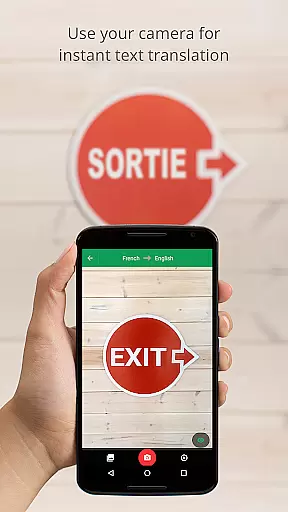
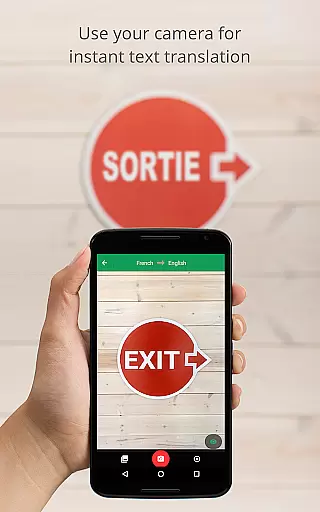
For visual content, the app offers Instant Camera Translation, which translates text from images in 94 languages, and Photo Mode for higher-quality translations of imported or captured images. Additionally, the Transcribe feature enables continuous translation of spoken language, making it ideal for meetings or lectures. These robust features make Google Translate an essential tool for global communication.
Google Translate's core functionality lies in its ability to provide accurate translations across 108 languages. This is achieved through Google's advanced machine learning algorithms, which continuously improve translation quality based on user input and corrections.
The app offers multiple translation modes including text, voice, camera, and handwriting recognition. Each mode employs specialized neural networks that ensure precise character recognition and contextual understanding, resulting in more natural-sounding translations.
Users benefit from features like Tap to Translate, Offline mode, and Instant camera translation. These tools make communication seamless regardless of internet connectivity or language barriers, providing reliable assistance in real-world scenarios.
With support for major languages and specialized features like bilingual conversation mode, Google Translate delivers an effective solution for both casual users and professionals who require quick and dependable translations.
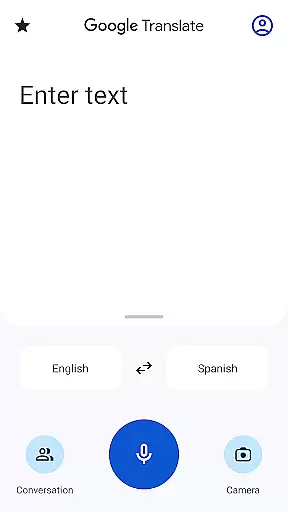
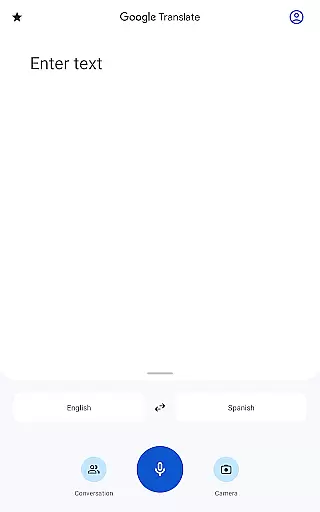
The interface of Google Translate is designed to be user-friendly and intuitive, ensuring a smooth experience even for first-time users. The main translation screen presents a clean layout with clear input fields and prominent language selection buttons.
Key features are easily accessible through the main menu, allowing users to quickly switch between text, voice, camera, and handwriting modes. The floating action button enables instant access to frequently used functions like phrasebook and offline translations.
Visual cues and simple icons guide users through various translation options while maintaining consistency across different devices and screen sizes. This design approach minimizes learning time and maximizes productivity.
Additional elements like cross-device syncing and transcription mode are integrated seamlessly without complicating the basic translation workflow, making advanced features available without overwhelming casual users.
Wide language support
Offline functionality
Real-time transcription
Camera-based translation
User-friendly interface
Limited offline languages
Occasional accuracy issues
Requires storage space
Premium features limited
Voice input sensitivity

HD Camera captures every special moment.
 4.60
4.60
PDF Reader - Document Viewer: Read, Manage & Organize Your Documents
3.10
This app unlocks the Pro features of the Central for DayZ app
3.60
Unleash gamepad precision for ultimate mobile gaming dominance.
3.90
Monitor car performance in real time and troubleshoot malfunctions.
4.80
The Ultimate Bluetooth Keyboard & Mouse. Securely control your PC, Mac, and more
4.50
Protect your device with antivirus, storage cleanup, and system monitoring
4.70
Fast VPN USA for any country. Super secure VPN for calls, streaming, games, TV.
4.40
Enjoy a smooth mobile reading experience!
3.60
Unit and currency converter with easy and simple UI.
4.80
The one-and-only remote control for PC, Mac, and Linux
4.70
HD Video player and downloader for all formats, fast & smooth 4K video playback.
4.60
PC precision for mobile gaming: dominate with keyboard and mouse!
4.30
Remote for Roku, Fire TV, Samsung TV, LG TV, Android TV, Chromecast and VIZIO TV
4.20
An open-source APK explorer for Android!
4.10
Introducing Smart Printer, your ultimate destination for printing solutions!
4.00
Amateur Radio app for APRS: Track friends, exchange messages, get tactical info.
3.90
Undelete and recover your lost or deleted files with DiskDigger!
3.40
Download any file easily and quickly with Downloader
4.4


User Reviews