
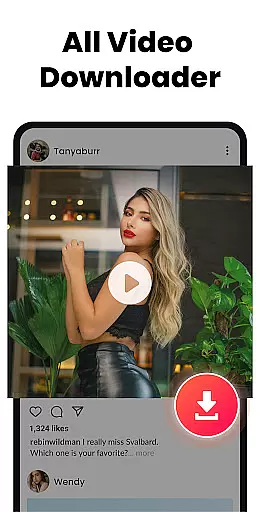



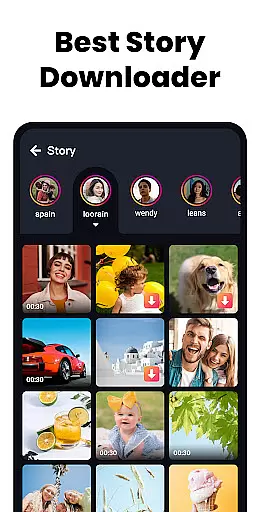
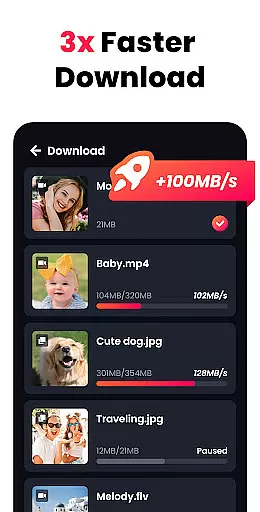
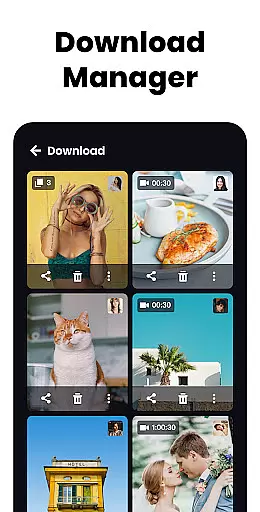

All Video Downloader & Player is a versatile tool designed for Android users who need an all-in-one video solution. This app serves as both a powerful video player and an efficient video downloader, supporting fast and stable playback of high-resolution videos including 4K and UHD formats.
One of the standout features is its ability to handle various video formats such as MKV, MP4, and MOV with smooth playback. Additionally, it offers unique functionalities like pop-up window playback, A-B repeat, and a private folder option to hide personal videos behind a password. These capabilities make it suitable for users looking to manage and enjoy their video content efficiently on their devices.
The app's value lies in its comprehensive feature set that enhances user experience through smart gesture controls, background play, and multiple download options. Whether you're commuting or relaxing at home, All Video Downloader & Player ensures you have uninterrupted access to your favorite movies and videos.
All Video Downloader & Player stands out due to its rich feature set tailored for video enthusiasts. The app supports lightning-fast downloads of HD videos across all formats, making it convenient for users to save online content for offline viewing. Its advanced detection system automatically identifies local videos, streamlining the playback process.
Unique functionalities include pop-up video playback, which allows multitasking by playing videos in a small window while using other apps. The background video player lets users listen to video audio while performing other tasks. Moreover, the private folder feature provides security by password-protecting sensitive content, ensuring privacy.
Additional highlights are the smart gesture controls for easy navigation, A-B repeat for focused viewing, and a sleep timer for convenience. These features collectively offer a superior user experience, making video management and consumption seamless and enjoyable.
All Video Downloader & Player excels in delivering core functions with remarkable accuracy and effectiveness, making it a top choice for Android users. The app supports fast and stable playback of high-resolution videos, including 4K and UHD formats, ensuring that users experience minimal lag and maximum video quality.
One of the standout features is its powerful video downloading capability. Users can download HD videos in various formats quickly and effortlessly. This functionality extends to online content as well, allowing users to save their favorite videos for offline viewing at lightning speed.
Beyond just playing and downloading, the app offers practical features like auto-detecting local videos, A-B repeat modes, and loop options which enhance user interaction and control over their media. These tools collectively ensure that whether you are streaming or managing downloaded content, the app performs efficiently and reliably.
The inclusion of privacy-focused features such as password-protected private folders adds another layer of utility, giving users peace of mind when hiding personal videos. Such comprehensive functionalities underscore the app's commitment to providing an accurate, effective, and holistic video management solution.
All Video Downloader & Player boasts an interface designed with simplicity and intuitiveness in mind, catering to both casual viewers and tech-savvy individuals. Upon launching the app, users are greeted with a clean layout where key functions like video playback, downloading, and library management are easily accessible from the main screen.
The smart gesture operation enhances user interaction by allowing intuitive controls such as swiping to navigate through videos or using pinch-to-zoom for detailed views. These gestures make navigation seamless and reduce the learning curve typically associated with feature-rich applications.
Additionally, innovative features like pop-up window playback enable multitasking without disrupting the viewing experience. Users can continue watching videos while performing other tasks on their device, thanks to this thoughtful design element that prioritizes convenience and usability.
Overall, the straightforward yet powerful interface ensures that even those new to digital media players can effortlessly manage their video libraries, enjoy smooth playback, and utilize advanced features like background play and sleep timers without feeling overwhelmed.
User-friendly interface
Fast video downloading
Supports multiple formats
Private video protection
Pop-up video playback
Limited iOS compatibility
Ads may appear
Occasional bugs
Heavy on storage
Internet required for downloads

A powerful, easy-to-use flight computer on your phone or tablet!
 3.80
3.80
Create your own live wallpaper or check out thousands already made presets
3.90
Detect hidden spy camera with advanced scanning {{ Premium version }}
4.00
Monitor car performance in real time and troubleshoot malfunctions.
4.80
The one-and-only remote control for PC, Mac, and Linux
4.70
Connect wirelessly to your computer to watch movies, browse the web, play games
5.00
NFC Tools can read and write NFC tags.
4.70
Creation, Learning, Entertainment & More — The All-in-One AI Search Engine
4.70
Clean up large files and similar photos, fast and easy to use
4.40
Best leveling tool for your Android device. Hang paintings like a pro.
4.90
Remote Play with FSR upscaling, low latency & full controller support
4.80
App to pay for FUTO Keyboard
4.60
Planner and Tracker for Stardew Valley
4.60 4.50
4.50
eXtended Permission Manager - a small app to manage permissions and AppOps
4.50
Button mapper, mouse toggle, sleep timer and a lot of another features
4.50
Just swipe the edge to do something!
4.40
Mirror your screen to Fire TV - Super fast and simple
4.40
Fun lie-detection pranks for friends and parties.
3.80


User Reviews