
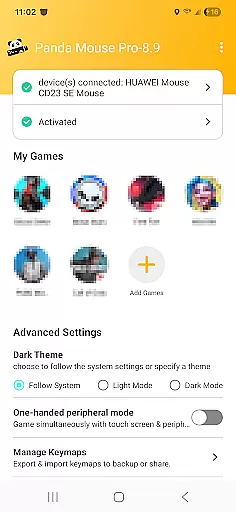
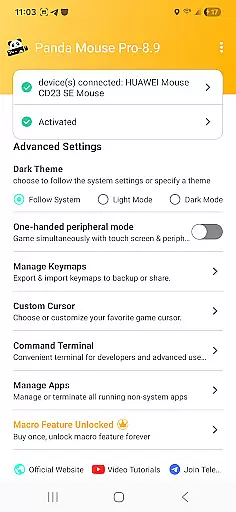
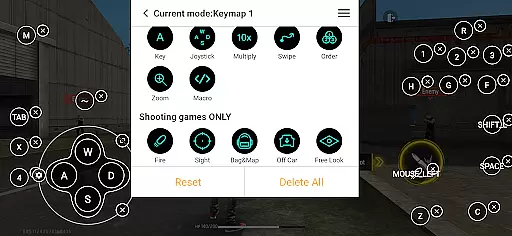
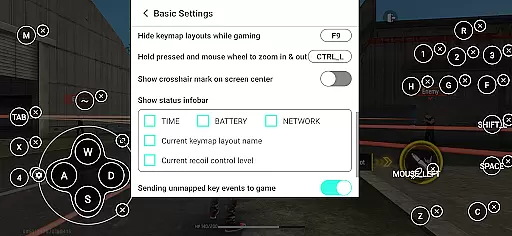
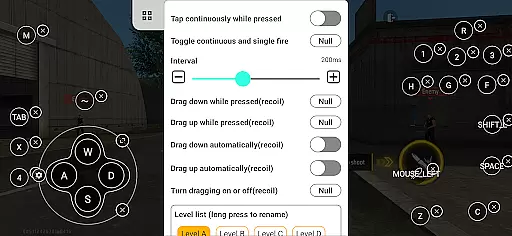
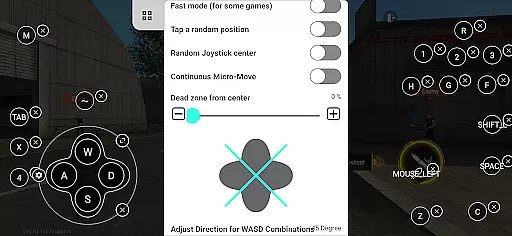
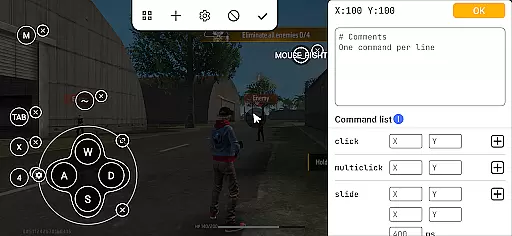
Panda Mouse Pro is a specialized keymapper tool that revolutionizes mobile gaming by allowing players to use their keyboard and mouse for enhanced control. Designed for gamers seeking precision and efficiency, this app eliminates the limitations of touchscreen controls, providing an immersive experience across various game genres.
The software stands out with its direct game launch feature, secure Google Play login, and ban-proof technology, ensuring uninterrupted gameplay. Compatible with most devices and peripherals, Panda Mouse Pro supports Android 11+ direct activation while offering easy setup options for older versions and rooted devices. Elevate your gaming performance today!
Panda Mouse Pro offers a comprehensive suite of features tailored for modern mobile gamers. Its direct game launch functionality bypasses cloning hassles, enabling instant access to games without additional steps. The secure Google Play login ensures users can connect safely using their existing accounts.
Ban-proof technology safeguards against restrictions imposed by certain games on duplicated instances, giving peace of mind during competitive play. With universal compatibility across keyboards and mice brands, it caters to diverse hardware preferences. Additionally, extensive support covers popular genres like shooters, MOBAs, and sports games, making it a versatile choice for all types of gamers.
Panda Mouse Pro is designed to provide gamers with an unparalleled level of control and precision in mobile gaming. The core function of this tool is its ability to map keyboard and mouse inputs to touchscreen controls, allowing for a seamless transition from traditional PC gaming to mobile platforms.
The app's direct game launch feature eliminates the need for cloning or other workarounds, enabling users to jump straight into their favorite titles. This not only streamlines the gaming process but also ensures that players can enjoy their games without the risk of bans associated with duplication running, thanks to Panda Mouse Pro's unique technology.
With extensive compatibility across virtually all keyboard and mouse brands, users can choose their preferred peripherals without worrying about device support. This universality enhances the overall effectiveness of the application, making it a versatile choice for gamers who demand high performance.
Ultimately, the accuracy and effectiveness of Panda Mouse Pro lie in its ability to transform the mobile gaming experience. Gamers can expect improved accuracy in shooters, faster reactions in MOBAs, and enhanced control across all genres, giving them the competitive edge they desire.
Achieving a balance between powerful functionality and user-friendly design is crucial for any application, and Panda Mouse Pro excels in providing an intuitive interface that caters to both novice and experienced gamers alike. The straightforward setup process allows users to activate the app directly on Android 11+ devices or quickly via PC/Mac for older versions.
The app's layout is crafted to ensure that even those new to keymapping can easily navigate through its features. With clear instructions and easy access to video tutorials, users can swiftly learn how to optimize their gaming setup without feeling overwhelmed by complex settings.
Moreover, Panda Mouse Pro offers hassle-free activation methods tailored to different device specifications, including automatic activation for rooted devices. This adaptability contributes to a smooth user experience, minimizing setup time and maximizing playtime.
By focusing on simplifying the interface while maintaining robust functionality, Panda Mouse Pro ensures that gamers can focus on what truly matters u2013 enjoying their games with enhanced control and precision.
Enhanced precision
Secure login
Ban-proof technology
Universal compatibility
Extensive game support
Requires activation
Limited touch control
Device-specific setup
Premium pricing
Learning curve

Extremely fast, secure, and protects your privacy
 4.80
4.80
Fluid navigation gestures for all of us!
4.30
An open-source APK explorer for Android!
4.10
Detect hidden spy camera with advanced scanning {{ Premium version }}
4.00
Bedrock Together: Join any bedrock server on Xbox/PS
4.80
The Ultimate Bluetooth Keyboard & Mouse. Securely control your PC, Mac, and more
4.50
Quickly check the frequency of the Earth
4.30
A clean app.
4.50
Your personal health butler
3.60
Optimize your WiFi network, turn your phone into Wifi Analyzer
4.70
NFC Tools can read and write NFC tags.
4.70
Mirror your screen to Chromecast and Android TV - Super fast and simple
4.60
Play your X-Box games remotely in 1080p with any controller and zero latency
4.60 4.50
4.50
Just swipe the edge to do something!
4.40
Use your phone as a webcam on your computer over WiFi or USB.
4.40
An easy-to-use calculator designed to save time calculating and bending conduit
4.30
A simple app to back up and restore SMS & MMS messages and call logs.
4.10
This app unlocks the Pro features of the Central for DayZ app
3.60


User Reviews