
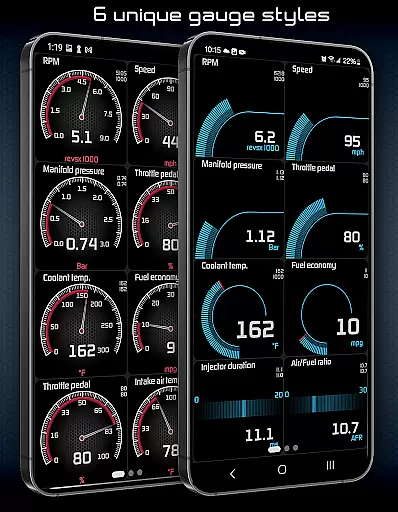
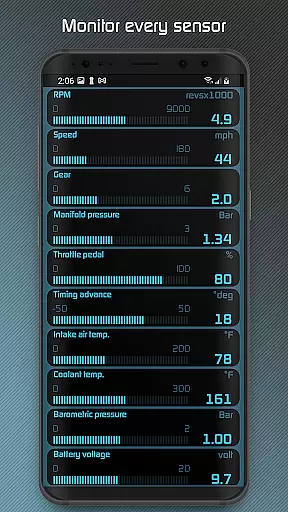
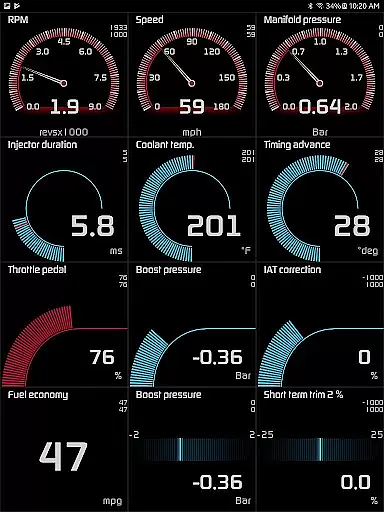
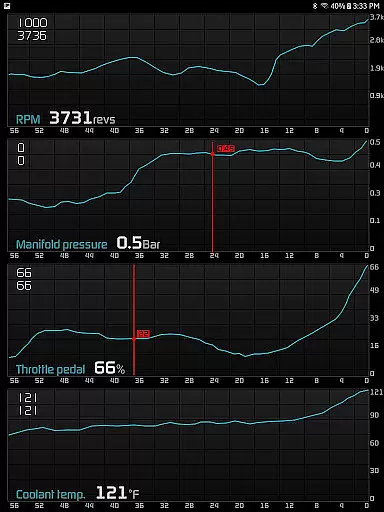
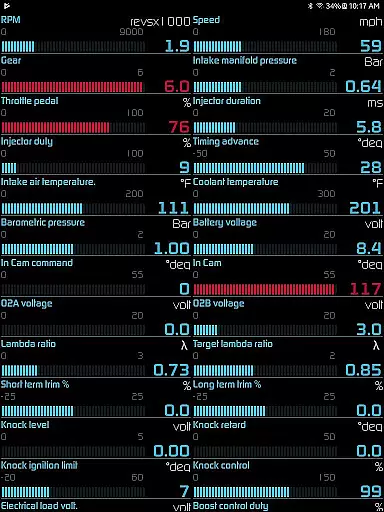
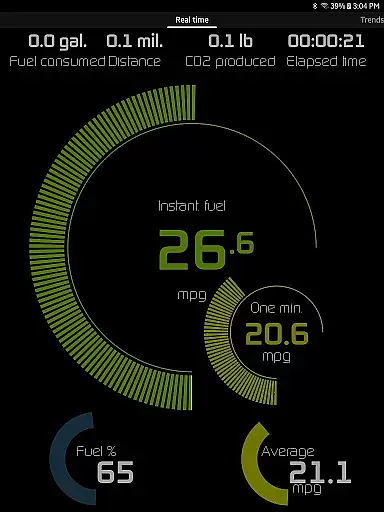
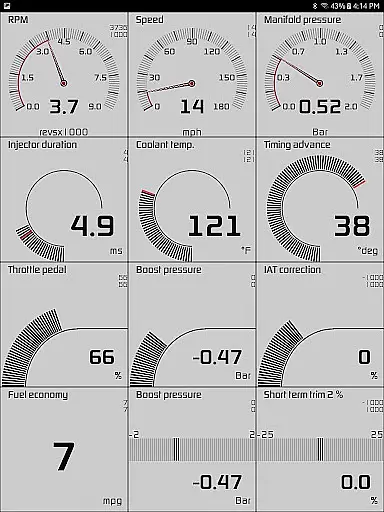
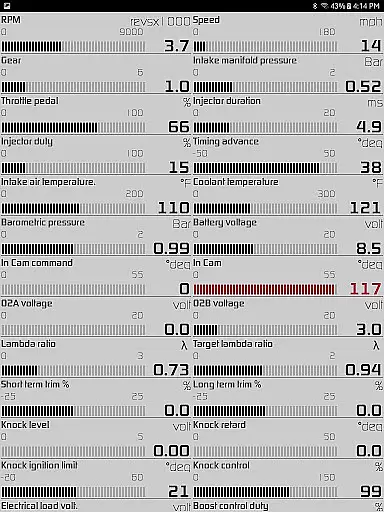
Hondata is a comprehensive vehicle performance monitoring and diagnostic tool designed specifically for Honda car owners. The app transforms your Android device into an advanced onboard computer, allowing you to monitor over 80 real-time sensors including fuel economy, boost pressure, battery voltage, and G-force readings. With its customizable gauges and interactive graphs, users can track vehicle performance in real time while recording data for future analysis.
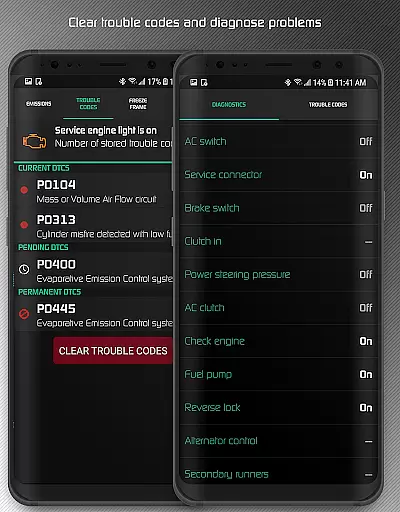
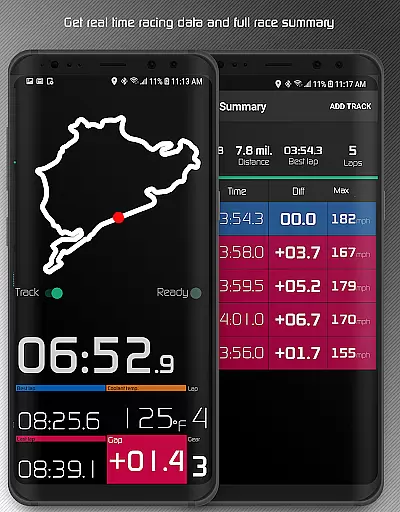
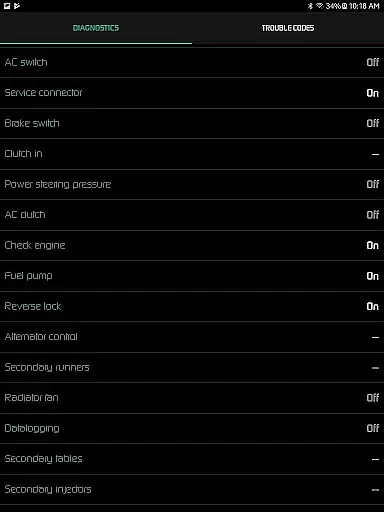
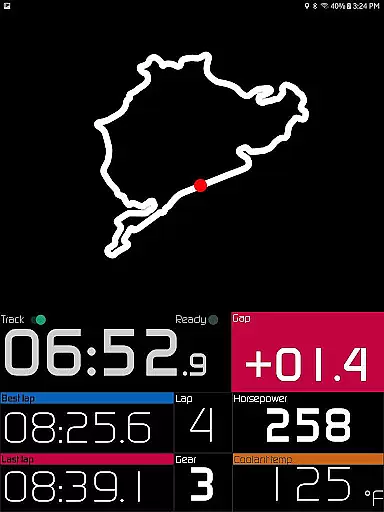
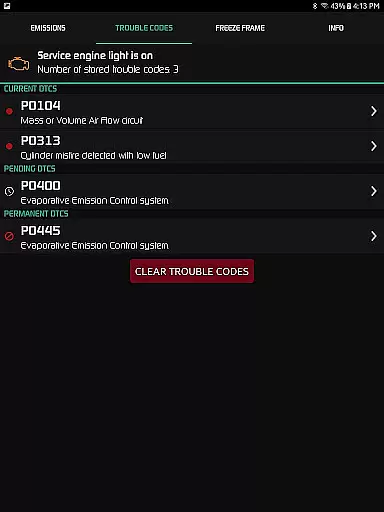
One of the key features is its diagnostic capability that allows users to read and clear trouble codes, reset service engine lights, and access up to 40 diagnostic parameters. The app also provides detailed fuel economy tracking with multiple calculation methods and unit options. Additionally, the racetrack feature offers professional-level timing capabilities including drag race times, lap times, and GPS-based circuit tracking. This makes Hondata not just a monitoring tool but also a complete performance enhancement solution for car enthusiasts.
The application's value extends beyond casual drivers as it provides crucial information before visiting mechanics and helps optimize driving habits to save on fuel costs. Its compatibility with Flashpro, Kpro4, and 300v3 systems (with required vehicle sensors) makes it an essential tool for Honda owners looking to maximize their vehicle's potential while maintaining proper maintenance protocols.
Hondata stands out among vehicle monitoring applications through its extensive feature set tailored for both casual drivers and automotive enthusiasts. The app's customizable gauge system allows users to monitor up to 80 real-time sensors with precision, including advanced metrics such as turbo boost pressure, VTEC engagement, and engine knock counts. These gauges can be displayed in both metric and imperial units, catering to international users while providing visual and audio alerts when sensor readings exceed user-defined thresholds.
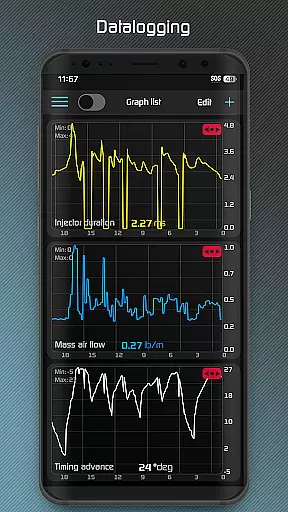
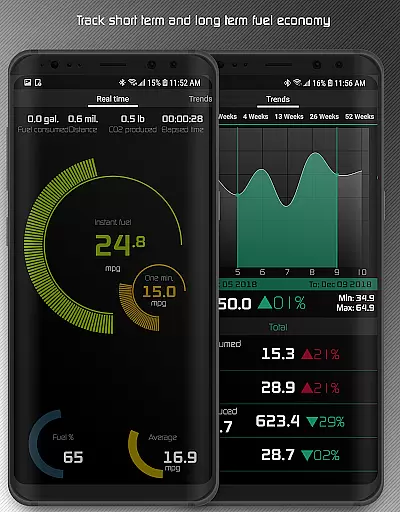
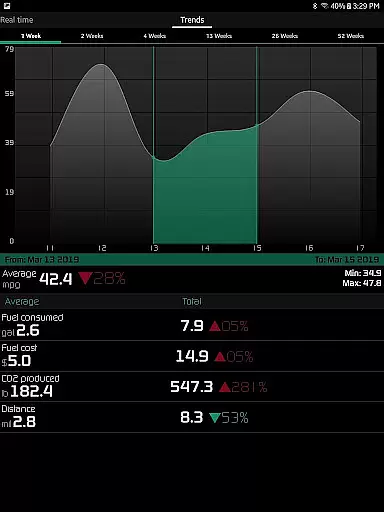
For data analysis enthusiasts, Hondata offers robust data logging capabilities. Users can plot sensor data on interactive graphs, record multiple data streams simultaneously, and export recorded information in CSV format for detailed analysis. The app's racetrack feature provides professional-grade timing functions including 0-60 mph acceleration, quarter-mile times, and GPS-based lap tracking. These features are complemented by long-term fuel economy tracking with interactive graphs spanning up to 52 weeks of data.
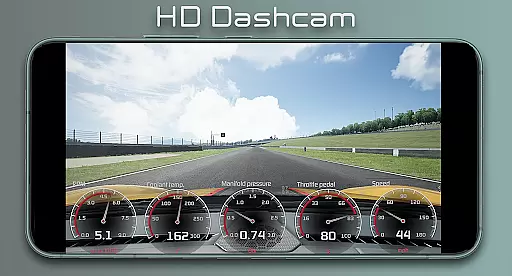
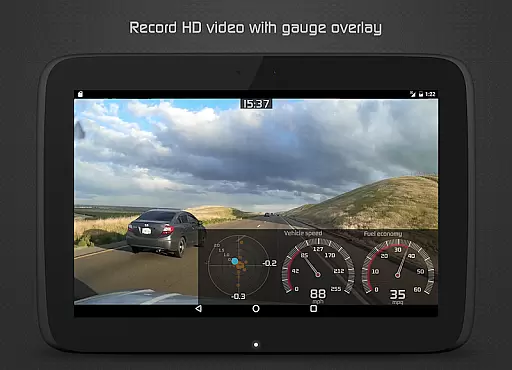
Additional notable features include HD video recording with superimposed gauges, heads-up display (HUD) mode for night driving, and comprehensive diagnostic tools that read from 40 different parameters. The application's ability to provide instant horsepower and torque readings (with compatible sensors) along with its speed limit warnings and coolant temperature notifications make it an indispensable tool for both daily drivers and performance-oriented users. The inclusion of landscape mode and multiple theme options ensures optimal usability across various devices and driving conditions.
The Hondata app offers a comprehensive suite of tools designed to monitor and enhance the performance of your Honda vehicle with precision. With real-time tracking of up to 80 sensors, including fuel economy, boost pressure, and battery voltage, users can expect highly accurate data readings that are crucial for both everyday driving and specialized tasks like drag racing.
One of the standout features is its ability to plot sensor data onto interactive graphs, allowing users to record and analyze data from up to four sensors simultaneously. This functionality extends to exporting recorded data into CSV files for further analysis, ensuring that users have the resources needed to make informed decisions about their vehicle's maintenance and performance optimization.
In addition to sensor tracking, the app provides diagnostic capabilities by enabling users to read and clear vehicle trouble codes, thus empowering car owners to troubleshoot issues before consulting a mechanic. The inclusion of features such as speed limit warnings, engine overheating notifications, and customizable gauge limits further enhances the app's effectiveness in preventative vehicle care.
Overall, the Hondata app transforms an Android device into a powerful automotive tool, offering both casual drivers and automotive enthusiasts the ability to track performance metrics accurately and efficiently, ultimately leading to improved vehicle health and cost savings on fuel and maintenance.
Hondata stands out not only for its robust functionality but also for its user-friendly interface that simplifies complex automotive data into an accessible format. The app features customizable gauges that allow users to tailor the display to their specific needs, whether they are monitoring fuel economy or diagnosing engine issues. This customization ensures that even those new to vehicle diagnostics can easily interpret the information presented.
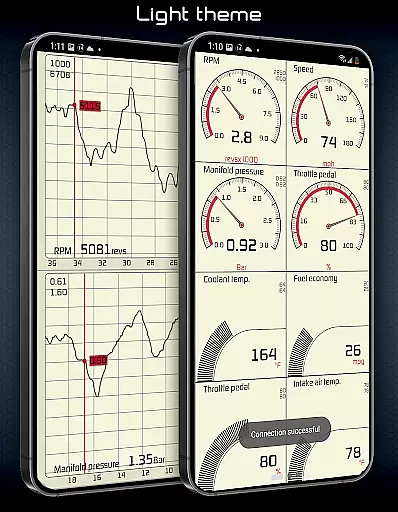
With two themes to choose from and landscape mode availability for all views, the app caters to different user preferences and environments, enhancing readability and ease of use. Additionally, the intuitive design extends to its fuel economy tracking feature, which presents data over three time intervals and in multiple units, accommodating both metric and imperial systems.
The racetrack feature exemplifies the app's commitment to providing an intuitive experience, offering drag race times, lap times, and real-time GPS positioning on stored tracks. These capabilities are complemented by a comprehensive summary of each race, detailing every lap and providing useful statistics like distance traveled and maximum speed.
By combining advanced functionalities with a straightforward interface, Hondata ensures that users can focus on optimizing their vehicle's performance without being hindered by a steep learning curve, making it an invaluable tool for both novice and experienced drivers alike.
User-friendly interface
Comprehensive sensor coverage
Professional racetrack features
Detailed diagnostic capabilities
Extensive data logging options
Limited vehicle compatibility
No Android Auto support
Requires additional hardware
Complex for beginners
Potential head unit issues

 4.50
4.50
Extremely fast, secure, and protects your privacy
4.80
Clean the junk files on your device
3.40
A non-root local ADB shell client. READ BELOW!
3.40
Excellent scientific calculator with symbolic algebra, integrals, derivatives
4.80
Navigate with Ease and Style
4.90
Pro Emulator is an easy to use game console emulator for a range of consoles.
4.40
Introducing Smart Printer, your ultimate destination for printing solutions!
4.00
Screen recorder with audio to record high-quality videos and take screenshots.
4.40
WiFi Signal Strength Meter help you detect WiFi Signal Strength in real time.
4.80
Connect instantly to a fast, encrypted VPN with one tap
4.60 4.50
4.50
Quickly switch to an encrypted DNS server on Android TV
4.50
Screen Mirroring for Roku Sticks, Roku TCL TV and Roku Hisense TV
4.50
Mirror your screen to Fire TV - Super fast and simple
4.40
A convenient photo, video, and file recovery tool.
4.00
Create your own live wallpaper or check out thousands already made presets
3.90
Undelete and recover your lost or deleted files with DiskDigger!
3.40
Transfer Files, APK from Phone to Watch & Install.
4.3


User Reviews