
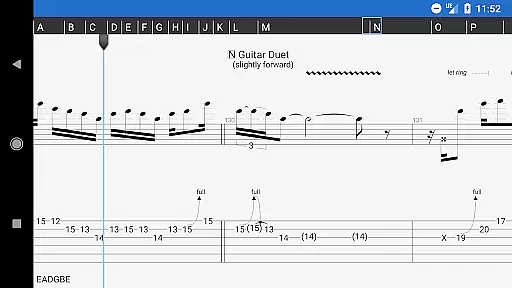
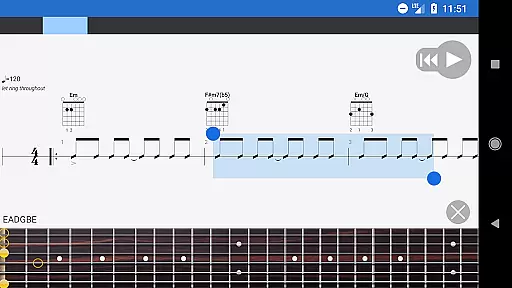
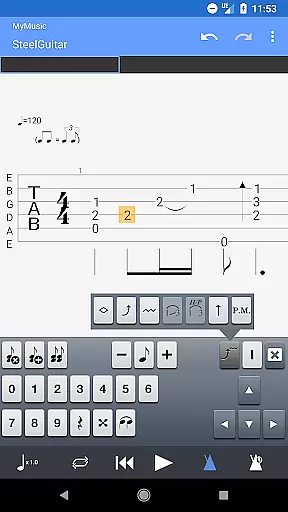
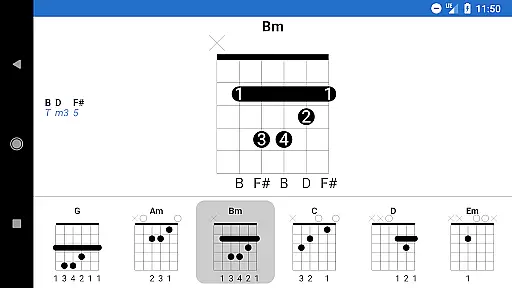
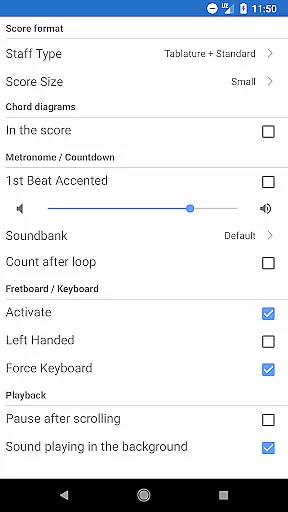
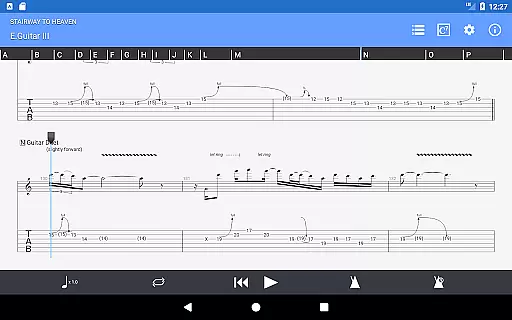
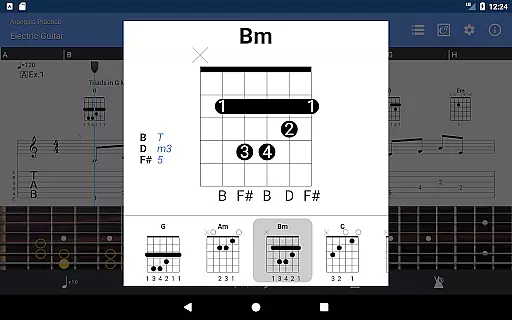
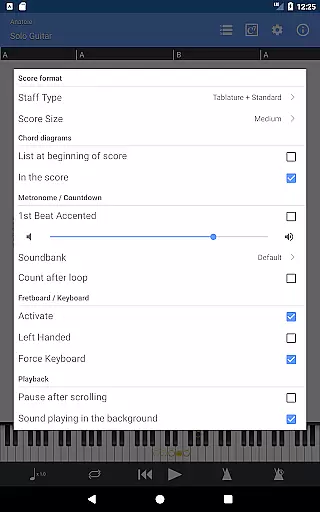
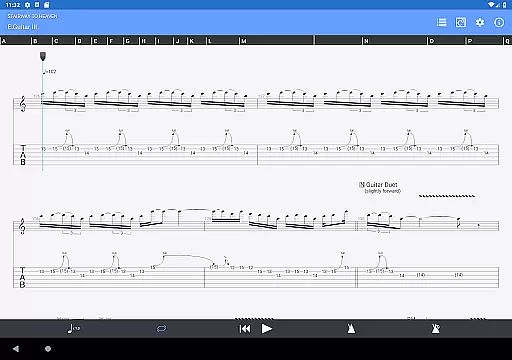
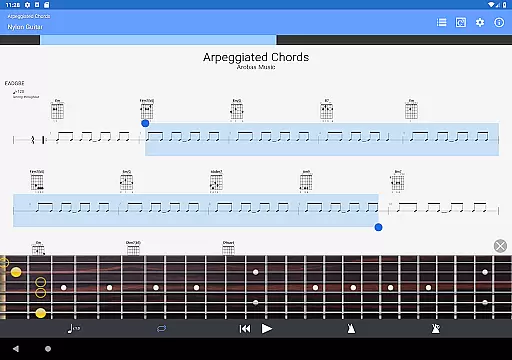
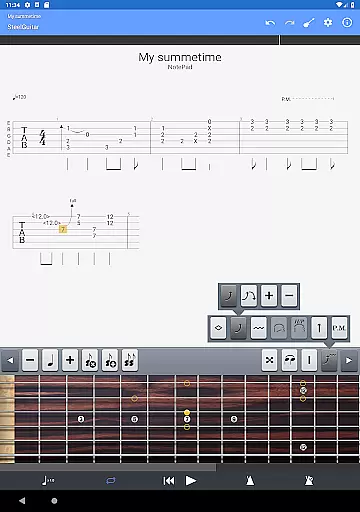
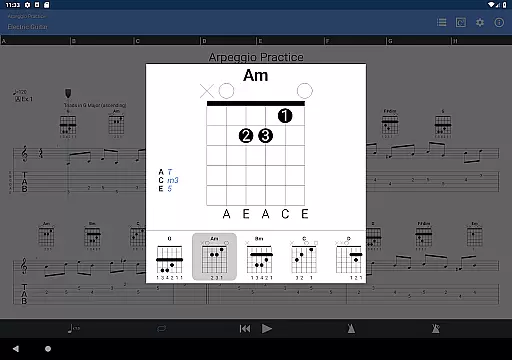
Guitar Pro is a powerful mobile application designed specifically for guitarists who want to view, play, and write tablature directly from their mobile devices. This app serves as the perfect companion for musicians on the go, allowing them to practice favorite songs and share compositions anytime, anywhere. With its single-track tablature NotePad feature, users can quickly jot down musical ideas such as arpeggios, riffs, or chord sequences and save them for future use.
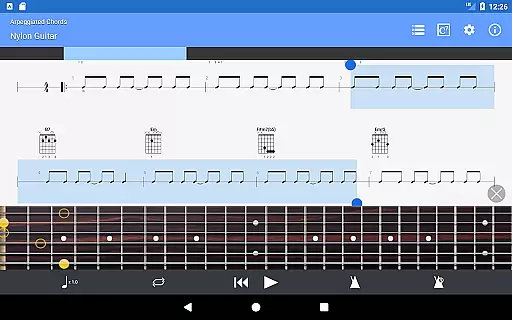
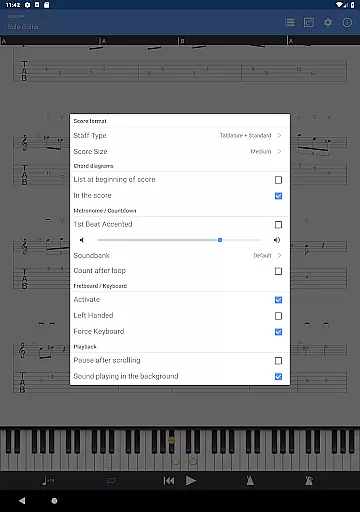
The app supports GP3/4/5/6/7/8 file formats, making it versatile for various tablature needs. It includes an integrated sheet-music library with search, filters, and favorites, alongside a multitrack player equipped with a soundboard for volume control, solo-mute options, and soundbanks. Additional features like a metronome, visual countdown, and on-the-fly tempo changes enhance the practice experience. Whether you're a beginner or a seasoned musician, Guitar Pro offers tools that cater to your musical journey.
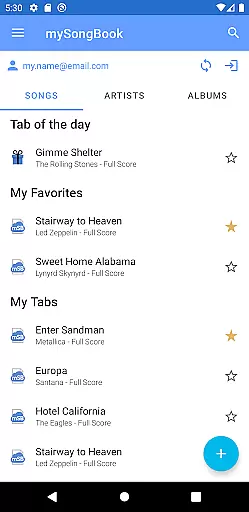
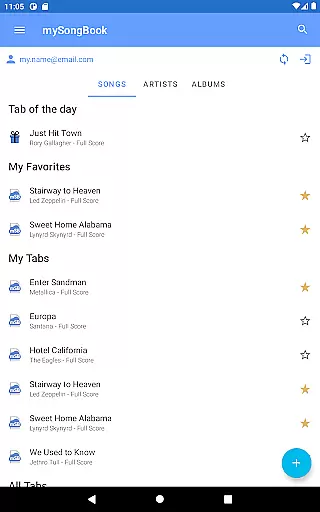
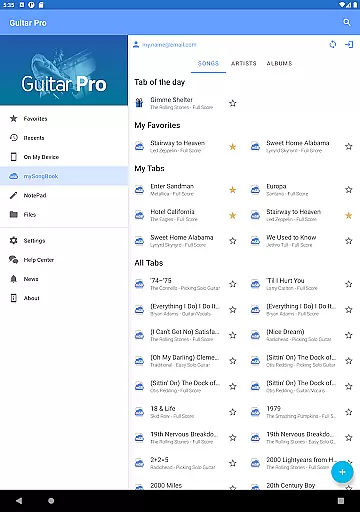
Guitar Pro stands out with its robust score player capabilities, supporting multiple file formats including GP3/4/5/6/7/8. The app provides tab, slash, and standard notations, ensuring compatibility with different types of sheet music. Integration with the mySongBook portal allows access to a vast library of sheet music, although a monthly subscription is required for full access. Users can load files via WiFi, web browser, and email, streamlining the process of importing and managing scores.
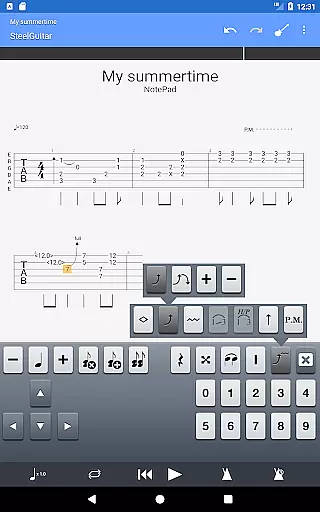
The NotePad tool is another highlight, enabling users to create single-track tablatures for guitar, bass, banjo, ukulele, and mandolin. With support for 4- to 8-string instruments and 19 built-in sounds, musicians have the flexibility to customize tuning and tempo. Compositions can be exported into Guitar Pro 6 and 7 formats, facilitating further editing on desktop versions. These features collectively make Guitar Pro a comprehensive tool for both learning and creating music.
When it comes to music applications, the size and authenticity of the music library are crucial factors. Guitar Pro offers an extensive library that supports GP3/4/5/6/7/8 (.gp) file formats, ensuring compatibility with a wide range of tablature files. This vast library is not just about quantity; it's also about quality and legality. The app is designed to provide users with access to legal content through its compatibility with the mySongBook portal, although a monthly subscription is required for full access.
Guitar Pro goes beyond just providing a large selection of music; it ensures that all the content available is properly licensed and respects copyright laws. This means that musicians can confidently download and use tabs knowing they are legally shared. The ability to load files via WiFi, web browser, and email further expands the user's access to legitimate content, making it easy to integrate personal collections.
The integrated sheet-music library within Guitar Pro includes powerful search, filter, and favorite functionalities, allowing users to efficiently manage their collection. Whether you're looking for a specific song or browsing for new pieces to learn, the organization tools help streamline the process. With this comprehensive approach to content management, Guitar Pro empowers musicians to focus on their practice and creativity without worrying about legal issues.
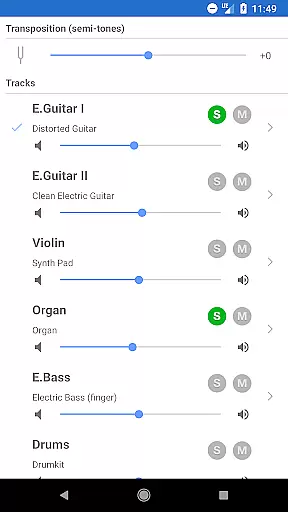
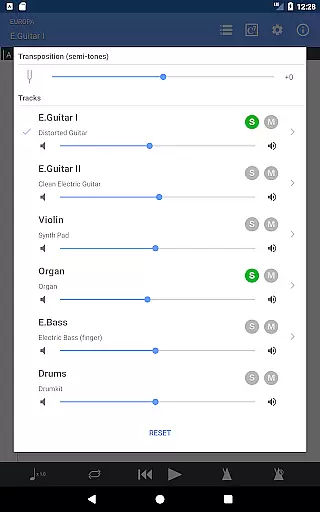
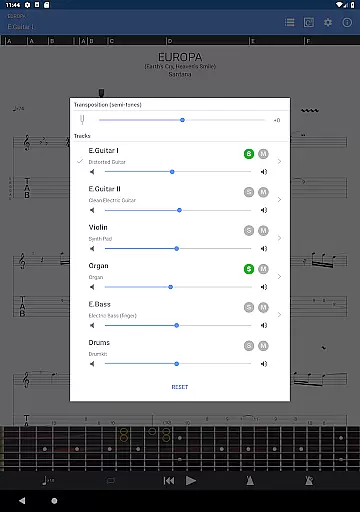
Audio quality is paramount when evaluating music applications, and Guitar Pro excels in delivering high-quality sound experiences. The app features a multitrack player equipped with a soundboard that allows users to adjust volume levels, apply solo-mute functions, and select from various soundbanks. These capabilities ensure that each track sounds clear and balanced, providing an immersive listening experience that accurately reflects the composer's intentions.
In addition to basic playback controls, Guitar Pro offers advanced audio settings such as on-the-fly tempo changes and global transposing by half-tones. Musicians can customize their practice sessions by slowing down difficult passages or adjusting the pitch to match their instrument's tuning. The metronome and visual countdown further enhance the practice experience by helping users maintain consistent timing and rhythm.
For those who demand even more control over their sound, Guitar Pro provides 19 built-in sounds and customizable tuning options. Users can tailor the audio output to suit their preferences or experiment with different tones to inspire new creative directions. By exporting compositions to Guitar Pro 6 and 7 formats, musicians can seamlessly transition between mobile and desktop environments while maintaining consistent audio quality throughout their workflow.
User-friendly interface
Extensive file format support
Integrated sheet-music library
Multitrack player functionality
NotePad tool for quick edits
No audio track feature
Limited notation editing
Monthly subscription needed
Drum track editing unavailable
Advanced features locked

 4.70
4.70
The Music Journey in Your Hands
4.30
DJ Music Mixer - DJ Remix: remix songs, make beat music & record mix of DJ.
4.40
Save hundreds of dollars for a physical strobe tuner and instead use this app.
4.50
AI Music Maker: Generate And Compose AI Tunes & AI Songs & AI Music & AI Melody!
4.60
Help you quickly get started with Shokz headphones
4.40
Versatile MP3 recorder with auto-backup to Dropbox and Google Drive
4.10
One-tap booster for max volume - enjoy powerful sound with this audio booster
4.50
Be a true music maker: create beats, mix and make music like a real DJ!
4.30
Full-featured, High-Quality Groovebox Workstation, perfect for Live Performance!
4.80
Super Sound Editor, Song Maker & Mixer, Vocal Remover, Voice Recorder & Changer!
4.60
Time Guru will strengthen your internal sense of musical time via random muting.
4.30
Equalizer, Bass Booster and Volume Booster (Eq & Bass) improve sound quality
4.30
Network/Cloud Streaming, Visualization, Graphic Equalizer and Sound Effects.
4.20
Permanently backup Now Playing. Maps, filters & listening stats.
4.00
Background pads for your band
3.80
Powerful beat maker & DJ mixer to remix tracks, make music, & perform DJ mix
3.70
Simple mp3 and mp4 player with advanced features.
3.40
MilkDrop for Android TV
3.00


User Reviews