
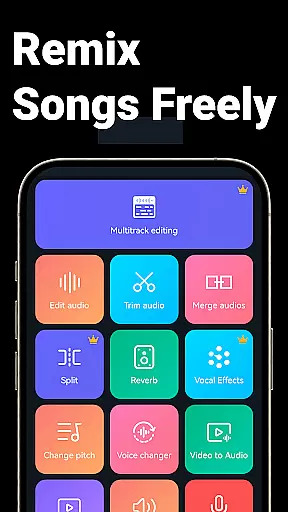
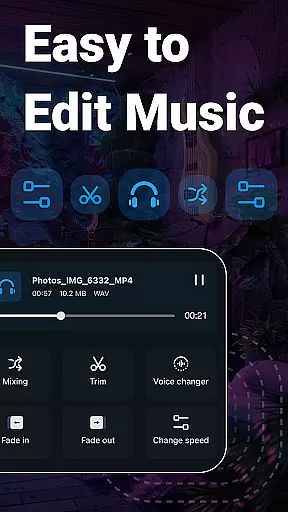
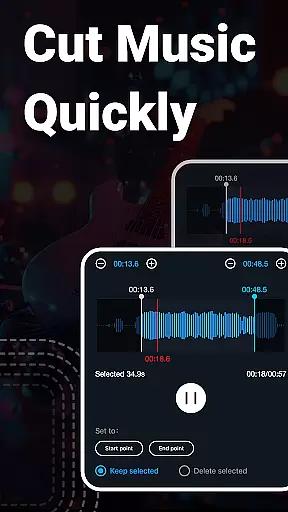
Music Audio Editor, MP3 Cutter is a comprehensive audio editing tool designed for both casual users and professionals on Android. This powerful app allows you to cut, splice, mix, and convert audio files with precision and ease. Whether you're creating custom ringtones or editing music tracks, the app provides all necessary features including vocal removal, pitch adjustment, and format conversion.
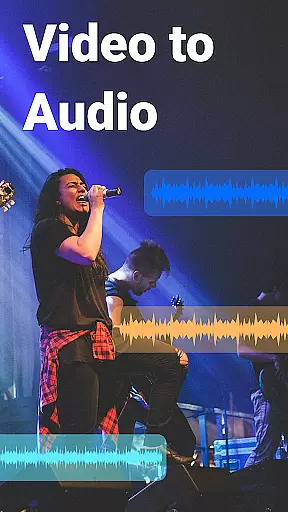
The application supports multiple audio formats such as MP3, AAC, WAV, and FLAC, making it versatile for various audio editing needs. With additional capabilities like video-to-audio conversion, voice changing, and multitrack editing, it stands out as an all-in-one solution for audio manipulation. Its user-friendly interface ensures that even beginners can start editing with minimal learning curve.
Ideal for musicians, podcasters, and content creators, this app transforms your device into a portable audio studio. The ability to batch process files and access over 2000 royalty-free music tracks adds immense value, enabling users to enhance their projects efficiently.
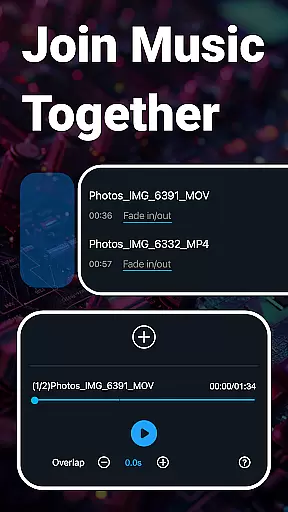
One of the standout features of Music Audio Editor, MP3 Cutter is its precise cutting tool, which allows users to trim audio files down to milliseconds. This feature is complemented by advanced options like fade in/out effects, volume adjustments, and tempo changes, providing a professional touch to any audio project. The app also supports splicing multiple audio clips, enabling creative combinations and seamless transitions between tracks.
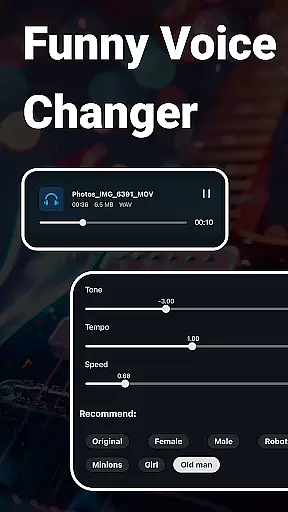
In addition to basic editing, the app offers specialized tools such as vocal removal and voice changing. Users can transform their audio files into different voices, adjust pitch and speed, and even convert mono tracks to stereo. These functionalities are particularly useful for creating unique soundscapes or preparing audio files for specific uses like videos or podcasts.
The inclusion of a robust video editor further enhances its utility, allowing users to add audio to videos, apply fade effects, and modify sound pitches. With batch processing support and a variety of export options, Music Audio Editor, MP3 Cutter caters to both individual and bulk editing requirements, ensuring high-quality output every time.
When it comes to music editing applications, the size and authenticity of the music library are crucial factors. Super Sound offers an extensive collection of over 2000 royalty-free tracks that users can download and incorporate into their projects without worrying about copyright infringement. This vast library ensures that creators have a wide variety of music genres and styles at their disposal.
The app's dedication to providing legitimate content means that all included tracks are properly licensed for use. Users can confidently explore the music library knowing that each piece is cleared for editing and integration into personal or commercial projects. This commitment to copyright compliance sets Super Sound apart from other audio editors on the market.
Moreover, the application supports multiple audio formats such as MP3, AAC, WAV, FLAC, M4A, and AMR. This versatility in format compatibility allows users to work with various types of audio files while maintaining high-quality standards throughout their editing process. Whether you're cutting, splicing, mixing, or converting audio, Super Sound provides a robust platform with a rich repository of sounds to enhance your creative endeavors.
Super Sound stands out not only for its comprehensive music library but also for the superior audio quality options it presents to users. The app allows precise control over sound parameters, enabling adjustments to volume, tone, tempo, and playback speed. These features ensure that the final output meets professional standards and satisfies even the most discerning audiophiles.
In addition to basic editing capabilities, Super Sound includes advanced functions like vocal removal and pitch changing. Users can transform their audio by removing vocals from songs or altering the pitch to create unique soundscapes. Such tools are invaluable for those looking to produce custom ringtones, remixes, or original compositions with distinct auditory characteristics.
Furthermore, the app facilitates multitrack audio editing, allowing creators to mix multiple audio streams seamlessly. With options to split audio into several tracks and add background music to voice recordings, users can craft complex auditory experiences. By offering these sophisticated audio manipulation tools alongside batch processing capabilities, Super Sound empowers users to achieve exceptional sound quality across all their projects.
User-friendly interface
Extensive format support
Advanced editing tools
Vocal removal feature
Batch processing capability
Occasional bugs reported
Ads in free version
Complex for beginners
Limited iOS support
Heavy on storage

Time Guru will strengthen your internal sense of musical time via random muting.
 4.30
4.30
Pay Once, no monthly payment
4.60
Taal player that lets you sing any Indian & Western song with Tabla & Tanpura
4.60
Full-featured, High-Quality Groovebox Workstation, perfect for Live Performance!
4.80
Guzheng Master supports many playing techniques as an acoustic Guzheng
4.50
Record, Mix & Master with all n-Track effects, 64-bit audio and Stem Separation.
4.70
Simple mp3 and mp4 player with advanced features.
3.40
Ringtone Maker is free app create ringtone from music files or your recording.
4.40
Sing, record, and create music together — enhanced by smart voice tools.
4.00
Your song collections with lyrics and chords on Android smartphones and tablets.
4.80
Performance-Synthesizer & Multi-Track-Sequencer, polyphonic + multi timbral!
4.70
Most Advanced AI Song Generator and Music Creator. Rap, Pop, Rock, Gospel & more
4.70
Learn the notes on the guitar fretboard fast with this easy and fun app
4.60
A High-Precision Audio Spectrum Analysis App
4.20
Smart piano keyboard, Classical to Pop, Real-time multiplayer connection!
4.20
VB-AUDIO Software / VBAN-Receptor allows listening to any VBAN Streams
4.10
Next generation modular control surface
4.10
Turn your phone into a musical instrument from the future!
3.90
The Cubase remote control app
3.60


User Reviews