
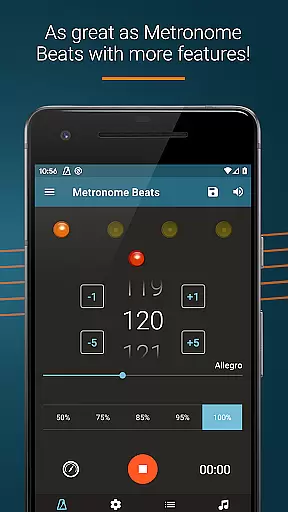
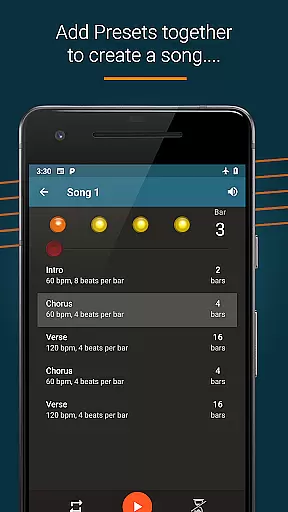
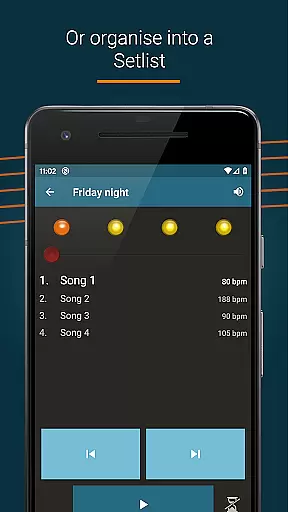
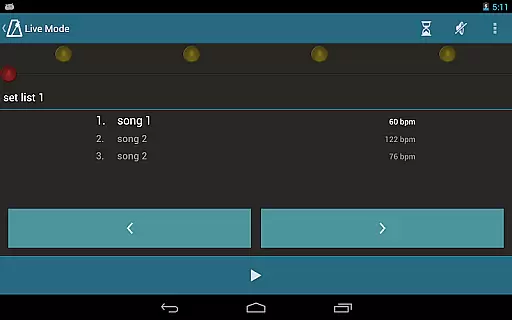
Metronome Beats Pro is a comprehensive music tool designed for musicians of all levels. This professional-grade metronome app offers advanced features including a speed trainer, customizable tempo settings from 1 to 900 beats per minute, and various sound options. The app's unique 'Live Mode' allows users to create setlists and play through songs with varying tempos, making it ideal for both practice sessions and live performances.
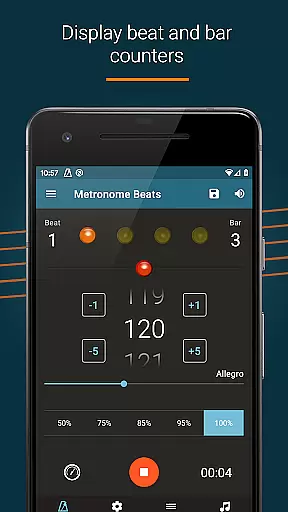
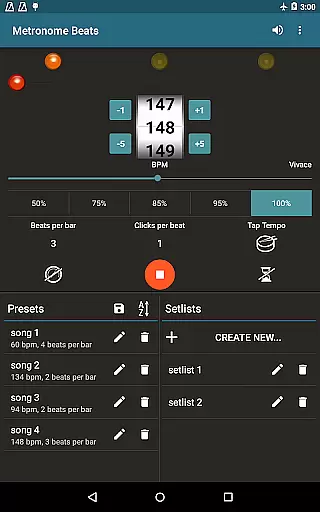
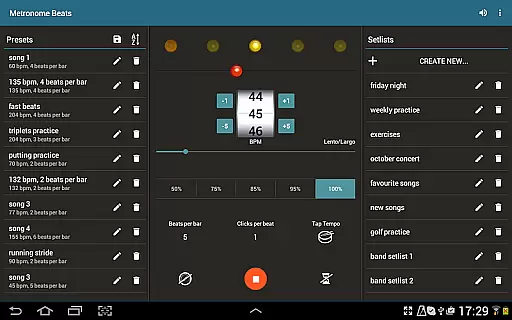
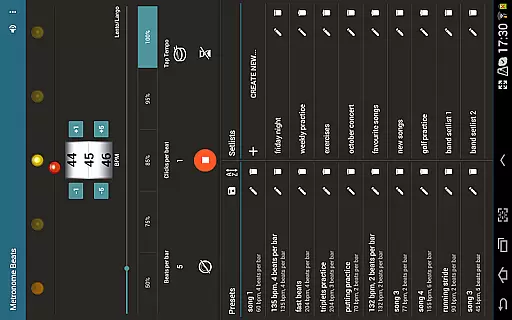
The application stands out with its user-friendly interface that includes visual beat indicators, bar counters, and pitch adjustment capabilities. These features enable musicians to maintain accurate timing while muting the sound when needed. Additionally, the tablet-specific layout provides quick access to all functions on one screen, enhancing the overall user experience during practice or performance scenarios.
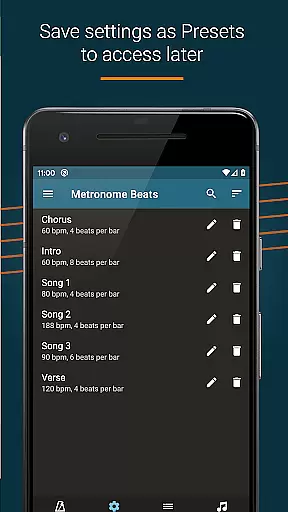
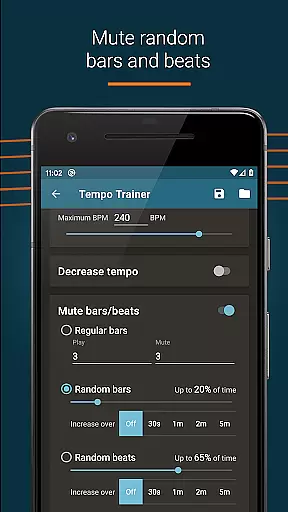
Designed for maximum flexibility, Metronome Beats Pro supports multitasking with other apps, allowing users to read sheet music while maintaining tempo. Its exclusive pro features like randomised bar muting and preset saving make it an invaluable tool for serious musicians looking to refine their timing and rhythm skills.
Metronome Beats Pro distinguishes itself through its extensive feature set tailored for musicians' diverse needs. The app's core functionality includes precise tempo control from 1 to 900 BPM, multiple time signature options, and a tap tempo button for intuitive tempo selection. Advanced features such as speed training and Italian tempo markings provide additional value for users seeking to improve their musical timing.
One of the app's most notable innovations is its 'Live Mode,' which enables musicians to organize setlists and switch between songs with varying tempos seamlessly. The inclusion of bar counters, beat accent options, and up to 16 subdivisions per beat makes it particularly useful for complex rhythmic practice. Furthermore, the ability to save custom presets and utilize randomised muting adds depth to practice sessions.
The application's technical excellence extends to its audio customization options, including pitch adjustment and multiple sound types. Visual beat indication caters to silent practice needs, while the timer function and multitasking capability enhance its practicality. These features collectively create a powerful tool that supports musicians in various practice and performance contexts.
Metronome Beats Pro offers a comprehensive set of features that cater to musicians and performers who require precision in their practice sessions. While it doesn't provide a traditional music library, its ability to save presets, create songs with varying tempos, and organize favorite songs into setlists adds immense value for users.
The app allows musicians to customize their practice routines by creating songs with different tempos, which can be saved as presets. This feature ensures that users have access to a personalized 'library' of practice settings tailored to their specific needs. The absence of adverts in the Pro version enhances the user experience by providing an uninterrupted workflow.
Regarding copyright authenticity, Metronome Beats Pro ensures that all its features are developed in-house, guaranteeing that users receive a legitimate and high-quality product. The app's capability to function alongside other applications without interference further demonstrates its commitment to delivering a seamless and professional-grade tool for musicians.
By offering these advanced features, Metronome Beats Pro not only meets but exceeds the expectations of serious musicians who demand accuracy and flexibility in their metronome applications.
Audio quality is paramount when using a metronome application, and Metronome Beats Pro excels in this area by providing users with multiple options to enhance their auditory experience. The app allows musicians to change the pitch of the sound, making the metronome easier to hear over their instruments, which is crucial during practice sessions.
In addition to pitch adjustment, Metronome Beats Pro offers various sound types and the ability to create custom sound settings. These features ensure that users can tailor the audio output to suit their preferences and specific practice environments, whether they're playing solo or with a group.
The visual beat indicators included in the app serve as a backup to the audio cues, allowing users to mute the sound while still maintaining awareness of the tempo visually. This dual approach caters to different learning styles and situational needs, enhancing overall usability.
Furthermore, the app's compatibility with larger devices through a tablet-specific layout ensures that all audio quality options are easily accessible on one screen, streamlining the user experience and reinforcing Metronome Beats Pro's dedication to superior audio performance.
Highly customizable
User-friendly interface
Advanced tempo options
Excellent for live performances
No advertisements
Paid version only
Complex for beginners
Feature overload possible
Requires learning curve
Device compatibility varies

Taal player that lets you sing any Indian & Western song with Tabla & Tanpura
 4.60
4.60
DJ Music Mixer - DJ Remix: remix songs, make beat music & record mix of DJ.
4.40
Guzheng Master supports many playing techniques as an acoustic Guzheng
4.50
AI Music Maker: Generate And Compose AI Tunes & AI Songs & AI Music & AI Melody!
4.60
Listen radio AM / FM Stations. Live AM / FM Radio App Station. Radio Com.
4.70
Help you quickly get started with Shokz headphones
4.40
PowerAudio is a powerful offline music player.
4.20
Be a true music maker: create beats, mix and make music like a real DJ!
4.30
Melody Beat: Great for travel, workouts, offline vibes, play your tunes anytime.
4.10
Unleash your creativity! Turn simple prompts into full fledged songs.
4.70
Simple & Intuitive Metronome
4.70
Over 100 million tracks available for high quality streaming and download
4.60
DJ Music Mixer Pro is a real DJ controllers and DJ Music Studio to remix DJ.
4.40
Network/Cloud Streaming, Visualization, Graphic Equalizer and Sound Effects.
4.20
A sleek, no-frills player designed for true music lovers.
4.20
USB audio recording and playback finally possible on Android 3.1 or higher!
3.90
Control your MIDI USB or Bluetooth devices in app and avoid some trampling
3.30
Simply convert wav to mp3. Clear. Reliable. Safe.
4.5
Make music anywhere. Turn your device into an instrument.
4.4


User Reviews