
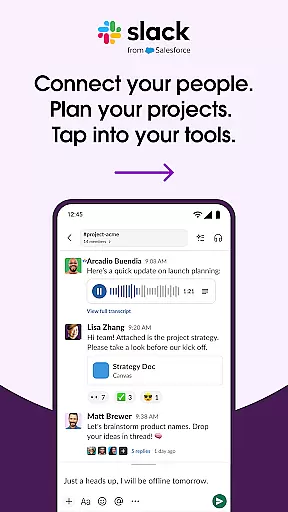
Slack is a comprehensive business communication platform designed to streamline collaboration and enhance productivity. It serves as a centralized hub where teams can seamlessly interact through channels dedicated to specific projects or topics.
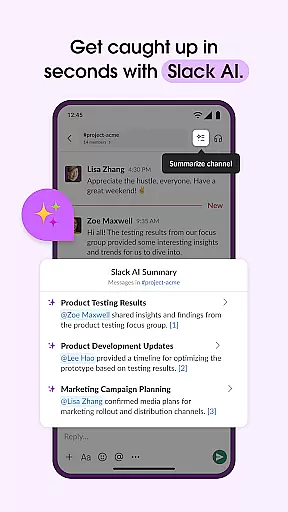
The app offers robust features such as real-time messaging, file sharing, and integration with over 2,600 third-party applications. This makes it an ideal solution for companies looking to consolidate their workflow into one accessible location. Additionally, Slack's AI capabilities provide advanced functionalities like meeting notes transcription and intelligent search.
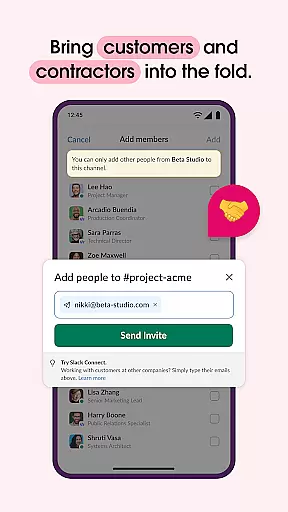
Whether you're coordinating with internal teams or external partners, Slack ensures that all communications are organized and easily accessible. Its ability to support video conferencing and screen sharing further enriches remote work scenarios, making it invaluable for modern businesses.
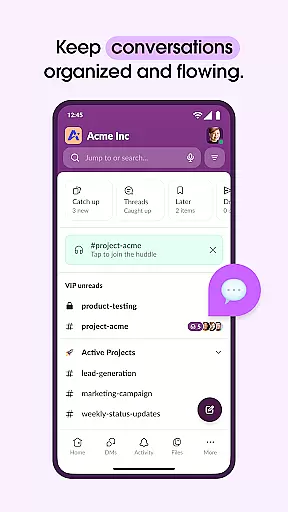
Slack stands out with its versatile feature set tailored for efficient workplace communication. One of its core strengths is the channel-based messaging system, which allows users to create focused discussions around projects, departments, or any relevant topic.
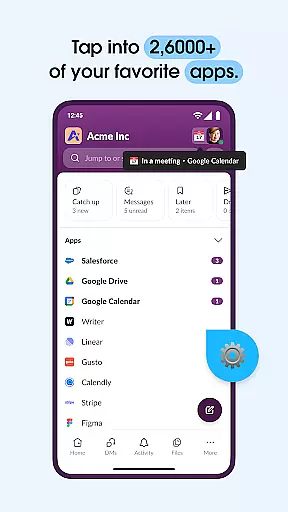
Beyond basic chat functionality, Slack integrates deeply with essential business tools such as Google Drive, Salesforce, and Dropbox. Users can approve requests, manage calendars, and update file permissions without leaving the app. The inclusion of AI-powered search ensures that finding specific files or messages is quick and effortless.
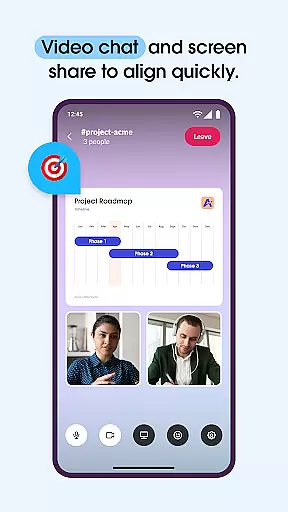
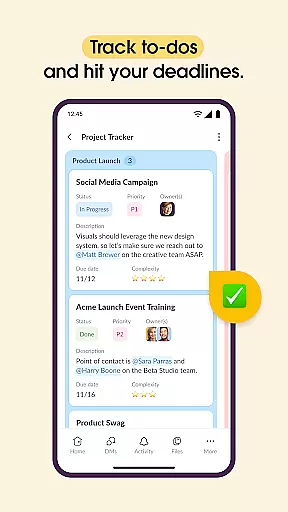
For project management, Slack provides templates and tools to track tasks, assign responsibilities, and map out milestones. Video conferencing and screen sharing capabilities make virtual meetings more interactive and productive. These features collectively contribute to a cohesive and streamlined collaborative environment.
Collaborative work features are essential for modern businesses looking to enhance team productivity and communication. Slack excels in this area by providing a unified platform where teams can seamlessly interact and collaborate.
The application supports real-time messaging, allowing team members to talk things out efficiently. It also offers dedicated channels for every project, ensuring that discussions and files remain organized and accessible. This structured approach helps teams stay focused on their specific tasks and projects.
Beyond text-based communication, Slack enables video chats directly within the platform. Users can share their screens to present and discuss work live, making remote meetings more interactive and engaging. For complex ideas that require more than just typing, users can record and send audio or video clips, ensuring clear and comprehensive communication.
By integrating with over 2,600 apps, including popular tools like Google Drive and Salesforce Data Cloud, Slack ensures that teams can work alongside external partners and access all necessary resources without leaving the platform. This extensive integration capability enhances workflow efficiency and supports cohesive collaboration across different departments and organizations.
Effective task management is crucial for keeping projects on track and ensuring timely delivery. Slack addresses this need by offering a range of features designed to help teams organize, assign, and monitor tasks efficiently.
One of the standout features is the availability of pre-made and customizable templates. These templates set projects up for success by providing a structured starting point, which can be tailored to fit the specific needs of any team or project. This flexibility ensures that all team members are aligned and clear about their roles and responsibilities from the outset.
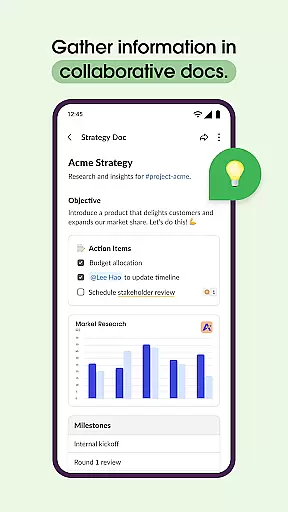
Slack also allows teams to collaborate on shared documents directly within the platform. Whether it's marketing plans or product specifications, these documents live right next to the teamu2019s conversations, streamlining the review and editing process. This proximity of documents and discussions enhances context and clarity, reducing the chances of miscommunication.
In addition, Slack offers project management tools that enable users to track to-dos, assign tasks, and map out milestones. While some advanced features require an upgrade to Slack Pro, Business+, or Enterprise, the core functionality provides robust support for task management, helping teams maintain focus and achieve their goals efficiently.
User-friendly interface
Extensive app integrations
Robust search functionality
Effective team organization
AI-powered assistance
Paid features necessary
Steep learning curve
Occasional bugs
High cost for small teams
Limited free storage

The Penny Puss app with DG penny finder
 4.10
4.10
Create curriculum vitae, a professional cover letter creator and resume designer
4.80
BuildCalc - the easiest AND the most advanced construction calculator app.
4.80
Employee Management Made Easy
4.80
Simple, Fast & Lightweight
3.90
Build a store in minutes with our full suite of AI tools. Start for free!
4.20
Master crypto trading with real-time simulations and exciting challenges!
4.50
Job search app that finds jobs for you! Takes the work out of looking for a job!
4.90
Earn money with the driver & delivery partner app for Uber, UberEats & Postmates
4.60 4.70
4.70
Mobile POS for any business: sales, invoices, retail, restaurants & appointments
4.60
ANDROID'S TOP MOBILE OFFICE - Word, Excel, PowerPoint and PDF at your fingertips
4.50
Manage work life on the go
4.50
The app that lets you deliver with Amazon.
4.50
Deliver and earn money
4.30
All-in-one Mobile solutions for employees & managers to succeed at work
4.30
Formerly Facebook Ads Manager. Manage and create ads on the go.
4.20
All document reader, pdf viewer app, read docs & excel files
3.80
We are a dynamic team of creatives people of design, marketing, web & apps
3.00


User Reviews