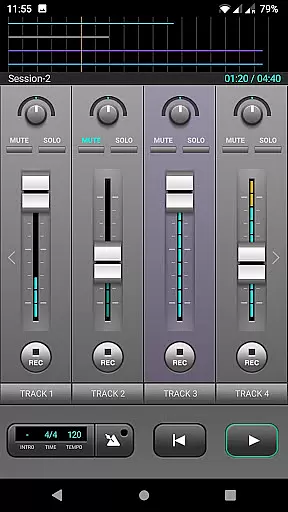
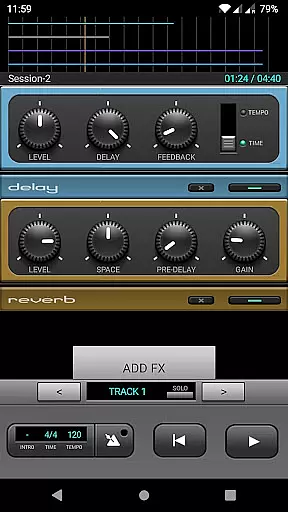
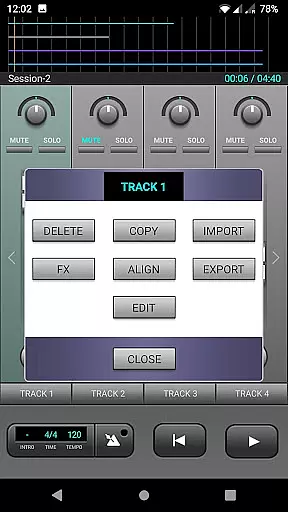
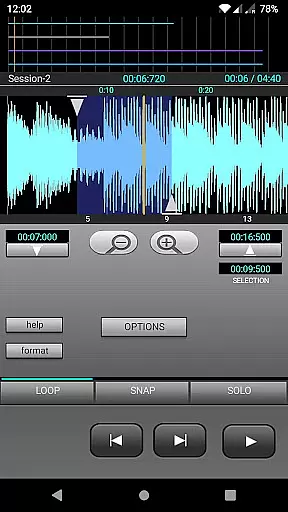
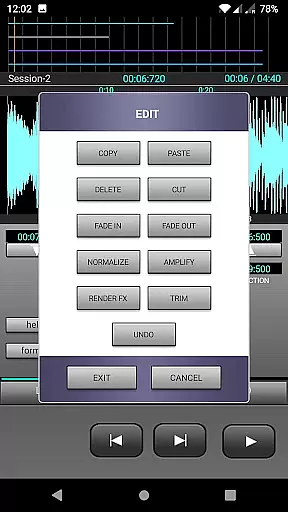
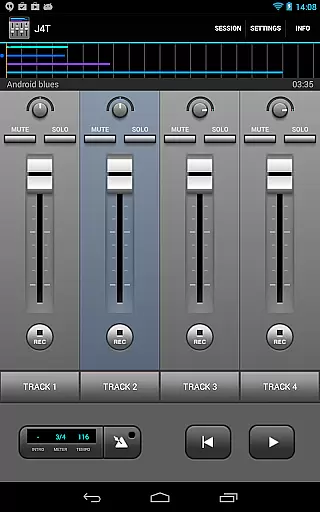
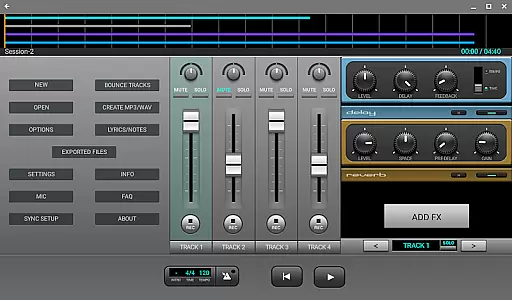
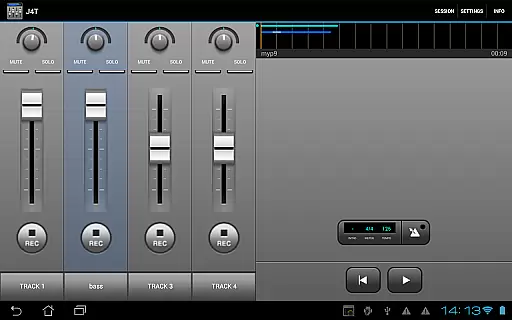
J4T Multitrack Recorder is a versatile 4-track recording app tailored for songwriters and musicians who need to capture their ideas on the go. With support for Android devices, this tool allows users to record, edit, and enhance audio tracks with professional-grade effects.
Key features include four simultaneous recording tracks, a wide range of built-in audio effects such as Fuzz, Chorus, Delay, Equalizer, Reverb, Phaser, and Compressor. The app also supports importing and exporting music files in MP3 and WAV formats, making it ideal for both quick demos and more polished projects.
Whether you're sketching out a new song idea or creating a complete demo, J4T Multitrack Recorder provides an intuitive platform that streamlines the creative process while delivering high-quality results.
The J4T Multitrack Recorder stands out with its comprehensive set of features designed to meet the needs of modern musicians. The app offers four recording tracks, enabling multi-layered compositions that can be edited and refined with precision.
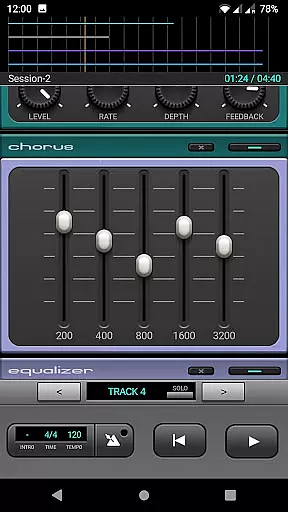
One of the standout aspects is the extensive selection of audio effects. Users can apply Fuzz for distortion, Chorus for depth, Delay for echo effects, Equalizer for tonal balance, Reverb for space simulation, Phaser for sweeping effects, and Compressor for dynamic control. These tools allow musicians to experiment with different sounds and textures.
Additionally, the app supports live monitoring on devices running Android 10 or higher, ensuring real-time feedback during recordings. The ability to import and export MP3/WAV files further enhances workflow flexibility, allowing seamless integration with other music production software.
The J4T Multitrack Recorder offers a versatile platform for musicians to record and edit their music with ease. While the app itself does not come with a pre-loaded music library, it allows users to import and export their own audio files in MP3 or WAV formats. This feature provides flexibility for musicians who want to work with their personal collection of sounds and samples.
Regarding copyright authenticity, the app ensures that users can work within a legal framework by importing only those tracks they have rights to use. This is particularly important for songwriters and creative musicians who need to manage their original content securely. The ability to export tracks also means that artists can share their work while retaining control over the distribution and usage rights.
For musicians focused on creating demos and sound sketches, the J4T Multitrack Recorder provides essential tools without complicating the process with unnecessary features. Its compatibility with standard audio formats ensures that users can integrate their recordings into larger projects or distribute them as needed.
Audio quality is paramount when recording music, and the J4T Multitrack Recorder excels in providing various options to ensure professional-grade output. The app supports high-quality audio recording with effects such as Fuzz, Chorus, Delay, Equalizer, Reverb, Phaser, and Compressor. These effects allow musicians to enhance their recordings with studio-level sound processing.
In addition to its array of audio effects, the J4T Multitrack Recorder supports live monitoring on devices running Android 10 or higher. This feature is crucial for musicians who require real-time feedback during recording sessions. Live monitoring helps in making precise adjustments to the audio, ensuring that the final output meets the desired quality standards.
Track editing capabilities further enhance the audio quality by allowing users to refine their recordings meticulously. Whether it's adjusting levels, applying effects, or trimming clips, the app provides all necessary tools to produce polished and professional-sounding tracks. This focus on audio quality makes the J4T Multitrack Recorder an excellent choice for both amateur and professional musicians.
User-friendly interface
Wide range of effects
Supports MP3/WAV
Live monitoring
Track editing
Limited to four tracks
No MIDI support
Android only
Occasional bugs
Few customization options

Performance-Synthesizer & Multi-Track-Sequencer, polyphonic + multi timbral!
 4.70
4.70
Time Trainer: accurate metronome w tools to help you develop your internal time!
4.20
Save hundreds of dollars for a physical strobe tuner and instead use this app.
4.50
More downloads than any other metronome. Includes drum machine & tempo trainer.
4.80
Learn and play 2M+ music tabs & chords on guitar, ukulele, bass, and more
4.30
The official Sonos app
4.10
Learn the notes on the guitar fretboard fast with this easy and fun app
4.60
Customize Your Favorite Songs and Videos with booster.
4.70
Play your music offline without limits
4.80
Music, News & Sports Radio Tuner App. Tune in Live FM & AM Radio Stations.
4.80
JBL PartyBox APP works with 110/310/710/120/320/520/Encore/Encore 2/Encore Ess 2
4.80
Gorgeous UI, Powerful music Search and Equalizer, the great choice for you!
4.70
Listen radio AM / FM Stations. Live AM / FM Radio App Station. Radio Com.
4.70
The best music and audio player, with beautiful UI, music search and equalizer.
4.60
AI Music Maker: Generate And Compose AI Tunes & AI Songs & AI Music & AI Melody!
4.60
Formerly known as Spotistats! View your top tracks, artists, albums and more!
4.40
The Music Journey in Your Hands
4.30
Turn your Android phone into a professional audio analyser with up to 120 bands.
4.00
The only true audiophile music player with Hi-Fi audio rendering and DSP engine
3.90


User Reviews