
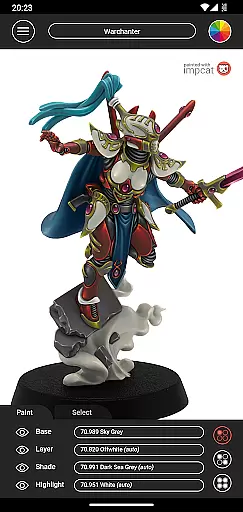
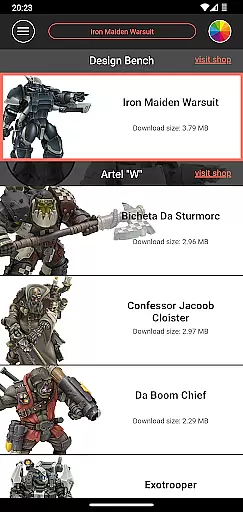
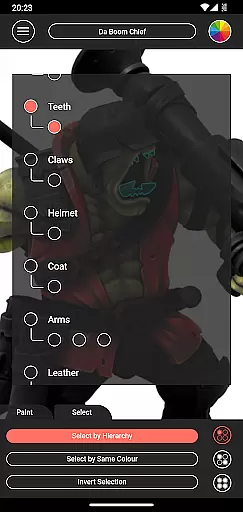
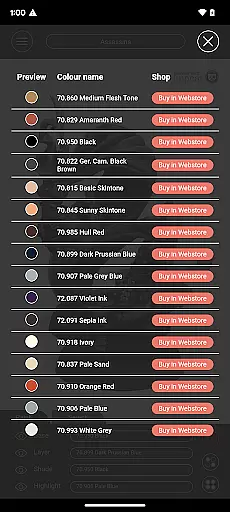
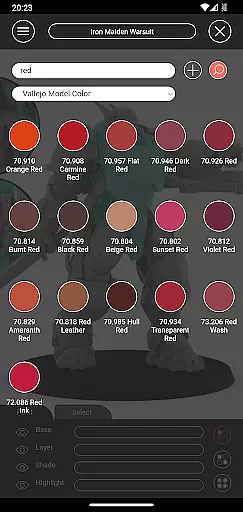
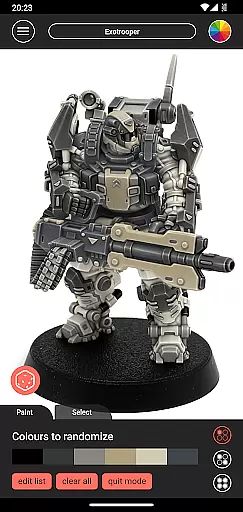
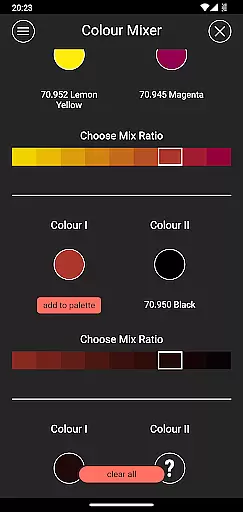
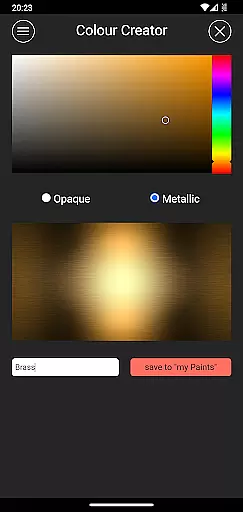
Impcat, short for Interactive Miniature Painting Catalogue, is a sophisticated simulator designed to deliver photorealistic painting results on gaming and tabletop miniatures. This app provides users with a diverse selection of miniature images that can be painted using colors from predefined palettes, which are curated by manufacturers. Impcat simulates a four-step painting process including base coloring, layering, shading, and highlighting, ensuring high-quality outcomes.
With features like built-in miniatures and color palettes, access to free DLCs, complement recommendation mode, photorealistic paint simulation, shopping list generator, color mixer tool, color creator tool, and randomizer tool, Impcat offers an all-encompassing solution for hobbyists and professionals alike. Whether you're looking to experiment with new color schemes or planning your next purchase, this app serves as an invaluable resource in the world of miniature painting.
Impcat boasts an array of advanced features tailored for enthusiasts of miniature painting. The app includes six built-in miniatures provided by Artel "W", alongside extensive color palettes featuring Vallejo Model Color and Vallejo Game Color, totaling 308 colors. Users have access to free DLCs that update automatically with new content, ensuring they always have the latest resources at their disposal.
One standout feature is the complement recommendation mode, which intelligently suggests harmonizing layers, shades, and highlights based on selected base colors. Additionally, tools such as the photorealistic paint simulator, shopping list generator, color mixer, color creator, and randomizer provide comprehensive support for every stage of the painting process. These functionalities not only enhance creativity but also streamline workflow, making Impcat indispensable for both novice painters and seasoned artists.
Customization is at the heart of impcat, allowing users to explore a vast array of miniature painting possibilities. The app provides six built-in miniatures and over 300 color options from popular brands like Vallejo Model Color and Vallejo Game Color.
Users can experiment with different color palettes, applying base colors, layering, shading, and highlighting to achieve photorealistic results. This extensive customization empowers painters to preview how their choices will look before committing to a physical project.
Beyond static options, impcat offers dynamic tools such as a randomizer that distributes colors across models and a recommendation mode for harmonizing layers. These features ensure that every user can find a personalized approach to their miniature painting projects.
While impcat focuses on detailed painting simulations, it also ensures seamless theme compatibility across its platform. Users can access additional content through free DLCs, which include new miniature templates and updated color palettes without any microtransactions.
The app supports integration with external resources by providing direct links to purchase recommended paints via a shopping list generator. This feature bridges the gap between digital simulation and real-world application, enhancing the overall user experience.
Moreover, impcat's interface maintains consistency regardless of the complexity of the project or the number of customizations applied. Whether using built-in assets or creating unique colors with the mixer tool, users enjoy a cohesive and intuitive design language throughout their creative journey.
User-friendly interface
Extensive color library
Automatic updates
Photorealistic simulation
Comprehensive toolset
Limited initial miniatures
No direct painting
Requires internet
Complex for beginners
Specific niche focus

Stunningly Different look with Line Icons and Neon Colors
 4.60
4.60
Fingerprint Lock Screen & Live Animations with 4K Wallpapers as Live Wallpaper
4.40
Transform your phone with Launcher iOS 26 - Smooth & elegant iOS experience
4.50
Make your phone look simple & luxury, like iDevice
4.60
Add cute Shimeji pets to screen, interact with them and relax with cute motions
4.60 4.50
4.50
One 8 icons glass color version
4.80
A minimalist productivity launcher. One-hand-friendly. Zero ads.
4.70
Magic fluids wallpaper 4D: Relax with stunning fluid simulation wallpaper app
4.20
Only for Wear OS devices!
4.90
Wallpaper HD 4K Live - Thousands of high-quality Anime backgrounds for you.
4.80
Zip lock screen with magic wallpaper to decorate your phone with fun zipper lock
4.60
Stylish Pink Cute Hippo keyboard with 10000+ customized keyboard themes!
4.60
Turn text & photos into stunning AI videos, art, and creative visual stories.
4.50
Art & Emoji Keyboard with Cool Fonts, Cute Themes and Custom Designs.
4.40
Transform your device in a game console
4.40
The definitive Icon pack maker and editor
4.30
Customizable flower power digital watch face for Wear OS watches.
4.00
Capture moments that pass like a storm, second by second.
4.3


User Reviews