
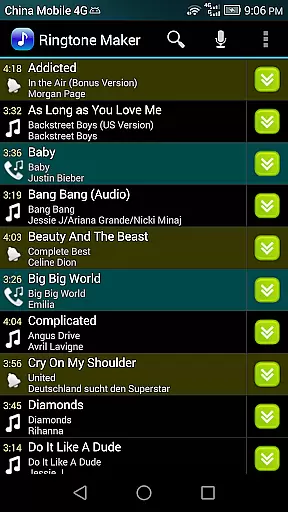
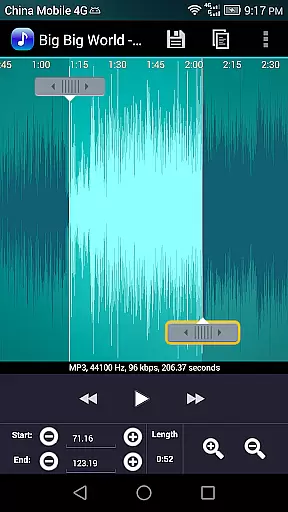
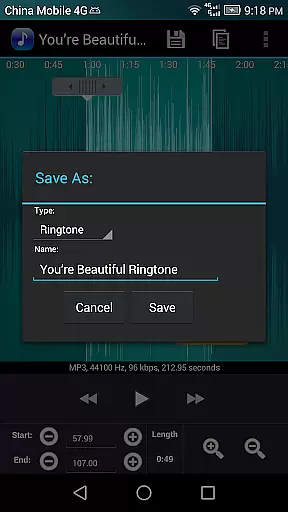
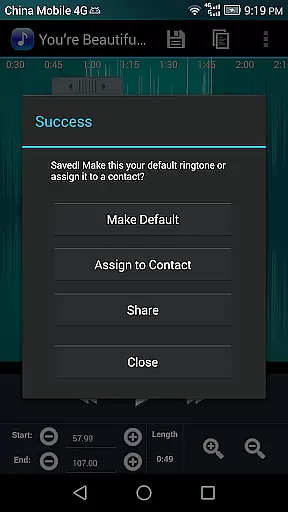
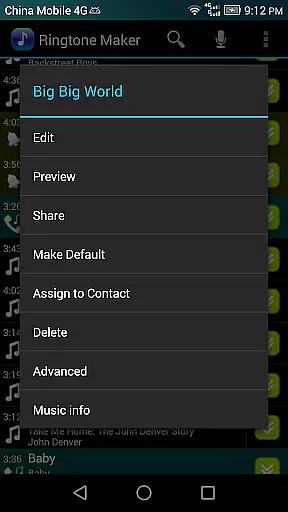
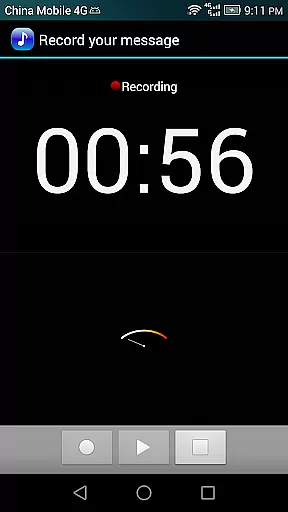
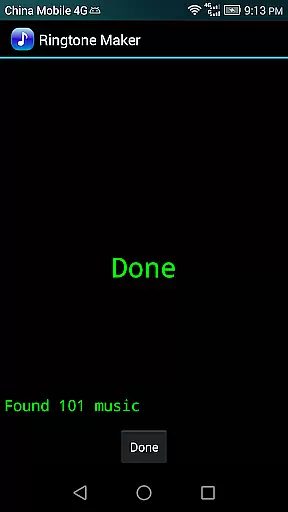
Ringtone Maker Pro is a versatile audio editing tool designed for creating personalized ringtones, alarms, and notifications. This app supports multiple audio formats including MP3, WAV, AAC/MP4, and 3GPP/AMR files, allowing users to customize their audio experience on Android devices.
The app's intuitive interface lets you easily set start and end points by sliding arrows along the timeline or entering timestamps manually. With additional features like fade in/out effects, volume adjustment, and waveform visualization at five zoom levels, Ringtone Maker Pro offers both precision and creativity in audio editing.
Whether you want to assign a unique ringtone to a specific contact or manage your audio library by tracks, albums, or artists, this app provides a complete solution for all your ringtone customization needs.
Ringtone Maker Pro stands out with its comprehensive feature set tailored for audio enthusiasts. The app allows precise editing through manual timestamp entry, a touch-based interface for setting clip boundaries, and an indicator cursor that auto-scrolls the waveform during playback.
Advanced functionalities include fade in/out effects specifically for MP3 files, volume adjustment options, and the ability to preview edited ringtone files before saving. Users can also record new audio clips directly within the app and manage existing ones by copying, cutting, and pasting sections as needed.
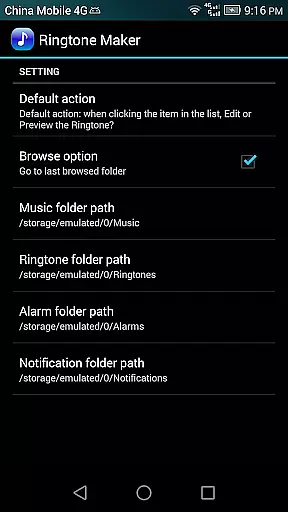
One of the key highlights is the app's organizational capabilities. It enables sorting by tracks, albums, or artists, while also providing dedicated save paths for different audio types (ringtones, notifications, alarms). These features ensure seamless integration into your device's audio system.
Ringtone Maker Pro offers a versatile music library that supports multiple audio formats including MP3, WAV, AAC/MP4, and 3GPP/AMR files. This extensive compatibility ensures users can work with a wide variety of audio sources to create personalized ringtones, alarms, and notifications.
The app's commitment to copyright authenticity is evident in its transparent handling of audio files. Users can legally transform their purchased or personally owned audio tracks into ringtones without infringing on copyright laws. The app does not provide pre-made ringtones but empowers users to use their own authorized content.
With Ringtone Maker Pro, users can be confident they are working within legal boundaries while enjoying creative freedom. The app strictly adheres to proper licensing protocols and provides clear explanations for its permissions and functionalities.
One of the standout features of Ringtone Maker Pro is its robust audio quality options. The app allows precise editing capabilities such as setting start and end points through an intuitive timeline interface. Users can manually adjust these markers or input exact timestamps for unparalleled accuracy in clip selection.
Advanced audio manipulation tools include fade in/out effects specifically for MP3 files, volume adjustment options, and a waveform display with five zoom levels. These professional-grade features ensure that the final output maintains high audio fidelity regardless of the source material.
Furthermore, the preview function lets users test their creations before saving, guaranteeing satisfaction with the audio quality. Once finalized, ringtones can be saved directly to specific directories on the SD card (ringtones, notifications, alarms), maintaining optimal file organization and accessibility.
User-friendly interface
Multi-format support
Precise editing tools
Customizable audio effects
Comprehensive file management
Requires storage permission
Contact access needed
No cloud backup
Limited free version
Occasional ads

Simply convert wav to mp3. Clear. Reliable. Safe.
 4.2
4.2
The Cubase remote control app
3.60
Gorgeous UI, Powerful music Search and Equalizer, the great choice for you!
4.70
The best music and audio player, with beautiful UI, music search and equalizer.
4.60
24,000 free audio books and no ads!
4.90
Make songs with AI! Any genre, custom lyric, song generator for music creation!
4.80
Help you quickly get started with Shokz headphones
4.40
The Minimalistic Premium Music Player. Handmade with passion for music
2.20
Play KORG’s revolutionary touch-based instrument on a variety of devices.
4.40
Tune in to the greatest hits on UK Radio | The home of Capital, Smooth & Heart.
4.90
Performance-Synthesizer & Multi-Track-Sequencer, polyphonic + multi timbral!
4.70
AI Music Maker: Generate And Compose AI Tunes & AI Songs & AI Music & AI Melody!
4.60
Time Guru will strengthen your internal sense of musical time via random muting.
4.30
Learn and play 2M+ music tabs & chords on guitar, ukulele, bass, and more
4.30
Versatile MP3 recorder with auto-backup to Dropbox and Google Drive
4.10
Turn your Android phone into a professional audio analyser with up to 120 bands.
4.00
Sheet music reader, piano & music note player. Play music score & learn to read.
3.90
Offline Tunes, Unlimited Vibes
3.90
MilkDrop for Android TV
3.00


User Reviews