
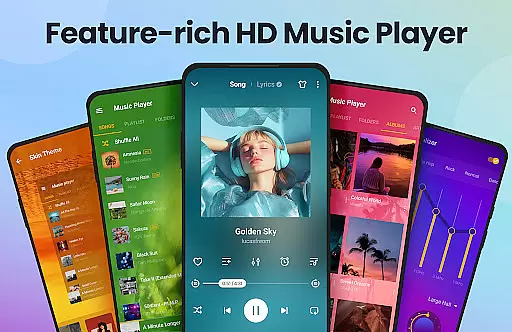
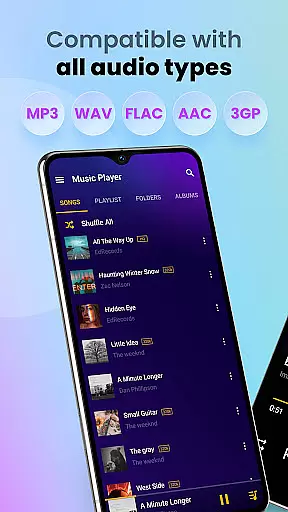
Music Player & MP3 Player is a feature-rich audio player designed for Android users who appreciate high-quality sound and an intuitive interface. This app supports all major audio formats including MP3, MIDI, WAV, FLAC, AAC, and APE, ensuring compatibility with any music file you own.
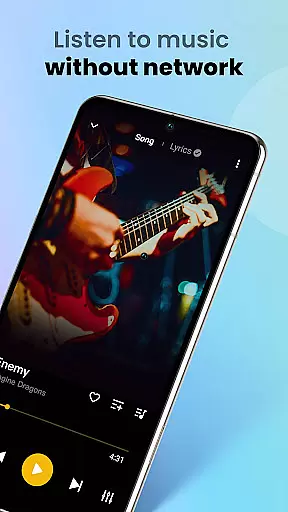
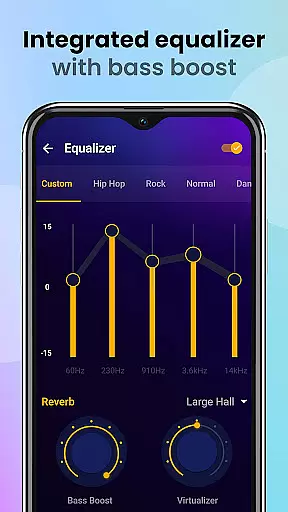
The built-in equalizer offers advanced sound customization options such as bass boost and reverb effects, elevating your listening experience to professional levels. Its offline playback capability allows you to enjoy your music library without internet connection, making it perfect for travel or areas with limited connectivity.
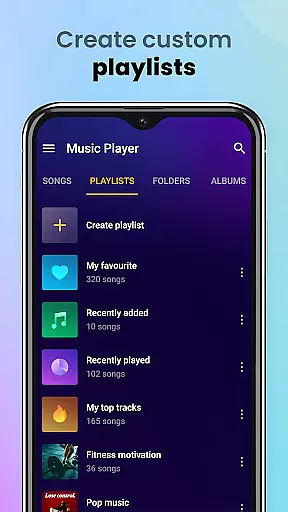
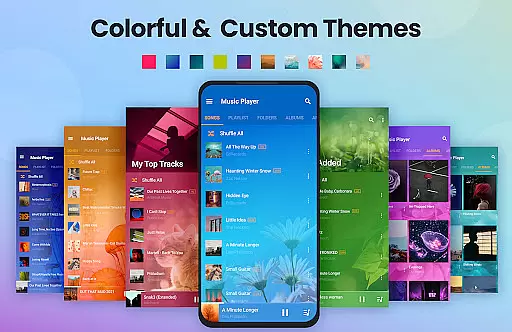
With its sleek design and customizable themes, Music Player provides both aesthetic appeal and practical functionality. Whether you're organizing your music collection, creating playlists, or setting sleep timers, this app caters to all your music management needs while delivering exceptional audio quality.
Music Player distinguishes itself through its comprehensive feature set tailored for audiophiles and casual listeners alike. The powerful equalizer comes with multiple presets and manual adjustment options, allowing users to fine-tune their sound experience with precision.
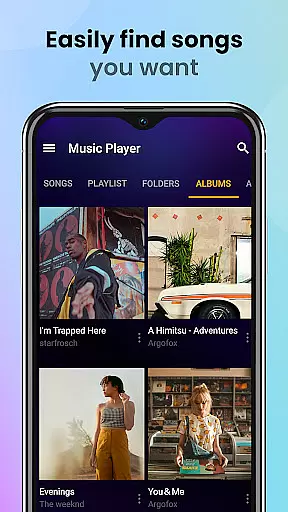
One of the standout features is its universal format support. Unlike many players that limit file compatibility, this app ensures every audio file type plays smoothly in high quality. The automatic scanning function organizes your entire music library efficiently, while smart categorization lets you browse by artist, album, or custom playlists.
Additional functionalities include lock screen controls, widget support, and the ability to set songs as ringtones. These thoughtful additions demonstrate how Music Player combines essential music player capabilities with innovative features that enhance user convenience and enjoyment.
Music Player & MP3 Player offers an extensive music library that supports all major audio formats including MP3, MIDI, WAV, FLAC, AAC, and APE. This ensures that users can enjoy a wide variety of music without worrying about format compatibility.
The application focuses on playing local files, meaning users can access their personal collections seamlessly. While it doesn't provide music downloading capabilities, its support for multiple formats makes it versatile for different types of audio content.
Regarding copyright authenticity, the app emphasizes playing legally owned music files. It respects user ownership and doesn't infringe on copyright laws, ensuring a legitimate music experience.
By supporting high-quality playback and various formats, Music Player & MP3 Player delivers a superior listening experience while maintaining legal integrity.
One of the standout features of Music Player & MP3 Player is its powerful equalizer, which includes bass boost and reverb effects. These tools allow users to customize their audio experience according to their preferences, enhancing sound quality significantly.
The app supports high-quality audio playback across all supported formats. Whether you're listening to lossless FLAC files or compressed MP3s, the player ensures that the audio output remains clear and rich in detail.
Users can choose from various playback modes such as shuffle, order, or loop, giving them control over how they listen to their music. Additionally, lock screen controls and notification bar playback make it convenient to manage music on the go.
With stylish themes and customizable layouts, users can tailor the visual aspect of the player to match their desired audio experience, making Music Player & MP3 Player both a functional and aesthetic choice.
User-friendly interface
High-quality audio playback
Extensive format support
Powerful equalizer options
Offline playback capability
No cloud streaming option
Limited social sharing
Basic playlist management
Occasional UI lag
No lyrics display

Save hundreds of dollars for a physical strobe tuner and instead use this app.
 4.50
4.50
Music Streaming suite for Ampache, Nextcloud Music and compatible backends.
4.0
The alternative folder based music player.
4.20
Recording studio w/ 10k beats, pro vocal FX and a network of 20M rappers & fans!
4.60
Unleash your creativity! Turn simple prompts into full fledged songs.
4.70
Play your hearts out on TouchTunes jukeboxes & connect with fellow music lovers.
4.80
Make songs with AI! Any genre, custom lyric, song generator for music creation!
4.80
Powerful 10-Band equalizer pro with sound booster improves Android audio quality
4.30
Play your music offline without limits
4.80
Full-featured, High-Quality Groovebox Workstation, perfect for Live Performance!
4.80
Performance-Synthesizer & Multi-Track-Sequencer, polyphonic + multi timbral!
4.70
Gorgeous UI, Powerful music Search and Equalizer, the great choice for you!
4.70
Pay Once, no monthly payment
4.60
Visualize the guitar fretboard, master scales & play through changes like a pro!
4.50
Full featured mp3 and audio player with Chromecast and Android Auto support.
4.40
No wifi music app. Mp3 offline. Tuner radio, young radio music. Music downloader
4.20
Background pads for your band
3.80
Powerful beat maker & DJ mixer to remix tracks, make music, & perform DJ mix
3.70
Simply convert wav to mp3. Clear. Reliable. Safe.
4.5


User Reviews