
SMS Backup & Restore Pro is a premium Android application designed for secure backup and restoration of SMS, MMS messages, and call logs. This tool ensures that users can create encrypted copies of their communication data, which can be stored locally or uploaded to cloud services like Google Drive, Dropbox, and OneDrive.
With advanced features such as WebDAV support, scheduled backups, and the ability to select specific conversations for backup, this app offers a comprehensive solution for managing personal communication records. Its capability to transfer data between devices over WiFi Direct makes it especially useful when upgrading phones.
The app's independence from Android versions allows seamless transfers across different devices. Users can also free up space on their devices by deleting messages after backing them up. The online viewer feature provides convenient access to backup contents from any computer, enhancing accessibility and convenience.
This application stands out with its robust set of features tailored for efficient data management. It supports compression and encryption of backups, ensuring security and reducing storage space requirements. The option to use WebDAV as a backup location adds flexibility in where users can store their data securely.
Users benefit from automatic scheduled backups, selective conversation restoration, and fast WiFi Direct transfers between devices. These features collectively ensure that users have control over what gets backed up and when, while also facilitating easy migration of data across devices. Additionally, the app's integration with cloud services means backups are not only local but also remotely accessible.
Another notable feature is the XML format backup, which can be viewed on any computer through an online viewer. This transparency allows users to verify their backups without needing to restore them on a mobile device. Such functionality underscores the app's commitment to user empowerment and data integrity.
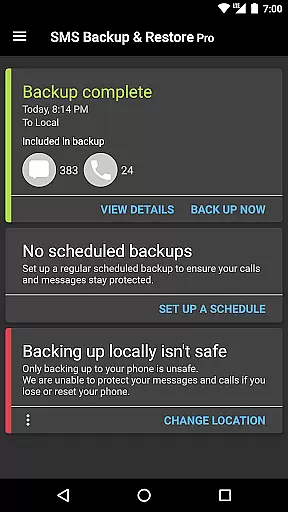
SMS Backup & Restore Pro excels in its core functionality by providing reliable backup and restore solutions for SMS, MMS messages, and call logs. The app creates XML format backups that are both comprehensive and versatile.
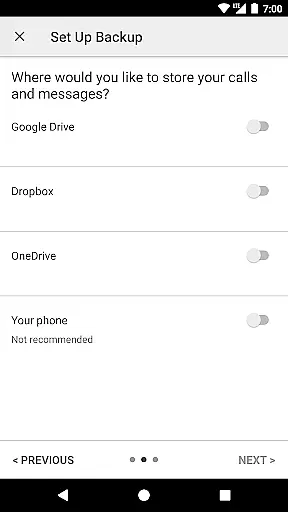
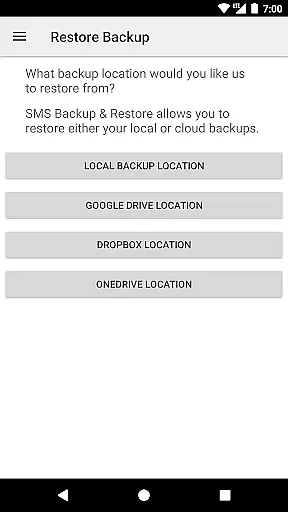
Users can choose to store these backups locally on their device or take advantage of automatic uploads to popular cloud services like Google Drive, Dropbox, and OneDrive. This ensures that data is not only preserved but also easily accessible across multiple platforms.
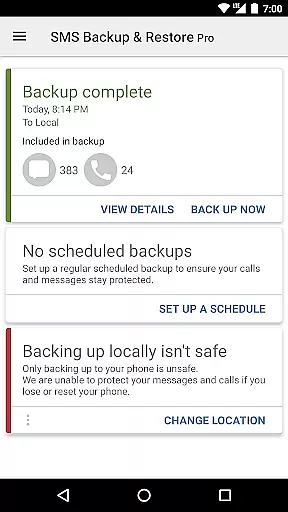
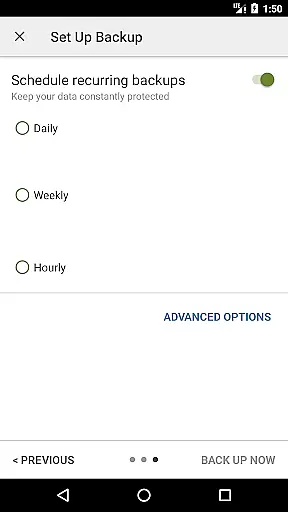
The ability to encrypt and compress backups adds an extra layer of security and efficiency. With scheduled backups, users can automate the process, ensuring their data is consistently protected without manual intervention.
This reliability translates into peace of mind for users who know their valuable communication history is safely stored and readily available for restoration when needed.
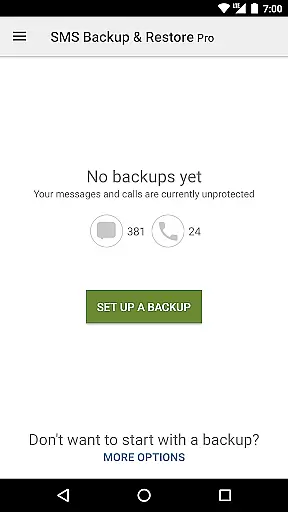
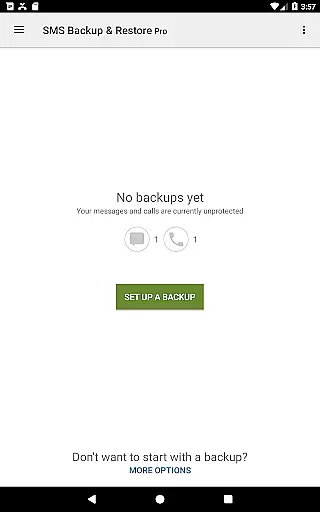
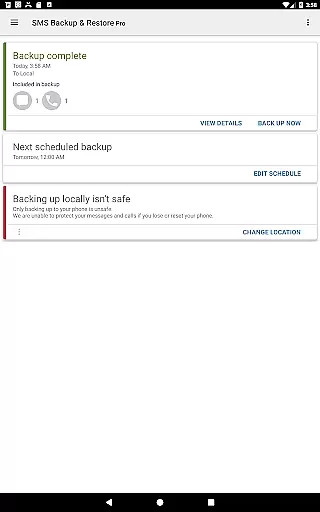
The interface of SMS Backup & Restore Pro is designed with user-friendliness in mind. Even those new to data management tools will find it easy to navigate through the app's straightforward layout.
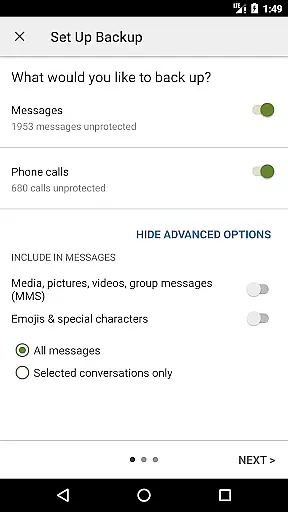
Key features such as selecting specific conversations for backup or restore, viewing detailed backup contents, and searching within backups are all presented clearly. This intuitive design allows users to manage their message archives efficiently without a steep learning curve.
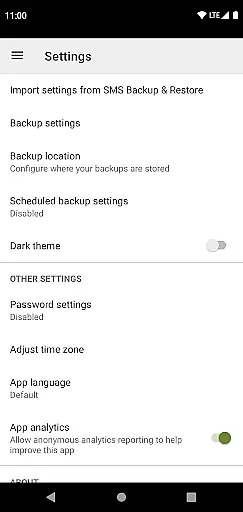
Additionally, advanced options like WebDAV support and encryption settings are integrated seamlessly into the interface, maintaining simplicity while offering powerful capabilities. These elements ensure that both casual users and tech-savvy individuals can utilize the full potential of the app.
Overall, this balance between simplicity and functionality makes SMS Backup & Restore Pro an ideal choice for anyone looking to safeguard their mobile communications effectively.
Secure backup encryption
Flexible cloud integration
Efficient WiFi Direct transfer
Scheduled automatic backups
User-friendly interface
No iOS compatibility
Paid version only
Requires existing backups for restores
Limited to developer-created backups
Permissions needed for full functionality

 4.50
4.50
Transfer Files, APK from Phone to Watch & Install.
4.5
Extremely fast, secure, and protects your privacy
4.80
Remote for Roku, Fire TV, Samsung TV, LG TV, Android TV, Chromecast and VIZIO TV
4.20
App that Recover your pictures, videos or files after you delete them.
4.20
Keep track of your Palia friendships, tasks, and inventory with Palia Notebook
4.60
With videos, electrical calculators, and built-in ebook, Ugly’s has your answer.
4.50
Enjoy a smooth mobile reading experience!
3.60
Enhance your Beats
3.70
Unit and currency converter with easy and simple UI.
4.80
eXtended Permission Manager - a small app to manage permissions and AppOps
4.50
PC precision for mobile gaming: dominate with keyboard and mouse!
4.30
Signal Strength, Mobile, Wifi, Speed Test, Bad Signals, Cellular, 5G, LTE, 4G
4.20
MS-DOS in your pocket. Play old DOS games anywhere you are ;)
4.10
View detailed information about your Nissan Leaf the dealer never shows you.
4.10
Detect hidden spy camera with advanced scanning {{ Premium version }}
4.00
Introducing Smart Printer, your ultimate destination for printing solutions!
4.00
This app unlocks the Pro features of the Central for DayZ app
3.60
card-reader app
2.20


User Reviews