
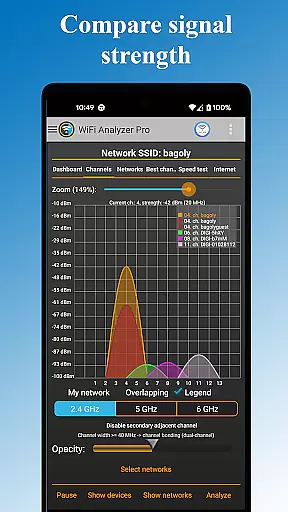
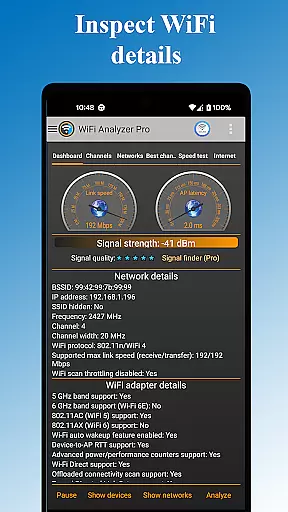
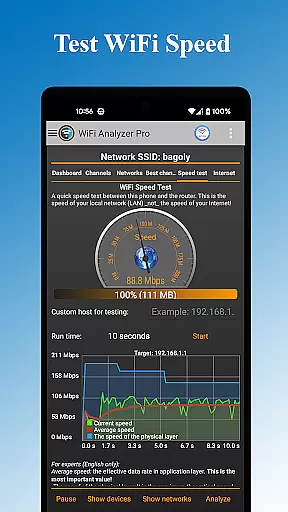
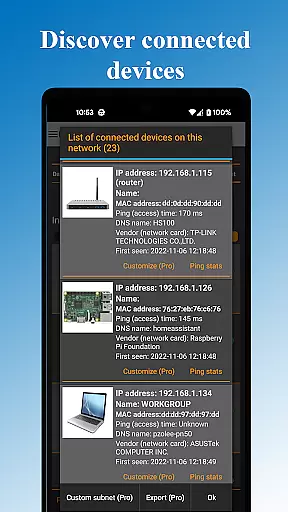
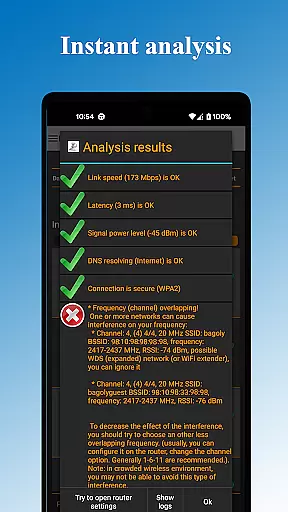
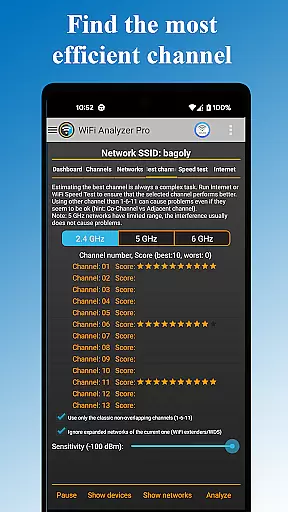
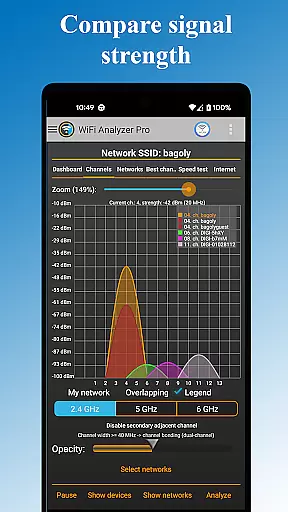
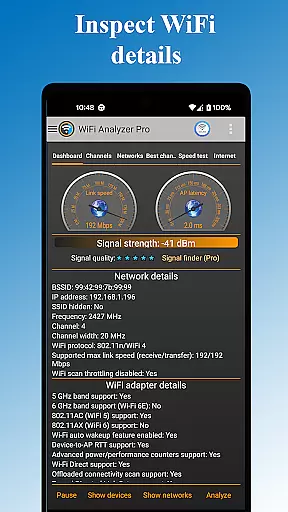
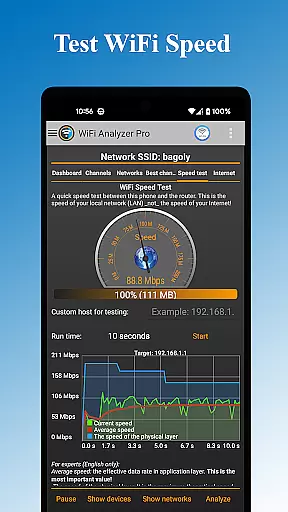
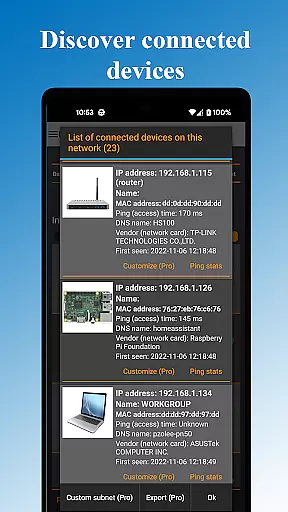
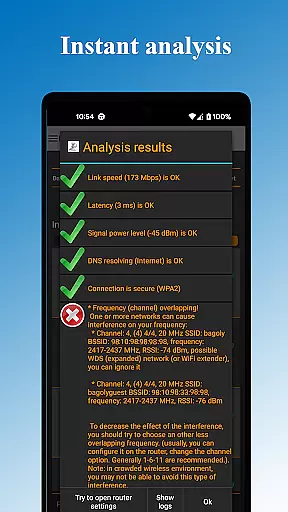
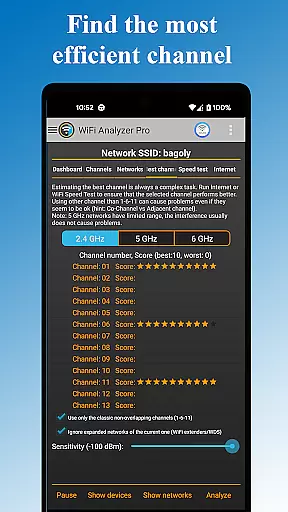
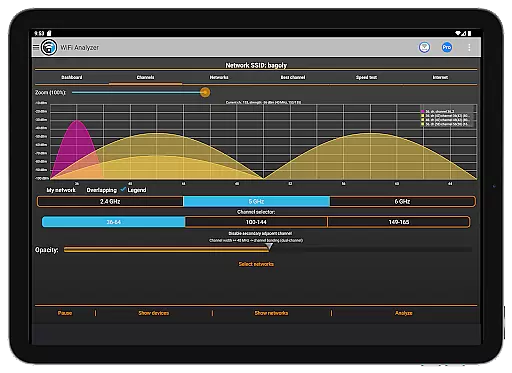
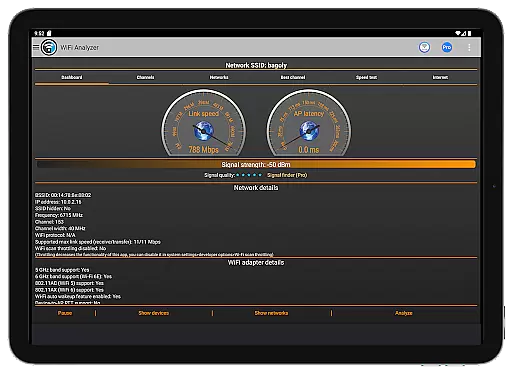
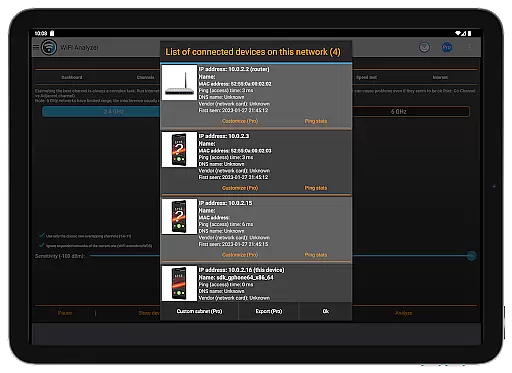
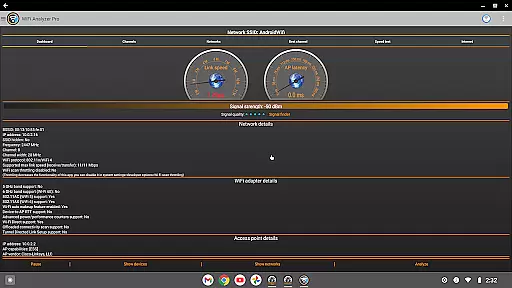
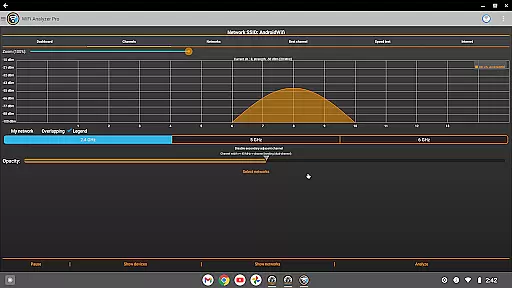
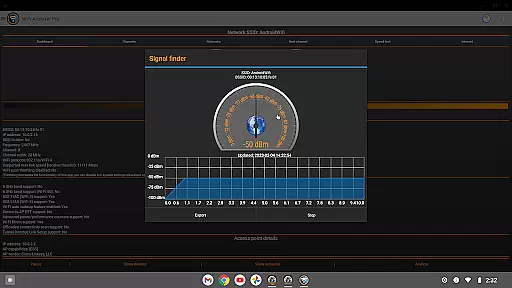
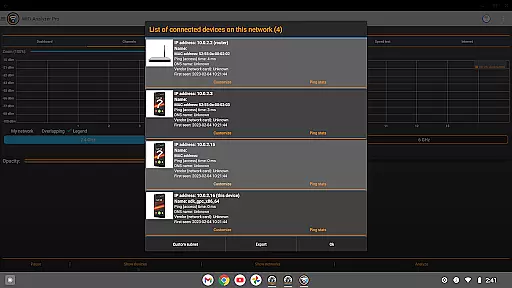
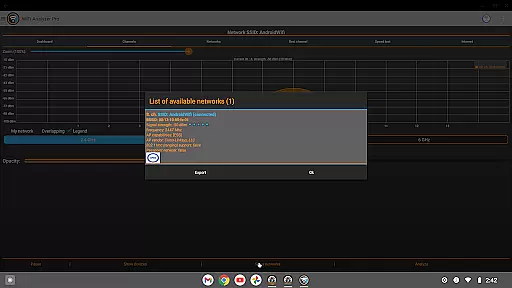
WiFi Analyzer Pro is a powerful network optimization tool designed to help users maximize their WiFi performance. The app provides detailed analysis of your wireless network, identifying the best router placement and channel settings for optimal speed and stability.
This professional-grade tool offers advanced features like device scanning, signal strength monitoring, and network security checks. Whether you're troubleshooting connectivity issues or setting up a new network, WiFi Analyzer Pro delivers the insights needed to create a robust and secure wireless environment.
With support for both 2.4GHz and 5GHz bands, this application is particularly valuable for home users and IT professionals who need to optimize their network infrastructure while maintaining security and performance standards.
WiFi Analyzer Pro stands out with its comprehensive feature set that addresses multiple aspects of network management. The app's signature capability lies in its detailed network scanning functionality, which can detect all connected devices and analyze surrounding WiFi networks.
Users benefit from advanced diagnostic tools including signal strength measurement, latency testing, and DNS verification. The app also provides expert-level recommendations for channel optimization and router placement, helping to avoid interference from neighboring networks. Its ability to export detailed network reports makes it especially useful for professional network administrators.
The premium version removes all advertisements and includes enhanced capabilities such as customized device recognition, extended network scanning, and direct log sharing with internet service providers. These features make WiFi Analyzer Pro a complete solution for both casual users and networking professionals.
WiFi Analyzer Pro excels in delivering accurate and effective core functionalities that are essential for optimizing your WiFi network. The app provides detailed insights into your network's performance by analyzing signal strength, latency, and channel congestion. This ensures that users receive precise data to make informed decisions about their WiFi setup.
The application goes beyond basic network scanning by offering advanced features such as detecting all devices connected to your network and identifying potential security issues. With support for both 2.4 GHz and 5 GHz bands, it gives a comprehensive overview of your wireless environment. These capabilities allow users to pinpoint problems like unauthorized access or interference from neighboring networks.
One of the standout aspects is its ability to recommend the best channel for optimal connection speed. By evaluating various parameters including frequency, channel width, and security levels, it suggests improvements that can significantly enhance network performance. Such actionable recommendations empower users to take control of their network settings without needing expert knowledge.
Overall, WiFi Analyzer Pro's commitment to accuracy and effectiveness makes it an indispensable tool for anyone looking to maximize their WiFi potential while maintaining robust security measures.
A key strength of WiFi Analyzer Pro lies in its simple and intuitive interface, which caters to users regardless of their technical expertise. The design prioritizes ease of use, ensuring that even beginners can navigate through the app effortlessly. Clear visualizations and straightforward menus help demystify complex network information, making it accessible to everyone.
The app employs several charts and graphs to present data on signal strength, latency, and network devices. These visual tools simplify the interpretation of intricate details, allowing users to quickly grasp their network status at a glance. Additionally, features like dark or light theme options enhance user comfort by providing customizable viewing experiences tailored to individual preferences.
Advanced filtering options further augment the intuitiveness of the interface. Users can apply filters based on SSID, WiFi band, or overlapping channels to focus on specific aspects of their network. This targeted approach not only streamlines troubleshooting but also aids in identifying areas for improvement more efficiently.
By combining powerful functionality with an easy-to-use interface, WiFi Analyzer Pro ensures that optimizing your WiFi network is both effective and enjoyable, eliminating the need for extensive technical know-how.
User-friendly interface
Comprehensive network analysis
Advanced security features
Detailed device information
Professional reporting tools
Paid subscription required
Technical knowledge needed
Location service dependency
Limited free features
Occasional scanning delays

 4.50
4.50
Complete kernel toolbox with features to manage and tweak your rooted device
4.30
MS-DOS in your pocket. Play old DOS games anywhere you are ;)
4.10
The one-and-only remote control for PC, Mac, and Linux
4.70
Remote Play with FSR upscaling, low latency & full controller support
4.80
Pro Emulator is an easy to use game console emulator for a range of consoles.
4.40
Creation, Learning, Entertainment & More — The All-in-One AI Search Engine
4.70
Mobile Security with Scam Protection | Malware & Virus Cleaner | Safe Browser
4.70
Enhance your Beats
3.70
Learn the vast amount of system information about device and monitor it's state
4.70
Canon PRINT is a companion app for your Canon printer.
4.60 4.50
4.50
Head tracking for PC sim games such as MSFS 2024 or Elite:Dangerous. No headset!
4.50
Universal TV remote control all TVs, Roku, LG, Samsung, Fire, Vizio, Sony, TCL.
4.40
Making emulation easy for everyone!
4.30
Carry a FTP server in your pocket and avoid USB cables for file transfer
4.20
Family Locator, Share location, StayConnect with your family in real time
3.90
Safely recover deleted photos, videos, and files with a single easy tap.
3.70
Unlock your Essential Key. Create custom shortcuts to your favorite apps!
4.2


User Reviews