
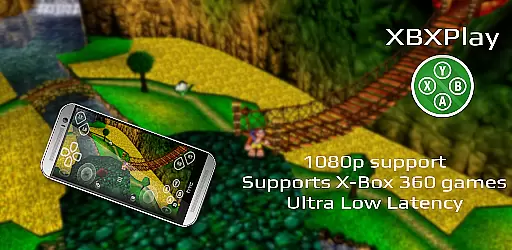
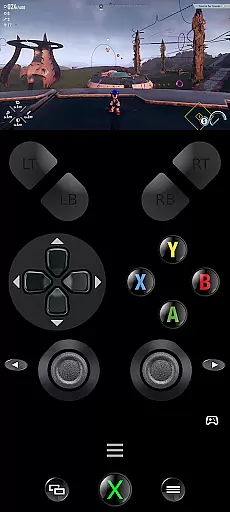
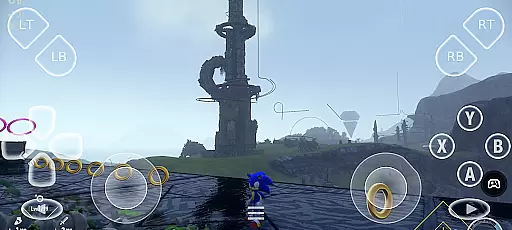
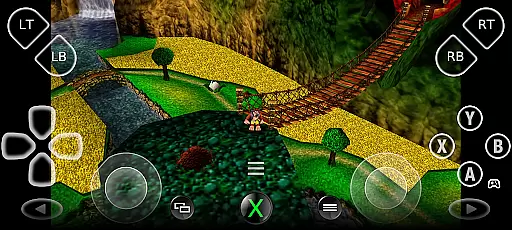
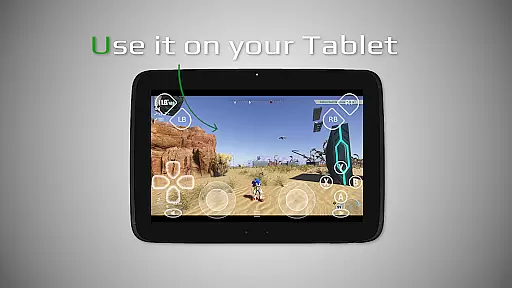
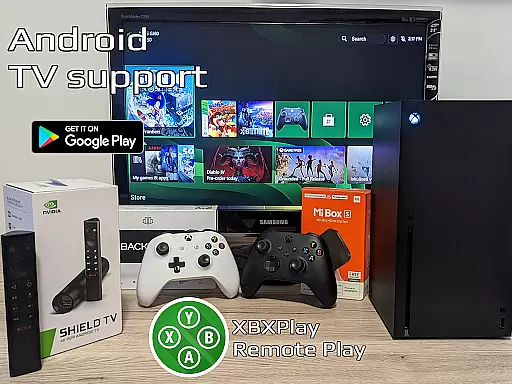

XBXPlay is a powerful remote control application designed specifically for X-Box Series X/S, X-Box One (X/S), and even X-Box 360 consoles. The app allows users to stream their favorite games in 1080p resolution while away from home, offering an optimized low-latency experience. It supports third-party controllers, mobile data connections, and customized onscreen gamepad layouts, ensuring maximum flexibility and convenience.
One of the standout features of XBXPlay is its ability to provide a seamless streaming experience with advanced functionalities such as manual bitrate adjustments, fullscreen support, and gamepad button mapping. Additionally, it offers unique capabilities like Picture-In-Picture mode and Multi-Window support, making it a versatile tool for gamers who demand high performance and customization options.
This app is particularly useful for gamers who want to play remotely without sacrificing quality or responsiveness. Whether you're using a physical controller or relying on the touch-optimized onscreen layout, XBXPlay ensures that your gaming sessions remain smooth and immersive.
XBXPlay stands out due to its extensive feature set tailored for both casual and hardcore gamers. The app supports 1080p streaming, which is crucial for maintaining visual clarity during gameplay. Unlike the official X-Box Remote Play app, XBXPlay also allows users to play X-Box 360 games, expanding the range of compatible titles significantly.
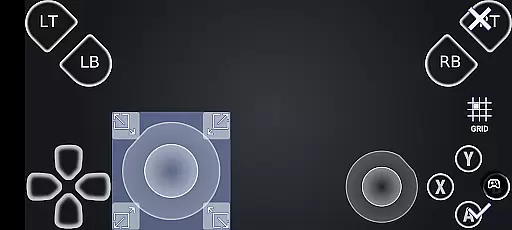
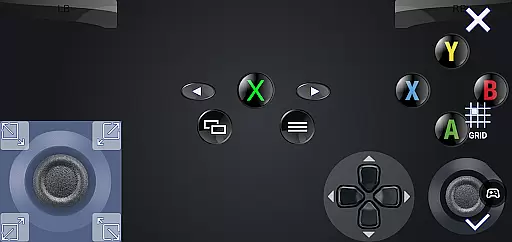
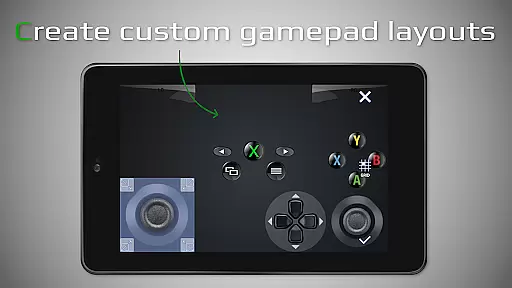
Another key aspect of XBXPlay is its customizable onscreen gamepad layout. Users can create personalized configurations that suit specific games, enhancing their overall gaming experience. The app also includes advanced settings such as manual bitrate adjustments and native USB-OTG support, providing greater control over the streaming process.
Furthermore, XBXPlay offers innovative features like Picture-In-Picture mode and Multi-Window support, allowing users to multitask efficiently. These functionalities, combined with its optimization for low latency streaming, make XBXPlay a top choice for gamers seeking a reliable and flexible remote play solution.
XBXPlay delivers exceptional core functionality by enabling seamless remote control of X-Box consoles, including the X-Box Series X/S and X-Box One. The app supports 1080p streaming with minimal latency, ensuring that users can enjoy their favorite games without performance hiccups.
One standout feature is its compatibility with third-party controllers and mobile data connections, allowing for flexible gameplay options. Additionally, XBXPlay supports X-Box 360 games, expanding the range of playable titles. This versatility ensures that users can access a wide variety of gaming experiences without limitations.
The app also offers customizable onscreen gamepad layouts, catering to individual preferences and enhancing user comfort during extended play sessions. With full support for manual bitrate adjustments and fullscreen mode, XBXPlay optimizes both video quality and display usage, providing an immersive experience.
By integrating advanced features like USB-OTG support and Picture-In-Picture mode, XBXPlay ensures that users have a reliable and convenient tool for managing their gaming activities. These capabilities make it a powerful solution for gamers seeking high-performance remote play options.
XBXPlay excels in offering an intuitive and user-friendly interface, designed to simplify the remote gaming experience. The app's layout is optimized for ease of use, ensuring that even newcomers can quickly navigate through its features without a steep learning curve.
With customizable onscreen gamepad controls, users can tailor the interface to match their preferred play style. This flexibility enhances the overall usability of the app, making it accessible to a broad audience. Furthermore, the inclusion of touchscreen controls allows users to play without a physical gamepad, broadening the accessibility of the platform.
The app supports multi-window functionality and Picture-In-Picture mode, which are particularly useful for multitasking or monitoring other applications while gaming. These features contribute to a more dynamic and engaging user experience, keeping players connected to their digital environments.
Overall, XBXPlay combines powerful functionality with an approachable design, ensuring that users can focus on enjoying their games rather than struggling with complex settings. Its thoughtful design prioritizes user satisfaction, making it a top choice for remote console management.
Supports 1080p streaming
Customizable gamepad layout
Low latency optimization
Picture-In-Picture mode
Multi-Window functionality
No microphone input support
Requires stable internet
High hardware demands
Limited firmware compatibility
Third-party app risks

PDF Reader - Document Viewer: Read, Manage & Organize Your Documents
 3.10
3.10
Fluid navigation gestures for all of us!
4.30
This app unlocks the Pro features of the Central for DayZ app
3.60
eXtended Permission Manager - a small app to manage permissions and AppOps
4.50
Keep track of your Palia friendships, tasks, and inventory with Palia Notebook
4.60
Best leveling tool for your Android device. Hang paintings like a pro.
4.90
With videos, electrical calculators, and built-in ebook, Ugly’s has your answer.
4.50
Remote Play with FSR upscaling, low latency & full controller support
4.80
Pro Emulator is an easy to use game console emulator for a range of consoles.
4.40
Connect wirelessly to your computer to watch movies, browse the web, play games
5.00
Easily install aab(Android App Bundle) files on your Android device with our app
4.80
The Ultimate Flex Drivers Utility App - Convenient Tapping & Block Filters
4.70
Connect instantly to a fast, encrypted VPN with one tap
4.60
Planner and Tracker for Stardew Valley
4.60
Quickly check the frequency of the Earth
4.30
Carry a FTP server in your pocket and avoid USB cables for file transfer
4.20
MS-DOS in your pocket. Play old DOS games anywhere you are ;)
4.10
A simple app to back up and restore SMS & MMS messages and call logs.
4.10
card-reader app
2.20


User Reviews