
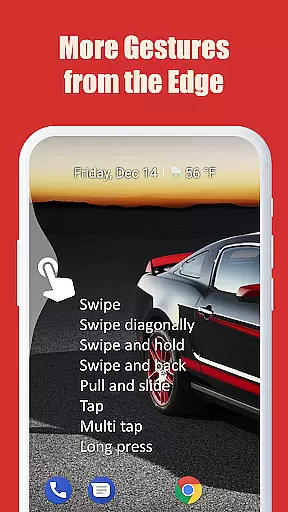
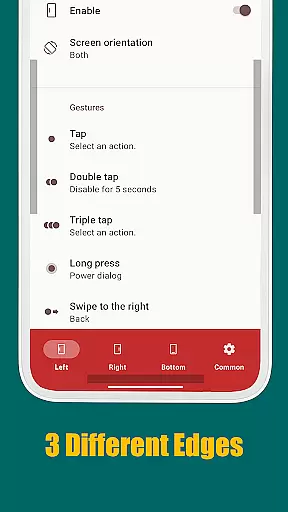
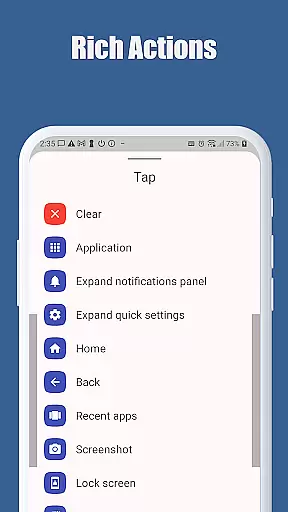
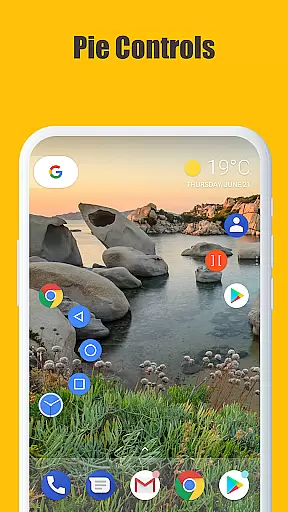
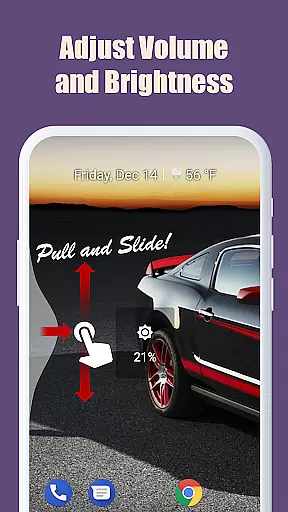
Edge Gestures is a powerful tool designed to enhance your device's usability through intuitive screen edge gestures. With support for various gesture types, including tap, swipe, and pie controls, this app allows you to execute commands quickly and efficiently. Whether you need to launch an application, adjust brightness, or toggle split-screen mode, Edge Gestures has got you covered.
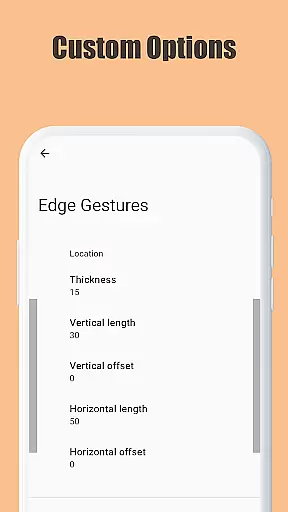
The app stands out with its customizable edge areas, enabling users to define the thickness, length, and position of the gesture zones. This flexibility ensures that the gestures do not interfere with other on-screen activities. Additionally, Edge Gestures requires minimal permissions, ensuring user privacy and security while delivering a seamless experience across Android 6.0 or higher platforms.
One of the standout features of Edge Gestures is its extensive range of supported actions. From launching applications to controlling media volume, the app provides a comprehensive suite of functionalities accessible via simple gestures. The inclusion of pie controls adds another layer of convenience, allowing users to perform multiple actions from a single touchpoint.
Customization is at the heart of Edge Gestures. Users can tailor the edge area to their preference, ensuring that gesture recognition is both accurate and unobtrusive. Furthermore, the app leverages accessibility service APIs to deliver advanced features like expanding notifications, quick settings, and system navigation controls. These capabilities are implemented with utmost care for user privacy, as the app only processes information necessary for executing the intended actions.
Edge Gestures provides a reliable and efficient gesture-based navigation system that transforms the way users interact with their devices. The app supports a wide range of gestures including taps, swipes, and holds, each precisely mapped to specific actions.
The application ensures accurate execution of commands such as launching apps, controlling soft keys, expanding the status bar, and more. These functions are implemented using accessibility service APIs, which guarantee seamless interaction with the Android system.
Users benefit from consistent responsiveness and intuitive controls that make device navigation faster and more convenient. The precision in detecting gestures and executing corresponding actions enhances overall user experience.
With its robust functionality, Edge Gestures delivers an effective solution for streamlining daily tasks through simple edge-based gestures, significantly boosting productivity without compromising on accuracy.
The interface design of Edge Gestures emphasizes simplicity and ease of use, ensuring that even novice users can quickly adapt to the new navigation method. Customizable edge areas allow users to adjust thickness, length, and position according to personal preference.
Each gesture type is straightforward and easy to remember, minimizing the learning curve typically associated with adopting new technologies. Clear visual cues guide users through setting up their preferred gestures and corresponding actions.
This focus on intuitive design extends to the customization options available within the app. Users have the flexibility to tailor settings without being overwhelmed by complex configurations or unnecessary features.
By maintaining a clean and minimalistic interface, Edge Gestures ensures that users enjoy a hassle-free experience while benefiting from advanced functionalities designed to simplify interactions with their devices.
Highly customizable
Wide range of gestures
Minimal permissions required
Enhances productivity
User-friendly interface
Limited to Android 6.0+
May require practice
Some features need accessibility permission
Not all gestures work in every app
Potential learning curve

pdf merge, word to pdf, jpg to pdf, edit pdf, convert to pdf and much more!
 4.20
4.20
Learn the vast amount of system information about device and monitor it's state
4.70
Unlock your Essential Key. Create custom shortcuts to your favorite apps!
4.3
Safely recover deleted photos, videos, and files with a single easy tap.
3.70
Forza Tuning Calculator App for Forza Horizon 5, Motorsport and Earlier Titles
4.40
Detect hidden spy camera with advanced scanning {{ Premium version }}
4.00
The ultimate tool for network analysis, wifi scanning and problem detection.
4.90
Screen Mirroring with sound for Samsung TV, LG TV, Sony TV, Smart TV and Browser
4.20
Clean up your phone, find files, play media, and share files offline
4.50
Enjoy smooth gameplay with Game Booster
4.90
Navigate with Ease and Style
4.90
Remote Play with FSR upscaling, low latency & full controller support
4.80
Planner and Tracker for Stardew Valley
4.60 4.50
4.50
Game Booster, GFX Tool is now compatible with newer game update
4.50
Fluid navigation gestures for all of us!
4.30
Signal Strength, Mobile, Wifi, Speed Test, Bad Signals, Cellular, 5G, LTE, 4G
4.20
Create your own live wallpaper or check out thousands already made presets
3.90
Undelete and recover your lost or deleted files with DiskDigger!
3.40


User Reviews