
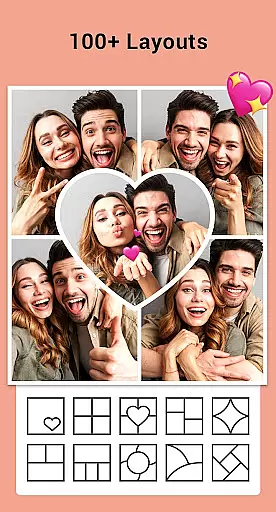

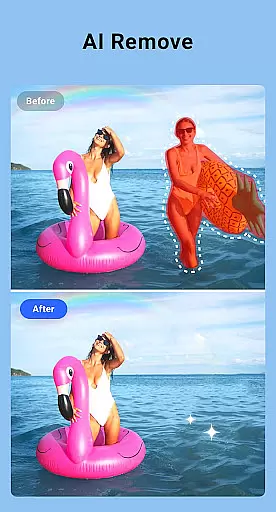
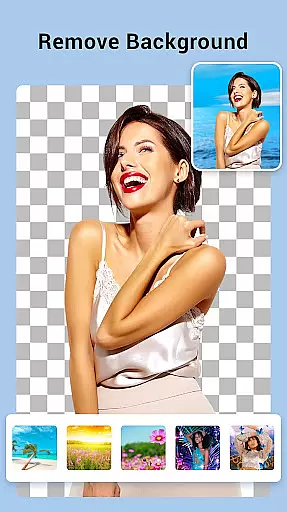
Collage Maker is a versatile photo collage and editing app designed for creative enthusiasts. The core functionality allows users to combine multiple photos into stunning collages using various layouts, grids, and customization options. With over 100 layout templates, users can create visually appealing designs while leveraging advanced features like AI Photo Enhancer to transform low-quality images into HD masterpieces.
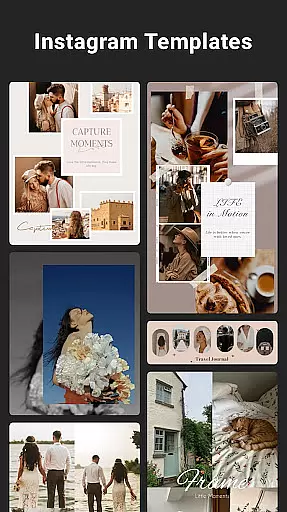
Beyond basic collage creation, the app offers extensive editing tools including filters, stickers, text overlays, and doodles. It supports both grid-style and freeform designs, making it suitable for professional projects or casual social media posts. Whether you're designing Instagram stories, YouTube thumbnails, or personalized photo books, Collage Maker provides all the necessary tools in one intuitive platform.
This app is particularly useful for content creators who need to produce high-quality visuals quickly. By enabling multi-ratio adjustments and Insta-square formatting, it ensures compatibility across different platforms, saving time on manual edits.
Collage Maker stands out with its comprehensive set of features tailored for creative professionals and hobbyists alike. One of the key highlights is the ability to merge up to 100 photos into a single collage, offering unparalleled flexibility for large projects. Users can choose from over 100 pre-designed layouts or customize their own grids, complete with adjustable borders, backgrounds, and aspect ratios.
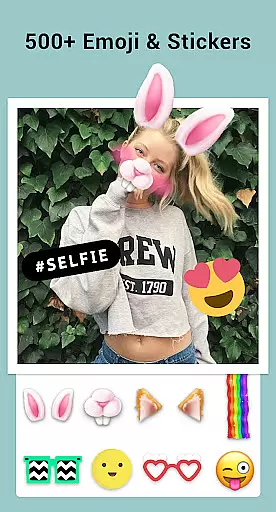
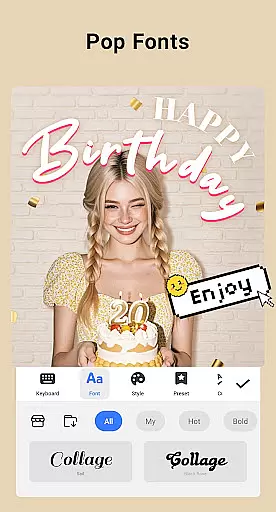
The inclusion of AI Photo Enhancer adds significant value by automatically improving image quality with just one tap. This feature is especially beneficial when working with older or lower-resolution photos. Additionally, the app provides an extensive library of decorative elements such as stickers, fonts, and frames that cater to diverse themes—from celebrations to everyday moments.
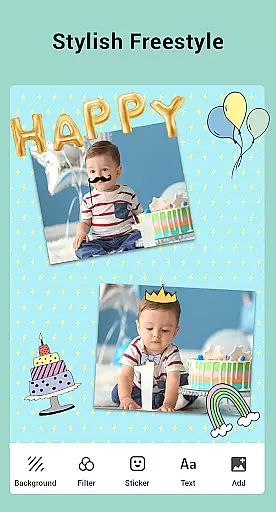
Advanced editing capabilities include cropping, filtering, text addition, and drawing tools. These functions ensure users have full control over their creations while maintaining ease of use. The freestyle mode further expands creative possibilities by allowing scrapbook-style designs with full-screen backgrounds and customizable elements.
Real-time capture and preview functionality is essential for photography apps like Collage Maker. This feature allows users to see exactly what their final output will look like while they are still in the editing process.
Collage Maker excels in this area by providing instant previews of photo collages as users select layouts, apply filters, and add stickers or text. The app ensures that every change made is immediately reflected, giving users a real-time view of their creative decisions.
This immediate feedback loop enhances user experience by allowing quick adjustments and fostering creativity. Users can experiment with different styles and designs without any lag, ensuring that their final collage meets their expectations precisely.
Ultimately, the real-time capture and preview feature in Collage Maker empowers users to create high-quality photo collages efficiently, making the editing process both enjoyable and productive.
AI beauty and enhancement features have become a cornerstone of modern photo editing applications. In Collage Maker, these tools are designed to naturally enhance photos without making them appear overly processed or artificial.
The app's AI Photo Enhancer transforms blurry, damaged, or old photos into stunning HD quality with just one tap. By leveraging advanced algorithms, it intelligently sharpens images, reduces noise, and enhances colors, all while maintaining the natural essence of the original photo.
Users benefit from this technology by achieving professional-grade results effortlessly. Whether enhancing personal portraits or reviving cherished memories, Collage Maker ensures that each image retains its authenticity and emotional value.
By focusing on natural enhancement, Collage Maker sets itself apart, offering users a reliable tool to improve their photos while preserving their genuine character.
User-friendly interface
Extensive layout options
AI-powered photo enhancement
Versatile editing tools
Social media optimization
Storage permissions required
Premium features locked
Occasional ads
Learning curve for beginners
Limited free templates

[3DSteroid Pro] is a stereoscopic application for Android.
 4.30
4.30
What celebrity do you look like? Celebs will find your celebrity match!
4.10
Perfect body tune & face app - photo retouch, makeup, slim body & beautify face.
4.80
Take videos and pictures with the popular TikTok TIME WARP SCAN filter.
4.60
Amazing Photo Effects - The most fun you can have with your photos!
4.70
Future baby face generator: AI kids generator, kid face! What my baby look like?
4.40
Fit multiple photos on one post. Create carousels & scroll layouts for Instagram
4.50
Use AI Video Generator to turn your words to ai generated videos.
4.50
A unique animation app. Powerful, easy to use, and lots of fun.
4.30
Enhance, retouch & create your story - Share the moment with Photoshop Express.
4.60
PhotoSync Bundle Add-On License. Enables all features and services in PhotoSync.
4.60
Transform photos into videos! Create realistic or anime-style images easily!
4.50
Effortlessly organize, view and share your photos & videos with Gallery app!
4.40
Search, tag and rate your way to an organized image gallery
4.40
Pet Camera
3.70
Create amazing frames with up to five photos. Rounded corners, effects and more!
3.60
GCamera allows all GCam features on all phone models! Better photos with GCamera
3.30
Photo Album Watch Face shows your favorite pictures as a Watchface.
1.90
Add a dreamy vibe to your selfies and videos with soft style filters
4.5


User Reviews