
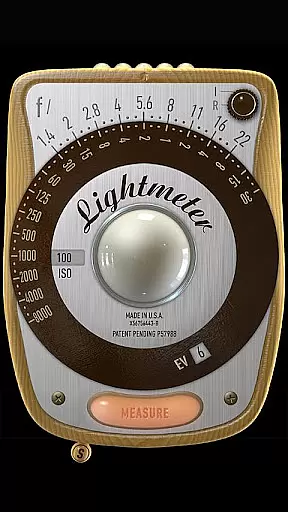
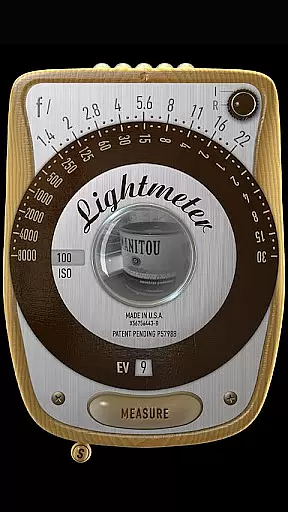
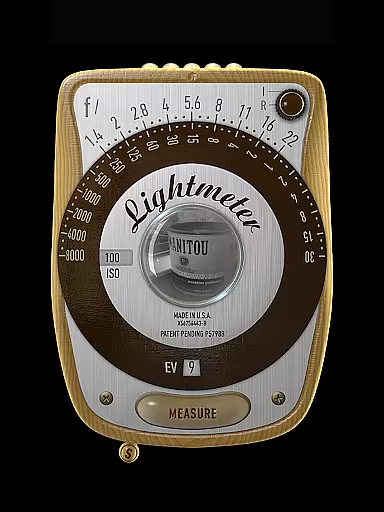
LightMeter is a specialized photography app designed for analog photographers who appreciate the art of old-school photography. This app transforms your mobile device into a reflective and incident light meter, aiding in achieving optimal exposure settings. Compatible with devices that support saving exposure data to EXIF, it offers features like ISO range adjustment from 3 to 6400, low light alerts, and calibration options.
While the precision of phone-based light meters is inherently limited by the hardware, LightMeter maximizes the potential of your device's camera and sensors. The reflected light metering feature provides commendable accuracy, making it an invaluable tool for photographers seeking to fine-tune their analog shots with digital precision.
LightMeter boasts a comprehensive set of features tailored for the needs of analog photographers. It supports both incident and reflected light metering, catering to different shooting conditions and preferences. Incident light metering utilizes the device's light sensor, while reflected light metering works with the device's camera, albeit only a few models are compatible.
Additional functionalities include a low light alert system, optional muting of the camera shutter sound, and on-screen display of Exif and sensor information. The app also allows users to hold incident light readings, calibrate the meter, and select alternative ISO settings. With vibration feedback upon measurement and support for high-resolution screens, LightMeter ensures a seamless user experience.
Real-time capture and preview functionality is essential for photographers who need accurate exposure readings. LightMeter offers this feature by utilizing the device's camera capabilities to provide instant feedback on lighting conditions.
The app supports reflected light metering, which works best with devices that can save exposure data to EXIF. This allows photographers to make informed decisions about their camera settings before taking a shot. The precision of the readings can be quite good, especially when using compatible cameras.
For incident light metering, the app relies on the device's light sensor. While this feature is generally available on most devices, the accuracy may vary. Users are advised that the quality of phone-based light meters is inherently limited by the hardware itself.
Despite these limitations, LightMeter provides valuable tools such as low light alerts and vibration feedback upon measurement. These features help photographers achieve better results in various shooting environments, making it a handy companion for analog photography enthusiasts.
While LightMeter does not focus on AI beauty enhancements, it excels in providing practical tools for serious photographers. The app includes features like calibration and alternative ISO selectors, ensuring users can fine-tune their experience based on specific needs.
One notable feature is the ability to mute the camera sound, although this option is not available in all countries due to legal restrictions. Additionally, the app displays Exif and sensor information on-screen, offering users deeper insights into their photography process.
LightMeter also supports spot measurement for devices with zoom capabilities, allowing for more precise readings in complex lighting situations. This level of detail helps photographers maintain control over their creative vision without relying heavily on post-processing.
Overall, while not focused on beautification, LightMeter enhances the photographic process through thoughtful design and functional precision. Its support for high-resolution screens ensures a seamless user experience across different devices.
User-friendly interface
Wide ISO range
Reflected light precision
Customizable settings
Supports high-res screens
Limited device compatibility
Incident light dependency
Camera sound restrictions
Precision varies by device
Feature availability differs

Application for remote controlling DSLR
 3.00
3.00
Cut and paste photo editor & eraser to customize photos easy and swap faces fun
4.50
All-in-One Editor & AI Photo Enhancer, Collage, Cartoonify, Funny Stickers & BGS
4.10
Photo prints, cards, & gifts at Walgreens. Easy ordering & fast local pickup !
4.80
Over 800 film simulation recipes for Fujifilm. Black Friday Offer!
4.1
Cartoon and artistic effects for your photos and videos
4.70
Professional photography on your mobile phone
4.20
Hair color changer, AI haircut app, fun hair editor and buzz cut filter for all!
3.80
Solocator stamps photos you take with GPS location, Compass Direction, Date/Time
3.80
See your baby AI baby face generator AI baby maker Face generator babymaker fun!
4.70
Automatically backup your photos and videos to computer, NAS and Cloud services
4.60
HD Camera Pro with HD Video shooting, Panorama, Photo editor , Beauty Camera.
4.50
Movie camera, supports pro recording settings for filming. Try it and be amazed!
4.50
Photo editor & gallery. Crop pictures & edit photos offline, no wifi!
4.50
RAW video capture with advanced controls
4.40
Luminar: Photo Editor - easy picture editing with AI
4.20
Astrophotography with your smartphone, photo live stacking and much more!
3.90
Pet Camera
3.70
An interval timer to automate photo taking process for timelapse
2.90


User Reviews