


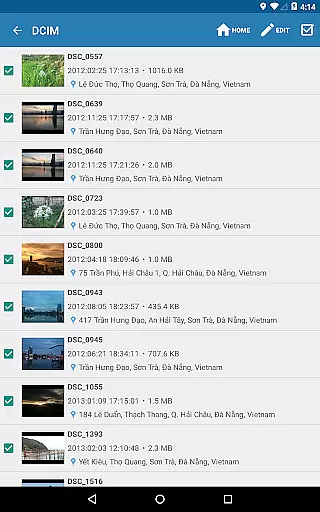
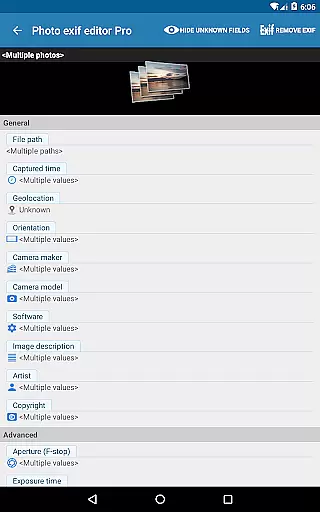
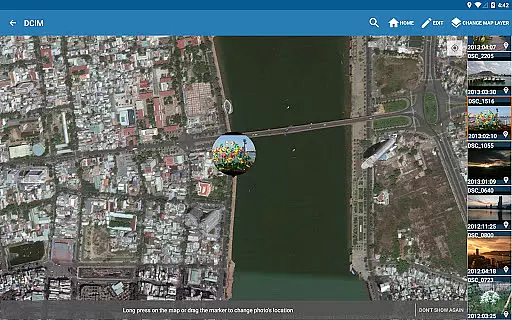
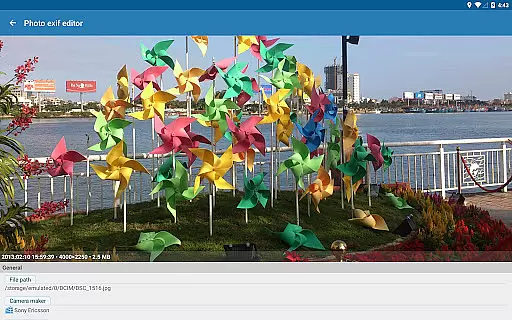
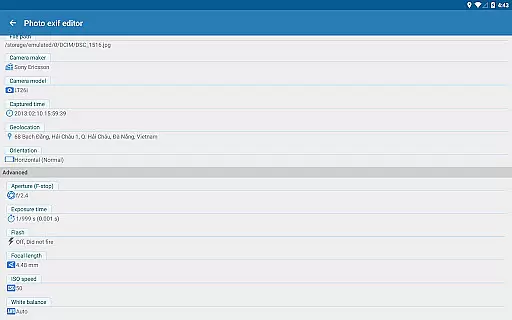
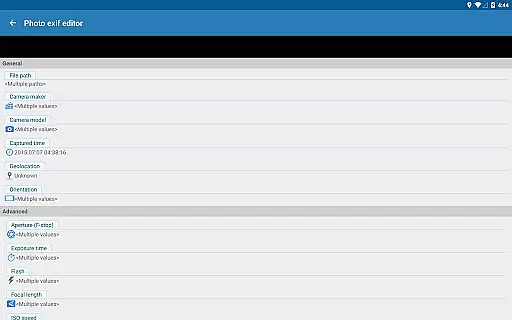
Photo Exif Editor Pro is a powerful tool for photographers and enthusiasts who need to manage the metadata of their images. This application allows users to view and modify Exif data, which includes crucial information such as camera settings, GPS location, and other image attributes.
The app features an intuitive interface that makes it easy to correct missing details or add new information to your favorite photos. With capabilities like batch editing and full raw data display, Photo Exif Editor Pro offers professional-level functionality without compromising on usability.
Whether you're organizing a photo library or preparing images for publication, this app provides the necessary tools to ensure your photos are correctly tagged and easily searchable. Its ability to handle various file formats including JPG, PNG, and RAW makes it an indispensable asset for any photography workflow.
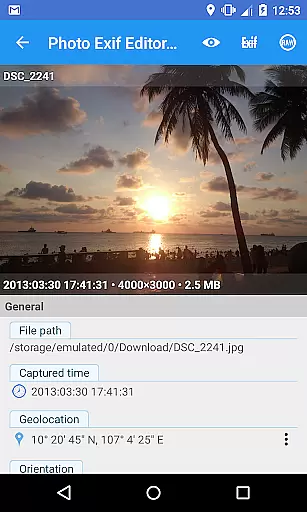
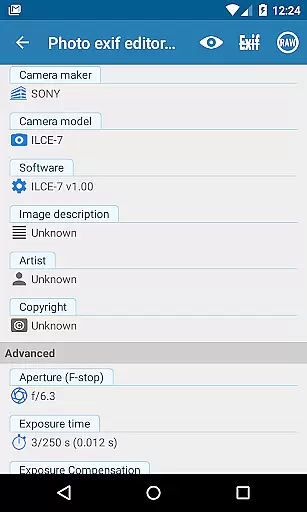
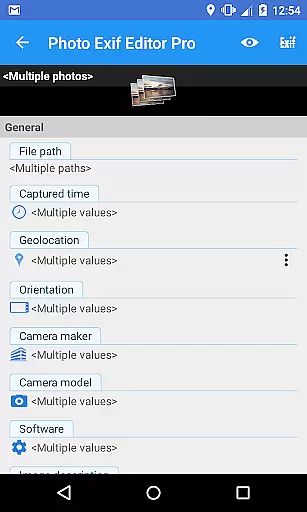
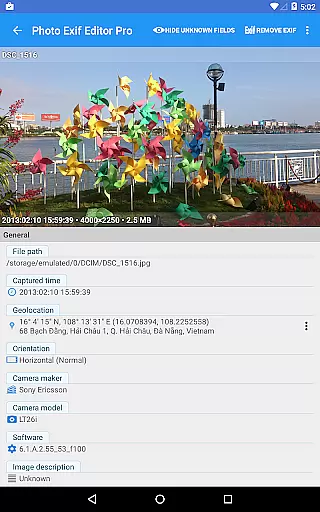
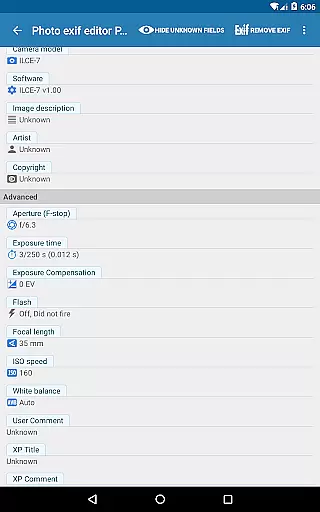
One of the standout features of Photo Exif Editor Pro is its comprehensive set of editing tools. Users can modify a wide range of Exif tags, including camera model, maker, capture time, orientation, aperture, shutter speed, focal length, ISO speed, and white balance. This level of detail allows for precise control over image metadata.
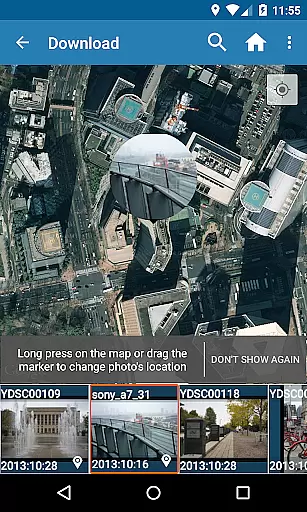
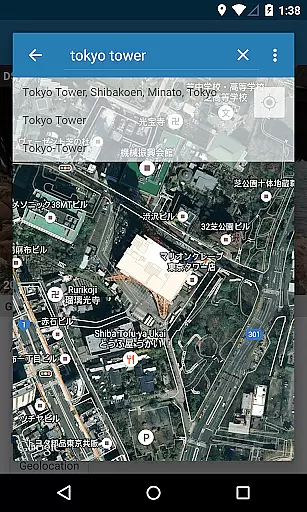
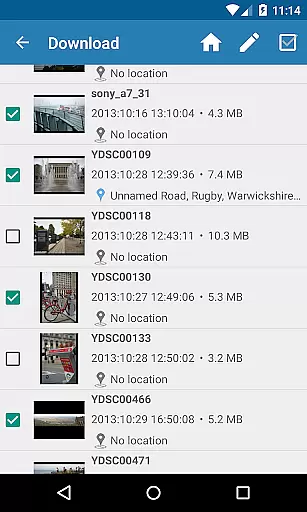
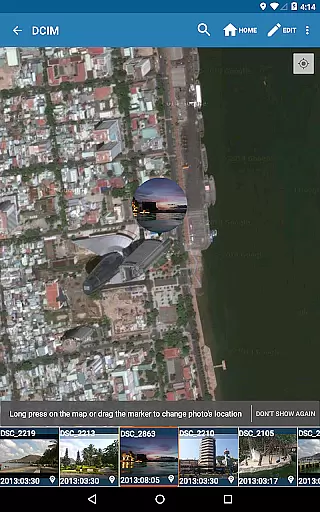
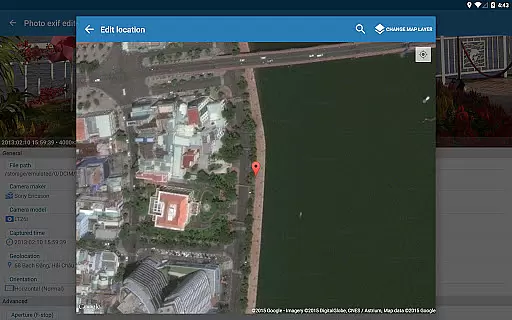
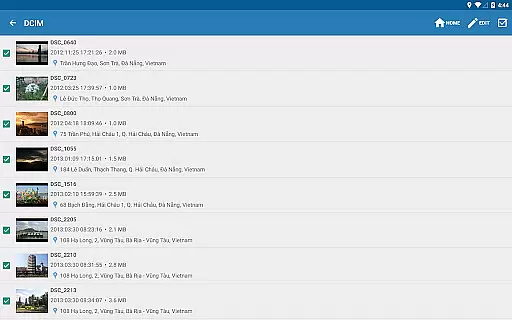
In addition to individual edits, the app supports batch processing, enabling users to apply changes to multiple photos simultaneously. This feature significantly speeds up workflow, especially when dealing with large collections of images. The inclusion of Google Maps integration for geotagging adds another layer of functionality, allowing users to accurately pinpoint where a photo was taken.
Furthermore, the pro version removes ads and provides access to the full raw data of pictures, offering a seamless experience for power users. As the app continues to evolve, upcoming updates promise even more advanced features, solidifying its position as a top choice for managing photo metadata.
Real-time capture and preview functionality is essential for photography applications as it allows users to see exactly what the camera sees before taking a shot. This ensures that users can make necessary adjustments to achieve the desired composition and exposure.
Photo Exif Editor Pro offers an intuitive interface where users can view and modify Exif data, which indirectly supports better photo capturing by providing insights into previous settings that worked well. Although this app doesn't directly handle real-time image capturing, its ability to display full raw data of pictures helps photographers understand their device's capabilities and limitations.
By reviewing detailed Exif information through Photo Exif Editor Pro, users gain valuable knowledge about optimal camera settings such as aperture, shutter speed, and ISO speeds. These insights enable them to replicate successful shots or experiment with new configurations confidently.
The application also aids in correcting missing information from photos, enhancing future captures' quality. With features like GPS tagging and orientation correction, photographers can ensure their images are correctly aligned and geotagged, adding context and precision to every snapshot they take.
AI beauty and enhancement features have become increasingly popular in photography apps due to their ability to improve photo aesthetics while maintaining natural looks. Such enhancements help users elevate their photographs without making them appear overly processed or artificial.
While Photo Exif Editor Pro does not focus on AI-driven beautification, it provides robust tools for editing Exif tags, which can significantly impact how images are perceived. Users can adjust critical parameters like white balance, focal length, and metering modes, ensuring that each photo reflects true-to-life colors and details.
Moreover, the app's batch editing capabilities allow photographers to apply consistent enhancements across multiple images efficiently. By modifying EXIF tags such as ISO speed and shutter speed, users can achieve uniformity in brightness and clarity throughout their photo collections.
Although Photo Exif Editor Pro emphasizes metadata manipulation rather than direct visual enhancements, its comprehensive suite of editing options empowers users to refine their photos authentically. The result is enhanced imagery that retains its original charm and character, offering a balanced approach to digital photo improvement.
User-friendly interface
Batch editing support
Comprehensive Exif tag options
Google Maps integration
No ads in Pro version
Limited to Android 4.4+
External SD card write issues
Advanced features require Pro version
Occasional bugs reported
Location permission needed

AI portrait generator and polaroid AI selfie, fun AI generated AI photo creator!
 4.30
4.30
Add Watermark - Sign your pictures with a text or logo. Effective, quick, easy!
4.50
AI photo editor with hair editor, retouch tools, hair color changer & filters!
4.50
Over 800 film simulation recipes for Fujifilm. Black Friday Offer!
4.0
USB Storage Access for Photos, Videos, Music and Documents
3.80
Hair color changer, AI haircut app, fun hair editor and buzz cut filter for all!
3.80
Pro version: AR sun/moon tracker for any date. Tool for photographers & planners
4.90
Professional camera app that brings DSLR manual photography controls to Android.
4.20
Welcome to ProShot, the most powerful camera app on Android.
4.20
Gallery show photo, video, slideshow, is perfect 3D effect private photo albums.
4.80
The original Rarevision VHS look seen everywhere!
4.70
1M influencer's special filter
4.60
Enhance, retouch & create your story - Share the moment with Photoshop Express.
4.60
Discover & download millions of art for The Frame TV or Hisense CanvasTV
4.60
Transform photos into videos! Create realistic or anime-style images easily!
4.50
Use AI Video Generator to turn your words to ai generated videos.
4.50
Luminar: Photo Editor - easy picture editing with AI
4.20
Photobooth mini FULL app will allow you to add more fun to your parties
4.00
Snap photos remotely using your Garmin watch as the camera trigger
4.3


User Reviews